
Simbla - AI powered CRM
Simbla · Marketing
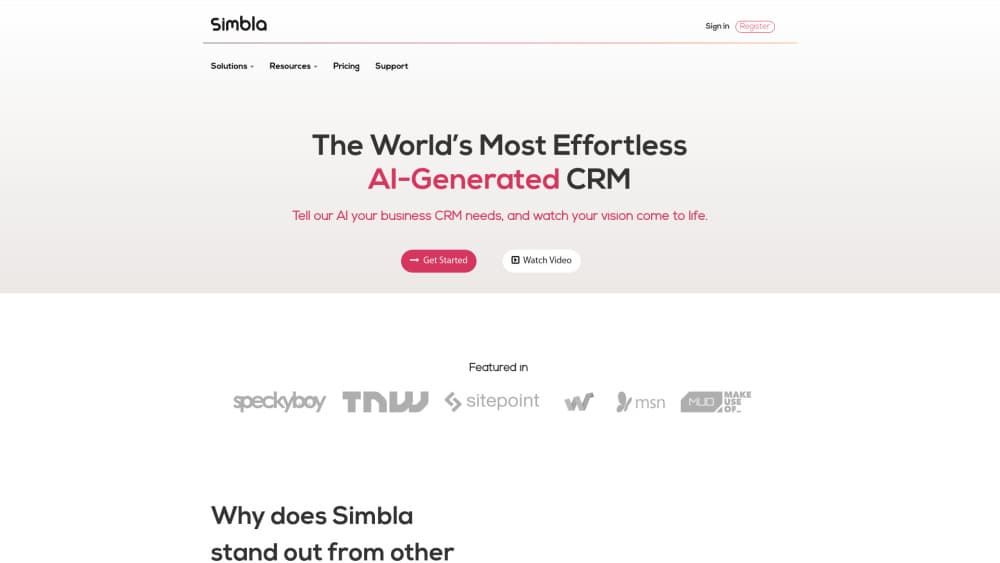
Simbla is an AI powered CRM that turns a plain language description of your business into a working cloud CRM in minutes, then lets you reshape it with a no-code builder.
About Simbla - AI powered CRM
What Is Simbla
Simbla is a cloud CRM platform where the first draft of your system comes from an AI prompt instead of a consultant. You describe what the business needs, pick a layout, and the platform assembles accounts, contacts, pipelines, tasks, and pages around that description. From there you edit everything in a drag-and-drop environment.
The pitch is aimed at teams that never got a CRM project off the ground. Traditional setup asks for requirements documents, admin time, and a budget, and many small companies stop there. Simbla skips that phase by generating a working structure first and leaving adjustments for later.
The same account also holds a website builder, a customer portal, and landing pages, so leads captured on your site land in the same database your sales team works from.
There are limits worth knowing up front. Each plan covers one database or project, so agencies running several client systems need a plan per client. The free plan caps at 5 users, 200 MB of storage, and 1,000 records, and a free project that goes over those limits has to move to Basic or it gets disabled.
Getting Started
- Register an account on simbla.com and start a new project from the AI wizard.
- Write your requirements in ordinary words, for example "leads, tasks, and a product catalog," then choose a design and layout direction.
- Review the generated system: accounts, contacts, pipelines, forms, and pages. Rename fields and add the ones the AI missed.
- Invite your team, set permissions by role, and connect a domain if you plan to publish a site or portal.
- Move real data in through imports or Zapier, then switch the free trial to a paid plan before the 14 days run out if you plan to keep the project.
Product Information
A quick look at Simbla - AI powered CRM's pricing, supported platforms, and performance.
Best for
The users, tasks, and scenarios where this tool fits best.
Users
- Small sales teams of 5 to 20 people
- Founders and solo operators
- Agencies and consultants
Tasks
- Building a custom sales pipeline
- Handling support requests
- Running delivery work next to sales
- Publishing lead capture pages
Scenarios
- Replacing a spreadsheet that three people update by hand
- Standing up a new internal process in a week
- Giving clients a self-service view
Key features
AI CRM Generator
The wizard takes a written brief and produces a working system: objects, fields, pages, and a starting layout. You answer a few questions rather than filling in a requirements template, and the output is editable from the first minute. It's the fastest part of the product and the reason most teams try Simbla at all.
No-Code CRM Builder
Every table, form, and page stays editable through drag and drop after the AI finishes. You can add fields, change relationships, and rebuild screens without code, which matters when the business changes shape six months later. Server-side code is available on paid plans for logic the visual builder can't express.
Sales Pipeline and Lead Management
Leads arrive from landing pages, imports, or outside tools, then move through stages you define. Each record carries activity history, follow-up tasks, and owner assignments, so a manager can see where deals stall. Follow-up reminders live inside the pipeline instead of a separate calendar.
Workflow and Process Automation
Rules trigger actions when a record changes: send an email, assign an owner, create a task, or update a related record. Teams use this for approvals and handoffs that would otherwise need a person to watch a queue. Automation runs on the same data model as the rest of the CRM, so no syncing is needed between tools.
Customer Portal and Website Builder
You can publish a website, blog, landing pages, and a logged-in customer portal from the same project. Portal users see only their own records, which turns the CRM into a support surface for clients. Pages are built with the same visual editor as internal screens.
Case Management and Project Tracking
Support cases, projects, and tasks live next to accounts and deals. A case links to the customer record and to the project that fixes the underlying problem, which keeps context in one place. Managers get progress views without exporting anything.
Integrations, Messaging, and API
Native connectors and Zapier cover the usual stack, and the plan comparison lists API access plus server-side code. Customer conversations can run through email, SMS, WhatsApp, or the portal. For teams already committed to another tool, the API is the escape hatch for custom sync work.
Pros and cons
Pros
- The AI wizard produces a usable CRM structure in minutes, which removes the requirements phase that stalls most first-time CRM projects.
- Everything stays editable without code, so the system can follow the business instead of freezing on day one.
- Website, landing pages, and a customer portal share the CRM database, which cuts duplicate lead entry for small teams.
- Workflow automation and case management come inside the same plan rather than as paid add-ons.
- Paid tiers scale records and storage generously, up to 15 million records on Enterprise.
Cons
- One plan covers one project, so an agency managing five clients pays for five projects instead of one shared workspace.
- The free plan stops at 5 users, 200 MB, and 1,000 records, and a project that exceeds those limits gets disabled unless you upgrade.
- Mail support starts at Basic and priority support only arrives on Advanced, which slows troubleshooting for teams on cheaper plans.
- The AI builds the skeleton, but field structure, permissions, and automations still need a person to finish them, so plan for a week of configuration.
Frequently asked questions
It's a customer relationship management system where AI shapes the system itself, not just the reports. In Simbla's case, you describe your requirements in plain language and the platform generates the objects, fields, and pages you then work in.
Related content
Explore related tools, skills, and articles for Simbla - AI powered CRM.
Simbla - AI powered CRM Alternatives

ngram 2.0
ngram · Video · Marketingngram 2.0 is an AI video generator for teams. It turns a prompt, a screen recording, or a product URL into a narrated explainer, product demo, or AI avatar video, and every scene stays editable.

shippedit.me
Krawlup · Marketing · Businessshippedit.me now redirects to Krawlup, a web platform that audits SEO, AEO and page speed every week, then hands the fixes to AI coding agents over MCP.

MePersona
MePersona, Inc. · Writing · Productivity · MarketingMePersona is an AI unified inbox for creators. It learns your voice, drafts replies to fan messages from 12 platforms, and sends only what you approve.