

Siteprint
Siteprint · Coding · Prompts
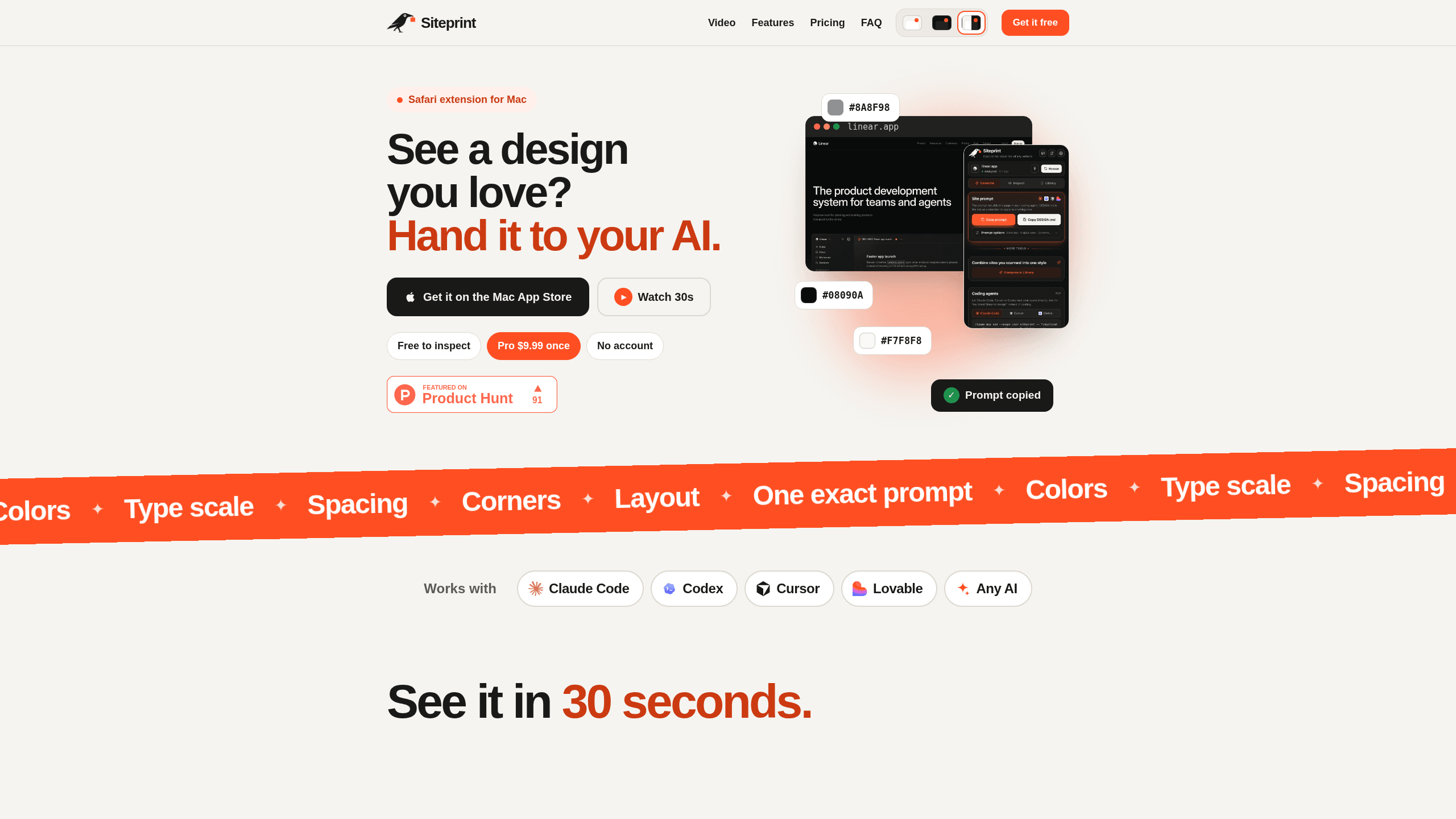
Siteprint measures any website's colors, fonts, spacing, and layout in a real browser, then turns the result into a prompt, DESIGN.md and theme files that AI coding agents can build from.
About Siteprint
What Is Siteprint
Siteprint is a website design extractor. You paste a URL, the page opens in a real browser on Siteprint's side, and about 20 seconds later you get its palette, font stack, type scale, spacing steps, corner radii, shadows, easing curves, breakpoints, logo and framework. Everything is measured on the rendered page, so the numbers reflect what visitors actually see rather than what the stylesheet promises.
The problem it solves is the brief that every AI builder gets sooner or later: make it look like this site. A screenshot carries the look but not the values. Your agent then guesses at hex codes, line heights and button padding, and you spend the next hour nudging things. The website to prompt step is the point of the product: Siteprint outputs the exact values as a prompt written for Lovable, Claude Code or Cursor, plus a DESIGN.md file that states the design as a direction the agent can apply to new pages.
Two limits matter before you start. Siteprint measures a design, it doesn't build one, so you still need an agent or a person to write the code. And the web version reads a page from its server, which means sites that block automated visitors, pages behind a login or one specific card on a page need the Safari extension on a Mac.
Getting Started
- Open siteprint.app and paste a website address. No account is needed for this step.
- Wait for the scan. Siteprint opens the site in a real browser, which takes roughly 20 seconds, then fills the page with measured values.
- Read the sections you care about: colors and their roles, fonts and text styles, spacing and shape, shadows and motion, breakpoints, assets and tech. Click any value to copy it.
- For the rebuild prompt and DESIGN.md, sign in and move to Pro. Open Build with this design and copy the prompt into Lovable, Claude Code or Cursor.
- If you work in Safari on a Mac, install the extension to scan login-gated pages, single sections, or sites that refuse automated visitors, and let your agent read saved scans over MCP.
Product Information
A quick look at Siteprint's pricing, supported platforms, and performance.
Best for
The users, tasks, and scenarios where this tool fits best.
Users
- Front-end developers and indie builders
- Designers researching a reference site
- Founders and marketers who can describe a look but not the CSS
- Teams keeping several products visually consistent
Tasks
- Rebuilding a landing page in an AI builder
- Deriving design tokens from a site you like
- Matching an existing build to a reference
Scenarios
- Restyling an internal dashboard to a look your team already approved
- Composing a new visual direction from two sites
- Auditing a competitor's type scale and spacing rhythm before a redesign
Key features
Palette With Roles
Siteprint lists every color on the page, sorted into neutrals and hues, with HEX, RGB and HSL values. Every scan works as a design system extractor for the page. It also labels roles such as canvas, surface, text and muted, so your agent knows which color goes where. Dark mode variants and gradients are captured separately when the site uses them.
Typography and Type Scale
The typography panel names each font family, its weights, the files it loads and where those files come from. Text styles come with size, line height, letter spacing and the element they apply to. That's the part a screenshot can't give you, and it's usually where a rebuild starts to drift.
Spacing, Shape and Motion
Spacing steps, corner radii and content widths are read from the rendered layout, not inferred. Shadows, easing curves and durations are listed with a preview you can hover to play, which helps when a button feels right on the reference site and wrong in your build.
Rebuild Prompt and DESIGN.md
Pro turns a scan into a single prompt that describes layout, motion and sizes, formatted for the AI builder you name. A DESIGN.md file states the same design as a direction rather than a fixed page, so an agent can apply it to screens that don't exist on the reference site yet.
Exports and Design Tokens
Beyond the prompt, Siteprint exports Tailwind v4 config, shadcn/ui themes, CSS variables and a token file. Each color and text style is named and placed, which saves the manual renaming pass that otherwise eats an afternoon.
Agent Access Over MCP
The Safari extension runs a local MCP design server with three tools: list_designs, get_design and get_reference_image. Claude Code, Cursor, Codex or any MCP client can read a saved scan as prompt, design, layout, Tailwind config, shadcn theme, CSS or JSON. On the web version you connect an agent from the Library instead, and files never leave your machine on the extension path.
Match Your Build
Paste the address of your own version and Siteprint compares it with the reference site. The output is a list of fixes plus a prompt that pushes your page toward the original, which is more useful than a diff of hex codes when a layout is off by a few pixels.
Pros and cons
Pros
- Free inspection of any number of sites, with copy on click and no signup.
- Values come from a real browser render, so they include computed styles that static HTML doesn't show.
- The rebuild prompt targets Lovable, Claude Code, Cursor and other agents by name, which cuts the prompt writing you'd do by hand.
- The Safari extension reads pages locally, so login-gated and bot-blocked sites are within reach, and scans stay on the Mac.
- Compose and the Library turn one-off lookups into a reusable reference set.
Cons
- The rebuild prompt, DESIGN.md and exports sit behind Pro, so the free tier answers questions without handing you anything to build from.
- Web scans take about 20 seconds each and fail on sites that block automated visitors, which pushes Mac users toward the paid extension.
- The extension needs Safari on macOS 14 or later, so Windows and Chrome users get the slower, server-side path only.
- It measures and doesn't build, so the output is still a brief your agent has to interpret correctly.
Frequently asked questions
Inspecting a site is free and needs no account, including colors, fonts, spacing, assets, and tech. Pro costs $9 a month or $69 a year and adds the rebuild prompt, DESIGN.md, exports, hero background and Match your build. The Safari extension is a separate one-time purchase of $19.99.
Related content
Explore related tools, skills, and articles for Siteprint.
Siteprint Alternatives

Base Code
Base44 (Wix) · Coding · ProductivityBase Code is a shared cloud development environment from Base44. Teammates describe changes to an existing GitHub codebase in chat, preview them live and send them back as pull requests.

Google EmbeddingGemma 2
Google DeepMind · Writing · Image · CodingGoogle EmbeddingGemma 2 is a 740M-parameter open model that turns text, code, images, audio, and video frames into vectors in one 768-dimension space, running on phones and laptops.

GitGlow
GitGlow · Coding · ProductivityGitGlow is a local-first desktop Git client that lets independent developers review their own code and their AI agents' changes in one place before shipping.