

Skail
Skail · Writing · Voice & Language
Skail is a web platform that builds a digital clone of your writing style, tone, and personality, then uses it to draft personalized emails, social posts, and articles that sound like you wrote them.
About Skail
What Is Skail
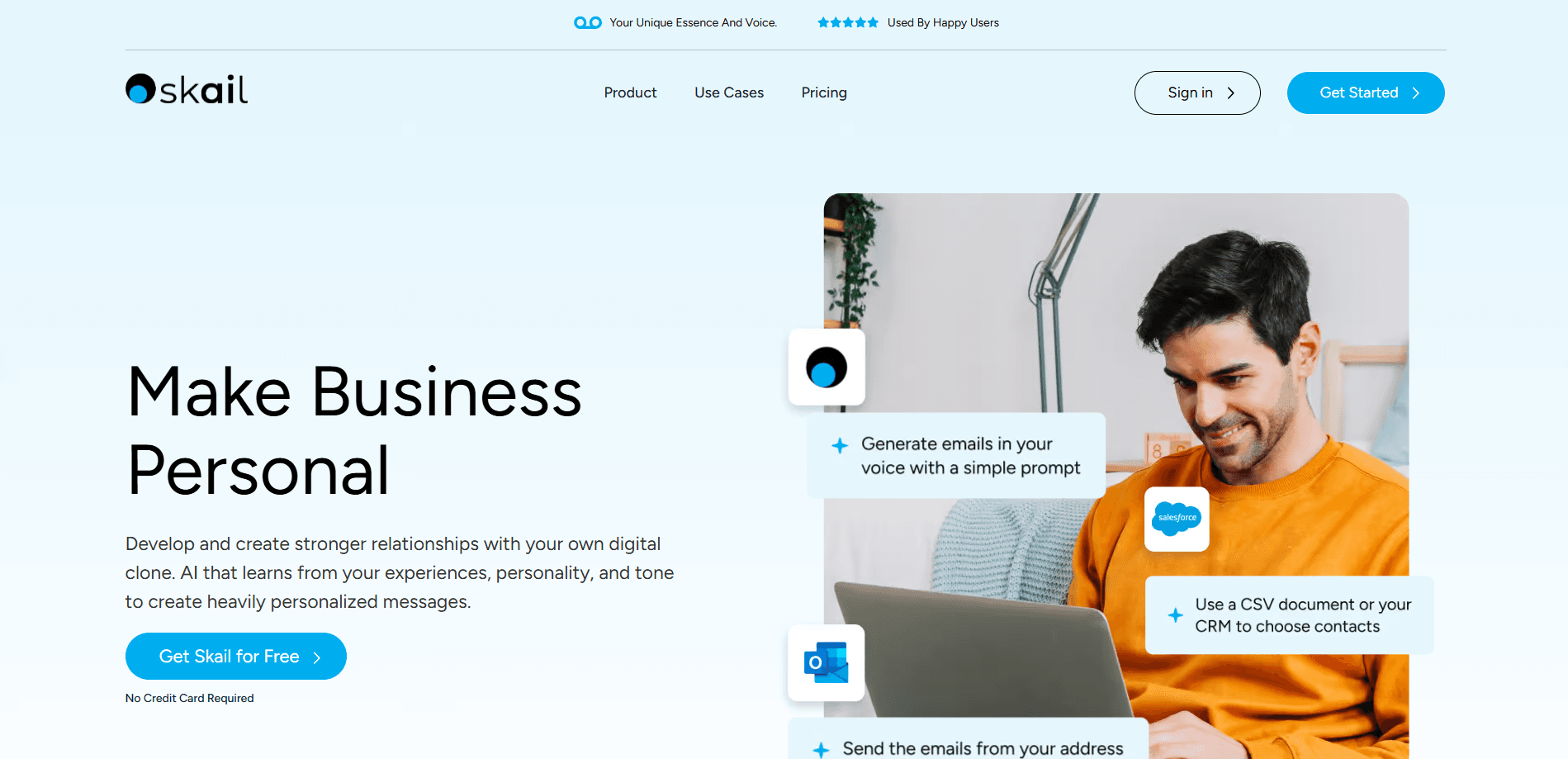
Skail is an AI-powered email assistant and communication platform built around a feature it calls a digital clone. Instead of generating one-size-fits-all copy, Skail studies samples of your writing to learn how you phrase things, what words you reach for, and how formal or casual you tend to be. The result is a model that writes in your voice rather than a generic corporate tone.
The problem it targets is a familiar one. Salespeople, founders, and consultants need to reach a lot of people, yet mass-produced messages read as cold and get ignored. Email automation usually makes that worse, since it strips out the personal details that earn a reply. Skail tries to close that gap by letting you scale outreach without losing the personal touch that makes a message worth reading. Alongside emails, the platform can help draft social media posts and articles that you submit to a marketing admin.
The main limits are worth knowing up front. The quality of the clone depends on the samples you provide, so thin or narrow input leads to a narrow voice. Team features and deeper integrations often require talking to the sales team rather than signing up on your own. The company also keeps its AI model proprietary, which it presents as a privacy benefit but which means you can't inspect or self-host it.
Getting Started
- Create an account through the Skail website and start a profile.
- Add personal and company details. The guidance is to share only what you'd be comfortable seeing in an email, social post, or article.
- Upload writing samples so Skail can learn your tone, phrasing, and personality.
- Connect your email provider and CRM, then generate emails from a prompt and refine them with conversational commands.
- Save a campaign to drafts inside your connected email provider, review each message, and send when you're ready.
Skail is available through its official website at skail.ai. The product is a web service and does not ship as a standalone mobile app.
Product Information
A quick look at Skail's pricing, supported platforms, and performance.
Best for
The users, tasks, and scenarios where this tool fits best.
Users
- Sales and business development teams
- Founders and solo consultants
- Marketing and employee advocacy teams
Tasks
- Personalized cold email at scale
- Writing social posts around brand stories
- Drafting articles for a marketing team
Scenarios
- Following up with a long list of leads after a conference
- Keeping a personal voice while your outreach volume grows
- Managing relationships rather than broad prospecting
Key features
Digital Clone Built From Your Writing
The core of Skail is a digital clone that learns from writing samples you provide. It analyzes your style, tone, and personality, then folds in context about you and your company. Every draft it produces is meant to reflect your expressions rather than a neutral, machine-made voice. The closer your samples match the messages you actually send, the more convincing the output tends to be.
Prompt-Based Email Generation
You describe what you want in a prompt, and Skail drafts emails for one contact or a whole list. It works as an AI writing tool for people who send a lot of similar messages but want each one to read as if they typed it themselves. You can then adjust the text with conversational commands instead of rewriting by hand. This back-and-forth keeps you in control while cutting the time it takes to get a usable first draft. It suits both quick one-off notes and larger campaigns.
Drafts in Your Own Email Provider
Skail pushes finished campaigns to the drafts folder of your connected email provider. That way the review and send steps happen in the tool you already use, and nothing leaves without your say-so. It also means your existing signatures, threads, and folders stay in place. You keep the final call on every message.
Multi-Channel Content Beyond Email
The platform isn't limited to email. Skail can help write social media posts around brand stories, or build a post from scratch, and it can draft articles that you submit to a marketing admin. Teams that need a consistent presence across email and social get one place to start that work. Human review still applies, especially for anything published publicly.
CRM and Email Integrations
Skail connects with common sales and support tools, including Salesforce, HubSpot, Zoho CRM, SugarCRM, Microsoft Outlook, Gmail, and Zendesk. These links let the clone work inside the systems where your contacts already live. Some advanced or database-level integrations are handled through the sales team, so they may not be available on a self-serve plan.
Privacy-First Model
Skail uses its own AI model and says it doesn't share your information. For people handing over personal writing samples, that stance matters, since those samples reveal a lot about how you communicate. The trade-off is limited transparency. Because the model is proprietary, you can't inspect or run it yourself, and you're trusting the vendor's privacy claims.
Pros and cons
Pros
- Learns your actual writing style from samples, so drafts sound like you instead of generic copy.
- Works with the email provider and CRM you already use, which keeps review and sending in familiar tools.
- Covers more than email, with support for social posts and article drafts.
- Free trial runs for 14 days or 50 emails, enough to judge output quality before paying.
- Vendor says it keeps your data private and doesn't share it.
Cons
- Output quality hinges on your samples, so weak input produces a weak clone.
- Some team features and database integrations need a custom plan and a sales conversation.
- The proprietary model can't be inspected or self-hosted, so privacy claims rest on trust.
- The official site has had uptime trouble, which can interrupt research or sign-up.
- Entry pricing at around $50 per month is steep for casual or individual use.
Frequently asked questions
Skail creates a digital clone of your writing style and uses it to draft personalized emails, social posts, and articles. You give it writing samples and company context, then generate content from a prompt and refine it in conversation.
Related content
Explore related tools, skills, and articles for Skail.
Skail Alternatives

Claude for Google Workspace
Anthropic · Writing · Productivity · BusinessClaude for Google Workspace puts Claude in a sidebar inside Google Docs, Sheets, and Slides, where it reads the file you have open and edits it in place.

Claude Haiku 5.5
Anthropic · Writing · Coding · ChatbotClaude Haiku 5.5 is Anthropic's fastest and cheapest small model, built for high volume tasks at $0.10 per million input tokens with a 1M token context window.

NoteWorthy
Suman Hansada · Writing · Productivity · AI AssistantNoteWorthy is a notes app for iPhone, iPad and Mac that writes titles, tidies formatting, summarizes long notes and files each one with on-device AI. No account, no upload, no network requests.