

Sketch2scheme
Sketch2scheme · Writing · Productivity
Sketch2scheme turns photos of hand-drawn flowcharts, wiring diagrams and floor plans into editable diagrams, keeps your layout, and exports PNG, SVG or draw.io files.
About Sketch2scheme
What Is Sketch2scheme
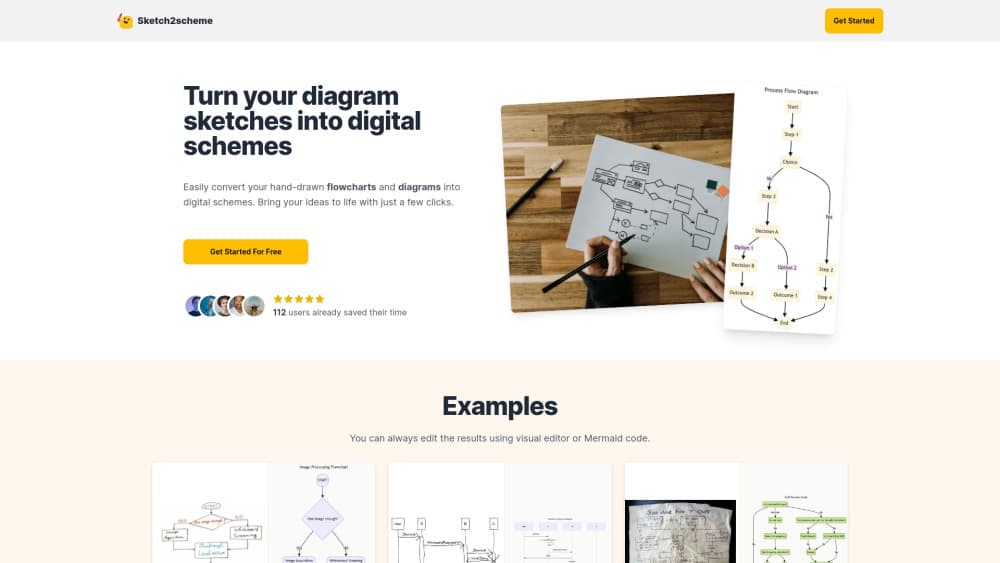
Sketch2scheme is a browser tool that redraws a photographed sketch as a clean diagram. It works as a hand-drawn diagram converter for anyone who thinks better on paper. You upload a picture of a flowchart, a whiteboard, a wiring sketch or a floor plan, and the model finds the boxes, symbols, arrows and handwritten labels. What comes back opens in an editor instead of sitting there as a flat image.
The selling point is layout fidelity. A photo to editable diagram usually means a minute of waiting and then a few small fixes. Plenty of sketch to diagram tools reflow your drawing into their own tidy grid and throw away the arrangement you chose on paper. Sketch2scheme keeps each element close to its original spot, so a pipeline drawn across a notepad keeps that left to right shape. Lines get straightened and spacing gets evened out. The structure stays yours.
The limits sit in what it can read. Faint pencil, heavy shadow and tiny handwriting cause misses, and the electrical side covers the draw.io component library rather than every part in a real panel. The site says to check each connection against the original before anyone wires anything.
Getting Started
- Open sketch2scheme.com in a phone or desktop browser. Nothing to install.
- Upload a photo, a screenshot or a pasted image of the sketch, and rotate it if the paper is sideways.
- Wait 10 to 60 seconds while the AI places shapes, symbols, lines and text.
- Fix anything it misread in the editor that sits next to the canvas.
- Export a PNG, an SVG or a .drawio file. PDF and Visio come through diagrams.net.
Product Information
A quick look at Sketch2scheme's pricing, supported platforms, and performance.
Best for
The users, tasks, and scenarios where this tool fits best.
Users
- Electricians and hardware tinkerers
- Product and process teams
- Students and teachers
- Architects and interior designers
Tasks
- Rebuilding a flowchart after a workshop
- Documenting a circuit
- Converting a paper org chart or mind map into an editable file for a slide deck.
- Tidying an old drawing
Scenarios
- On site, where the only record of a panel is a notepad sketch and no laptop is around. The upload runs from a phone camera.
- Maintenance handover
- Late stage documentation, when the diagram needs to be in draw.io because that is what the team edits in.
Key features
Layout That Survives the Conversion
The redrawn diagram puts shapes back where you drew them rather than shuffling them into an automatic column. That matters for sketches where position carries meaning, such as a pipeline running left to right or a panel with parts laid out by function. Alignment gets cleaned up, so the result looks deliberate without losing the original plan.
Shape, Symbol and Handwriting Recognition
The model separates boxes, cylinders, diamonds, clouds and arrows, then reads the labels attached to them. As a flowchart digitizer it handles the everyday mapping shapes rather than a fixed template, so a decision diamond stays a diamond. Notes written in the margin usually end up as text next to the matching shape. Database and cloud shapes keep their own form, which is the difference between a diagram and a pile of rectangles.
Wiring Diagrams With Real Electrical Symbols
Wiring is the newer half of the product, and the wiring diagram digitizer keeps labels tied to parts. Components come from the draw.io electrical library, so a fuse looks like a fuse and a ground symbol looks like a ground. Ratings and voltages written on the sketch stay beside the component they belong to, and wires come out at right angles with junction dots where they meet.
An Editor Built Into the Page
Conversions are rarely perfect, and the editor is there for the last ten percent. You can move a node, redraw a connection or retype a label without exporting to another app first. For anyone who already works in draw.io, the controls feel familiar.
Exports That Fit Existing Workflows
PNG covers quick sharing and slide decks. SVG stays sharp at any size for print and documentation. The .drawio file is the one that matters for teams, since it opens in draw.io, Confluence and VS Code with layers and text still editable.
Failed Runs Don't Use Credits
One diagram costs one credit. If the conversion fails or the image turns out not to be a diagram, the credit goes back to the account. That policy removes most of the risk from trying an unclear photo, which is the situation where a paid AI diagram generator usually feels like a gamble.
Pros and cons
Pros
- Layout preservation separates it from converters that rearrange everything into their own template.
- Real electrical symbols and kept ratings make the wiring output usable for documentation.
- Editor plus draw.io export means one tool covers capture, cleanup and handoff.
- Credits come back when a conversion fails, so a bad photo costs time and not money.
- Runs in a phone browser, which suits field work where a laptop is not practical.
Cons
- No free plan. You buy a pack before you can test the recognition on your own sketches.
- Faint pencil, glare and cramped handwriting produce gaps that you redraw by hand.
- No public API and no self serve team plan, so automation means emailing the company.
- Wiring diagrams still need a human check against the sketch, and a misread connection can look plausible.
Frequently asked questions
It converts a photo of a hand-drawn diagram into an editable file. The AI recognizes nodes, connections and labels, keeps your layout, and lets you fix the result in a built-in editor before exporting.
Related content
Explore related tools, skills, and articles for Sketch2scheme.
Sketch2scheme Alternatives

Google EmbeddingGemma 2
Google DeepMind · Writing · Image · CodingGoogle EmbeddingGemma 2 is a 740M-parameter open model that turns text, code, images, audio, and video frames into vectors in one 768-dimension space, running on phones and laptops.

MePersona
MePersona, Inc. · Writing · Productivity · MarketingMePersona is an AI unified inbox for creators. It learns your voice, drafts replies to fan messages from 12 platforms, and sends only what you approve.

Fluence
Yay Software (Yannick Huchard) · Writing · Voice & Language · ProductivityFluence is an Android app that reads PDFs, EPUBs, Word files and web articles aloud, follows each sentence as it speaks, and answers questions about the text on the phone itself.