

Skillkit
Skillkit · Coding
Skillkit is a universal skill manager for AI coding agents. It fixes a real headache: skills make agents smarter, but every agent wants a different format, so the same skill often gets rewritten two or three times. Skillkit lets you write a skill once and deploy it across 45 agents, including Claude Code, Cursor, Codex, and Gemini CLI. It handles format translation, skill discovery, and sync automatically, and adds smart recommendations plus persistent session memory on top.
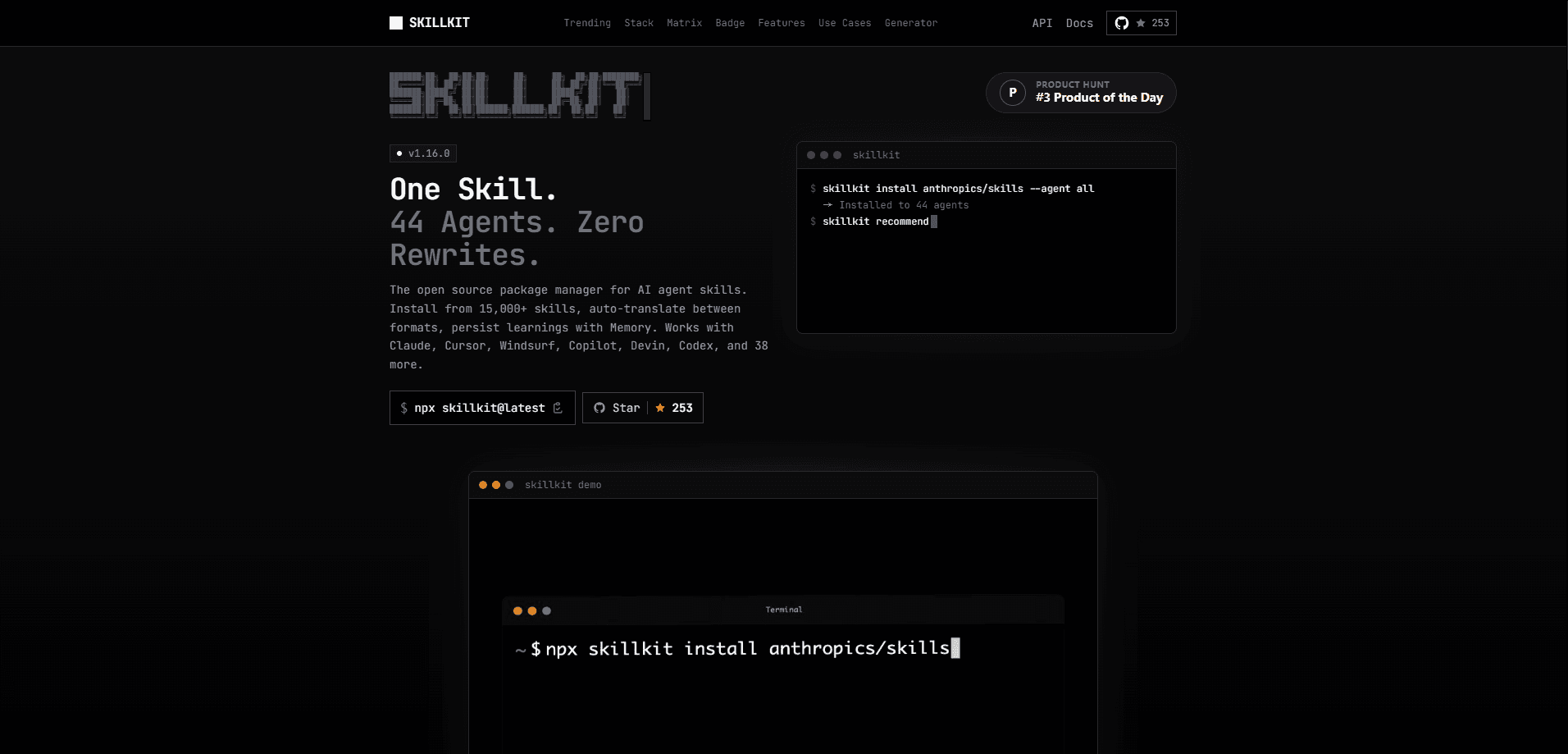
About Skillkit
What Is Skillkit
Skillkit sits between your skills and your coding agents. When you install a skill for one tool, it usually lives in that tool's own folder, usually with its own file rules. Claude Code looks in .claude/skills/, Cursor wants .mdc files, and GitHub Copilot expects .github/skills/. That mismatch means teams end up maintaining separate copies and locking their work into one platform. So which format wins? None of them, and that's the whole problem.
Skillkit removes the rewriting. It parses a skill, translates it into the target agent's format, and keeps everything in sync from a single command line. No duplicates. No drift. That mismatch wastes time. The library covers 15,000+ skills pulled from 31 curated sources, so you're not starting from an empty folder. Think of it as an AI agent skill library that speaks every dialect your tools expect.
There's a catch worth knowing. Skillkit is a command-line tool, not a click-and-go app. You'll need Node.js and a comfort with the terminal to get real value from it. If you've never touched a CLI, the install steps come first.
Getting Started
- Run the tool without a global install using
npx skillkit@latest, or install it withnpm install -g skillkit. - Initialize your project with
skillkit initto set up the config file. - Pull in skills from a source, such as
skillkit install anthropics/skillsfor a GitHub repo. - Translate a skill for another agent with
skillkit translate my-skill --to cursor. - Sync everything at once with
skillkit syncso every agent picks up the same skill set.
Product Information
A quick look at Skillkit's pricing, supported platforms, and performance.
Best for
The users, tasks, and scenarios where this tool fits best.
Users
- Developers running more than one AI coding agent
- Teams standardizing on shared AI coding agent skills
- Developers building their own skills to share
Tasks
- Deploying a skill to multiple agents at once
- Finding relevant skills for a new project
- Carrying learnings between sessions
Scenarios
- Switching editors mid-project
- Onboarding a teammate to a stack
- Auditing skills before use
Key features
Write Once, Deploy Everywhere
Skillkit's core promise is one authored skill, many agents. You write for Claude, then translate to Cursor, Windsurf, or any of the 45 supported agents with a single command. The supported list covers Claude Code, Cursor, Codex, Gemini CLI, OpenCode, GitHub Copilot, Windsurf, Cline, Roo Code, and more. If your team argues about which agent to use, this ends the argument. Nobody has to lose. One command. Every format.
Format Translation Engine
Under the hood, Skillkit parses each skill and converts it into whatever structure the target agent expects, handling the .mdc versus .claude/skills/ versus .github/skills/ differences for you. You can convert one skill at a time or run skillkit translate --all --to <agent> to convert the whole set. The point is simple. Format details stop being your problem.
Smart Recommendations
Run skillkit recommend and it inspects your package.json, works out your stack, and suggests skills that fit. The output assigns a match score to each suggestion, so a React and Tailwind project surfaces react-pattern and tailwind skills near the top. It's a decent shortcut when you don't know which of the 15,000+ skills is worth a look.
Runtime Discovery via REST and MCP
Instead of pre-installing everything, you can start a local API server with skillkit serve, which runs on port 3737 by default. Agents then search for skills on demand over HTTP, and results come back ranked by a multi-signal score. There's also an MCP server for native integration, which matters if your agent already speaks the Model Context Protocol.
Security Scanning
Before a skill touches your workflow, Skillkit can scan it. The skillkit scan command runs 46+ detection rules against a skill, covering prompt injection, hardcoded secrets, and command injection. You can output results as SARIF for GitHub code scanning or gate a CI pipeline with --fail-on high. This is the feature that separates a careful setup from a reckless one. Not optional. Skip it and you're trusting strangers.
Session Memory
Agents learn patterns during a session, then forget them when it ends. Skillkit's memory commands capture those learnings so they stick. skillkit memory compress reduces raw session notes into something reusable, skillkit memory search retrieves them by topic, and skillkit memory export shares a memory set with others. Over time, this turns repeated corrections into standing instructions. That's the real win.
Pros and cons
Pros
- Solves the multi-agent format problem directly, so one skill serves many tools.
- The library is large, with 15,000+ skills from 31 curated sources ready to install.
- Security scanning before install is a real safeguard, not an afterthought.
- Recommendations rank by an actual match score against your detected stack.
- The REST API and MCP server make runtime skill discovery practical for advanced setups.
Cons
- It's a CLI tool, so non-technical users will find the setup rough going.
- Most value assumes you already juggle several agents, which many solo developers don't.
- The 45-agent list overlaps heavily, and beginners may not know which to pick.
- Self-hosting the API server means you manage updates and caching yourself.
Frequently asked questions
It manages skills for AI coding agents. You install, translate, recommend, and sync skills from one place instead of maintaining separate folders for each agent.
Related content
Explore related tools, skills, and articles for Skillkit.
Skillkit Alternatives

Base Code
Base44 (Wix) · Coding · ProductivityBase Code is a shared cloud development environment from Base44. Teammates describe changes to an existing GitHub codebase in chat, preview them live and send them back as pull requests.

Google EmbeddingGemma 2
Google DeepMind · Writing · Image · CodingGoogle EmbeddingGemma 2 is a 740M-parameter open model that turns text, code, images, audio, and video frames into vectors in one 768-dimension space, running on phones and laptops.

GitGlow
GitGlow · Coding · ProductivityGitGlow is a local-first desktop Git client that lets independent developers review their own code and their AI agents' changes in one place before shipping.