
Skipit
Skipit · Writing · Productivity
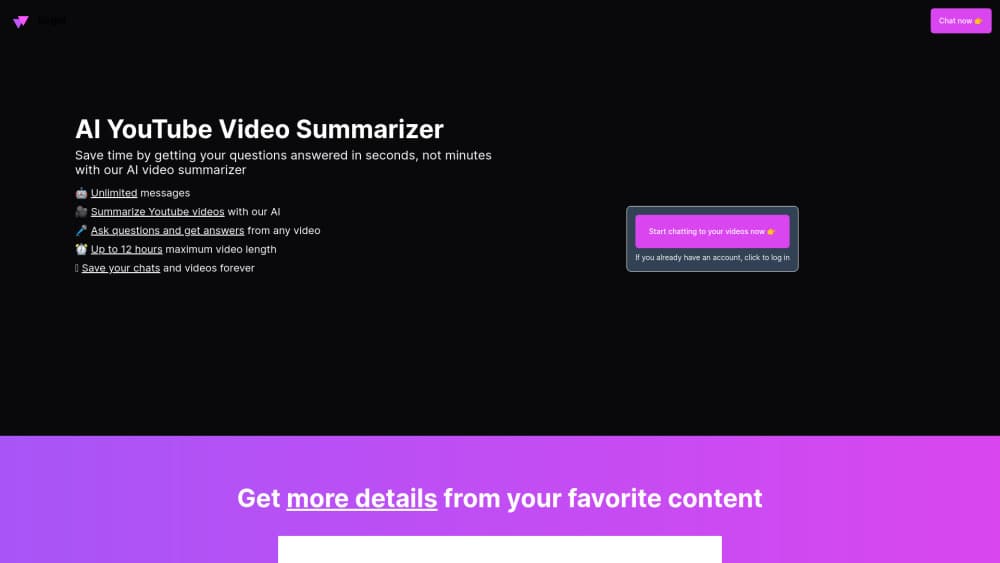
Skipit is a YouTube video summarizer that uses AI to turn long videos into short summaries and lets you ask follow up questions about the content. It handles videos up to 12 hours long.
About Skipit
What Is Skipit
Skipit is a browser based AI video summary tool built around YouTube. Paste a video link and it pulls the transcript, writes a condensed summary, and opens a chat window where you can ask what the speaker said about a specific topic.
The product targets people who learn from video but don't want to sit through two hour lectures or conference talks. Students use it to review recorded classes, researchers use it to screen interviews, and creators use it to study how competing channels structure their arguments.
The main constraint is scope. Skipit is a summarizer, not a video editor or a note taking suite, and its output is only as good as the transcript behind the video. A clip with clean captions summarizes well. A noisy recording with broken auto captions can produce a thin or misleading summary. The service also states that AI output may be incomplete, so anything factual still needs a check against the source.
Getting Started
- Open skipit.ai and create an account with your email, or sign in if you already have one.
- Paste a YouTube URL into the input field. The app accepts videos up to 12 hours long.
- Wait for the transcript to load and the summary to generate. Most short videos finish in seconds.
- Read the summary, then type a question in the chat box if you need detail on one section.
- Save the conversation to your history so you can return to that video later.
Product Information
A quick look at Skipit's pricing, supported platforms, and performance.
Best for
The users, tasks, and scenarios where this tool fits best.
Users
- Students working through recorded lectures
- Researchers and analysts screening long interviews
- Content creators studying other channels
Tasks
- Reviewing a lecture you already attended
- Prepping for a meeting or interview
- Turning a tutorial into written steps
- Checking a video's claims before sharing it
Scenarios
- Exam week with several recorded classes to cover
- Early project research
- Studying in a second language
Key features
Instant YouTube Summaries
Paste a link and Skipit returns a condensed version of the video, usually within seconds. The summary pulls out the main argument and the supporting points, so you get the shape of the content before you commit an hour to it. It's the core of the product and the part most users touch first.
Chat With the Video
A chat panel sits next to the summary, and you can ask about anything the speaker covered. Questions like "what did she say about pricing" or "list the three warnings" return answers grounded in the transcript. You can chat with YouTube videos without leaving the page, and this beats the summary alone when you need one specific detail.
Support for Videos up to 12 Hours
Long form content is where a video summary tool earns its keep, and Skipit sets the ceiling at 12 hours. That covers full day conference streams, multi hour podcasts, and complete course modules. Shorter clips work too. The time saving is just smaller.
Prompt Library
The paid plans include a library of ready made prompts for common jobs, such as extracting action items or building a study outline. You can run them on any video instead of writing the same instructions each time. It saves a few minutes per session and keeps output consistent across a batch.
Saved Chats and Video History
Every conversation is stored, so a summary you made last month is still there when the topic comes up again. For students and researchers this turns the tool into a lightweight reference library. The saved chat keeps your own questions attached to the video, which is often the more valuable half.
No Message Caps or Rate Limits
Skipit advertises unlimited messages and zero rate limits on both plans, and it says it runs the latest AI model for fast responses. In practice, you won't hit a daily question limit in the middle of a long research session. That's a real difference from tools that meter chat on a cheaper tier.
Pros and cons
Pros
- The 12 hour ceiling covers long lectures, podcasts, and full conference streams that many YouTube summarizers cut off.
- Chat and summary live on one screen, so you can move from the overview to a specific detail without switching tools.
- Unlimited messages on both plans remove the usual anxiety about wasting questions on a cheap tier.
- Saved chats turn past summaries into a searchable set of notes, which is useful for exam prep and ongoing research.
- Setup takes one link and one click, so there's nothing to configure before the first summary.
Cons
- There's no free plan listed, so you have to pay before you can judge whether the summaries match your material.
- The product is built around YouTube. Other sources are limited, which rules it out if your material lives in Drive, Notion, or a paid course platform.
- Summary quality depends on the transcript. Videos with poor auto captions can return thin or inaccurate output, and you won't always know which happened.
- There's no documented public API, so teams that want summaries inside their own workflow have no official integration path.
Frequently asked questions
Skipit takes a YouTube link and returns a written summary of the video, then lets you ask questions about the content in a chat window. It's built for people who want the points without watching the full runtime.
Related content
Explore related tools, skills, and articles for Skipit.
Skipit Alternatives

Emailwritr
Emailwritr · Writing · MarketingEmailwritr is an AI email copywriting tool built for affiliates, course creators, and online businesses that want more revenue from the list they already own. Instead of blank pages or generic chatbot prompts, this AI email writer generates welcome sequences, launch campaigns, cart recovery emails, and promo series from frameworks modeled on well-known direct-response copywriters. You connect your autoresponder, answer a few questions about your offer, and it writes the copy for you.

Swms
Swms AI · Writing · Productivity · BusinessSwms is an AI safety compliance tool that turns a plain description of a job into ready-to-use safety documents. Describe your project, trade, and known hazards, and it writes a safe work method statement, job hazard analysis, safe work procedure, RAMS, or safety data sheet in seconds. It also ships with Oscar, a chat assistant that answers workplace safety questions in any language. Teams in construction, mining, transport, and warehousing use it to cut the paperwork that usually eats into a workday.

Prosp
Prosp · Writing · Voice & Language · MarketingProsp is an AI LinkedIn outreach tool built for agencies and sales teams, and it writes the message and the voice note in your own voice for each prospect so they actually reply. You connect your accounts, find leads, and let the AI draft and send personalized messages at scale, all from one inbox. It's built for people running outbound at volume. That's the whole pitch. Every touchpoint still has to feel human.