

SkyDeck AI
SkyDeck AI Inc. · Other
SkyDeck AI is an enterprise AI workspace that bundles 40+ models, shared agent pods and admin guardrails, so teams can build and run AI work without losing control of access or spend.
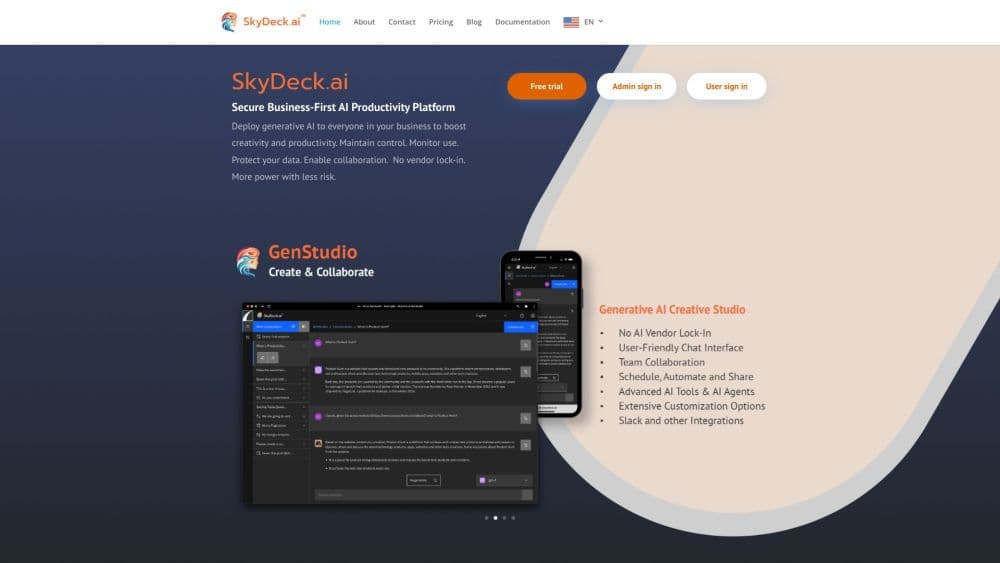
About SkyDeck AI
What Is SkyDeck AI
SkyDeck AI is an enterprise AI platform with three surfaces: GenStudio for everyday chat and workflow building, Control Center for administrators, and Agent Pods for long-running agents. It comes from SkyDeck AI Inc. Rather than buying a separate model subscription for each team, you give everyone one AI workspace and decide which models, tools and agents each group can reach.
The problem it targets is messy, unofficial AI use. Someone pastes a contract into whatever chatbot is open in another tab, nobody can say what a seat really costs, and IT finds out weeks later. SkyDeck AI pulls that activity into one place with single sign-on, data loss prevention, role based access and monthly budgets. Admins curate the model list. Employees keep room to experiment inside it.
The catch is the cost structure. Seat prices look modest, but model calls draw on platform credit, and Agent Pods are billed by the hour on top of the plan. A team that leaves agents running around the clock will spend more than the sticker price suggests, so somebody has to watch the budgets.
Getting Started
- Sign up at admin.skydeck.ai with a work email. The free workspace opens with every model unlocked for 30 days and no card on file.
- Open Control Center, add members and groups, then choose which models, tools and agents each group can see.
- Set a monthly budget, per member caps and a concurrent pod limit before you invite people, so the first busy week doesn't surprise anyone.
- In GenStudio, start a conversation, pick a model, and save useful prompts or custom tools for the team.
- For work that outlives a browser tab, launch an Agent Pod from a template, choose a size, and invite teammates in as drivers or observers.
Product Information
A quick look at SkyDeck AI's pricing, supported platforms, and performance.
Best for
The users, tasks, and scenarios where this tool fits best.
Users
- IT and operations leads
- Engineering teams
- Consultants and analysts
- Small teams without a platform engineer
Tasks
- Governing model access
- Running long coding sessions
- Automating recurring AI work
- Sharing prompts and custom tools
Scenarios
- A regulated company rolling out AI
- An agency juggling client work
- Piloting agents before a wider rollout
Key features
GenStudio Workspace
GenStudio is the shared AI workspace where people talk to models, build small workflows and keep the results. Conversations can be opened to colleagues, and prompts or custom tools can be saved and handed to a group. It's the part of the platform most employees touch every day, and it works in a browser with no install. AI for teams only pays off if people actually open it.
Control Center Governance
Control Center is the admin side: members, groups, model access, integrations, billing and usage in one console. Admins can enforce single sign-on and SCIM provisioning, apply data loss prevention rules, and set role based access for who changes what. For AI governance, this is where policy turns into settings rather than a document nobody reads.
Agent Pods That Keep Working
An Agent Pod is a Linux container preloaded with an agent toolkit, launched from GenStudio in a click. The main terminal keeps running when you close the tab or shut the laptop, and /workspace persists across sleep cycles. A built in browser pane lets an agent drive a real browser beside the terminal, which helps with web apps and test runs.
Multi-LLM Support Without Lock-In
SkyDeck AI routes to 40+ models, including ChatGPT, Claude, Gemini, Llama, Mistral, Grok, DeepSeek and Command R, and the vendor list keeps growing. Enterprise customers can attach dedicated or private models, including their own tuned Llama builds. Multi-LLM support matters because model choice changes month to month, and swapping providers shouldn't mean swapping platforms.
Spend Guardrails and Budgets
Budgets are enforced in Control Center, not discovered on an invoice. You set a workspace cap, per member and per group ceilings, and a concurrent pod limit, then decide whether an overage gets blocked, flagged or allowed. Every pod shows a live hourly rate before launch, and cost can be attributed per member and per group.
Automation, Slack and Web Scraping
Advance plans add scheduled tool automation, so a prompt can run daily or weekly without a person triggering it. Slack integration brings answers into channels where teams already talk, and built in web scraping pulls fresh pages into a workflow. Together they cover the boring, repeating jobs that eat an afternoon.
Pros and cons
Pros
- Admin control that doesn't block staff: model curation and budgets are set centrally, while employees still pick from an approved menu.
- No vendor lock-in: 40+ models plus private or fine tuned deployments mean a provider change is a settings change.
- Agent Pods bill by the hour and auto-sleep when idle, so always-on agents stay affordable between runs.
- Serious security paperwork: SOC 2 Type 2 and CASA Tier 2, with SSO, SCIM, DLP, RBAC and encryption in transit and at rest.
- A free workspace with all models for 30 days and no credit card makes a trial easy to start.
Cons
- The seat price is only the entry fee. Model usage runs on platform credit, so the real monthly bill is seats plus consumption.
- Pods are metered hourly on top of the plan. Teams that keep several agents awake all day need tight caps or the bill climbs fast.
- There's no native mobile app. Everything runs in a browser, which is fine at a desk and awkward on a phone.
- SSO, SCIM and DLP sit on the Enterprise plan, so smaller teams either do without them or negotiate a custom contract.
Frequently asked questions
It gives a company one place to run AI work: chat with models in GenStudio, govern access and spend in Control Center, and run long-lived agents in Agent Pods. Teams use it for drafting, research, coding sessions and scheduled automation.
Related content
Explore related tools, skills, and articles for SkyDeck AI.
SkyDeck AI Alternatives

Odyssey 3
Odyssey · OtherOdyssey-3 is Odyssey's foundation world model. It simulates physics in real time, turns a prompt into an interactive environment, and adapts to robots, cars and games.

JarvisCore
Prescott Data · Coding · Productivity · OtherJarvisCore is an open source Python runtime where AI agents work as equal peers on an agent mesh, claim tasks from a shared ledger, and reach external services through a zero-trust broker.
Clef
Cloudflare · Business · OtherClef is Cloudflare's open-source decision model for Workers AI. It returns calibrated probabilities for typed questions, not generated text, so agents can classify, route, and act fast.