

Skyvern AI
Skyvern AI · Other
Skyvern automates browser workflows with AI agents that read pages the way a person does. It fills forms, logs in, solves CAPTCHAs and pulls structured data without selectors.
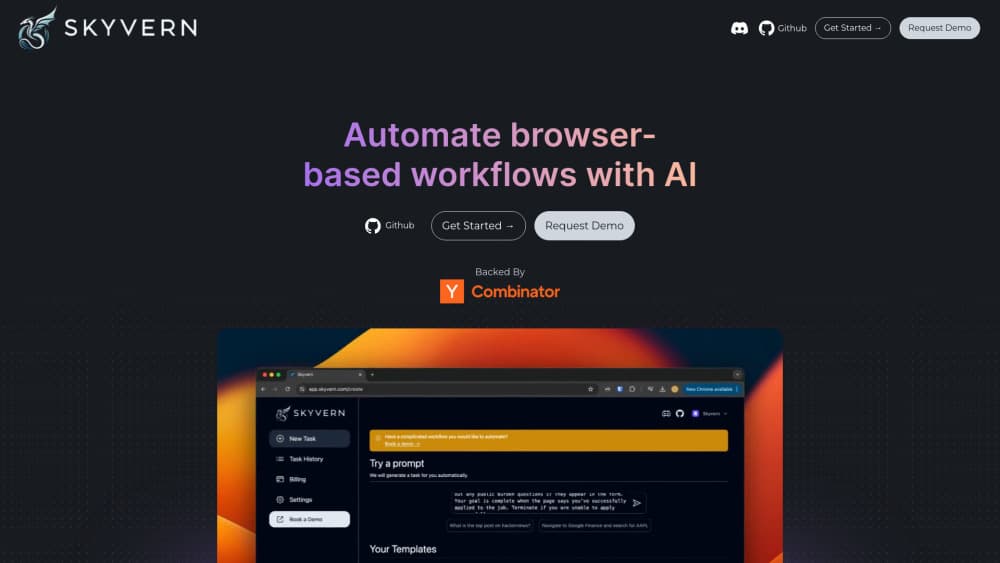
About Skyvern AI
What Is Skyvern
Skyvern is an AI browser automation agent from Skyvern AI, a company backed by Y Combinator. It's an AI web agent that works through a real browser instead of an API. You describe a workflow in plain language and the software opens the browser, looks at the page, decides what to click and types into the right fields.
The problem it targets is maintenance. Classic automation depends on XPath or CSS selectors, which break the moment a site ships a redesign. Skyvern reads the rendered page with vision models, so a moved button doesn't kill the script. That also means one workflow can run across many vendor portals that all look different.
Two forms exist. The hosted cloud at app.skyvern.com runs the agents for you, with proxies and CAPTCHA support included. The other route is self-hosting: the code is open source under AGPL-3.0, and a Docker setup gets a full stack running on your own servers. Teams that handle regulated data often pick the second option.
The limits are real, and they're mostly about cost and control. Each run consumes credits, and complex pages with heavy navigation burn through them faster. Vision-based agents also make judgment calls, so a workflow that touches money or legal filings needs a human review step. Skyvern supports that with human-in-the-loop blocks on the Enterprise plan.
Getting Started
- Create an account at app.skyvern.com, or install the package with
pip install "skyvern[all]"if you plan to self-host. - Add an LLM key in settings. The cloud build manages models for you; a local install needs your own OpenAI, Gemini or compatible key.
- Describe the first task in the prompt box, or open the workflow builder and drag blocks for navigation, extraction and login.
- Run it once in a test browser window, watch the recorded steps, and adjust the prompt where the agent misreads the page.
- Schedule the workflow or call it through the API, then route the JSON or CSV output into your own systems.
Product Information
A quick look at Skyvern AI's pricing, supported platforms, and performance.
Best for
The users, tasks, and scenarios where this tool fits best.
Users
- Operations teams buried in vendor portals
- Developers replacing brittle scripts
- Back office staff at insurers and health companies
- Solo builders testing an idea
Tasks
- Downloading invoices from supplier sites
- Filling the same form on many sites
- Web scraping automation with structure
- Checking a page for a change
Scenarios
- Month end closes in on the finance team
- A portal has no API and never will
- A scraping script breaks every quarter
Key features
Vision-Based Browser Control
Skyvern renders the page, draws boxes around interactive elements and asks a vision model what each one does. It never depends on a fixed selector, so a layout change doesn't break the run. The same workflow can also run on sites it has never seen, which is the difference between one script per portal and one script for all of them.
No-Code Workflow Builder
The builder breaks an automation into blocks: navigate, act, extract, login, wait, loop. You chain them visually, add a prompt to any block that needs judgment, and run the result on a schedule. Non-technical users can ship a working flow in an afternoon. Anything the blocks can't express is handled by custom code blocks on Enterprise.
CAPTCHA and 2FA Handling
The built-in solver handles common image and checkbox challenges, and the Pro plan upgrades it to the advanced model. TOTP codes for two-factor logins are generated inside the run, so the agent completes the full authentication flow. On the paid plans you can also rent a Skyvern SMS number for sites that text a code.
Data Extraction in Your Own Schema
You hand over a JSON schema and the agent fills it from the page, returning records instead of a screenshot. Output lands as JSON or CSV and can post to a webhook when the run ends. For document work, Skyvern downloads a file, runs OCR, classifies it and routes the result, which covers invoice and statement processing end to end.
Proxy and Geo-Targeting
Datacenter proxies come with every plan. Pro and Enterprise add residential proxies plus targeting down to state, city or zip code. That matters when a portal serves different content by region, or when a site blocks traffic from a data center range.
Open Source Code and Playwright SDK
The full code sits on GitHub under AGPL-3.0, with more than 23,000 stars at the time of writing. The SDK mirrors Playwright, so existing browser automation code gets AI element matching by changing a few lines. Self-hosting keeps page data and credentials inside your own network, and the same repo runs locally with SQLite or in Docker with Postgres.
Run Observability
Every run records the steps, the reasoning behind each action and a screenshot trail. When an agent clicks the wrong thing, you can see which element it picked and why. That shortens debugging from guesswork to a two minute review, and it gives compliance teams an audit record for automated processes.
Pros and cons
Pros
- Vision-based element matching removes most of the upkeep that makes browser automation expensive over time.
- The free tier with 5,000 credits is enough to test a real workflow, not just a demo.
- Open source code under AGPL-3.0 means you can self-host and keep sensitive page data in house.
- CAPTCHA solving, 2FA, proxies and geo-targeting ship in the product, so you don't stitch four vendors together.
- The Playwright-compatible SDK lets a team adopt AI agents without rewriting an existing test stack.
Cons
- Credit consumption scales with page complexity, so long multi-step flows can get costly before you notice.
- The advanced CAPTCHA solver and team workspaces sit on the $149/mo Pro plan, which prices out small teams.
- Vision models occasionally misread ambiguous buttons, so high-stakes workflows need a human check.
- Local install asks for Python 3.11 or newer plus Docker knowledge, which is a real barrier for non-developers.
Frequently asked questions
It runs browser tasks with AI agents. You describe a workflow in plain language, and Skyvern opens a browser, reads the page and carries out the clicks, typing and downloads. Typical jobs include invoice collection, form filling and web scraping automation.
Related content
Explore related tools, skills, and articles for Skyvern AI.
Skyvern AI Alternatives

Odyssey 3
Odyssey · OtherOdyssey-3 is Odyssey's foundation world model. It simulates physics in real time, turns a prompt into an interactive environment, and adapts to robots, cars and games.

JarvisCore
Prescott Data · Coding · Productivity · OtherJarvisCore is an open source Python runtime where AI agents work as equal peers on an agent mesh, claim tasks from a shared ledger, and reach external services through a zero-trust broker.
Clef
Cloudflare · Business · OtherClef is Cloudflare's open-source decision model for Workers AI. It returns calibrated probabilities for typed questions, not generated text, so agents can classify, route, and act fast.