

Slashy
Slashy, Inc. · Writing
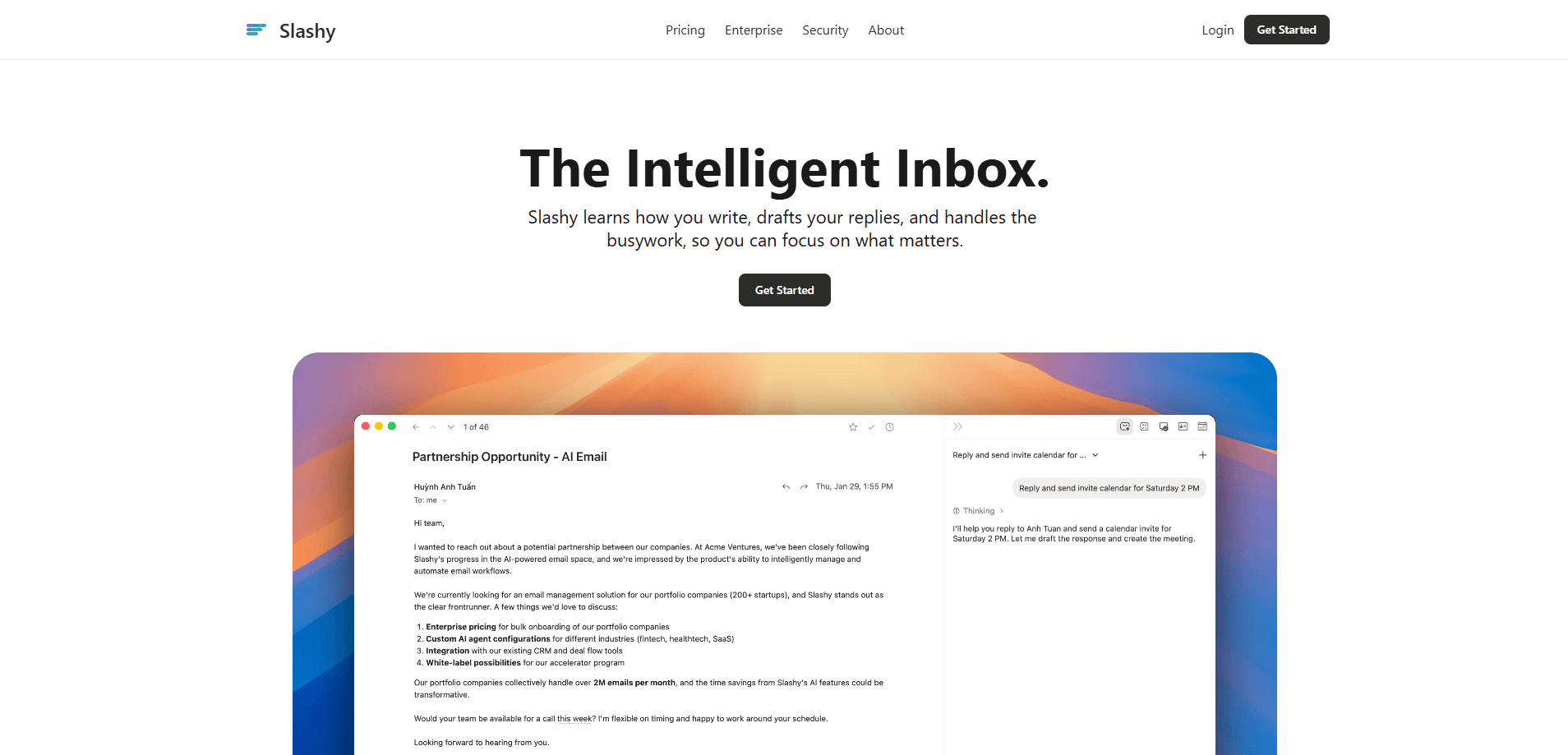
Slashy is an AI email client built to take the grind out of a crowded inbox. It drafts replies in your own voice, files messages with labels, chases follow-ups, and reuses saved snippets, then folds scheduling and calendar work into the same window. If you juggle several inboxes and type the same three answers all day, Slashy is aimed at you. Sound familiar?
About Slashy
What Is Slashy
Slashy is an AI email client made by Slashy, Inc. Instead of bolting a chatbot onto Gmail, it treats the inbox itself as the workspace: writing, sorting, and scheduling all happen in one place. The pitch is simple. You spend less time managing mail and more time on the handful of messages that actually need you. For anyone whose day disappears into a shared inbox, that's the promise worth testing.
Most email tools assume you want to read everything and decide later. Slashy flips that. It reads first, drafts what it can, and leaves the rest for you. The idea is to walk into a mostly-handled inbox rather than a wall of unread threads. That reframing is the whole product, and it only works if the sorting is good enough to trust.
The catch is trust. AI drafts are only useful if they sound like you, and every send is still your call. Slashy leans on voice matching to close that gap, but you'll want to review early drafts before letting it answer anything important. How long does that take to settle? A week or two of corrections, in most cases.
Getting Started
- Sign up at slashy.com and connect the email account you want to run through it.
- Set up your voice profile so drafts match your tone, along with any snippets you reuse often.
- Add labels and rules for the senders and topics you want sorted or handled automatically.
- Let Slashy draft replies and surface follow-ups, then review each one before it goes out.
- Link your calendar so meeting requests and scheduling fit into the same inbox view.
Product Information
A quick look at Slashy's pricing, supported platforms, and performance.
Best for
The users, tasks, and scenarios where this tool fits best.
Users
- Founders and small teams who run several inboxes at once and can't afford to miss a reply.
- Sales and support staff who answer the same questions daily and want drafts ready before they open a thread.
- Busy professionals who'd rather approve a written reply than start one from a blank box.
Tasks
- Drafting replies in your own voice
- Inbox triage by label
- Following up on unanswered threads
- Scheduling meetings
Scenarios
- Clearing a Monday-morning backlog
- Handling a shared or team inbox
- Replying on the move
Key features
Replies Written in Your Voice
The core of Slashy is voice-matched drafting. It studies how you write, then produces replies that read like you typed them rather than like a customer-service bot, which matters because a draft that sounds wrong is worse than no draft at all. For routine messages this is the difference between a useful draft and one you delete and rewrite from scratch. You still approve every send, which keeps the last word with you. Done well, email drafting stops feeling like a chore.
Label-Based Inbox Sorting
Slashy files incoming mail with labels so the noise drops away before you open the app. Newsletters, notifications, and low-priority threads get grouped instead of crowding the top of your inbox. The result is a shorter list of things that actually need a human. That's inbox management doing real work, not just a tidier view. You can tune the labels and rules to match how your own work splits up.
Automatic Follow-Ups
Threads that stall are easy to lose, and by the time you remember them the window for a useful reply has usually closed, which is exactly the kind of quiet failure that costs deals. Slashy tracks messages waiting on a reply and keeps them visible. So a deal or a question doesn't just go quiet. For anyone whose job depends on chasing answers, that alone can justify the switch. It's the kind of work that's invisible until it's missed.
Reusable Snippets
If you answer the same question week after week, snippets save the retyping. Slashy keeps your saved responses ready and drops them into drafts, and the AI can adapt the wording to the new thread. Support teams and sales reps feel this one fastest. You stop rewriting and start adjusting. It's the smallest kind of email automation, and the easiest to notice. Not flashy. Just faster.
Built-In Scheduling and Calendar
Scheduling lives inside the same window as your email, so proposing a meeting doesn't mean bouncing to another app. Meeting requests and calendar items sit alongside the threads they belong to. It's a small thing. It removes a frequent context switch. For people who live in email all day, that matters more than it sounds. Small wins add up.
One Inbox for Several Accounts
Slashy is built for people who juggle more than one account. Multiple inboxes sit in the same interface, so you're not logging in and out to check each one. Combined with labels and voice matching, it means a consistent handle on everything without a tab for each address. No more tab roulette. No more tab roulette.
Pros and cons
Pros
- Drafts that match your voice cut writing time on routine replies.
- Label sorting keeps low-priority mail out of the way so priority threads stay visible.
- Follow-up tracking means stalled conversations don't get forgotten, which matters most when a reply is the thing standing between you and a closed deal.
- Scheduling sits inside the inbox, avoiding a jump to a separate calendar app.
- Handles multiple accounts in one place, useful for founders and small teams who don't want a tab per address.
Cons
- Early drafts need review, so it's not a set-and-forget autoresponder and the time saved is smaller at first. Real gains come later.
- It runs in the browser, so there's no native desktop or mobile app for people who like working offline or want the speed and notifications that come with an installed client rather than a tab they keep re-opening all day.
- Pricing and plan details aren't spelled out publicly, which makes budgeting harder before you sign up and forces a sales conversation if you need a firm number for a team rollout.
Frequently asked questions
Slashy is an AI email client by Slashy, Inc. that drafts replies in your voice, sorts mail with labels, tracks follow-ups, and brings scheduling into the same workspace. It's aimed at people who handle a lot of email and repeat themselves constantly.
Related content
Explore related tools, skills, and articles for Slashy.
Slashy Alternatives

Google EmbeddingGemma 2
Google DeepMind · Writing · Image · CodingGoogle EmbeddingGemma 2 is a 740M-parameter open model that turns text, code, images, audio, and video frames into vectors in one 768-dimension space, running on phones and laptops.

MePersona
MePersona, Inc. · Writing · Productivity · MarketingMePersona is an AI unified inbox for creators. It learns your voice, drafts replies to fan messages from 12 platforms, and sends only what you approve.

Fluence
Yay Software (Yannick Huchard) · Writing · Voice & Language · ProductivityFluence is an Android app that reads PDFs, EPUBs, Word files and web articles aloud, follows each sentence as it speaks, and answers questions about the text on the phone itself.