

Smart Media Cutter
Smart Media Cutter · Voice & Language · Video
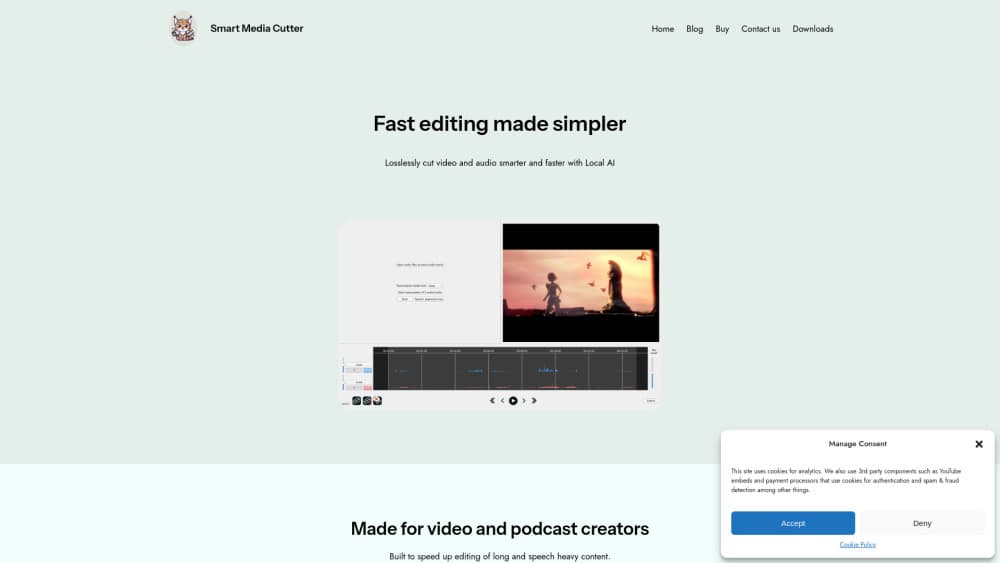
Smart Media Cutter is a desktop video cutting tool that pairs frame-accurate lossless trimming with AI transcription, letting streamers and podcasters edit footage by reading text.
About Smart Media Cutter
What Is Smart Media Cutter
Smart Media Cutter is a desktop app for cutting long talking-head footage down to the parts worth publishing. It targets a specific kind of editing work: streams, podcasts, interviews, and tutorials where most of the runtime is dead air, false starts, or quiet gaps between sentences. You won't find color grading, motion graphics, or multi-cam switching here. The app sticks to cutting, and it does that job quickly.
The core idea is simple. The app transcribes your audio on your own machine, lines every word up with the video, and lets you delete words to delete the matching footage. Cuts land on exact frames, and only the frames around each cut get re-encoded. That's why a three-hour stream can export in seconds while keeping the original resolution and bitrate.
The limits matter too. Built-in transcription is fast and private, but it's less accurate than the paid cloud models the app offers as an add-on. Cloud transcription, transcript translation, and bad take detection consume credits. And while the app exports XML timelines for Resolve and Premiere, it doesn't replace either one for finishing work.
Getting Started
- Download the installer for Windows, macOS, or Linux and open the app. The free version needs no account.
- Drag a video into a project. The app starts a local transcription job, which takes a few minutes for a long recording.
- Read the transcript, select words or sentences to mark clips, then run silence detection and review the segments it proposes.
- Export an MP4 with the smartcut engine, or send an XML timeline to DaVinci Resolve or Premiere Pro for the rest of the edit.
Product Information
A quick look at Smart Media Cutter's pricing, supported platforms, and performance.
Best for
The users, tasks, and scenarios where this tool fits best.
Users
- Streamers sitting on hours of VOD
- Podcasters who edit their own episodes
- Video editors on tight deadlines
Tasks
- Removing silence from video
- Finding a quote in a long recording
- Turning one interview into several short clips
- Prepping a rough cut for a full editor
Scenarios
- Posting a three-hour livestream as a 20-minute highlight video the same night, without waiting for a full re-encode.
- Producing a weekly podcast where two microphone tracks need separate cleanup and level changes before mixing.
- Recording software tutorials, then cutting every pause and mistake out of a 90-minute screen capture before uploading.
Key features
Frame-Accurate Cuts Without a Full Re-encode
The smartcut engine rewrites only the frames around each cut point and copies everything else untouched. A long export finishes in seconds rather than hours, and the output keeps the source resolution, frame rate, and bitrate. This is the feature that separates the app from editors that re-encode the whole file every time you trim a few seconds.
Transcript Editor That Works Like a Search Box
Local AI transcription turns speech into a document you can read, search, and edit. Click any word to jump to that moment, select a sentence to mark it as a clip, or search for a phrase across hours of footage. For interview-heavy channels, this changes how you find material: you read instead of scrubbing.
One-Click Silence Removal
The app detects silent segments and proposes them as cuts. You see the list before anything changes, so a misplaced cut gets fixed in seconds. Sensitivity settings let you keep short natural pauses and remove only the long gaps that make a video drag. This is the fastest way to remove silence from video without listening to the whole recording.
Multi-Track Audio for Interviews and Podcasts
Podcast and stream recordings often carry several audio tracks. Smart Media Cutter transcribes each track on its own, shows separate waveforms, and lets you adjust levels or export tracks individually. If one guest sounds quiet, you fix that track instead of processing the whole mix.
Timeline Export and Lossless Video Joining
Cuts can go out as an XML timeline for DaVinci Resolve or Premiere Pro, which keeps your existing finishing workflow intact. The paid tiers add lossless video joining, so you can attach an intro or outro without re-encoding the main footage. Vertical video export covers short-form versions of the same recording.
Local Processing With Optional Cloud Extras
Every AI step runs on your computer by default, with no upload and no per-minute fee. Paid licenses add cloud credits for higher-accuracy transcripts, transcript translation, and bad take detection. Credits don't expire, and the local features stay unlimited whether you buy a license or not.
Pros and cons
Pros
- Exports finish in seconds because the app only re-encodes around cut points, which makes a lossless video cutter that fits a same-day publishing schedule.
- Transcription runs on your machine, so private interviews and unreleased footage never leave your drive.
- The free tier is genuinely usable: unlimited exports, unlimited local transcripts, and unlimited silence cutting.
- Multi-track audio handling covers podcasts and two-person streams without a separate audio editor.
- Runs on Windows, macOS, and Linux, which is rare for AI video cutting tools.
Cons
- Built-in transcription is less accurate than the cloud option on accented speech and noisy rooms, so you'll pay for credits if accuracy matters.
- There's no mobile app and no browser version, so editing stays tied to a desktop.
- Cloud credits are metered by hours, and heavy transcription plus translation use them up faster than the pricing table suggests.
- The app cuts, joins, and exports. Anyone expecting titles, transitions, or color tools will still need a second program.
Frequently asked questions
It cuts long recordings down to the useful parts. You transcribe the audio, edit the text, and the video follows. The main uses are stream highlights, podcast episodes, interviews, and tutorial cleanup.
Related content
Explore related tools, skills, and articles for Smart Media Cutter.
Smart Media Cutter Alternatives

Foley
Hanamori Labs, LLC · Voice & Language · Productivity · AI AssistantFoley is a voice to-do list that turns a spoken sentence into a filed task, complete with project, date and time, then helps you plan the day around what is already there.

HireKey
HireKey · Voice & Language · Productivity · LeaningHireKey is an AI job search copilot built by a former tech recruiter. It checks role fit, tailors resumes, runs interview practice and tracks every application.

Fluence
Yay Software (Yannick Huchard) · Writing · Voice & Language · ProductivityFluence is an Android app that reads PDFs, EPUBs, Word files and web articles aloud, follows each sentence as it speaks, and answers questions about the text on the phone itself.