

Smodin
Smodin LLC · Writing
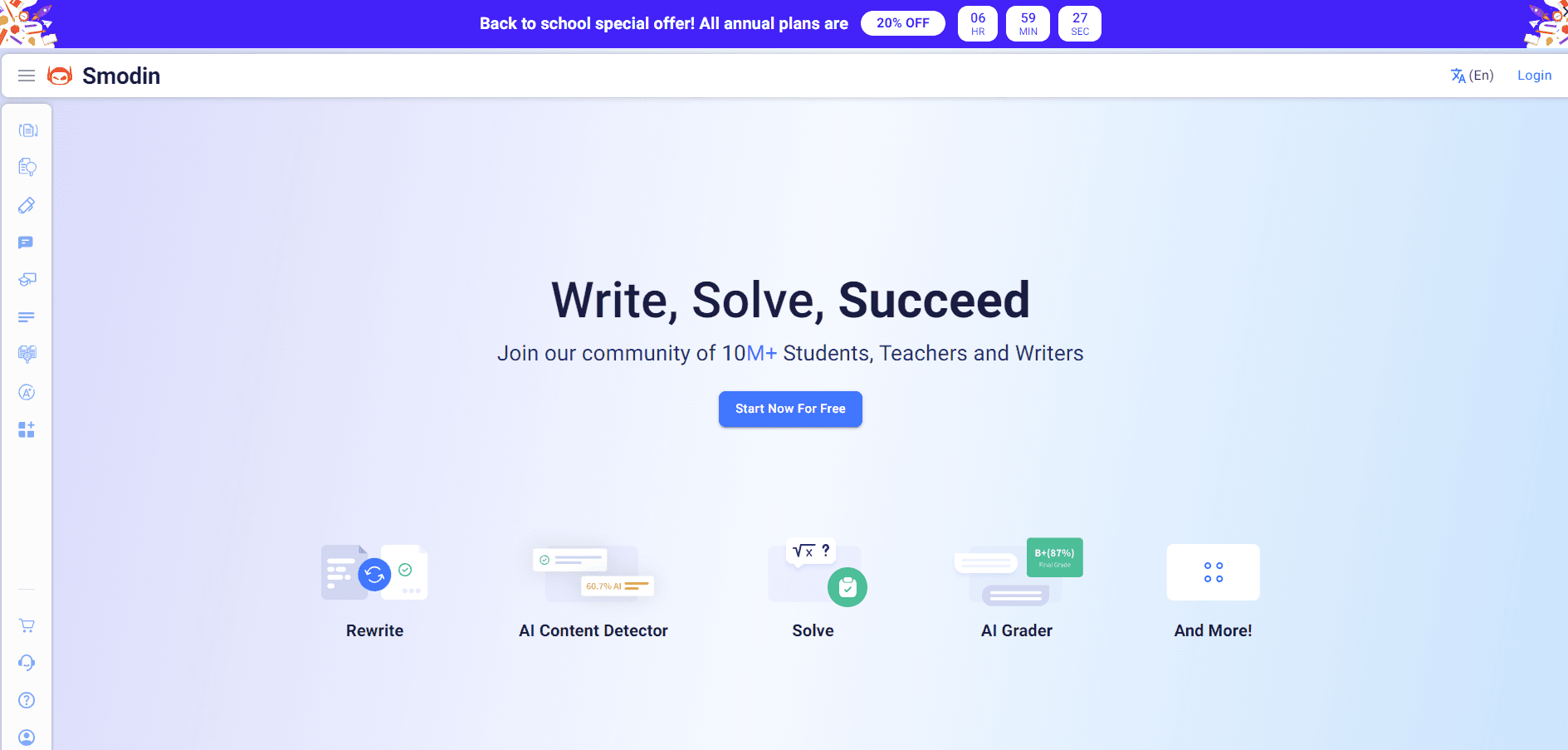
Smodin is a web-based AI writing toolkit that combines an AI writer, humanizer, content detector, and plagiarism checker in one place, working across 100+ languages.
About Smodin
What Is Smodin
Smodin is a browser-based AI writing suite from Smodin LLC, a company based in Dover, Delaware. Instead of paying for a writer, a humanizer, a detector, and a plagiarism checker separately, you open one account and move between all four. The toolkit also covers a rewriter, a summarizer, and a translator.
The focus is students and professionals who write a lot. Smodin's own description says the goal is removing barriers like writer's block, information overload, and gaps in understanding. That audience shapes the feature set: academic tone options, citation-friendly plagiarism reports, and a Chrome extension for checking text without leaving a page.
The company says more than a million people use the tools across 150+ countries. Those are Smodin's numbers, not independent measurements, so treat them as a signal of scale rather than a verified count.
The main limit is scope. Smodin is built for text, not images or video. It's also a subscription product without a permanent free tier, so heavy daily use pushes you toward a paid plan quickly.
Getting Started
- Create an account on smodin.io, or try a single tool through the free preview before signing up.
- Pick a tool from the dashboard, such as the AI writer, humanizer, detector, or plagiarism checker.
- Paste your text or upload a file in .txt, .doc, .docx, or .pdf format, and choose any settings like tone or rewrite depth.
- Run the tool and review the output, then re-check it with the detector or plagiarism checker if you need to verify it.
- Upgrade to Starter or Premium when you hit the free limits, and install the Chrome extension if you want to work inside other pages.
Product Information
A quick look at Smodin's pricing, supported platforms, and performance.
Best for
The users, tasks, and scenarios where this tool fits best.
Users
- Students
- Teachers and professors
- Content writers and marketers
- Researchers
Tasks
- Humanizing AI text
- Checking text for AI
- Plagiarism checking
- Drafting and rewriting
- Summarizing and translating
Scenarios
- A student finishes a paper at midnight and wants to confirm it won't be flagged before the deadline.
- A teacher has 60 essays to grade and needs a fast first pass for AI content.
- A freelance writer delivers a blog post and checks it for accidental plagiarism first.
- A marketing team drafts campaign copy with AI, then humanizes it to match brand voice.
Key features
AI writer and chat
The writer drafts essays, outlines, and articles from a short prompt, and it understands academic and SEO needs rather than just casual text. You set the target length and tone, and it builds a full draft you can edit. A companion chat acts as an AI writing assistant for homework and research questions, with extended memory on the higher plan.
AI humanizer
The humanizer rewrites AI-generated text so it reads like a person wrote it, aiming to clear detectors while keeping the original meaning. It offers multiple rewrite depths plus academic, creative, professional, and neutral styles. Smodin states a 95%+ bypass rate against leading detectors, tested on its own benchmarks.
AI content detector
Paste or upload a file and the detector returns a probability score for AI versus human text, with a sentence-level breakdown. Smodin rates accuracy at 99.8% and says it identifies output from ChatGPT, GPT, Claude, Gemini, and other models. Files can arrive as .txt, .doc, .docx, or .pdf.
Plagiarism checker
The checker compares your text against more than a billion web pages and academic sources, then returns source links so you can add citations. Smodin lists 99%+ accuracy and an average scan time under ten seconds. It flags citation mistakes rather than only copy-paste matches.
Rewriter, summarizer, and translator
Beyond the headline tools, Smodin packs a rewriter and spinner for paraphrasing, a summarizer for condensing long documents, and a translator covering 100+ languages. These run standalone or as steps after a draft, which keeps revision in the same tab.
Chrome extension
The Chrome extension runs the detector and humanizer on any webpage, so you can check an email, a document, or a social post without copying it into the site. It's tied to your account, and running it on the highest plan gives the fullest results.
API access
Smodin offers REST APIs for rewriting, plagiarism checking, and AI content removal, aimed at developers who want the engines inside their own apps. The API supports 100+ languages, and access sits on the Premium plan rather than the entry tier.
Pros and cons
Pros
- One account covers writing, humanizing, detection, and plagiarism checks, so you skip juggling four subscriptions.
- Works in 100+ languages, which fits users writing outside English.
- Chrome extension checks text on any page without leaving it.
- Plagiarism reports include source links, so fixing a citation takes one click.
- A REST API exists for teams that need the engines inside their own tools.
Cons
- No permanent free tier, so regular use means paying, and the free preview caps how much you can test.
- Keyword-based plagiarism detection can miss paraphrased copying that changes the wording.
- It stays text-only, so anyone needing image or video work has to look elsewhere.
- The API sits on Premium, which raises the cost for small developers who only want programmatic access.
Frequently asked questions
Smodin is a text toolkit for writing, humanizing, detecting AI content, and checking plagiarism. You use it to draft a document, rewrite an AI draft to sound human, test whether text reads as AI-written, and confirm it's original before you submit or publish.
Related content
Explore related tools, skills, and articles for Smodin.
Smodin Alternatives

Google EmbeddingGemma 2
Google DeepMind · Writing · Image · CodingGoogle EmbeddingGemma 2 is a 740M-parameter open model that turns text, code, images, audio, and video frames into vectors in one 768-dimension space, running on phones and laptops.

MePersona
MePersona, Inc. · Writing · Productivity · MarketingMePersona is an AI unified inbox for creators. It learns your voice, drafts replies to fan messages from 12 platforms, and sends only what you approve.

Fluence
Yay Software (Yannick Huchard) · Writing · Voice & Language · ProductivityFluence is an Android app that reads PDFs, EPUBs, Word files and web articles aloud, follows each sentence as it speaks, and answers questions about the text on the phone itself.