

Snipplet
Snipplet · Coding · Productivity
Snipplet is a browser-based snippet organizer for saving, organizing, and reusing snippets. A snippet is any small block of content you want to keep and later pull back up, whether it's a favorite restaurant on a trip, a packing list, or a reusable block of code. But most people save things and never find them again. Screenshots and browser bookmarks pile up with no order. Snipplet leans on a visual, Pinterest-like layout, so instead of dumping links into a notes app, you arrange what matters into collections you can actually browse. It's aimed at people who collect things constantly and want a single place to shape them into something worth sharing.
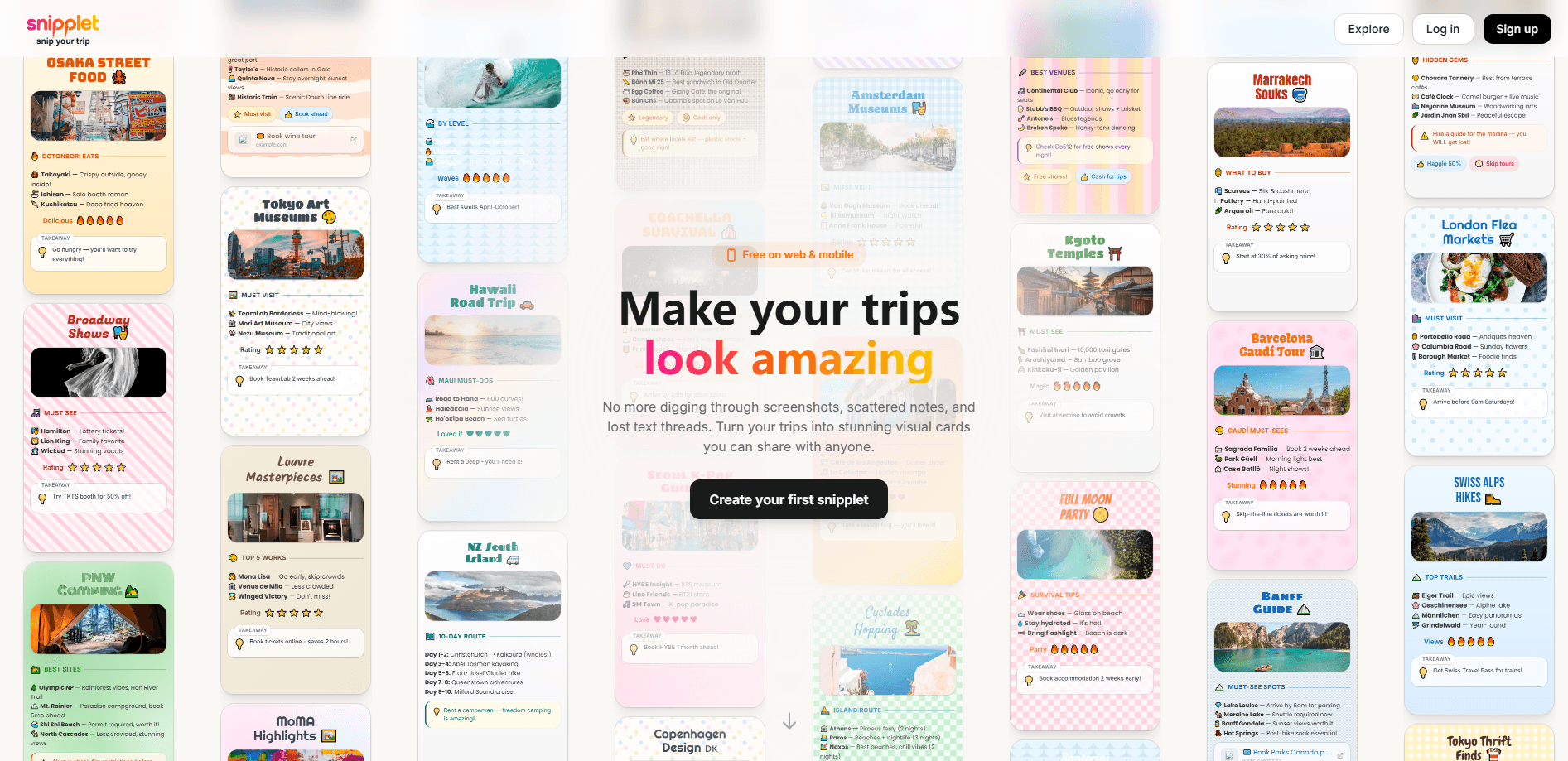
About Snipplet
What Is Snipplet
Snipplet sits somewhere between a bookmark manager, a mood board, and a lightweight publishing tool. You save pieces of content, give them tags and categories, and arrange them however you like. So what do you actually get? A page that reads like a designed guide rather than a raw list of links.
The platform covers two fairly different crowds. Travelers use it to collect spots, restaurants, and tips, then turn those into shareable guides with ratings and short takeaways, which is what makes the guides readable to anyone who didn't build them. Developers use it to store code templates they reuse across projects, tagged and categorized so they stay findable months later. Snipplet markets itself as a place to "save your favorite spots" and "create beautiful guides," and the layout supports both without forcing either into the other's shape.
There are limits worth knowing up front. Snipplet runs in the browser, so there's no dedicated mobile app to install. Some parts of the site sit behind an account, which means you'll need to sign up before you can save or publish anything. And since it's a young product, the feature set is still growing rather than settled. Worth checking before you commit.
Getting Started
- Open snipplet.com in any modern browser and create an account.
- Save your first snippet: paste a link, add a title, and drop in a short note or takeaway.
- Tag and categorize it so it lands in the right collection later.
- Arrange your snippets into a collection or guide, adjusting the order and visuals.
- Publish or share the guide with a link when it's ready for other people.
Product Information
A quick look at Snipplet's pricing, supported platforms, and performance.
Best for
The users, tasks, and scenarios where this tool fits best.
Users
- Travelers who collect spots, restaurants, and tips on the go and want them in one shareable place instead of scattered screenshots.
- Developers who keep reusable code templates and want them tagged and searchable rather than buried in old projects.
- Creators and planners who build lists for other people and care about how the final page looks.
Tasks
- Building a trip guide
- Keeping a reusable code library
- Curating recommendations
Scenarios
- Planning a city trip and wanting restaurants and sights organized by neighborhood before you arrive.
- Sharing a weekend itinerary with a group where everyone needs the same clean list.
- Reusing a project setup or config snippet across several side projects.
Key features
Visual Snippet Collection
Every snippet gets a card, and your collections read like a board you can scan at a glance. That visual layout matters when you're comparing places or reviewing options, since a text list hides the shape of what you've gathered and forces you to read every line instead of spotting what stands out. You arrange cards in the order that makes sense to you. The page doubles as something you'd be fine sending to someone else.
Tags and Categories
Tags and categories keep a growing collection from turning into a junk drawer. You label snippets as you save them, then filter down to just the ones you need. Simple idea. It matters more than it sounds. For code templates this is the difference between actually reusing a snippet and forgetting it exists. For travel it's how a long list of saved spots stays sortable by area or type.
Shareable Guides
A collection isn't locked to your account. You can shape saved snippets into a guide and share it as a link, which is where Snipplet stops looking like a private notes app. Snippet sharing turns your saves into something other people can use. The guides carry short takeaways and ratings, so a reader gets the useful summary without digging through your raw notes. That's the whole point.
Ratings and Takeaways
Snipplets can carry a rating and a one-line takeaway, the kind of note you'd text a friend about a place. That small bit of structure keeps a guide from being just names and addresses. It's a light feature, but it's the thing that makes a shared list genuinely useful rather than a list of pins. Small details, big difference.
Browser-Based Access
Snipplet works in the browser, so there's nothing to install and nothing to update. You can add to a collection from a laptop and pull it up later on a phone through the same site. No app store, no version prompts. The trade-off is that it isn't a native app, so it won't plug into your phone's share sheet the way a dedicated mobile tool would.
Pros and cons
Pros
- Visual, Pinterest-style layout makes collections easy to scan and compare.
- Strong fit for two clear jobs: travel guides and reusable code snippets.
- Tags and categories keep a large collection findable over time.
- Shared guides carry ratings and takeaways, so they're useful to other people.
- No install required since everything runs in the browser.
Cons
- No dedicated mobile app, so saving on the go means opening the website.
- Several actions require an account, which adds a sign-up step before you can save anything.
- As a young product, the feature set and pricing aren't fully settled yet.
- Sparse public documentation makes it hard to confirm details like API access in advance.
Frequently asked questions
Snipplet is for saving, organizing, and reusing snippets. In practice that means collecting favorite spots and tips into shareable travel guides, or storing reusable code templates in a tagged, searchable library. If you constantly save things and lose track of them, it's built for that problem.
Related content
Explore related tools, skills, and articles for Snipplet.
Snipplet Alternatives
Forefront
Forefront · CodingForefront is a web platform for building with open-source AI. It lets you fine-tune leading open-source language models on your own data, evaluate how they perform, and run them through an API or export them to host yourself. Developers who want the convenience of a closed-source platform but insist on owning their models and data are the target audience here.

Startkit
StartKit.AI · CodingStartkit is a boilerplate for building AI SaaS and AI wrapper products. Think of it as an AI startup boilerplate with the boring parts already wired up: authentication, Stripe and Lemon Squeezy payments, usage limits, transactional email, and an AI API starter that talks to OpenAI, Anthropic, Groq, or Llama. You clone the repo, set your price, and start on the part of your product that people actually pay for. It's Next.js under React and Tailwind, so most of the boilerplate code already feels familiar.
Testim
Tricentis · CodingTestim is an AI-powered test automation platform for building and running end-to-end tests across web, mobile, and Salesforce applications. It leans on machine learning to keep tests stable when an interface changes, so teams spend less time fixing broken selectors. Not bad for an automated testing tool you can start using today. You create tests by recording actions in a browser, then optionally add JavaScript when you need more control. It's a solid pick for busy QA teams.