

Social Bellow
Yay Fun, Inc. · AI Detection
Social Bellow is an AI content generator that writes captions, blog posts, and image prompts, answers questions about your documents, and reviews designs from a chat window.
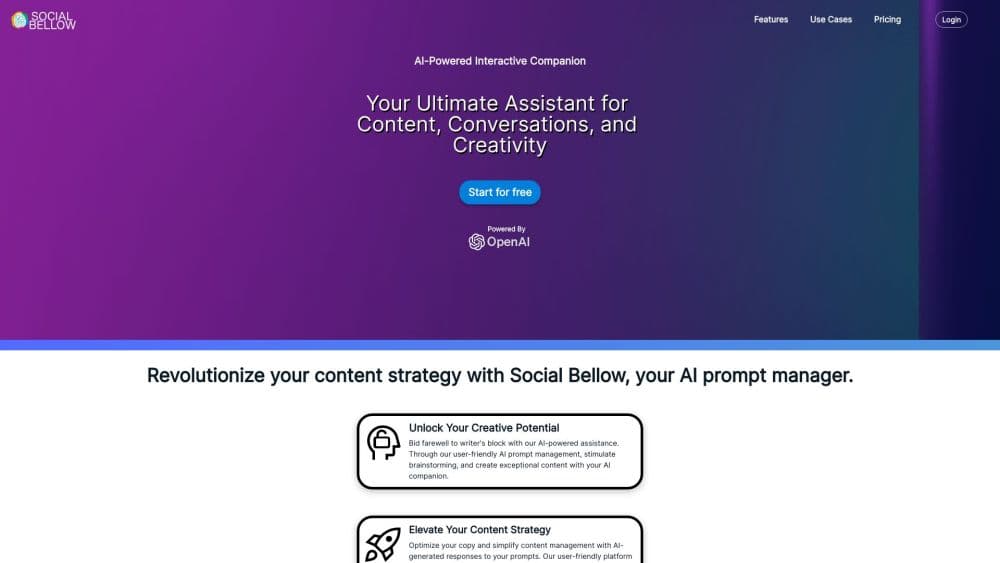
About Social Bellow
What Is Social Bellow
Social Bellow is a browser based AI creative companion built by Yay Fun, Inc. It handles writing and design review in the same place. You describe what you need, attach the material that matters, and keep refining in the same conversation until the draft fits the channel. It runs on models from OpenAI and Anthropic, so the underlying engine changes with the task rather than locking you into one vendor.
The product targets people who produce content every week: social managers writing captions, marketers drafting landing copy, freelancers turning client documents into posts. Most of them already juggle a chat assistant, a document reader, and a design tool. Social Bellow puts those jobs in one thread and keeps the thread around for the next round of edits.
The limits are worth knowing before you commit. There's no mobile app, no public API, and the paid tiers are metered by tokens, so long document uploads and image generation eat through an allowance faster than short caption requests. Plan prices and token totals appear inside the app after sign up, not on the public site.
Getting Started
- Sign up at socialbellow.com with an email address. The free plan starts without a card.
- Pick a saved prompt for blog post writing, social media captions, or research, or type your own instruction.
- Attach a document, an image, or a screenshot of a design so the answer works from your material.
- Ask for variations, shorten the tone, or request an image, then keep the thread for later edits.
- Move the finished copy into Canva or Adobe Express through the add-ons, or paste it wherever you publish.
Product Information
A quick look at Social Bellow's pricing, supported platforms, and performance.
Best for
The users, tasks, and scenarios where this tool fits best.
Users
- Social media managers
- Solo marketers and freelancers
- Small content teams
Tasks
- Writing social media captions in a set brand voice
- Drafting a blog post from source material
- Getting design feedback before publishing
- Turning one idea into several formats
Scenarios
- A product launch week
- Reviewing a client deck the night before a meeting
- Repurposing a long document
Key features
Conversation Based Content Generation
You work in a chat instead of a form. Ask for an article, a caption, a headline, a social post, or an image prompt, and the reply arrives as editable text you can push in a new direction. The thread keeps earlier instructions, so "make it shorter" or "add hashtags" builds on what came before rather than resetting the brief.
Chat With Documents and Images
Attach a PDF, a slide deck, or a screenshot and ask questions about it. Social Bellow summarizes the file, pulls out angles, rewrites passages, and answers specific questions without making you scroll through every page. Image attachments go to vision capable models, which is how design review works.
Saved Prompt Workflows
Reusable prompts cover the jobs you repeat: brand voice, campaign planning, content formats, research notes, team handoffs. You save a prompt once and start the next session from it, which cuts the setup time on routine work. The count of saved prompts is unlimited on every plan, including the free one.
Design Feedback on Uploaded Visuals
Upload a design and ask for a critique. The tool comments on headline contrast, hierarchy, and whether the message lands, then turns that feedback into revised copy you can paste back into the file. It reads the image, not the layered source file, so spacing and export settings are outside what it can judge.
Custom AI Companions
You can shape an assistant around a persona, a set of saved prompts, and a recurring job. A companion for product copy starts every session with the same context, which matters when several people write for one brand. It's a lighter setup than building a custom GPT, and it stays inside the same workspace as your other threads.
Canva and Adobe Express Add-Ons
The Canva add-on opens Social Bellow inside the design editor, and the Adobe Express integration works the same way. You generate copy, ask for a second opinion on a layout, or rewrite a headline without switching tabs. This is the part that separates it from a plain chatbot: the output lands where the design work already happens.
Pros and cons
Pros
- Text, document chat, and image review share one thread, so context carries across tasks instead of dying at the end of each prompt.
- Saved prompts make repeat work fast, and the free plan doesn't cap how many you keep.
- The Canva and Adobe Express add-ons put the output next to the design, which removes the copy and paste step for social assets.
- Model choice between OpenAI and Anthropic gives you a second opinion on tone without opening another subscription.
- Unlimited prompt storage suits freelancers who maintain a separate voice for each client.
Cons
- Plan prices and token allowances stay behind the login, so you can't budget from the public site before signing up.
- Token metering means a long document upload or a batch of images can use up a month's allowance in an afternoon, and there's no visible per task estimate beforehand.
- There's no mobile app, so quick edits on a phone happen through the browser.
- Design feedback arrives as chat text rather than annotations on the file, which means you still map each note back to the layout by hand.
Frequently asked questions
Social Bellow is used to write and refine content with AI. That covers blog posts, social media captions, headlines, image prompts, summaries of uploaded documents, and feedback on design mockups. You can run all of it from one conversation and return to it later.
Related content
Explore related tools, skills, and articles for Social Bellow.
Social Bellow Alternatives
Isgen AI
Isgen · AI DetectionIsgen AI is a web-based AI detector that scores text for machine authorship and shows you which sentences and phrases push the number up. It's built for teachers, editors, students, and writers. Their question is simple: did this draft come from ChatGPT, GPT-5, Claude, Gemini, DeepSeek, or another model? You paste or upload content, run a scan, and get a Human, AI, and Mixed breakdown in seconds. There's also a companion editor that scores text while you write it.
Humanizeai Tools
Humanizeai Tools · Writing · AI DetectionHumanizeai Tools is a web-based AI humanizer that rewrites machine-generated text so it sounds like a person wrote it, which is the whole point of the category it belongs to. Paste a draft from ChatGPT, Claude, or Gemini, run it through the tool, and it swaps out the phrases and sentence patterns that AI detectors flag. If your goal is to make AI text sound human before you publish it, this is the kind of tool built for exactly that. It suits students, bloggers, and marketers who need copy that reads naturally and clears tools like GPTZero, Copyleaks, and Winston AI after a single pass.

Hidemyai
Hidemyai · Writing · AI DetectionHidemyai is an AI content humanizer. It rewrites text from ChatGPT, Jasper, and similar tools so the result reads like a person wrote it. You paste your draft, pick a document type and tone, and the service returns a version meant to bypass AI detectors such as Originality.ai, Turnitin, and ZeroGPT. It targets writers, marketers, and students who lean on AI drafts but can't ship copy that sounds robotic. The promise is simple: make AI content undetectable.