
SocraDraft - AI Agent
Socra (MindMax) · Writing
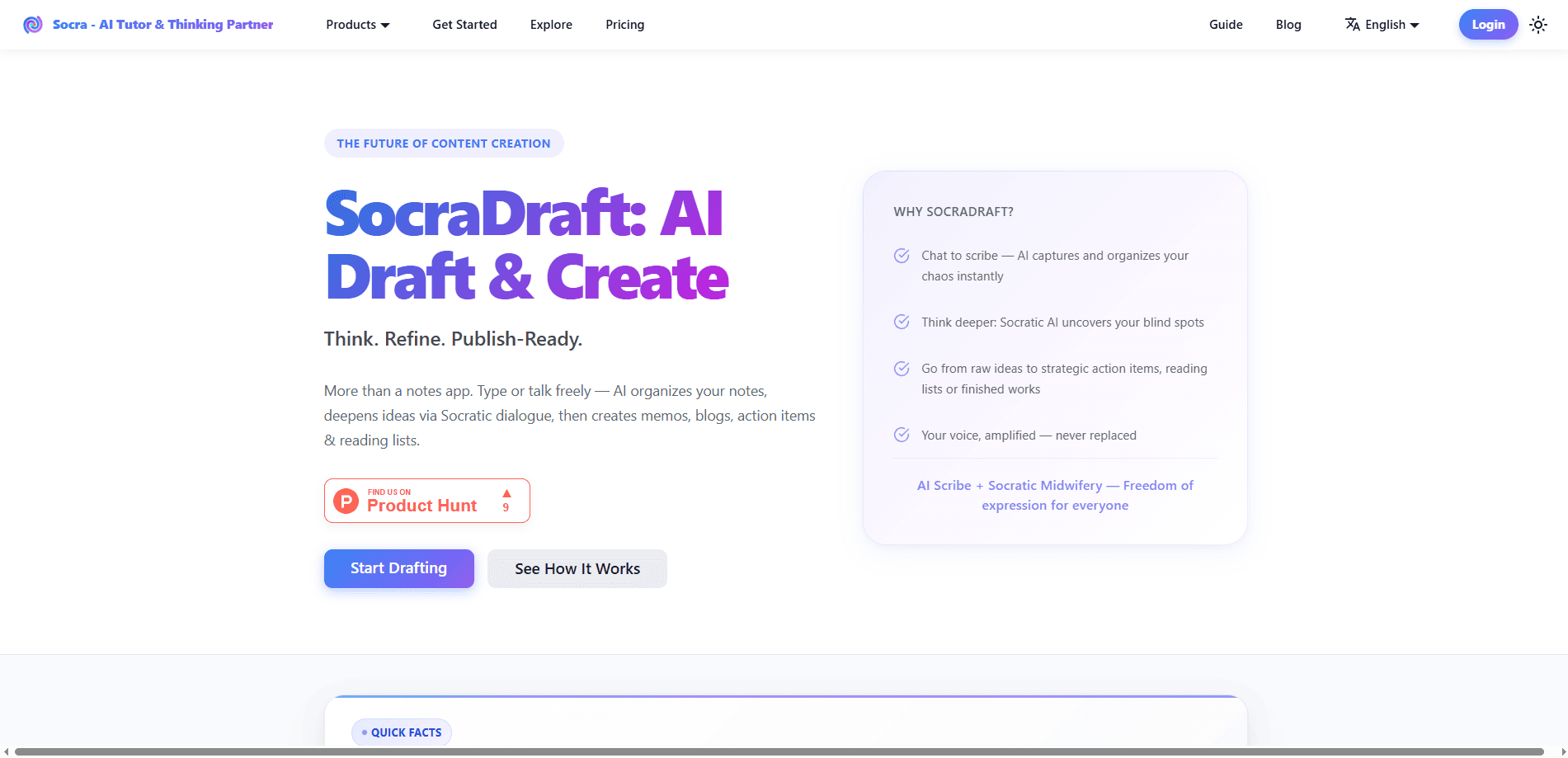
SocraDraft is a voice-first AI drafting app built by the team behind Socra, and it now ships under the name VoiceScribe. You talk or type, the tool structures whatever you say into an outline, asks follow-up questions to fill the gaps, and hands back a publish-ready draft like a memo, blog post, or podcast script. It runs on web, iPhone, iPad, macOS, and Android, and your sessions sync across a single Socra account. Think of it as an AI agent for writers who think faster than they type.
About SocraDraft - AI Agent
What Is SocraDraft
SocraDraft is an AI writing agent designed around a simple observation: your best ideas usually show up while you're talking, not while you're staring at a blank cursor. Instead of asking you to compose clean prose, the app captures messy, out-of-order speech and turns it into structured text. It's a voice-to-text writing tool at heart, but it does far more than transcribe. The company calls the approach "typeless" because you can finish a whole piece without touching an editor.
The core problem it solves is the gap between having a thought and having a deliverable. Dictation apps hand you a wall of raw text and leave the cleanup to you. Notes apps store your ideas and never act on them. Neither one writes the thing. SocraDraft tries to close that gap by structuring your own words and then pressure-testing them with Socratic follow-up questions.
The biggest limitation is that it's not built for people who want a one-shot answer. If you'd rather skip the thinking and have AI generate something from scratch, this isn't that tool. It also leans on voice as the main input. Quiet office? Awkward. Heavy manual editing? Less natural.
Getting Started
- Create a Socra account on the web or download the app from Google Play on Android (there are also iPhone, iPad, and macOS builds).
- Pick VoiceScribe (the current name for SocraDraft) and open a new session.
- State your topic or goal out loud, or type it if you'd rather not speak. The scribe drafts a goal and milestones for the session.
- Talk through your ideas freely. As you pause, answer the follow-up questions the tool throws back at you.
- Tap to convert the session into your output: a memo, blog draft, script, or action list, then export or share it.
Product Information
A quick look at SocraDraft - AI Agent's pricing, supported platforms, and performance.
Best for
The users, tasks, and scenarios where this tool fits best.
Users
- Writers and content creators
- Founders and product managers
- Podcasters and script writers
- Students and researchers
Tasks
- Turning messy speech into a structured draft
- Refining an argument
- Producing meeting decisions and action items
- Drafting in your own voice
Scenarios
- A commute or a walk when an idea hits and you don't want to lose it before you reach a keyboard.
- The ten minutes right after a call, while the details are still fresh and you need a shareable summary.
- Late-night drafting when typing feels like a chore but the thinking is already done. Just talk.
Key features
Voice-First Capture
You open a session and just say what's on your mind, half-formed and out of order, with no outline to follow. The scribe captures everything and works out the structure for you. No cursor. No formatting. If you'd rather type, the same workflow applies, so the voice-first design doesn't lock you out on a crowded train.
Automatic Structuring
As you speak, SocraDraft pulls out the real points, groups what belongs together, and keeps track of the thread you dropped. When you pause, it offers specific follow-ups, like an example to add or a consequence to name, so you don't stall on a blank spot. This is the part that separates it from plain dictation. Dictation just transcribes. This thinks.
Socratic Refinement
Once the draft takes shape, the tool switches into interlocutor mode. It probes the assumption you skipped past, names the counterargument you avoided, and asks for evidence you didn't give. That back-and-forth is what makes the final piece hold up. Not ideal for people who want a pat answer, but it's the whole reason typeless writing works here. This is the step that makes an idea survive a second read.
One-Tap Output Conversion
When the session is done, a single tap turns it into what you actually needed. That could be a memo your team can read, a blog draft in your voice, a podcast script with a narrative arc, or an action list with owners. You pick the format after thinking. Not before.
Type, Speak, or Snap a Photo
Input isn't limited to voice. You can type, or snap a picture and let OCR pull the text out of an image, which then feeds into the same guided dialogue. Handy when your source material is a whiteboard, a printed page, or a screenshot. No retyping.
Reusable Knowledge Outputs
Each session ends with artifacts you can keep: summaries, study guides, and structured notes tied to your own reasoning. That means the thinking is easier to review and build on later, instead of disappearing into chat history you'll never scroll back through. Nothing gets lost. Everything stays findable.
Cross-Platform Sync
Sessions sync across web, iPhone, iPad, macOS, and Android through one Socra account. Start a draft by talking on your phone during a walk and finish it on your laptop without exporting anything by hand. No file juggling. No email-to-self.
Pros and cons
Pros
- Voice-first design means you can draft without ever touching an editor, which suits commutes and post-meeting brain-dumps.
- Socratic follow-up questions push you past weak spots, so the output tends to survive a second read.
- Output stays in your own voice because it structures your words rather than generating generic text.
- One-tap conversion covers several formats, including memos, blog drafts, podcast scripts, and action lists.
- Free to start, with sessions syncing across web, mobile, and desktop.
Cons
- Not built for one-shot answers, so people who want AI to generate content from scratch will find it slow and demanding.
- Voice is the main input path, which makes it awkward to use in quiet shared spaces or when you can't speak out loud.
- Pricing beyond the free tier isn't published in an easy-to-find place, so you may need to sign up to see current paid limits.
Frequently asked questions
It's a voice-first drafting app that turns spoken thoughts into structured writing. You talk, it organizes your points, asks questions to sharpen them, and produces a finished draft like a memo, blog post, or podcast script.
Related content
Explore related tools, skills, and articles for SocraDraft - AI Agent.
SocraDraft - AI Agent Alternatives

Google EmbeddingGemma 2
Google DeepMind · Writing · Image · CodingGoogle EmbeddingGemma 2 is a 740M-parameter open model that turns text, code, images, audio, and video frames into vectors in one 768-dimension space, running on phones and laptops.

MePersona
MePersona, Inc. · Writing · Productivity · MarketingMePersona is an AI unified inbox for creators. It learns your voice, drafts replies to fan messages from 12 platforms, and sends only what you approve.

Fluence
Yay Software (Yannick Huchard) · Writing · Voice & Language · ProductivityFluence is an Android app that reads PDFs, EPUBs, Word files and web articles aloud, follows each sentence as it speaks, and answers questions about the text on the phone itself.