

Solace
Solace · Writing · Productivity
Solace is an AI document interaction platform that turns long files into summaries, mind maps, and clear answers for students, researchers, and anyone buried in reading.
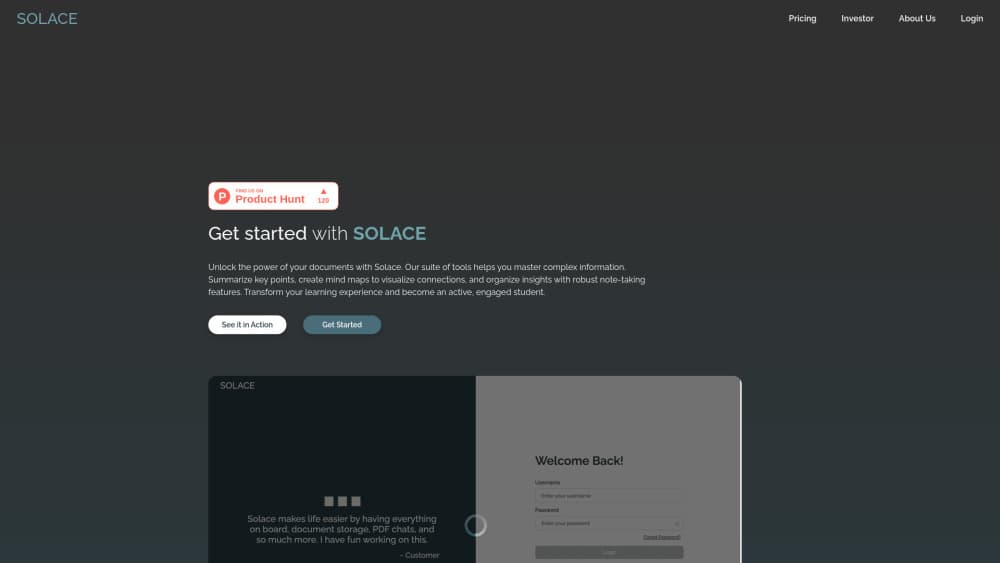
About Solace
What Is Solace
Solace is a web platform built around a single idea: you shouldn't have to read every page to understand a document. You upload a file or paste a link, and the tool pulls out what matters, then lets you ask follow-up questions in plain language instead of scrolling back and forth to find one line.
The people it's aimed at are students working through dense course readers, researchers skimming papers, and professionals who inherit a folder of reports and need the gist fast. Its three core moves are summarization, visual mind mapping, and contextual Q&A. Mind maps are the interesting part. They show how sections connect, not just what each one says, so a 40-page report becomes something you can actually scan.
It has limits worth knowing up front. The interface is web only, and since the product is built around document interaction, it works best when you feed it text-heavy files rather than images or scanned handwriting. Pricing details aren't laid out publicly yet, so you'll want to check the official site before planning around a paid tier.
Getting Started
- Go to mysolace.in and create an account with your email or a linked sign-in.
- Upload a document or paste the source you want to work through.
- Let Solace generate the summary and mind map, then skim both to get oriented.
- Ask follow-up questions in the chat panel to dig into specific sections.
- Save or export the notes you want to keep for later review.
Product Information
A quick look at Solace's pricing, supported platforms, and performance.
Best for
The users, tasks, and scenarios where this tool fits best.
Users
- Students
- Researchers
- Knowledge workers
Tasks
- Summarizing documents
- Building mind maps
- Asking questions about a file
- Producing study notes
Scenarios
- Exam revision
- Literature review
- Onboarding at a new job
Key features
Document Summarization
Solace reads a file and returns the main points in condensed form. You can point it at a long PDF, a report, or an article and get a digest that tells you whether the full document deserves your time. For heavy reading loads, that's the difference between skimming twenty files and actually getting through three. It's simple, and it works.
Mind Map Generation
Instead of another wall of bullet points, Solace turns a document into a mind map that shows how the ideas connect. This is where it earns its keep. Seeing that a conclusion traces back to two earlier sections is hard to spot in linear text, but obvious in a map. Students use it to plan essays. Analysts use it to see how a report is actually structured.
Contextual Document Q&A
You can ask questions about the file you uploaded and get answers grounded in that document. It's not a general chatbot guessing at your topic. Ask who the key people named in a contract are, or how a paper gathered its data, and the answer points back to what's in the file. That grounding matters when accuracy is the whole point.
Study Notes and Export
Once Solace has done the summarizing, you can keep the output as notes for later. This turns a one-off reading session into something reusable, so the work you did on a document doesn't evaporate the moment you close the tab.
Pros and cons
Pros
- Combines summarizing, mind mapping, and document Q&A in one place, so you don't juggle three tools to understand one file.
- Mind maps make a document's structure visible, which plain summaries don't do.
- Contextual answers are grounded in your uploaded file rather than pulled from the open web.
- Web based and quick to pick up, with no install or setup overhead.
- Free to start, so you can test it on a real document before committing.
Cons
- Pricing details aren't published clearly on the site, which makes budgeting harder for anyone weighing a paid plan.
- It's web only, so there's no mobile app or desktop client for offline use.
- Results depend on document quality. Scanned pages and image-heavy files won't summarize as cleanly as digital text.
- No public API, so you can't wire Solace into your own workflow or app.
Frequently asked questions
It's a platform for interacting with documents. You upload a file and it produces a summary, a mind map, and answers to questions you ask about the content. The goal is understanding a document without reading every word.
Related content
Explore related tools, skills, and articles for Solace.
Solace Alternatives

Google EmbeddingGemma 2
Google DeepMind · Writing · Image · CodingGoogle EmbeddingGemma 2 is a 740M-parameter open model that turns text, code, images, audio, and video frames into vectors in one 768-dimension space, running on phones and laptops.

MePersona
MePersona, Inc. · Writing · Productivity · MarketingMePersona is an AI unified inbox for creators. It learns your voice, drafts replies to fan messages from 12 platforms, and sends only what you approve.

Fluence
Yay Software (Yannick Huchard) · Writing · Voice & Language · ProductivityFluence is an Android app that reads PDFs, EPUBs, Word files and web articles aloud, follows each sentence as it speaks, and answers questions about the text on the phone itself.