

solveit
fast.ai (Jeremy Howard and team) · Leaning
SolveIt is a 5-week online course plus a cloud coding platform from Jeremy Howard and the fast.ai team. The premise flips the usual AI pitch on its head: don't hand your thinking to a chatbot, use AI to become a sharper problem solver, writer, and coder. If you want to learn to code with AI without losing the skill yourself, that's the whole idea. The course walks through data structures, web apps, writing, and systems work across 10 recorded lessons, and the bundled platform gives you a private Linux development environment with AI built in. It's aimed at people who already have some coding curiosity and want to keep their skills growing while AI does the busywork.
About solveit
What Is SolveIt
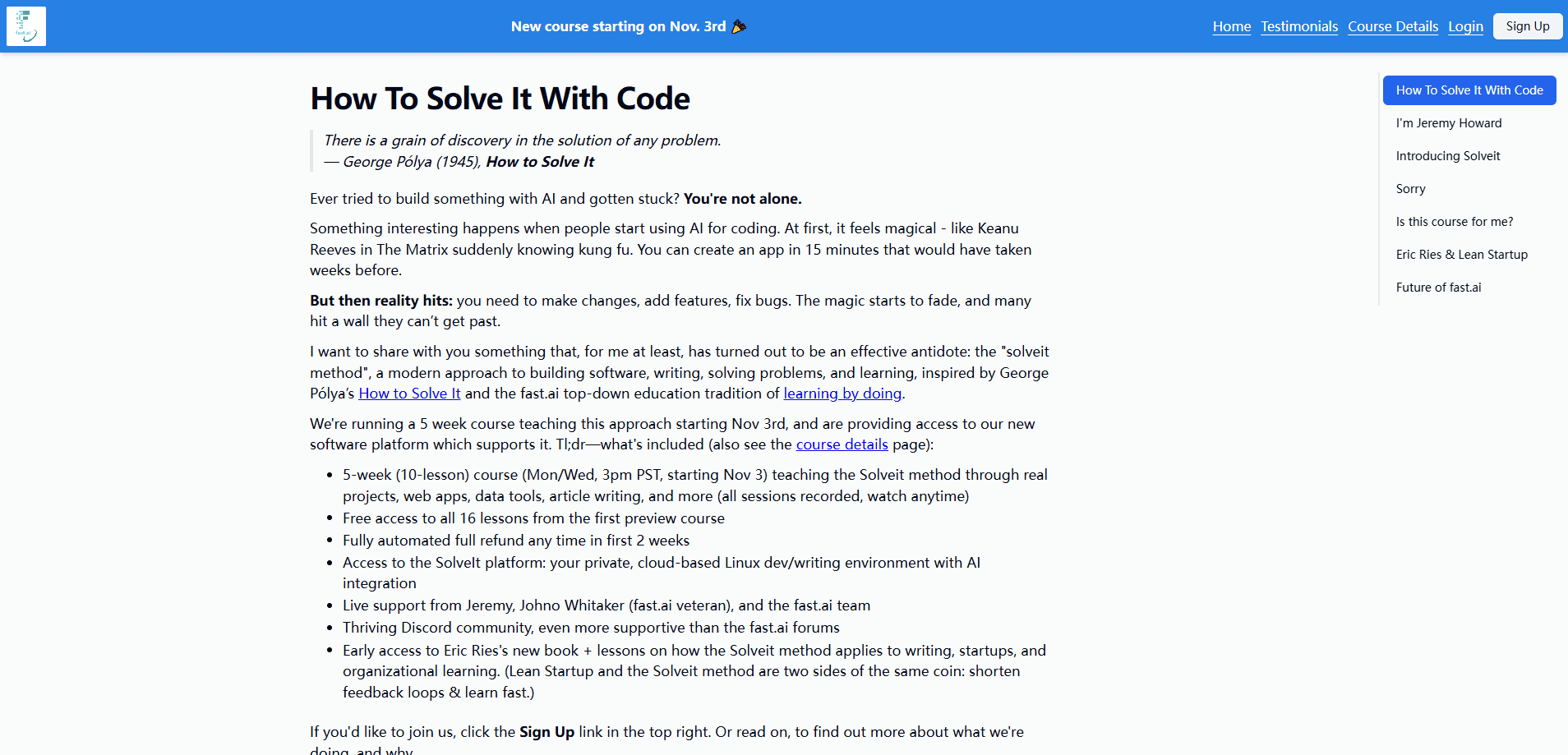
SolveIt is two things sold together. The first is a course, branded elsewhere as "How to Solve it With Code," taught by Jeremy Howard with help from Johno Whitaker and Eric Ries on the writing and startup lessons. The second is the SolveIt platform, a private cloud-based Linux dev and writing environment that comes with AI integration.
The philosophy borrows from George Polya's 1945 book How to Solve It and from fast.ai's long habit of teaching by doing. The pitch is blunt. People start using AI to code, it feels like magic, and then they hit a wall when the code needs changes, new features, or bug fixes. The magic fades because the thinking was outsourced. Solveit's method is built to avoid that wall.
The limits matter too. It's a 5-week course, and each topic it touches (graph algorithms, FastHTML web apps, web scraping, system administration) is normally a semester on its own. So this is an introduction. A toolkit, not mastery. Signups have also closed at various points, so you may need to join a mailing list and wait for the next opening.
Getting Started
- Join the mailing list on the official site, since public signups open and close in waves.
- When enrollment opens, register for the course and pay the fee, which includes 30 days of access to the SolveIt platform with no usage quotas.
- Log into the platform to get your private, cloud-based Linux environment with AI integration already wired in.
- Work through the 10 lessons at your own pace, and run the coding puzzles and web app projects directly in that environment.
- After the included 30 days, subscribe for $10 per month if you want to keep the platform running.
Product Information
A quick look at solveit's pricing, supported platforms, and performance.
Best for
The users, tasks, and scenarios where this tool fits best.
Users
- Self-taught coders who hit a wall
- fast.ai alumni
- Writers and researchers who also code
Tasks
- Working through coding puzzles
- Building web apps
- Pulling data from the web
Scenarios
- Learning to use AI as a thinking partner rather than a code vending machine.
- Getting a private Linux box with AI help when you don't want to configure one yourself.
- Picking up a working introduction to a topic like graph algorithms or devops before committing to a full course.
Key features
The SolveIt Method
The through-line of the course is a structured approach to problem solving, drawn from Polya's classic work and adapted for AI tools. Rather than prompting a model and accepting whatever comes back, you learn to break a problem down, test your understanding, and keep the thinking on your side of the desk. Howard's framing is that AI is a partner, not a replacement.
A Private Cloud Linux Environment
The platform gives each subscriber a private, cloud-based Linux environment for development and writing, with AI integration built in. That means no local setup, no dependency wrangling, and no quota limits during the first 30 days. Why bother? Because the course and the place to run the course's code are the same subscription. You learn the method and you practice it on the same machine.
10 Lessons Across 5 Weeks
The course is 10 lessons over 5 weeks, all recorded so you can watch at your own pace. Topics range from classic data structures and algorithms to functional-style programming, numpy and pytorch acceleration, and graph algorithms. It's broad on purpose. The instructors say outright that they're giving introductions and showing key ideas, not covering each subject end to end.
FastHTML and Web Programming
A chunk of the course is about building actual web apps. You work with FastHTML, HTMX, and the foundational HTML, HTTP, and CSS that sit underneath modern frameworks. Because the lessons use real projects, the web work doubles as a tour of how requests, responses, and interactivity fit together.
Writing and Reading With AI
Not everything is code. Lessons cover long-form writing in a session with Eric Ries, plus blog posts, articles, and meeting notes that are actually useful. There's a reading track too, built around academic papers and Ries's latest book. The idea is to apply the same iterative method to words that you apply to code.
Web APIs, Scraping, and Devops
The later material moves into practical infrastructure. That means web APIs, web scraping, and plain-old system administration and devops. These are the tasks that trip up AI-assisted projects in the real world, so the course treats them as first-class skills rather than footnotes.
Live Support and Community
Enrollment includes live support from Jeremy Howard, Johno Whitaker, and the fast.ai team, along with access to a Discord community the organizers describe as especially hands-on. There's also free access to all 16 lessons from the first preview course, which softens the cost of the initial preview round.
Pros and cons
Pros
- Combines a taught method with a ready-to-use cloud dev environment in one subscription.
- Taught by Jeremy Howard and the fast.ai team, with a track record in practical AI education.
- All 10 lessons are recorded, so you can go at your own pace instead of following a live schedule.
- Writing, reading, and startup lessons widen the appeal beyond coders.
- Free access to the 16 preview lessons and a supportive Discord community.
Cons
- Signups open and close in waves, so you can't always buy in when you want to.
- It's a 5-week introduction, so deep topics like graph algorithms and devops get only a starting point, not mastery.
- Platform access is included for just 30 days; keeping it afterward costs $10 a month.
- No standalone API and no free plan, which limits how you can try it without committing.
Frequently asked questions
SolveIt is a paid online course and platform from fast.ai. The course, sometimes called "How to Solve it With Code," teaches a method for building software, writing, and solving problems with AI in the loop. The platform is a private cloud Linux environment with AI integration where you run the course projects.
Related content
Explore related tools, skills, and articles for solveit.
solveit Alternatives

Kaggle AI
Google · Coding · LeaningKaggle AI is a community platform where people build, test, and compare machine learning models against shared data. It combines data science competitions, tens of thousands of public datasets, and free cloud notebooks with GPU and TPU access, so anyone with a browser can train a model without buying hardware. Google owns the platform, and joining costs nothing.

Bunch
Bunch AI · Leaning · BusinessBunch is an AI leadership coaching app that turns a few spare minutes a day into real management practice. It hands you one short, personalized tip each day, tracks how you respond, and lets you compare notes with peers inside private groups. The pitch is simple: you lead better by practicing a little, often, instead of sitting through a weekend seminar. Think of it as a leadership training app you actually open.

AI Mock Interview
SQLPad · Coding · LeaningAI Mock Interview is a practice tool built into SQLPad that simulates real job interviews and gives you instant feedback on both what you say and how you say it. You pick a role template or upload a job description, answer questions out loud in real time, and then review a transcript with notes on structure, clarity, and grammar. It's aimed at data professionals prepping for SQL, Python, data engineering, machine learning, and system design roles, and it works entirely in the browser. No install needed.