

SongCleaner
SongCleaner Ltd · Voice & Language
SongCleaner is an AI song cleaner built to remove explicit lyrics from any track and hand back a clean version plus the instrumental.
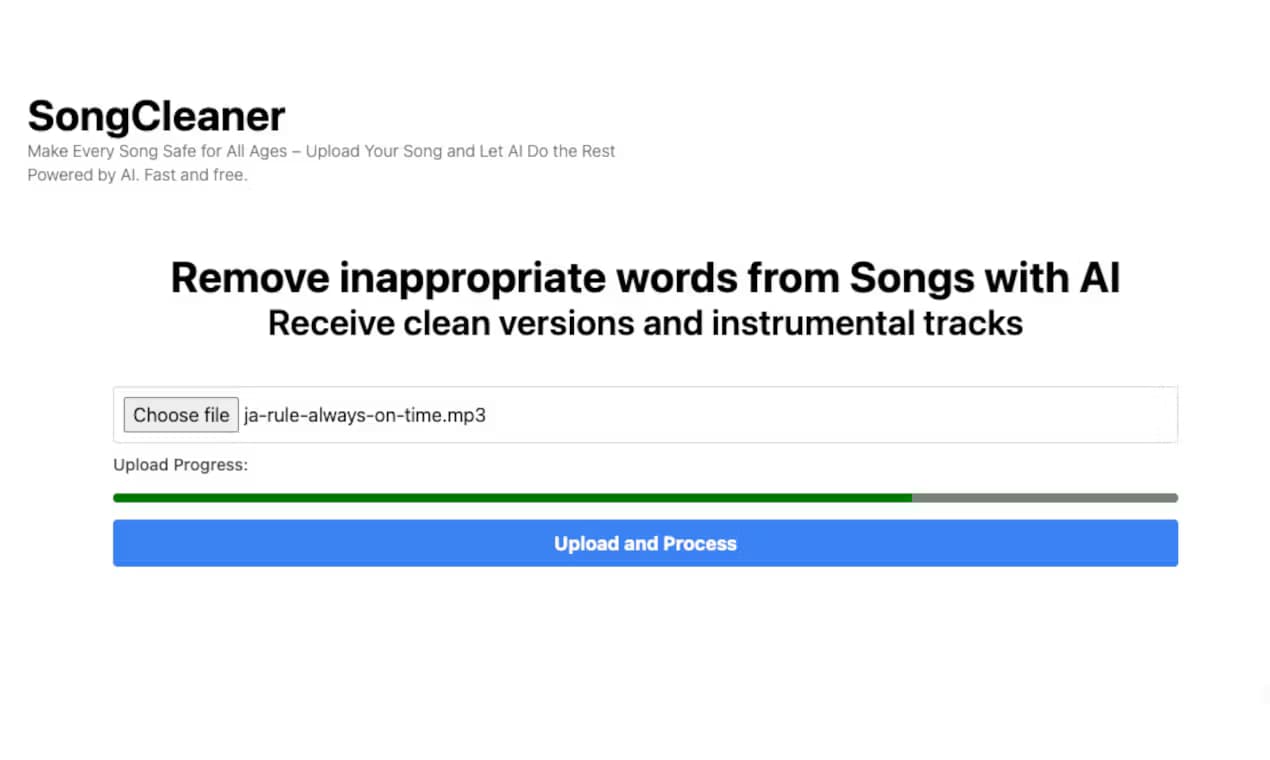
About SongCleaner
What Is SongCleaner
SongCleaner is an online audio cleaning service for anyone who plays music out loud and can't risk an explicit word slipping into the room, whether that room is a dance studio, a school hall, a gym or your own living room. You upload a song you already own. The AI transcribes the lyrics with word-level timings. Then you pick which words come out. It runs in the browser, so there's nothing to install.
The draw here is control. Most radio edits are made for you, and you get whatever the label decided. Not this one. SongCleaner shows you the actual words it found and lets you keep or cut each one before the clean track is generated, which means a lyric that some listeners find offensive and others find harmless stays your call rather than a stranger's. Edits follow the vocal, so the result sounds natural instead of choppy.
The main limit is scope. This is about removing words, not producing an official licensed copy. Uploads match the format and size restrictions of your plan, and the free tier only covers a couple of songs. Fine for a playlist. Not a replacement for cleared broadcast content.
Getting Started
- Open the website and upload the song you want to clean. MP3, WAV and FLAC all work, and no account is required to try it.
- Wait for the AI to transcribe the lyrics and flag explicit content with word-level timings.
- Review the detected words and toggle any that should stay or go. Use the waveform view to mark regions when a word wasn't caught in the lyrics.
- Generate the clean track and download it, along with the instrumental version, in your preferred format.
Product Information
A quick look at SongCleaner's pricing, supported platforms, and performance.
Best for
The users, tasks, and scenarios where this tool fits best.
Users
- Dance and fitness instructors
- Parents and caregivers
- Event and venue DJs
Tasks
- Removing explicit lyrics from a single track
- Building a kid-friendly playlist
- Getting an instrumental version
Scenarios
- Prepping a playlist before a kids' dance class or school event.
- Cleaning a song you love for family listening at home.
- Preparing background music for a cafe, gym or community venue where explicit content isn't an option.
Key features
AI lyric transcription with word timing
The engine transcribes each song and times every word, so edits line up with the vocals instead of cutting across them. Transcription is powered by the Lyrics Pro engine, which the site makes available free to account holders. That timing is what keeps a clean version sounding smooth rather than stitched together. Miss the timing and the edit sounds like a glitch. Get it right and listeners never notice.
One-click word editing
SongCleaner shows you the words it flagged and lets you decide each one. Keep a word the AI wanted to cut, or remove one it missed. Having that final say matters when a lyric is ambiguous or when a phrase matters to the track.
Waveform editing for missed words
Sometimes a sound isn't in the transcribed lyrics at all, like an ad-lib or a shout buried in the mix. The waveform view lets you mark your own regions to remove, so you're not stuck with whatever the transcription caught. Handy when the AI misses something. You fix it yourself.
Clean track plus instrumental
Every job returns two files: the clean version and a separate instrumental. For instructors and DJs that's the difference between one usable file and two, and it saves a second cleaning pass just to isolate the backing track, which is the kind of small redundancy that adds up when you're prepping a whole class playlist the night before.
Multiple lossless-friendly export formats
You can download in MP3, WAV, FLAC and other common formats. Higher tiers add FLAC export. That's worth having if the cleaned track is going into a proper sound system rather than a phone speaker, since a lossy MP3 that sounded fine on earbuds can fall apart once it's pushed through a venue's PA.
Private processing by default
Uploads aren't published or sold, and account holders can keep processed songs for a set retention window. For anyone cleaning tracks for a business, that's a reasonable baseline to check before you trust a tool with your files.
Pros and cons
Pros
- You control every edit, so the clean version reflects your judgment, not an algorithm's guess.
- Every job includes the instrumental at no extra cost.
- No account and no credit card needed to test a song.
- Credits never expire, which suits people who clean songs occasionally rather than monthly.
- Word-level timings keep edits natural instead of jumpy.
Cons
- It removes words rather than producing a licensed official radio edit, so it isn't a substitute for rights-cleared content in commercial broadcast, and anyone running a licensed venue should check their own obligations before leaning on it.
- Free use is limited and file sizes are capped (50MB on lower tiers, 100MB on Unlimited), so long high-resolution tracks may need converting first.
- There's no API, which rules it out for anyone hoping to wire cleaning into an automated workflow.
Frequently asked questions
It removes explicit words from a song you upload and returns a clean version along with an instrumental. You review the flagged lyrics first, so nothing gets cut without your say.
Related content
Explore related tools, skills, and articles for SongCleaner.
SongCleaner Alternatives

Foley
Hanamori Labs, LLC · Voice & Language · Productivity · AI AssistantFoley is a voice to-do list that turns a spoken sentence into a filed task, complete with project, date and time, then helps you plan the day around what is already there.

HireKey
HireKey · Voice & Language · Productivity · LeaningHireKey is an AI job search copilot built by a former tech recruiter. It checks role fit, tailors resumes, runs interview practice and tracks every application.

Fluence
Yay Software (Yannick Huchard) · Writing · Voice & Language · ProductivityFluence is an Android app that reads PDFs, EPUBs, Word files and web articles aloud, follows each sentence as it speaks, and answers questions about the text on the phone itself.