

Sonix AI
Sonix · Writing
Sonix AI is a transcription platform that turns audio and video into accurate, searchable text in 54+ languages, with translation, subtitles and AI analysis built in.
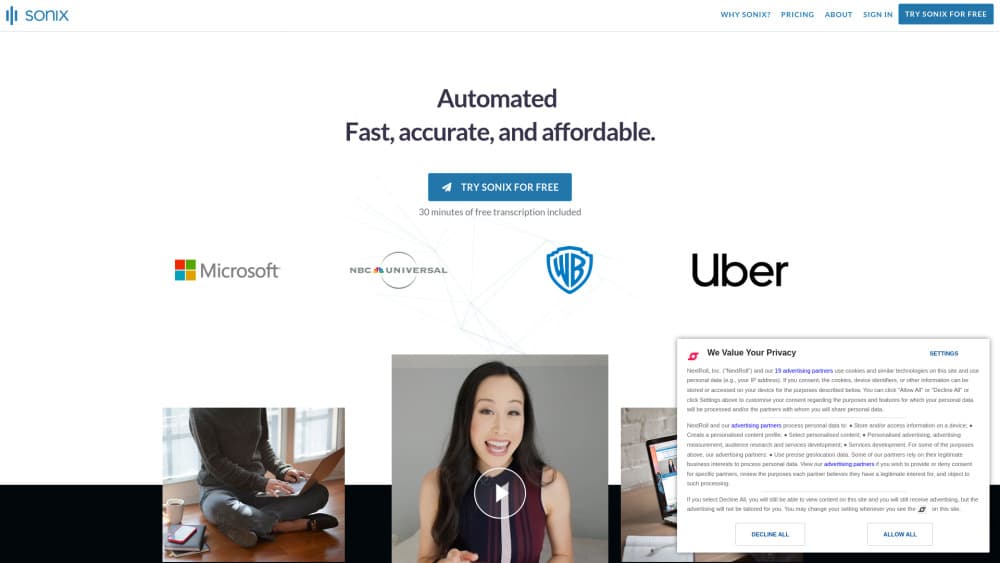
About Sonix AI
What Is Sonix AI
Sonix AI is a transcription platform that converts audio and video into accurate, timestamped text. Upload a file and the service returns a transcript with speaker labels, timestamps and language detection in minutes. It handles interviews, meetings, podcasts, depositions and sales calls in one workspace.
The product started in 2017 with a narrow goal: make transcription fast and accurate. It grew into something broader. Once speech becomes searchable text, you can find a phrase across an entire library, jump to the exact moment in a recording, pull quotes with traceable sources, and generate summaries or chapters.
What separates it from basic transcription software is the range of output from a single upload. One recording can become a polished transcript, a translation, a subtitle generator output, or a set of AI-generated insights without switching apps. Legal and healthcare teams get extra compliance options, while individuals and growing companies work from the same editor.
The main limits are worth knowing before you commit. It is a cloud service, so files go to Sonix servers rather than staying on your machine. Pay As You Go costs $10 per hour of audio, which adds up for large volumes, and the entry subscription caps monthly hours. The platform also expects clean audio: heavy background noise, crosstalk or poor microphones will lower accuracy no matter what the software claims.
Getting Started
- Create an account on the Sonix website and start the 30-minute free trial, which needs no credit card.
- Upload an audio or video file, or connect a source like Zoom. The upload accepts common formats and takes most of the common media files.
- Choose the spoken language, then let the service process the recording. A standard file is usually ready in minutes.
- Open the browser editor to fix names or terms, add speaker labels and set a custom dictionary so recurring words stay correct.
- Export the finished work as a document, a subtitle file such as SRT or VTT, or a shareable link. There is also API access for automated workflows.
Product Information
A quick look at Sonix AI's pricing, supported platforms, and performance.
Best for
The users, tasks, and scenarios where this tool fits best.
Users
- Journalists and podcasters
- Legal and healthcare teams
- Researchers and students
- Growing companies with steady volume
Tasks
- Converting audio to text
- Generating subtitles
- Translating a transcript
- Pulling summaries and quotes
- Automating a pipeline
Scenarios
- A research backlog
- A fast-turnaround news story
- A multinational team meeting
- A legal case file
Key features
Accurate transcription in 54+ languages
The core function covers speech to text across more than 54 languages. Sonix AI reports 99% accuracy on typical recordings and adds speaker diarization, so it notes who said what rather than dumping one wall of text. Language detection flags the spoken language automatically.
Built-in translation
Translation runs on neural machine translation and covers the same 54+ languages as transcription. A single upload can produce both a transcript and a translated version, which helps global teams work from one source of truth instead of passing files between separate tools.
Browser transcript editor
The editor opens in the browser and lets a whole team work on one transcript at once. You can correct names, add speaker labels, set a custom dictionary for recurring terms, and use version history to track edits. Search runs across one file or your entire library.
Automated subtitles and captions
Subtitle files export as SRT or VTT, and captions can be burned directly onto a video. This turns a single recording into publish-ready assets for social clips, YouTube uploads or course material without a separate subtitle tool.
AI analysis and summaries
Sonix AI goes past transcription with AI analysis. You can ask questions in plain language and generate summaries, chapters, themes and standout soundbites from everything you have uploaded. Each quote links back to its source, so the output stays checkable rather than a black box.
Security and compliance
Files are encrypted in transit and at rest, and the company states it does not train models on customer data. It holds SOC 2 Type II and offers HIPAA compliance, SSO and SAML on enterprise plans, with granular permissions and audit logs. That mix matters for legal, medical and enterprise buyers.
Integrations and API
The platform connects to tools such as Zoom, Microsoft Teams, Adobe Premiere and Zapier, and offers API access with webhook events. Teams can push finished transcripts into editing software, project management apps or a custom pipeline instead of copying text by hand.
Pros and cons
Pros
- Accurate, speaker-labeled transcripts: reporting 99% accuracy and adding speaker diarization makes output usable without heavy cleanup.
- One upload, many outputs: a single file can become a transcript, a translation, a subtitle file or AI insights.
- Team-ready editor: shared folders, per-user quotas and version history support multi-person workflows in the browser.
- Strong compliance stance: SOC 2 Type II, HIPAA options and a stated no-training policy on customer data help regulated teams.
- Wide integrations: Zoom, Teams, Zapier and an API connect transcription to the rest of a workflow.
Cons
- Cloud-only workflow: files are processed on Sonix servers, so anyone who needs to keep recordings fully on-device will not get that here.
- Hourly costs add up: Pay As You Go runs at $10 per hour, and subscription plans cap monthly transcription hours, so heavy users pay more.
- Accuracy depends on audio quality: noisy rooms, overlapping speakers or weak microphones lower results, which means cleanup time on rough recordings.
- Best features sit on higher tiers: SSO, SAML, audit logs and unlimited members are enterprise features, not entry-level ones.
Frequently asked questions
Sonix AI converts audio and video into accurate, timestamped text. You upload a recording, choose the language, and get a speaker-labeled transcript you can search, translate, subtitle or turn into summaries and quotes.
Related content
Explore related tools, skills, and articles for Sonix AI.
Sonix AI Alternatives

Google EmbeddingGemma 2
Google DeepMind · Writing · Image · CodingGoogle EmbeddingGemma 2 is a 740M-parameter open model that turns text, code, images, audio, and video frames into vectors in one 768-dimension space, running on phones and laptops.

MePersona
MePersona, Inc. · Writing · Productivity · MarketingMePersona is an AI unified inbox for creators. It learns your voice, drafts replies to fan messages from 12 platforms, and sends only what you approve.

Fluence
Yay Software (Yannick Huchard) · Writing · Voice & Language · ProductivityFluence is an Android app that reads PDFs, EPUBs, Word files and web articles aloud, follows each sentence as it speaks, and answers questions about the text on the phone itself.