

Sonura Studio
Sonura Studio · Voice & Language
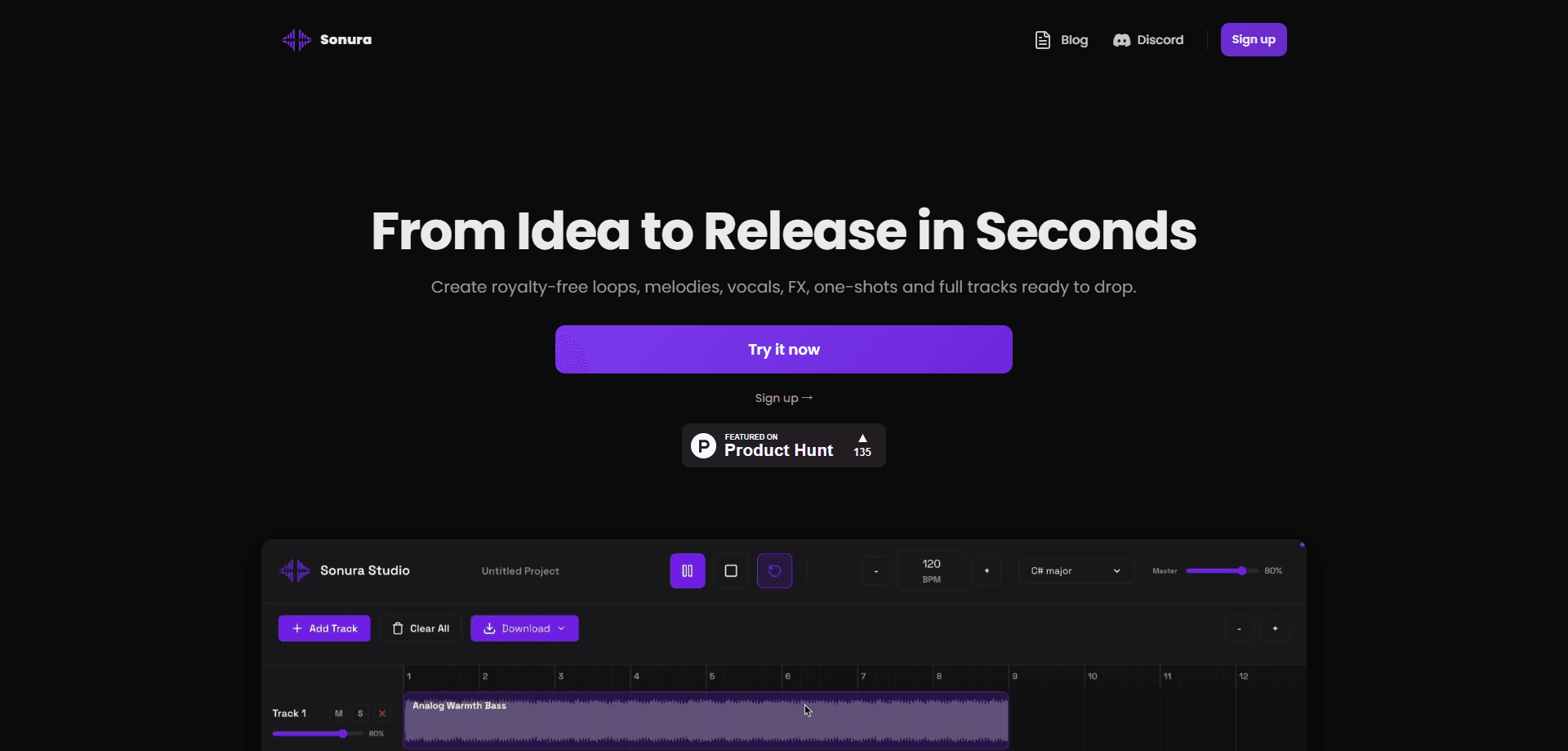
Sonura Studio is an AI music generator that turns a written description into finished beats, loops, vocals, one-shots, and full tracks. It doubles as an AI vocal generator and an AI beat maker, so you can prompt a UK garage drum loop, a soulful top line, or a full song and get audio back in seconds. You type what you hear in your head, pick a style or tempo, and the studio returns release-ready audio. It runs in your browser and plugs into Ableton, Logic, and FL Studio as an AU or VST3 plugin, so you can skip the endless sample-crate crawl and get to arranging. The output is royalty-free loops and stems you can use commercially on paid plans.
About Sonura Studio
What Is Sonura Studio
Sonura Studio is a web-based music production tool built around prompted generation. Instead of digging through a sample library for a UK garage drum loop or an organic flute melody, you describe it, and the AI beat maker returns a matching clip you can chop, stack, and mix inside the studio. Producers use it for the whole chain: loops, one-shots, vocals, FX, and complete songs.
The pitch is speed without losing control. You keep iterating on a prompt, split any track into stems, and export the parts straight into your DAW. Paid plans add exclusive commercial rights, so what you make is yours to release, sell, or license with no royalty splits.
So what's the catch? Two limits matter up front. Free creations are public domain (CC0), meaning anyone can reuse them, so you'll want a paid plan to keep your work private. And the catalog is built on licensed music rather than scraped sources, which is the ethical stance the company leads with but also means the sound palette depends on what's been cleared.
Getting Started
- Sign up for a free account at sonurastudio.com. No credit card is required, and you get 20 credits plus a daily refresh.
- Describe the sound you want in the prompt box, then set the type (loop, one-shot, vocal, or full track) and any style or tempo notes.
- Generate a few versions, then audition them side by side and keep the ones that fit.
- Chop, stack, and mix inside the browser studio, or split the track into stems for finer control.
- Export as a WAV or load the plugin inside Ableton, Logic, or FL Studio to keep working in your own session.
Product Information
A quick look at Sonura Studio's pricing, supported platforms, and performance.
Best for
The users, tasks, and scenarios where this tool fits best.
Users
- Electronic and hip-hop producers
- Singer-songwriters sketching demos
- Content creators and video editors
- Beat sellers and library composers
Tasks
- Generating a drum loop at a fixed tempo
- Creating one-shots and FX
- Splitting a full track into stems
- Scoring to a specific mood
Scenarios
- Breaking a writer's block at 1 a.m.
- Hitting a deadline with a client brief
- Building a sample pack of your own
Key features
Text-to-Music Generation
You describe a sound in plain language and Sonura Studio generates a matching loop, one-shot, vocal, or complete track. Type "UK garage drums, 135 BPM" and it comes back as audio you can audit fast. That's the core of why producers drop the sample-hunt. The output quality on paid tiers is aimed at being finished, not just a sketch.
Browser Studio
Everything runs in the browser with no install, so you can prompt, chop, stack, and mix in one place. No downloads. No setup. The full studio is available even on the free plan, with no time limit during a session. That keeps the barrier low: try the workflow before paying for credits.
DAW Plugin (AU/VST3)
Sonura Studio ships as a plugin for Ableton, Logic, and FL Studio, so you can create sounds without leaving your session. This is the feature that separates it from a standalone web toy. Pull in a stem, tweak it against your arrangement, and keep moving.
Stem Export on Every Plan
Every plan, including free, lets you split a track into drums, bass, melody, vocals, and FX. That matters when you want to rework one element instead of the whole mix. Loading stems into your DAW gives you the flexibility a flat audio file can't.
One-Click Smart Mixing
Smart mixing is included across plans and gives you a studio-ready balance without hand-tuning every channel. Useful when you want a presentable result before you dive in. For producers who mix their own tracks, it's a starting point you can override.
Exclusive Commercial Rights on Paid Plans
Paid plans hand you exclusive commercial rights to everything you create, so you can release on Spotify, sell beats, or score client work with no splits and no attribution. Free creations, by contrast, go out under CC0 and stay public. Big difference.
Credit-Based Daily and Monthly Allowances
The free tier refreshes daily with 10 loops, 20 one-shots and FX, and 2 full tracks. Paid tiers scale up to 200, 500, or 1,250 loops a month. The structure suits steady creators and heavy users differently, so match it to how often you actually generate.
Pros and cons
Pros
- Prompting beats browsing: you describe the sound and get audio fast, which trims the sample-search grind. No more folder scrolling.
- Works inside your DAW through AU/VST3 plugins for Ableton, Logic, and FL Studio, so it fits existing sessions.
- Stem export is on every plan, including free, giving you real control over individual parts.
- Paid plans carry exclusive commercial rights with no royalty splits or attribution requirements.
- The free tier is genuinely usable, with daily refreshed credits and no credit card to start.
Cons
- Free creations are CC0, so they aren't exclusively yours; you need a paid plan to keep work private.
- The licensed-only catalog limits the sound palette compared to tools trained on broader datasets.
- There's no documented public API, so developers can't wire it into automated or custom pipelines.
Frequently asked questions
It generates beats, loops, vocals, one-shots, and full tracks from text descriptions. Producers use it to skip sample-hunting, sketch ideas quickly, and export stems into their DAW.
Related content
Explore related tools, skills, and articles for Sonura Studio.
Sonura Studio Alternatives

Foley
Hanamori Labs, LLC · Voice & Language · Productivity · AI AssistantFoley is a voice to-do list that turns a spoken sentence into a filed task, complete with project, date and time, then helps you plan the day around what is already there.

HireKey
HireKey · Voice & Language · Productivity · LeaningHireKey is an AI job search copilot built by a former tech recruiter. It checks role fit, tailors resumes, runs interview practice and tracks every application.

Fluence
Yay Software (Yannick Huchard) · Writing · Voice & Language · ProductivityFluence is an Android app that reads PDFs, EPUBs, Word files and web articles aloud, follows each sentence as it speaks, and answers questions about the text on the phone itself.