

SoundAi Studio
SoundAi Studio · Voice & Language · Coding
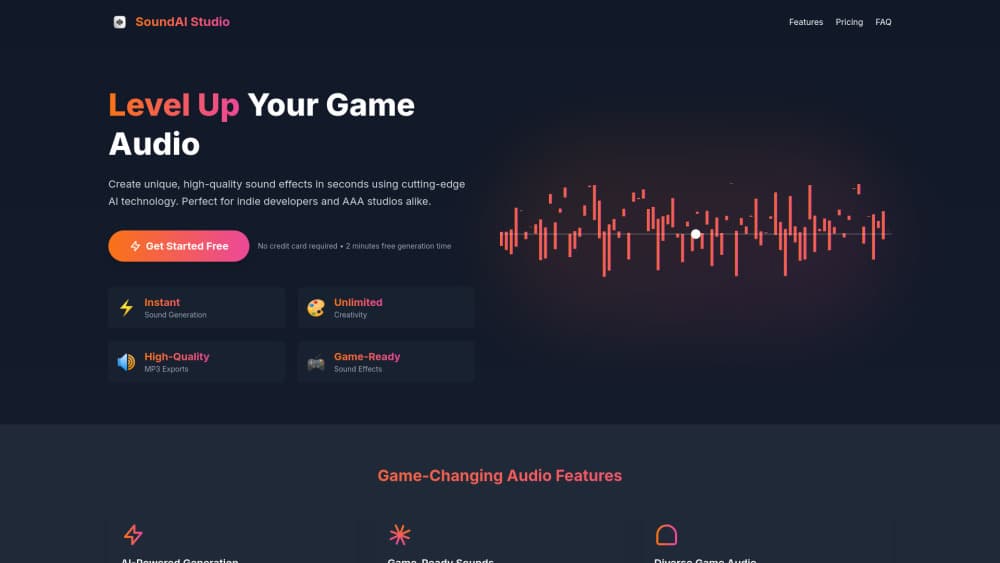
SoundAi Studio is an AI sound effects generator that turns short text prompts into game-ready audio you can drop into any project.
About SoundAi Studio
What Is SoundAi Studio
SoundAi Studio is a web-based AI sound effects generator aimed at people who need custom game audio fast. Instead of digging through stock libraries or hiring a sound designer, you type a description of the sound you want and the platform builds a fresh audio file from it. The whole point is speed. A studio that used to spend weeks sourcing weapon impacts and ambient layers can now sketch a rough soundscape in an afternoon and refine it later.
The tool fits the gap between generic free SFX packs and expensive custom work. Stock libraries give you the same explosion thousands of other games already use. A dedicated sound designer gives you something original, but the cost and turnaround put that out of reach for most small teams. An AI sound effects generator sits in the middle: original results, indie pricing, and a workflow that doesn't require any recording gear or audio training.
Why does that matter? Because small teams ship on tight timelines.
One limitation is worth stating up front. AI-generated sound effects can sound thin or muddy on the first try, especially for layered effects like a sword clash combined with a magic whoosh. You usually need to regenerate a few times or lighten the prompt. Treat the first output as a starting point, not a finished asset.
Getting Started
- Open the SoundAi Studio website and create a free account.
- Type a plain-language description of the sound, such as "zombie groaning" or "retro coin pickup".
- Generate the clip and preview it in the browser.
- Regenerate or adjust the wording until the result fits.
- Download the audio file and import it into your game engine or editor.
Product Information
A quick look at SoundAi Studio's pricing, supported platforms, and performance.
Best for
The users, tasks, and scenarios where this tool fits best.
Users
- Indie game developers
- Content creators and video editors
- Hobbyist designers
Tasks
- Generating weapon, footstep, and UI click sounds
- Filling ambient gaps
- Prototyping a sound palette
Scenarios
- Wrapping up a game jam where there's no time to license audio
- Building a vertical slice for a publisher pitch
- Making short-form video content
Key features
Text-to-Sound Generation
The core of SoundAi Studio is turning a text prompt into an audio file. You describe the effect in everyday language and the platform produces a clip that matches. This text to sound effects approach means vague prompts give vague results, so specifics help: "distant thunder roll" beats "weather sound". The feature is built for people who think in words, not waveforms.
Fast Turnaround
Generation happens in seconds, which changes how you work. You can audition ten variations of a jump sound in the time it used to take to open a sample browser. That speed matters most during prototyping, when you're still deciding what a scene should feel like and don't want to commit to a direction yet. Regeneration is cheap. So experimenting is normal.
Game-Focused Sound Library
SoundAi Studio leans toward the effects game developers actually search for: impacts, pickups, magic spells, environmental ambience, and creature vocals. This is narrower than a general music generator, and that's the point. You get a tool tuned to one job rather than a broad platform that does everything at a shallow level. The example prompts on the site read like a game audio shopping list.
Browser-Based Workflow
Everything runs in the browser, with no download or install. You sign in, generate, preview, and export from the same tab. That keeps the barrier low for teams spread across machines, and it means a designer can pull up a sound on a laptop mid-meeting, tweak the prompt, and drop the file into a shared folder before anyone has left the room. There's nothing to configure and no plugins to manage.
Pros and cons
Pros
- Generates original game sound effects from plain text prompts.
- Fast enough to prototype a full sound palette in one sitting.
- No audio software or recording gear required.
- Free tier lets you test the workflow before paying.
- Browser-based, so it works on any machine with a browser.
Cons
- First-generation results often need several retries for layered effects.
- Early reports on quality vary, so test thoroughly before shipping.
- No confirmed public API, which limits automated pipelines.
Frequently asked questions
It generates custom sound effects from text descriptions, mainly for video games, videos, and other content that needs original audio. You type what you want to hear and it produces a downloadable clip.
Related content
Explore related tools, skills, and articles for SoundAi Studio.
SoundAi Studio Alternatives

Foley
Hanamori Labs, LLC · Voice & Language · Productivity · AI AssistantFoley is a voice to-do list that turns a spoken sentence into a filed task, complete with project, date and time, then helps you plan the day around what is already there.

HireKey
HireKey · Voice & Language · Productivity · LeaningHireKey is an AI job search copilot built by a former tech recruiter. It checks role fit, tailors resumes, runs interview practice and tracks every application.

Fluence
Yay Software (Yannick Huchard) · Writing · Voice & Language · ProductivityFluence is an Android app that reads PDFs, EPUBs, Word files and web articles aloud, follows each sentence as it speaks, and answers questions about the text on the phone itself.