

Sourcery Sentinel
Sourcery · Coding
Sourcery Sentinel is an AI code review tool from Sourcery that reviews every pull request, explains bugs and security risks, and posts fixes you can commit in one click.
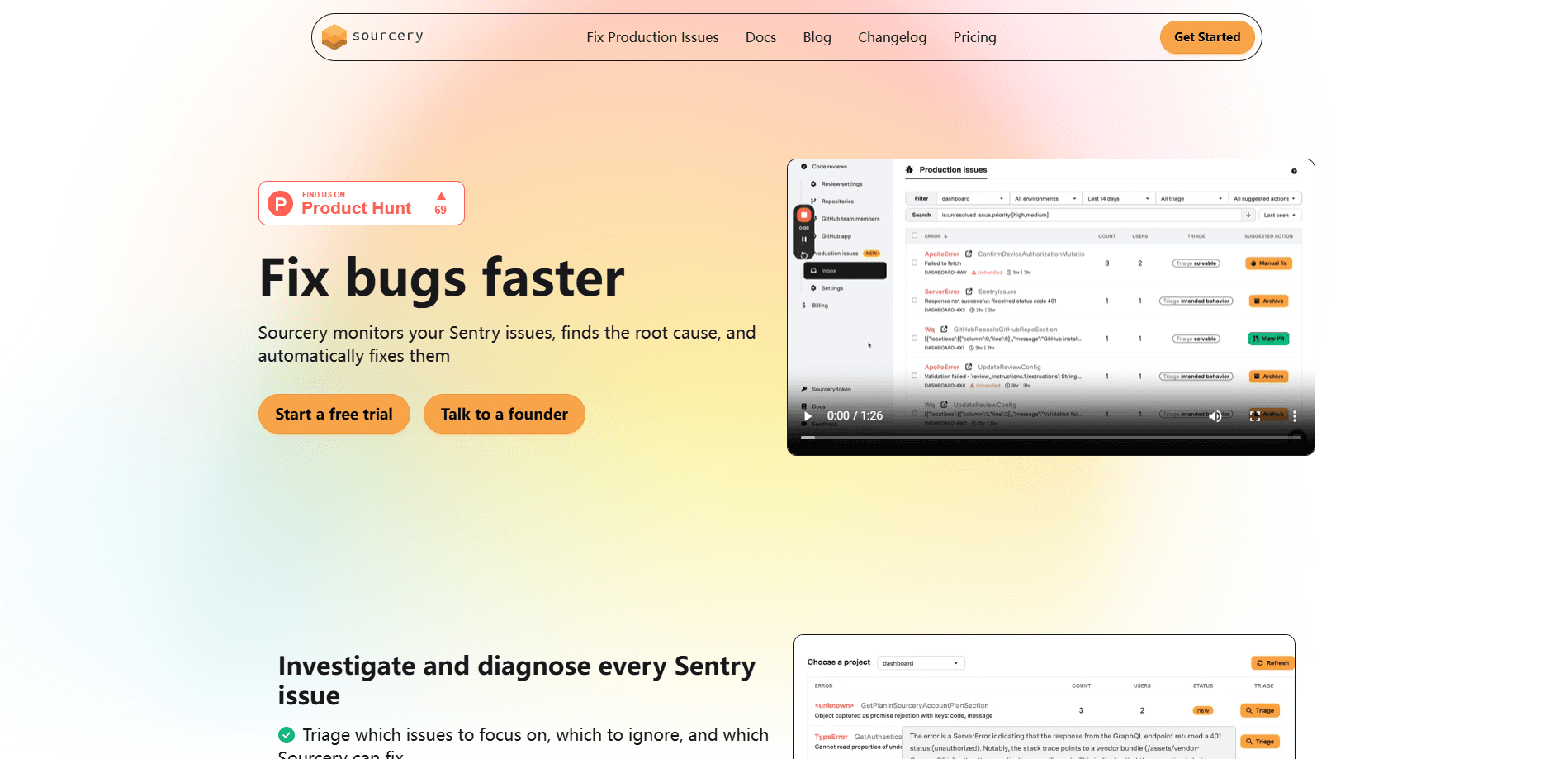
About Sourcery Sentinel
What Is Sourcery Sentinel
Sourcery Sentinel is the code review and security scanning side of Sourcery, a platform built for software teams. It hooks into GitHub or GitLab and reviews each pull request within minutes, posting a plain-language summary, line-level comments, and suggested fixes. The pitch is simple. A human reviewer can't read every diff on a busy repo, so the automated code review pass happens for you before anyone opens the file. It's a fair fit for code review for developers who ship faster than they can read.
The tool targets the real bottleneck in modern development. AI coding agents write code fast, and that pushes a flood of changes into review queues. Sourcery Sentinel reads those changes, flags logic errors, missed edge cases, and vulnerabilities, then explains why each one matters. On the Team plan it also runs scheduled scans that look for exposed secrets, vulnerable code, misconfigured infrastructure, and dependencies with known CVEs.
The main limit is scope. Sourcery Sentinel handles code review and security scanning, not code generation. It won't write your features or replace your coding agent, and the strongest features like self-hosting and SSO sit on the Enterprise plan. Smaller teams on Pro get private-repo reviews but not the nightly codebase scans.
Getting Started
- Sign in at app.sourcery.ai with your GitHub or GitLab account.
- Install the Sourcery app on the repositories you want reviewed. The setup takes about two minutes and needs no credit card.
- Open a pull request as usual. Sourcery Sentinel posts a summary, review comments, and suggested fixes within minutes.
- Read the findings, commit the suggested changes you agree with, and let low-risk PRs auto-approve once CI passes.
Product Information
A quick look at Sourcery Sentinel's pricing, supported platforms, and performance.
Best for
The users, tasks, and scenarios where this tool fits best.
Users
- Engineering teams with a growing PR backlog
- Solo developers on private repos
- Open source maintainers
Tasks
- Catching logic bugs before merge
- Reviewing AI-generated code
- Continuous security scanning
Scenarios
- Daily pull request triage
- Onboarding to unfamiliar code
- Compliance and audit work
Key features
Instant Pull Request Reviews
GitHub code review is where Sourcery Sentinel spends most of its time, and it reviews every pull request within minutes and posts three things: a summary, line-level comments, and suggested fixes. It catches logic errors, missed edge cases, and security issues, then explains the problem and how to fix it. The review runs on its own, so nothing starts until someone opens a PR, which keeps GitHub code review consistent across a team.
One-Click Suggested Fixes
When the tool finds a problem, it writes the fix as a suggested change you can commit straight to the PR. That turns a finding into a merged fix without a round trip through your editor. It's the feature that saves the most time on repetitive, mechanical bugs.
Auto-Approve for Low-Risk PRs
Sourcery Sentinel approves pull requests that have no blocking findings, so you merge them as soon as CI passes. This clears trivial changes like dependency bumps and typo fixes out of the queue without a human touching them. Blocking findings still stop a merge.
Scheduled Security Scanning
On the Team plan, nightly scans cover up to 50 repos and flag exposed secrets, vulnerable code, misconfigured infrastructure, and dependencies with known CVEs. An on-demand scan option and a findings dashboard let you recheck a repo whenever you want. The scans look at your existing codebase, not just the diff.
PR Summaries for Human Reviewers
Every review includes a summary that shows what changed and where to focus, whether the code came from a teammate or a coding agent. Reviewers who open a 500-line PR get a short guide instead of a wall of diffs. Sourcery also notes which changes need attention and which are safe.
IDE and API Integrations
Sourcery runs in VS Code, Cursor, Windsurf, and JetBrains IDEs so you can review and apply suggestions without leaving your editor, and it connects to Jira on the Pro plan. A REST API lets teams pull security findings into their own tools and pipelines. That fits shops that already run a custom dashboard or a homegrown CI job.
Pros and cons
Pros
- Reviews land within minutes on every pull request, so the review queue stops growing unattended.
- Suggested fixes are one-click changes you commit directly, which shortens the fix loop for mechanical bugs.
- Free for public repositories, including security checks, which makes it cheap to trial on open source work.
- Scans go beyond the diff and check the existing codebase for secrets, CVEs, and misconfigured infrastructure.
- SOC 2 Type II compliance and a public Trust Center give security teams the documentation they ask for.
Cons
- No code generation. If you want an assistant that writes features, Sourcery Sentinel doesn't do that job.
- Nightly codebase scans need the Team plan at $24 per seat per month billed annually, so Pro users only get diff-level reviews.
- Self-hosting, SSO, and bring-your-own LLM keys are locked to Enterprise, which means a sales conversation for regulated teams.
- The IDE extensions and Jira integration come with a paid account, so the free tier is narrower than the GitHub and GitLab coverage.
Frequently asked questions
It reviews every pull request on GitHub or GitLab and posts a summary, line-level comments, and suggested fixes. It catches logic errors, missed edge cases, and security issues, and on paid plans it also scans your codebase for secrets and vulnerable dependencies.
Related content
Explore related tools, skills, and articles for Sourcery Sentinel.
Sourcery Sentinel Alternatives

Base Code
Base44 (Wix) · Coding · ProductivityBase Code is a shared cloud development environment from Base44. Teammates describe changes to an existing GitHub codebase in chat, preview them live and send them back as pull requests.

Google EmbeddingGemma 2
Google DeepMind · Writing · Image · CodingGoogle EmbeddingGemma 2 is a 740M-parameter open model that turns text, code, images, audio, and video frames into vectors in one 768-dimension space, running on phones and laptops.

GitGlow
GitGlow · Coding · ProductivityGitGlow is a local-first desktop Git client that lets independent developers review their own code and their AI agents' changes in one place before shipping.