

Sourmize
Sourmize · Marketing
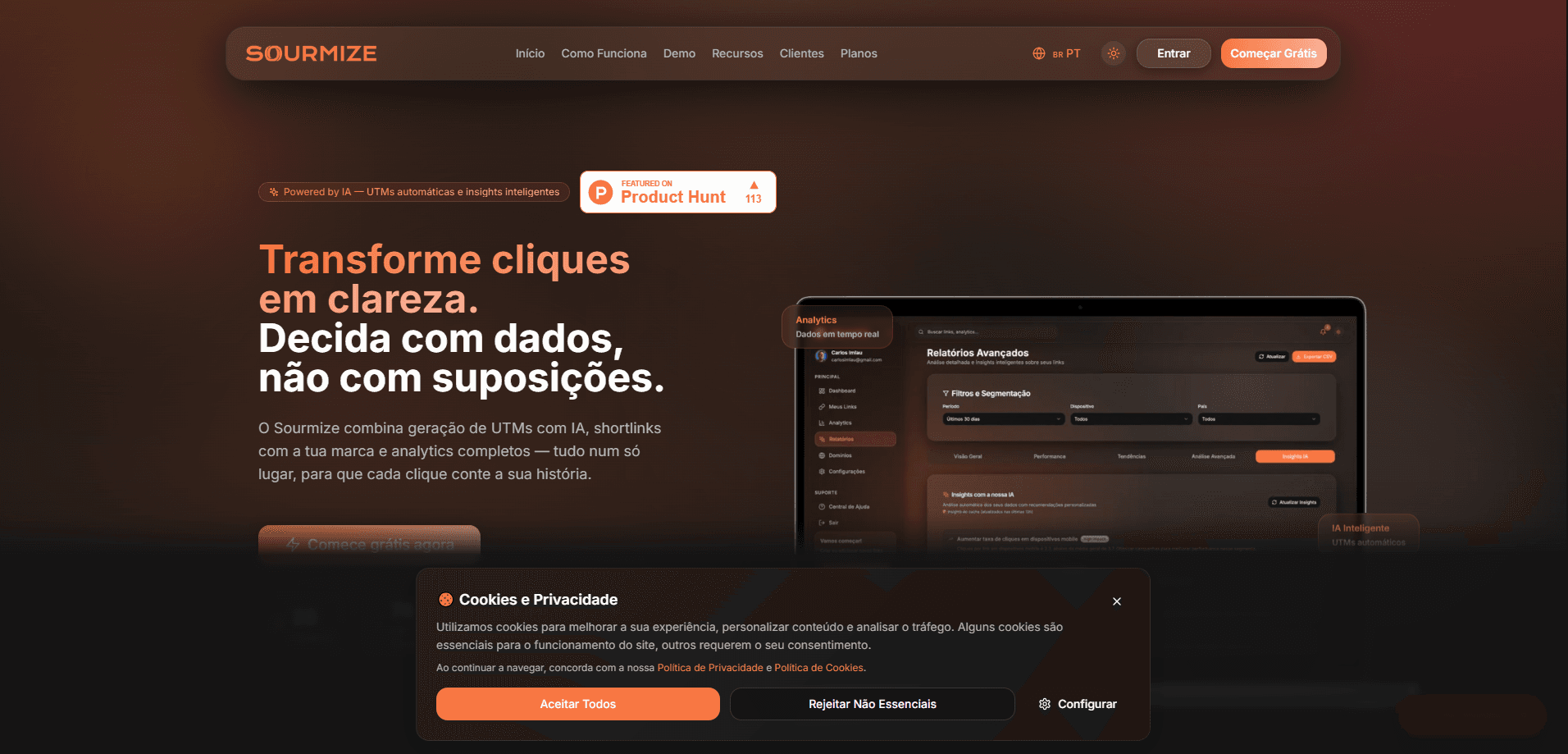
Sourmize is an AI-powered link tracking platform that turns a plain URL into a tracked, shortened, and branded link in about two minutes. It handles UTM link generator work, creates branded shortlinks and QR codes, and pulls the results into one dashboard so you can see which channel actually brings clicks. The core of the product is Watson, an AI assistant that builds the link, suggests where to share it, and reads your campaign metrics for you. No spreadsheets required.
About Sourmize
What Is Sourmize
Sourmize is a web-based campaign tracking service built around an AI assistant called Watson. Instead of asking you to understand UTM parameters, it takes a destination URL and your campaign goal, then writes the tracking tags, creates a slug, and generates a QR code on its own. The point is simple: remove the spreadsheet-and-guesswork phase that most small marketing teams fall into when they try to track where traffic comes from.
The platform covers the whole life of a link, not just the click. Before launch, Watson builds the link with proper UTMs. After launch, it suggests which channels to distribute it on. During the campaign, Watson Assistant reads metrics like CPC, ROI, and conversions and tells you whether to continue, pause, or test a different link, which is a decision most small teams make by gut feeling. Everything lands in a single dashboard that combines links, analytics, and conversion tracking.
The main limitation is scope. Sourmize is a link and campaign tracking tool, not a full web analytics suite. If you need deep on-site behavior analysis, heatmaps, or funnel reporting across your whole site, you'll still want a dedicated analytics product alongside it, because Sourmize won't tell you what visitors do once they land on a page away from a tracked link. There's also no mobile app; it runs in the browser.
Getting Started
- Open sourmize.com and try Watson without signing up to see how a link gets generated.
- Create an account and describe your first campaign (destination URL, campaign type, and objective).
- Let Watson generate the UTMs, shortlink slug, and QR code for that campaign.
- Review Watson's suggested distribution channels and pick where to share the link.
- Watch the dashboard for clicks and conversions, then let Watson Assistant recommend your next move.
Product Information
A quick look at Sourmize's pricing, supported platforms, and performance.
Best for
The users, tasks, and scenarios where this tool fits best.
Users
- Small marketing teams
- Solo founders and creators
- Freelance marketers and agencies
Tasks
- Generating UTM-tagged links
- Creating branded shortlinks and QR codes
- Comparing channel performance
Scenarios
- Launching a social campaign across several platforms at once and needing a single place to compare results.
- Adding a trackable QR code to a flyer, poster, or packaging and later checking scans.
- Running a short promo and getting a quick read on whether to keep spending or switch links.
Key features
Watson Campaign Builder
Watson reads your campaign context and builds the link from scratch. It applies UTMs, creates the slug, and generates a QR code, so the link is ready to track from the first click. Describe the goal. The tool handles the technical setup.
Branded Shortlinks
Links use your own domain instead of a generic shortener, so they look like they belong to you. That matters for trust, since a recognizable branded link tends to get more clicks than an anonymous one. Custom domains are included from the Starter plan up.
Intelligent Analytics
The dashboard combines link management, click analytics, and conversion tracking in one view. You see how many people clicked and what they did after. That's the difference between counting clicks and understanding a channel.
Automatic QR Codes
Every tracked link can come with a QR code, generated at the same time. That makes it a QR code generator and a tracking tool in one step. It's what makes offline campaigns measurable, since a code on a poster or package routes through the same tracking as your online links.
Watson Assistant AI
After a link is live, Watson Assistant looks at metrics like CPC, ROI, and conversions and tells you what to do next. It suggests continuing, pausing, or testing a new link. Think of it as a second opinion on your ad spend, delivered in plain language.
Distribution Suggestions
Once a link exists, Sourmize recommends which channels to share it on, based on the campaign and its UTMs. For people who aren't sure where to post, it turns a blank page into a short list of options.
Data Export
You can pull your campaign data out of the platform, which matters when you need to combine it with numbers from other tools. It keeps Sourmize from becoming a data island. Export early if reporting matters to you.
Level A Security
The platform states it meets a high security standard for handling link and campaign data. For teams sharing access to client campaigns, that's a reasonable baseline to check before committing. Still, read the policy yourself.
Pros and cons
Pros
- Watson builds UTMs, shortlinks, and QR codes automatically, which removes the most error-prone step in campaign setup.
- The dashboard unifies links, click analytics, and conversion tracking, so you aren't stitching together several tools.
- Custom domains are available starting on the entry paid plan rather than locked behind a top tier.
- A free option and no-signup trial let you test the core workflow before paying.
- Distribution and next-step suggestions give non-specialists a starting point instead of a blank screen.
Cons
- It's a link and campaign tracker, not a full web analytics suite, so deep site-wide behavior analysis isn't covered.
- There's no mobile app. Everything runs through a browser.
- The AI suggestions are only as good as the campaign context you feed it. Vague inputs produce vague advice.
Frequently asked questions
It turns a plain URL into a tracked, shortened, branded link. Watson the AI generates the UTMs, creates the shortlink and QR code, and the dashboard reports clicks and conversions so you can see which channel works.
Related content
Explore related tools, skills, and articles for Sourmize.
Sourmize Alternatives

Emailwritr
Emailwritr · Writing · MarketingEmailwritr is an AI email copywriting tool built for affiliates, course creators, and online businesses that want more revenue from the list they already own. Instead of blank pages or generic chatbot prompts, this AI email writer generates welcome sequences, launch campaigns, cart recovery emails, and promo series from frameworks modeled on well-known direct-response copywriters. You connect your autoresponder, answer a few questions about your offer, and it writes the copy for you.

Prosp
Prosp · Writing · Voice & Language · MarketingProsp is an AI LinkedIn outreach tool built for agencies and sales teams, and it writes the message and the voice note in your own voice for each prospect so they actually reply. You connect your accounts, find leads, and let the AI draft and send personalized messages at scale, all from one inbox. It's built for people running outbound at volume. That's the whole pitch. Every touchpoint still has to feel human.

On Model
On Model · Image · MarketingOn Model is an AI fashion model tool that places your clothing on virtual models so online stores can get on-model product photos without booking a photoshoot. It runs as a Shopify app, letting you swap the model in an existing image, change backgrounds, and generate faces for cropped or headless shots. The goal is simple: match your product photos to your customers and stand out from competitors using the same supplier images.