

Spamdrain - email spam filter
Spamdrain AB · Writing
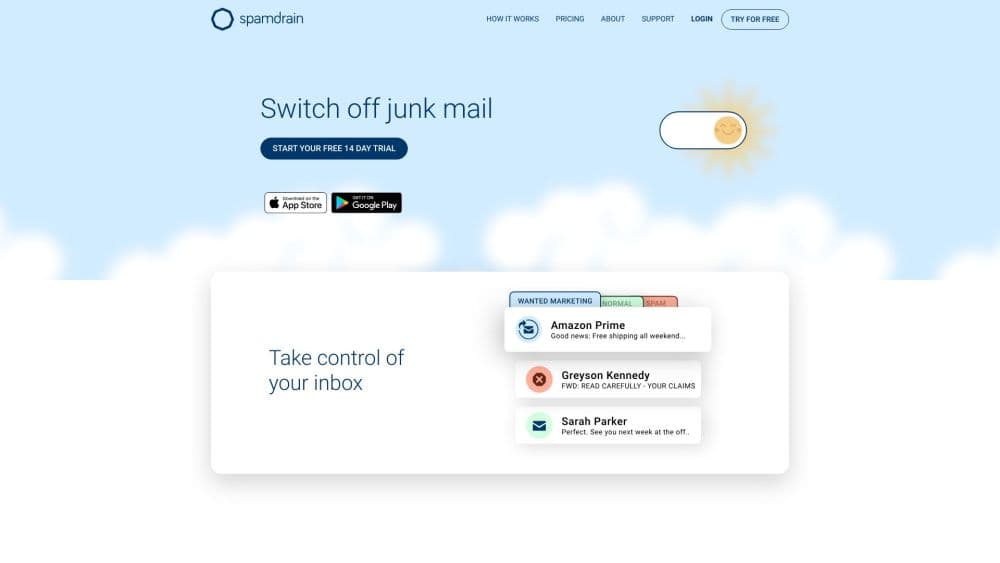
Spamdrain is an email spam filter that sits between your inbox and the internet. It blocks junk, phishing and virus mail for any provider, and you approve what gets through.
About Spamdrain - email spam filter
What Is Spamdrain
Spamdrain is a hosted antispam service from Sweden that checks incoming mail before it reaches your mailbox. You connect an email account, and every new message gets scored by a filter the company has been refining since 2004. Clean mail goes through untouched, so the result is a working spam blocker rather than a folder of quarantined mail. Everything else is held in a separate list you can review from the web portal or the mobile app.
The problem it solves is volume. Newsletters you never signed up for, fake invoice notices, phishing pages dressed up as your bank. Most email providers filter some of this already, and a lot slips past. Spamdrain adds a second layer that learns from your own corrections.
Two things limit it. It's a paid service with no permanent free tier, only a 14 day trial, so it's hard to justify if you get spam a few times a month. And it works by sitting in the delivery path, which means setup involves changing how your mail is routed. That's fine for a personal Gmail account and more involved for a company domain.
Getting Started
- Create an account at spamdrain.com and start the free trial. No card is needed to begin.
- Add an email address. For Gmail, Outlook, Yahoo, Apple or AOL you sign in through the provider's own login screen, so Spamdrain never sees your password.
- Point your mail at the filter. For a personal account, change the settings in your email client or provider so messages route through Spamdrain first. For a whole domain, update the MX records.
- Review what gets held. Open the app or the web portal to see blocked messages. Tap a newsletter you actually read and choose allow. Mark anything that slipped through as spam.
- Fine tune over the first week. The filter improves as you correct it, and the daily or weekly summary shows how much was stopped.
Product Information
A quick look at Spamdrain - email spam filter's pricing, supported platforms, and performance.
Best for
The users, tasks, and scenarios where this tool fits best.
Users
- People with a badly flooded personal inbox
- Families or small households sharing a mailbox set
- Small businesses with their own domain
Tasks
- Stopping phishing that imitates banks or delivery firms
- Separating newsletters you want from marketing you don't
- Cleaning a domain before migration
- Keeping a shared mailbox readable
Scenarios
- An inbox that has become unusable after years of sign ups
- Running a small business mailbox on Office 365
- Switching phones or computers
Key features
Filter That Sits Before Your Inbox
Spamdrain works on the delivery path, so messages are checked before they land in your mailbox. That's different from an app that scans a folder after delivery, because junk never occupies space or triggers a notification. On a domain setup, the check happens at the mail exchanger, which covers every address at once.
AI Scoring Trained on Two Decades of Spam
The classifier has been running since 2004 and is continually retrained on what its users report. Messages get a score based on sender reputation, link targets, message structure and patterns the filter has seen before. The company says the model improves mainly from user corrections, so a new address benefits quickly from what everyone else has already flagged.
Phishing and Virus Screening
Beyond bulk advertising, the filter screens for phishing pages that imitate banks, payment services and couriers, plus attachments that carry malware. Suspicious mail is held rather than deleted, so a false positive stays recoverable. That matters if a legitimate invoice ever gets caught.
Review, Allow and Report in the App
The apps work as a spam filter for iPhone and Android in the sense that reviews, allows and reports all happen there; they exist mainly to show you what was blocked. You scroll the list, tap an item to read it, then allow it or confirm it as spam. Every confirmation feeds back into the shared filter, so marking something helps other users too.
Newsletter Filter
Bulk mail is treated as its own category. You can let through the newsletters you actually read and hold the rest, which keeps promotional mail out of the way without unsubscribing from everything. It's a simpler path than building a junk email filter by sender in your email client.
Domain Filtering with Unlimited Aliases
On the Premium plan, you redirect a domain's MX records to Spamdrain and every mailbox on that domain gets filtered. Unlimited aliases means catch-all addresses and role accounts are covered, which is often where spam concentrates.
Summary Reports and Support
Daily or weekly emails recap what was blocked, so you don't have to open the app to know the filter is working. Paid plans include email support in English, with priority given to Plus and Premium subscribers during Central European business hours.
Pros and cons
Pros
- Works with any provider, including Gmail, Outlook, Yahoo, Apple, AOL and Office 365, so it doubles as an Office 365 anti spam layer without changing email service.
- Filtering happens on the server, which means phones, tablets and computers all get the same clean inbox with no per-device setup.
- Domain filtering comes with unlimited aliases, which is useful when you run catch-all addresses.
- Held messages stay readable and recoverable, so a wrongly blocked invoice isn't lost.
- The low entry price, around €22 a year for one address, makes it cheap to test against a real inbox.
Cons
- There's no free tier. After 14 days you pay or lose the filtering, and the trial isn't long enough to judge a seasonal spam wave.
- Setup for a domain means editing MX records, which most home users will find intimidating and some hosts make awkward.
- Corrections are manual. The filter learns from what you mark, but nobody marks anything for you, so the first weeks take some clicking.
- Support runs on Central European hours in English only, which is thin if you're in another time zone and something breaks.
Frequently asked questions
Spamdrain checks each incoming email before it reaches your mailbox and holds anything that looks like spam, phishing or malware. You then review the held mail in the app or web portal and decide what to let through. Your normal email client keeps working as before.
Related content
Explore related tools, skills, and articles for Spamdrain - email spam filter.
Spamdrain - email spam filter Alternatives

Google EmbeddingGemma 2
Google DeepMind · Writing · Image · CodingGoogle EmbeddingGemma 2 is a 740M-parameter open model that turns text, code, images, audio, and video frames into vectors in one 768-dimension space, running on phones and laptops.

MePersona
MePersona, Inc. · Writing · Productivity · MarketingMePersona is an AI unified inbox for creators. It learns your voice, drafts replies to fan messages from 12 platforms, and sends only what you approve.

Fluence
Yay Software (Yannick Huchard) · Writing · Voice & Language · ProductivityFluence is an Android app that reads PDFs, EPUBs, Word files and web articles aloud, follows each sentence as it speaks, and answers questions about the text on the phone itself.