

Spatial Touch™ - Touchless
Reehee Company, Inc. · Other
Spatial Touch™ is an Android app that reads hand gestures through the front camera so you can pause, scroll, and adjust volume in media apps without touching the phone.
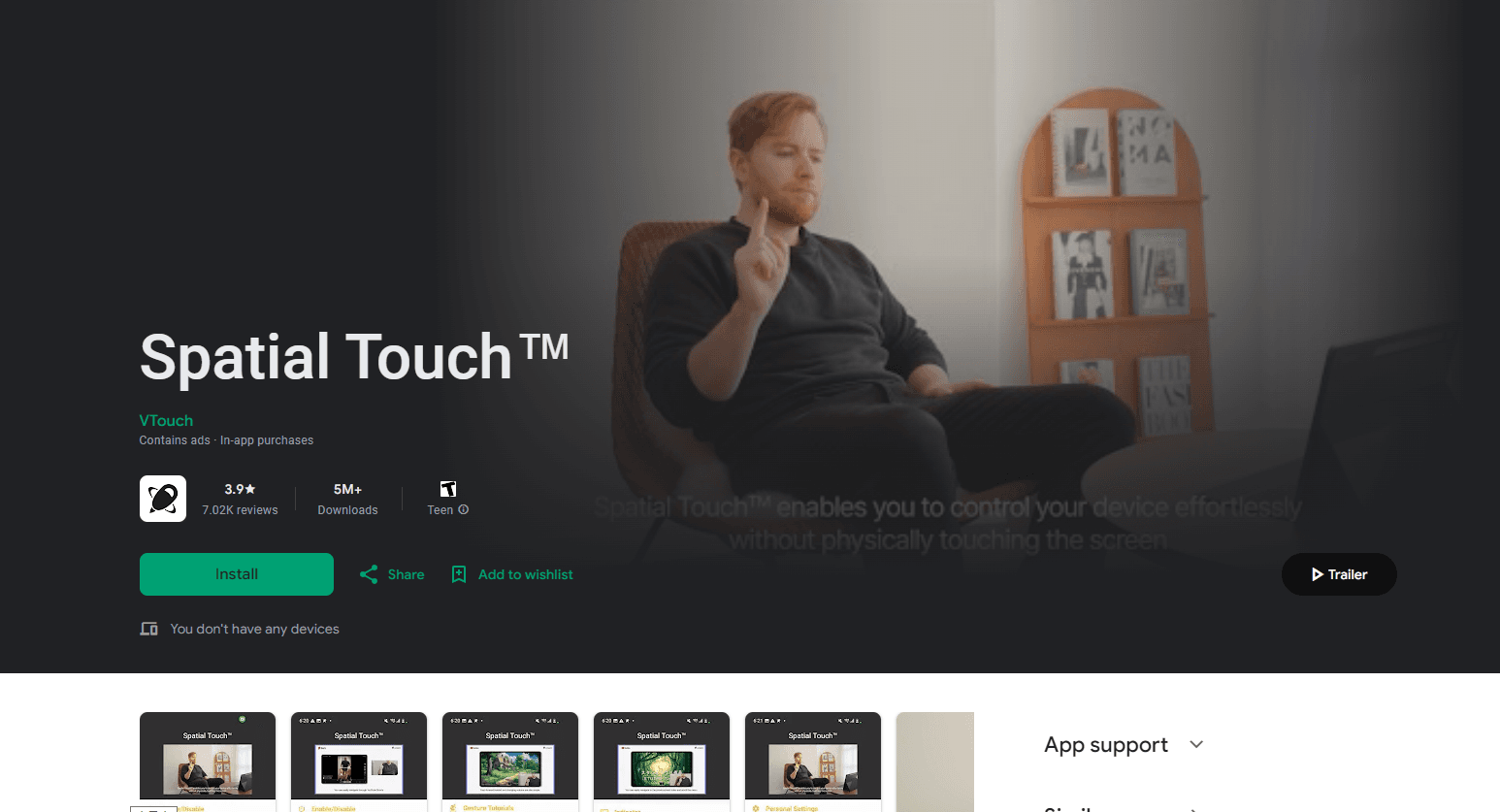
About Spatial Touch™ - Touchless
What Is Spatial Touch™
Spatial Touch™ is a gesture control app for Android phones and tablets, published by Reehee Company, Inc. It works as a hand gesture remote: the front camera and an on-device AI model track your hand, then turns taps, swipes, and pinches made in midair into commands for the app on screen. No remote, no wearable, no extra hardware. Everything runs through air gesture control on the phone itself.
The problem it targets is small but constant. You're watching Shorts in bed and the phone sits on the nightstand. Your hands are wet in the kitchen. You're halfway through a workout and the next video needs a swipe. Spatial Touch™ lets you control your phone without touching it, which matters most in exactly those moments.
The app works with YouTube, YouTube Shorts, TikTok, Instagram Reels, Netflix, Disney+, Amazon Prime Video, Hulu, Spotify, YouTube Music, TIDAL, and Coupang Play. VTouch, the company behind the gesture technology, says the mobile version reads gestures from up to 3 meters away.
Three limits shape the experience. It's Android only, so iPhone owners are out. It needs a reasonably modern phone, with Snapdragon 7 series or better and 4 GB of RAM recommended. And it depends on your lighting: a dim room or a strong backlight makes recognition less reliable.
Getting Started
- Install Spatial Touch™ from Google Play on a phone running Android 9.0 or newer.
- Open the app and grant camera and notification access. Camera permission is required. Accessibility access is optional and only needed to control other apps.
- Choose a supported app, prop the phone up, and raise your hand about an arm's length from the front camera. An on-screen guide shows which gestures map to which action.
- Test a few gestures, adjust sensitivity and hand shape settings, then decide whether the free tier covers your use or you need Spatial Touch Pro.
Product Information
A quick look at Spatial Touch™ - Touchless's pricing, supported platforms, and performance.
Best for
The users, tasks, and scenarios where this tool fits best.
Users
- People who watch Shorts, Reels, and TikTok in bed
- Home cooks and gym users
- Anyone who can't easily reach the phone
Tasks
- Playback control in video apps
- Volume and navigation
- Custom multi-step actions
Scenarios
- Following a recipe with both hands covered in dough
- Filming yourself or recording a workout
- Watching Netflix or Disney+ on a tablet propped across the room
Key features
Air Gestures That Copy Touch
The core of the app is a set of Android air gestures that behave like taps and swipes. One finger tap plays or pauses. A one finger drag left or right seeks through a video, and a drag up or down changes volume. Two finger taps toggle fullscreen, and two finger swipes jump between videos. Because the mapping is familiar, most people get through the first session without reading a manual.
Support for the Apps People Actually Watch
Spatial Touch™ covers the big video and music services rather than a token handful. YouTube, TikTok, Instagram, Netflix, Disney+, Amazon Prime Video, Hulu, Spotify, YouTube Music, and TIDAL all work, and Coupang Play covers the Korean market. The free tier works inside these apps. Pro extends gesture control to more apps.
Air Pointer for Menus and Browsers
Air Pointer puts a virtual cursor on screen and moves it with your hand. That sounds minor until you try to tap a small menu icon on a tablet from three meters away. It's a Pro feature and the most useful one for tablets and for apps that don't respond to media gestures.
Record Your Own Gestures
Pro users can record a sequence, such as opening an app, tapping a profile, and starting a playlist, then bind the whole sequence to one gesture. This is where the app stops being a media remote and starts working like a personal macro tool. Recording supports taps, swipes, long presses, and multi-step chains.
Always-On and a Floating Control Panel
Always-On keeps gesture recognition running across apps and screens, so you don't have to relaunch the overlay each time. A small floating panel gives quick access to gesture controls, Air Pointer, Always-On, and action recording without leaving the current app. Both are Pro features, and both are the difference between a demo and daily use.
On-Device Processing and WebView Mode
Gesture recognition runs on the phone. According to Reehee, camera images are not stored or sent to a server, which matters for an app that watches your room through the front camera. There's also a WebView mode that lets you control YouTube without granting Accessibility permission, a useful middle ground for people who don't want to hand over that level of access.
Pros and cons
Pros
- Free to install, with more than 10 million downloads on Google Play, and hands-free phone control that's useful without paying.
- Gesture mapping follows touch conventions, so the learning curve is short.
- Gesture processing stays on the device, and the camera feed isn't stored.
- Pro adds real capability, including custom action recording and Air Pointer, rather than removing ads alone.
Cons
- Android only. There's no iPhone version, so the app can't help iOS households.
- Recognition suffers in low light or with a bright window behind you, which is exactly the setup in many bedrooms and kitchens.
- The free tier carries ads, and the features that make the app feel finished, such as Always-On and custom gestures, sit behind the subscription.
- Older or budget phones may struggle. Reehee recommends Snapdragon 7 series or better and 4 GB of RAM, and performance varies by device.
Frequently asked questions
The app is free to download and use, with ads. A Pro subscription removes ads and unlocks custom actions, Air Pointer, Always-On, and control of more apps. Google Play lists in-app purchases, and prices vary by country.
Related content
Explore related tools, skills, and articles for Spatial Touch™ - Touchless.
Spatial Touch™ - Touchless Alternatives

Odyssey 3
Odyssey · OtherOdyssey-3 is Odyssey's foundation world model. It simulates physics in real time, turns a prompt into an interactive environment, and adapts to robots, cars and games.

JarvisCore
Prescott Data · Coding · Productivity · OtherJarvisCore is an open source Python runtime where AI agents work as equal peers on an agent mesh, claim tasks from a shared ledger, and reach external services through a zero-trust broker.
Clef
Cloudflare · Business · OtherClef is Cloudflare's open-source decision model for Workers AI. It returns calibrated probabilities for typed questions, not generated text, so agents can classify, route, and act fast.