
SpeakPal AI
SpeakPal · Other
SpeakPal is an AI language tutor for spoken practice in more than 30 languages, with instant grammar fixes, pronunciation feedback and role-play. A free plan covers daily practice.
About SpeakPal AI
What Is SpeakPal
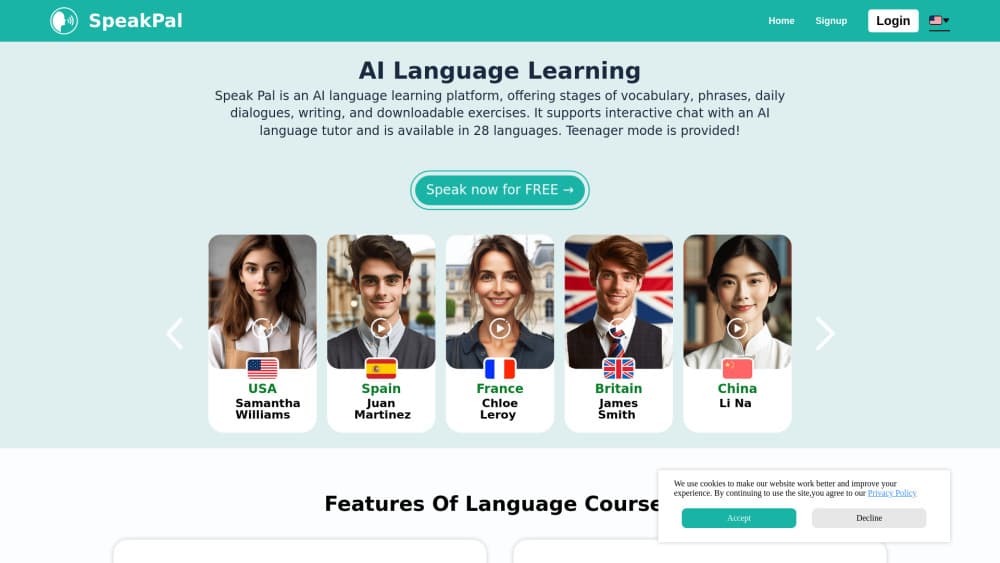
SpeakPal is an AI language learning app built around talking instead of tapping. You pick a language and a level, start a conversation by voice or text, and an AI tutor answers in that language, corrects what you got wrong, and keeps the exchange going. There are no bookings and no human teacher on the other end, so a session can start at 6am or midnight.
The catalog is wider than the usual English-plus-three setup. Beyond American and British English, it covers Spanish, Mexican Spanish, French, Canadian French, German, Italian, Portuguese, Japanese, Korean, Chinese, Arabic, Hindi, Turkish, Polish, Dutch and the Nordic languages, among others. English learners can switch between American, British, Australian, Welsh and Indian tutors, which matters if you're preparing for a specific workplace or exam accent.
What it fixes is the gap between knowing words and saying them out loud. Most apps hand you flashcards and call it speaking practice. SpeakPal drops you into a scenario, listens, and responds to what you actually said. The tradeoff is that you're talking to a model, not a person. It won't catch the social cues a human tutor would, and its feedback is tuned to everyday speech rather than academic writing. The free tier also caps daily conversation, so heavy users end up on a paid plan.
Getting Started
- Sign up at speakpal.ai or install the iOS or Android app. Registration is free and no card is needed.
- Choose the language you want to practice and set your level, from beginner to advanced. Pick an accent for English if that matters to you.
- Start a conversation. Speak into the mic or type, and the tutor replies in the target language with corrections as you go.
- Pick a role-play if you want structure. Work, travel and daily-life scenarios give the dialogue a purpose beyond free chat.
- Track progress and, on the annual plan, generate a language certificate you can download and share.
Product Information
A quick look at SpeakPal AI's pricing, supported platforms, and performance.
Best for
The users, tasks, and scenarios where this tool fits best.
Users
- Adult beginners who freeze up in real conversations
- Test and interview preppers
- Parents and teachers of younger learners
Tasks
- Daily English speaking practice
- Accent training
- Travel and workplace rehearsal
- Repairing repeated grammar mistakes
Scenarios
- Commute or gym sessions
- A trip two weeks out
- Classroom or training add-on
Key features
Real-Life Role-Play
Scenarios give the conversation a job to do. You get a setting, a role and a goal, and the tutor plays the other side: a hotel receptionist, a hiring manager, a stranger at a train station. Because the AI adapts to your replies instead of reading a script, the same scenario plays differently each time. That repetition without memorization is where the speaking confidence comes from.
Pronunciation Coaching With Accent Choice
SpeakPal gives AI pronunciation feedback on sounds, stress and rhythm as you speak. The useful part is the accent switch. Five English accents are available, and you can compare how the same sentence is judged by each tutor. Learners targeting a British client or an Australian campus get practice aimed at the voice they'll actually hear.
Instant Grammar Correction
Mistakes get flagged during the conversation, not in a report the next morning. That timing matters. Fixing a sentence while you still remember why you built it that way sticks better than reviewing a list of errors later. The corrections are phrased as the sentence you should have said, which doubles as a phrase to reuse.
Adaptive Difficulty
The tutor adjusts its vocabulary and sentence length to your level, so a beginner isn't buried in subordinate clauses and an advanced learner isn't bored by greetings. Level is set at the start and can be changed whenever a conversation feels too easy or too hard. For mixed-ability classes, that means one platform can serve students at different stages.
AI Language Certificate
The annual plan generates a language certificate that reflects your latest speaking level, with a QR code and a shareable link for verification. It's a snapshot of how you performed with the AI, not a proctored exam result, so treat it as a progress record for a portfolio or a school file rather than an official qualification. It updates as you keep practicing.
Offline Course And Audio Downloads
Conversation lessons, exercises and teacher audio files download to your device as MP3s and documents. That turns dead time into practice time: a flight, a subway ride, a gym session with no signal. Downloaded material is the paid piece, so free users stay online.
Pros and cons
Pros
- Conversation starts in seconds with no scheduling, which removes the biggest reason people skip speaking practice.
- Five English accents and more than 30 languages in one account, so a learner juggling two languages doesn't need two subscriptions.
- Corrections arrive mid-sentence, which links the fix to the moment the mistake happened.
- The free plan is genuinely usable for daily practice, with no card required at signup.
- Annual pricing at $59.90 undercuts most human tutoring by a wide margin, and it bundles the certificate.
Cons
- AI feedback judges what it can hear and parse, so unusual accents or background noise can trigger corrections you didn't need.
- The certificate carries no accreditation, which limits its weight with employers and universities.
- The free tier caps daily conversation, and downloads plus the certificate sit behind the annual plan.
- No API or developer access, so schools and companies can't wire SpeakPal into their own learning systems.
Frequently asked questions
Yes. Registration is free and the free plan includes daily conversation practice with basic features, no credit card needed. Unlimited use, course downloads and the certificate require a paid plan.
Related content
Explore related tools, skills, and articles for SpeakPal AI.
SpeakPal AI Alternatives

Odyssey 3
Odyssey · OtherOdyssey-3 is Odyssey's foundation world model. It simulates physics in real time, turns a prompt into an interactive environment, and adapts to robots, cars and games.

JarvisCore
Prescott Data · Coding · Productivity · OtherJarvisCore is an open source Python runtime where AI agents work as equal peers on an agent mesh, claim tasks from a shared ledger, and reach external services through a zero-trust broker.
Clef
Cloudflare · Business · OtherClef is Cloudflare's open-source decision model for Workers AI. It returns calibrated probabilities for typed questions, not generated text, so agents can classify, route, and act fast.