

Speech Writer AI
Stargazer Media LLC · Writing · Voice & Language
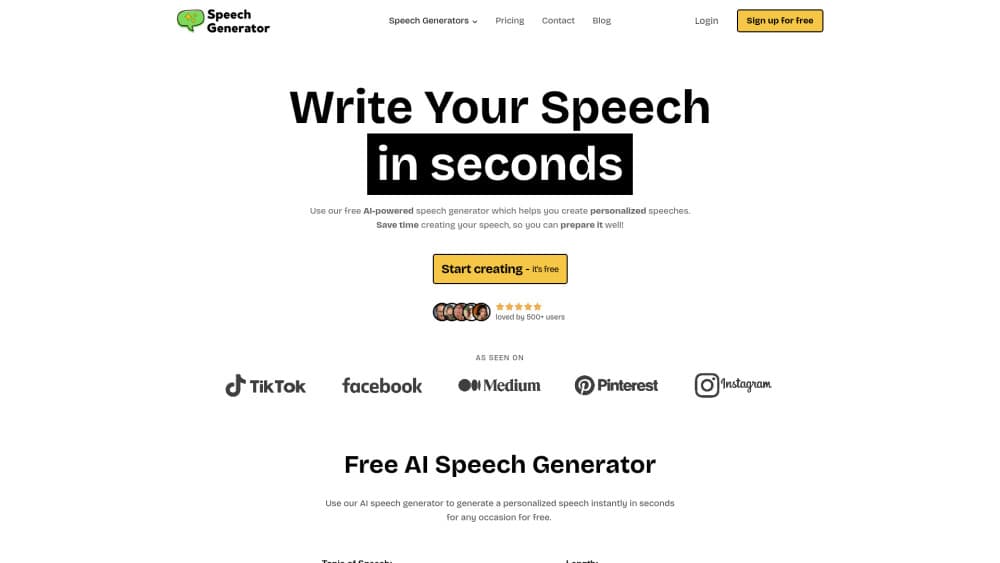
Speech Writer AI is a free AI speech generator that turns a topic, occasion, and tone into a deliverable draft in seconds, with 72 speech types and 50 languages.
About Speech Writer AI
What Is Speech Writer AI
Speech Writer AI is a browser and mobile tool from Stargazer Media that writes speeches for you. You pick an occasion, describe the people involved, choose a tone, and get a full draft back in about ten seconds. Wedding toasts, eulogies, sales pitches, graduation addresses: the menu covers 72 types, so most people find their event on the list.
The value is in the blank page problem. Most people don't struggle to speak, they struggle to start. A rough draft with a real opening, a middle, and a closing gives you something to react to. You cut what sounds wrong, add the story only you know, and rehearse.
Two things keep it in perspective. The drafts are generic until you add your own details, and the free plan is capped. It's a starting point for a speech writing tool, not a finished script you read cold.
Getting Started
- Open speechgenerator.co in a browser or install the iOS or Android app. No account is needed for the first five speeches.
- Fill the form: type of speech, topic, tone, output language, and any details about the event or the people.
- Generate the speech and read it once without editing. Note the lines that sound like you and the ones that don't.
- Rewrite the weak parts with your own memories, names, and inside jokes. Copy the draft or download it.
- Sign up for a free account if you want to save speeches and get 50 generations a month, or upgrade for unlimited runs and the advanced model.
Product Information
A quick look at Speech Writer AI's pricing, supported platforms, and performance.
Best for
The users, tasks, and scenarios where this tool fits best.
Users
- Wedding parties
- Students and debate beginners
- Small business owners
- People facing a one time public moment
Tasks
- A wedding speech
- Drafting a eulogy
- Preparing a work presentation
- Practicing delivery length
Scenarios
- A speech due tomorrow and no draft
- Non native English speakers
- Teachers building examples
Key features
72 Speech Types
The type menu is the widest part of the product. It runs from Best Man and Maid of Honor through Eulogy, Commencement, Keynote, Investor Pitch, TED Talk, and Ribbon Cutting, plus a custom option for anything missing. Each type changes the structure the model aims for, so a roast doesn't come back shaped like a board report.
32 Tone Controls
Tone is a separate dial from occasion. Humorous, solemn, motivational, nostalgic, formal, and blunt variants sit on the same list, and you can push the same topic through two of them to see which fits the room. This is the setting that saves the most editing time.
50 Output Languages
The language list covers 50 entries, including English variants, Spanish, Portuguese, French, German, Japanese, Korean, Arabic, Hindi, and both Chinese scripts. You can write the input in one language and generate in another, which helps bilingual families and international teams.
Five Free Speeches Without Signing Up
The site gives five generations before it asks for an email, and a free account raises that to 50 a month on the basic model. That's enough to test the output quality on your actual event before paying anything.
Editing, Downloading, and Mobile Apps
Drafts open in an editor where you can change any line, then copy or download the text. The iOS and Android apps carry the same generator, which is handy for rehearsing from a phone. Saved speeches stay in your account for later edits.
Topic Generator and Time Calculator
Two free side tools cover the parts the generator doesn't. The topic generator suggests angles when you have an occasion but no subject, and the speech time calculator turns a word count into an estimated delivery time. Both work without an account.
Pros and cons
Pros
- Fast first drafts. Ten seconds from form to full speech, which is the whole reason to use a speech writer AI at all.
- Wide occasion coverage. 72 types means you rarely have to bend a template to fit your event.
- Genuinely usable free tier. Five speeches with no signup, 50 a month with a free account.
- Low entry price for heavy use. Premium runs $9 a month, or $84 a year, and there's a 24 hour pass for one event.
- Speaks your language. 50 output languages with the input in any of them.
Cons
- Drafts sound generic until you edit. Without real names and stories, the result reads like a well organized template, which is a problem at a wedding or a funeral.
- The good model is paywalled. Free users get the basic model, generic styling, and ads, so the free output isn't the output the product is selling.
- No API and no team features. You can't plug it into another product or share a workspace with a co speaker.
- Long speeches need Premium. The free tier caps length, so a 20 minute keynote will get cut short.
Frequently asked questions
Yes, with limits. You get five speeches without an account, and a free account allows 50 generations per month on the basic model with ads. Unlimited speeches and the advanced model need Premium.
Related content
Explore related tools, skills, and articles for Speech Writer AI.
Speech Writer AI Alternatives

Claude for Google Workspace
Anthropic · Writing · Productivity · BusinessClaude for Google Workspace puts Claude in a sidebar inside Google Docs, Sheets, and Slides, where it reads the file you have open and edits it in place.

Claude Haiku 5.5
Anthropic · Writing · Coding · ChatbotClaude Haiku 5.5 is Anthropic's fastest and cheapest small model, built for high volume tasks at $0.10 per million input tokens with a 1M token context window.

NoteWorthy
Suman Hansada · Writing · Productivity · AI AssistantNoteWorthy is a notes app for iPhone, iPad and Mac that writes titles, tidies formatting, summarizes long notes and files each one with on-device AI. No account, no upload, no network requests.