

Speechlab
Speechlab · Voice & Language · Video
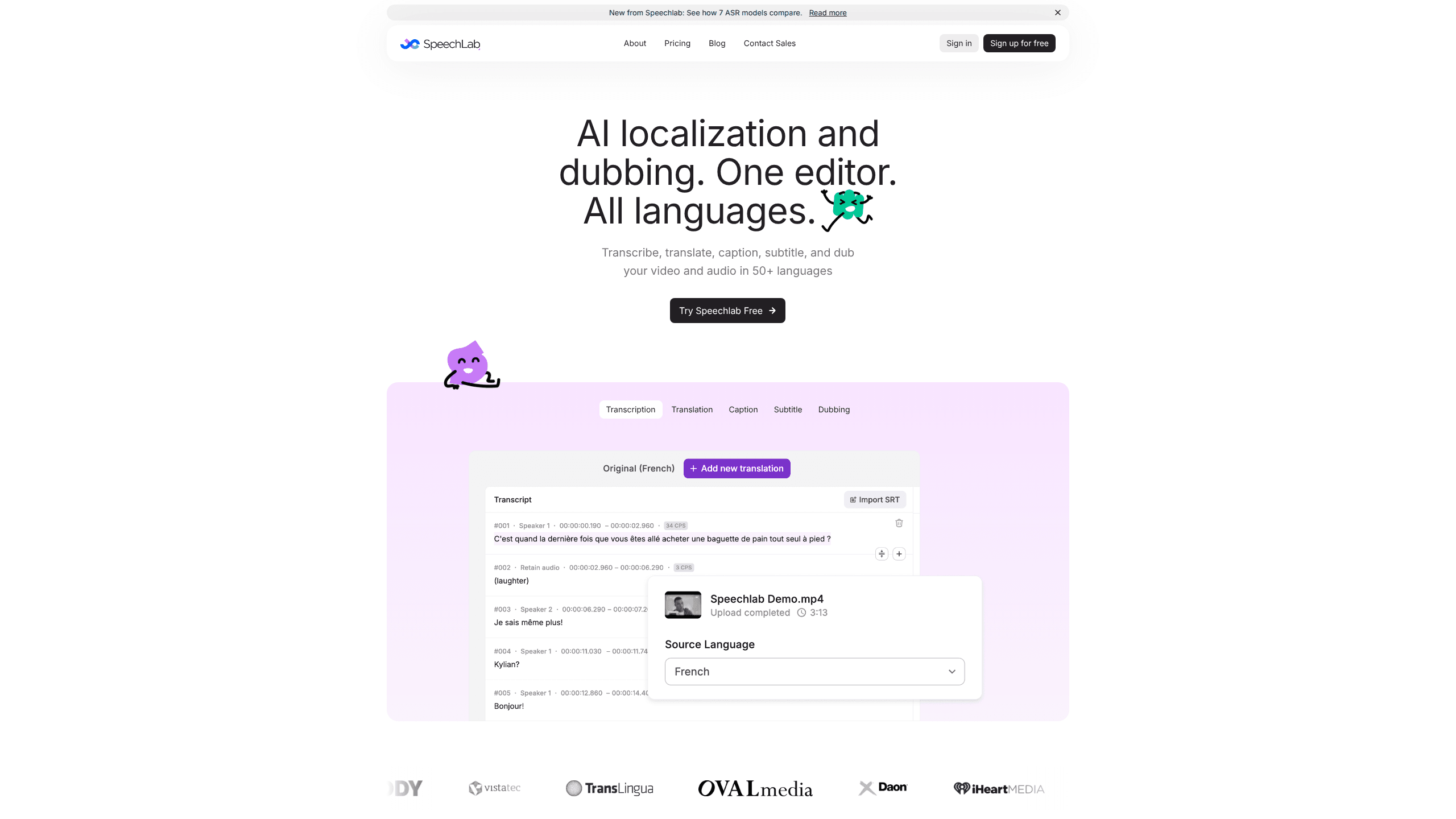
Speechlab is an AI dubbing and localization platform for video and audio. It transcribes, translates, captions, subtitles, and dubs spoken content in 50+ languages, then hands you a full editing suite so you can review and refine every line before it ships. Think of it as an AI video translation service with an editor attached. It targets podcasters, video teams, and businesses that need reliable multilingual output, not just a fast render.
About Speechlab
What Is Speechlab
Speechlab is a speech-to-speech AI platform built for video and audio localization. It turns spoken content into dubbed audio, translated captions, and subtitles across more than 50 languages, with an editorial layer on top so you never ship a raw machine output. The company was incubated at Andrew Ng's AI Fund, and it pitches itself as the layer between "AI-generated" and "ready to publish."
Most dubbing tools give you a finished file and little else. Speechlab's difference is the editor. A waveform timeline lets you fix one sentence, adjust timing, or re-render a single segment without reprocessing the whole project. That matters when a name is mispronounced or a joke falls flat in another language. The audio translation stays yours to shape.
The main limit is pricing structure. Costs are credit-based and tied to per-minute usage, so long videos across many languages add up. It's got no mobile app either. And it's designed for spoken content only: music, silent clips, and on-screen text won't get much from it.
Getting Started
- Sign up at the official site and start a free account, which includes 2 free projects with no card required.
- Upload your source file. Speechlab accepts MP4, MOV, MKV, and WebM for video, MP3, WAV, M4A, and FLAC for audio, or you can import directly from a YouTube link.
- Pick your target language. Transcription, translation, and dubbing each work on their own, so you can stop at subtitles if that's all you need.
- Review the output in the waveform timeline editor. Edit text, fix timing, and re-render single segments until each line sounds right.
- Export your finished dubbed video, dubbed audio, SRT/VTT subtitles, or plain-text transcript.
Product Information
A quick look at Speechlab's pricing, supported platforms, and performance.
Best for
The users, tasks, and scenarios where this tool fits best.
Users
- Podcasters who want episodes dubbed into new languages to reach listeners beyond their home market.
- Video teams and creators publishing tutorials, interviews, or product clips for global audiences.
- Marketing and localization managers who need translated captions and dubs for campaigns at scale.
Tasks
- Dubbing a full video series into several languages while keeping the original speaker's voice.
- Generating translated subtitles or SRT files when you don't need dubbing at all.
- Transcribing audio and video into accurate text for repurposing into articles or social posts.
Scenarios
- Launching a product video in five markets at once without rebuilding the edit each time.
- Republishing a popular podcast episode for Spanish and Japanese listeners.
- Adding accessible captions to recorded webinars and training material.
Key features
Full Editor With Waveform Timeline
The editor is what sets Speechlab apart from render-queue dubbing tools. You get a waveform timeline with per-segment text editing, timing adjustment, and segment-level re-rendering. Change one sentence without touching the rest of the file. That saves hours on long projects.
Voice Cloning and Source-Clone Mode
Source-clone mode captures the original speaker's voice characteristics and reproduces them in the target language. For multi-speaker content like interviews or panel discussions, each speaker can be cloned independently, so the dubbed audio keeps the same voices your audience already knows. Not a generic narrator reading over the top.
50+ Language Support
Speechlab handles transcription, translation, and dubbing across more than 50 languages, covering major European, Asian, Middle Eastern, and African languages. Each language has native-voice options. Voice-cloning availability varies by language pair.
Captions, Subtitles, and Flexible Exports
Every capability works on its own. You can use Speechlab purely for transcription or SRT/VTT subtitle export and never generate a dub. Think of it as a captioning tool and subtitle generator that also happens to dub. Finished exports include dubbed video, dubbed audio, subtitles, and plain-text transcripts.
RESTful API and Bulk Processing
Pro and Enterprise plans include RESTful API access with per-project endpoints, webhook callbacks, and batch job tracking. Teams can process and track hundreds of files across languages from a single dashboard, and plug the platform into an existing media asset or translation management pipeline without custom glue code.
Enterprise Review Workflow
Enterprise accounts add human-in-the-loop review by linguists, custom voice creation, role-based team access, invoice billing, and lip-sync. The idea is simple. AI gets you most of the way there, and a reviewer catches what the model misses before you publish.
Pros and cons
Pros
- Full editing suite lets you fix dubbing without reprocessing whole files.
- Strong language coverage at 50+ languages for transcription and dubbing.
- Voice cloning keeps the original speaker's voice in translated audio.
- Transcribe, caption, or dub separately, so you only pay for what you use.
- API and bulk processing suit teams managing large content libraries.
Cons
- Credit-based per-minute pricing gets expensive across many languages or long videos.
- Voice-cloning quality varies by language pair, so results aren't uniform everywhere.
- No mobile app, so all work happens in the browser.
Frequently asked questions
Speechlab dubs, translates, captions, and subtitles video and audio in 50+ languages. It's built for anyone who needs spoken content to work in more than one language without losing the original tone.
Related content
Explore related tools, skills, and articles for Speechlab.
Speechlab Alternatives

Foley
Hanamori Labs, LLC · Voice & Language · Productivity · AI AssistantFoley is a voice to-do list that turns a spoken sentence into a filed task, complete with project, date and time, then helps you plan the day around what is already there.

HireKey
HireKey · Voice & Language · Productivity · LeaningHireKey is an AI job search copilot built by a former tech recruiter. It checks role fit, tailors resumes, runs interview practice and tracks every application.

Fluence
Yay Software (Yannick Huchard) · Writing · Voice & Language · ProductivityFluence is an Android app that reads PDFs, EPUBs, Word files and web articles aloud, follows each sentence as it speaks, and answers questions about the text on the phone itself.