

Sphere
Sphere AI · Business
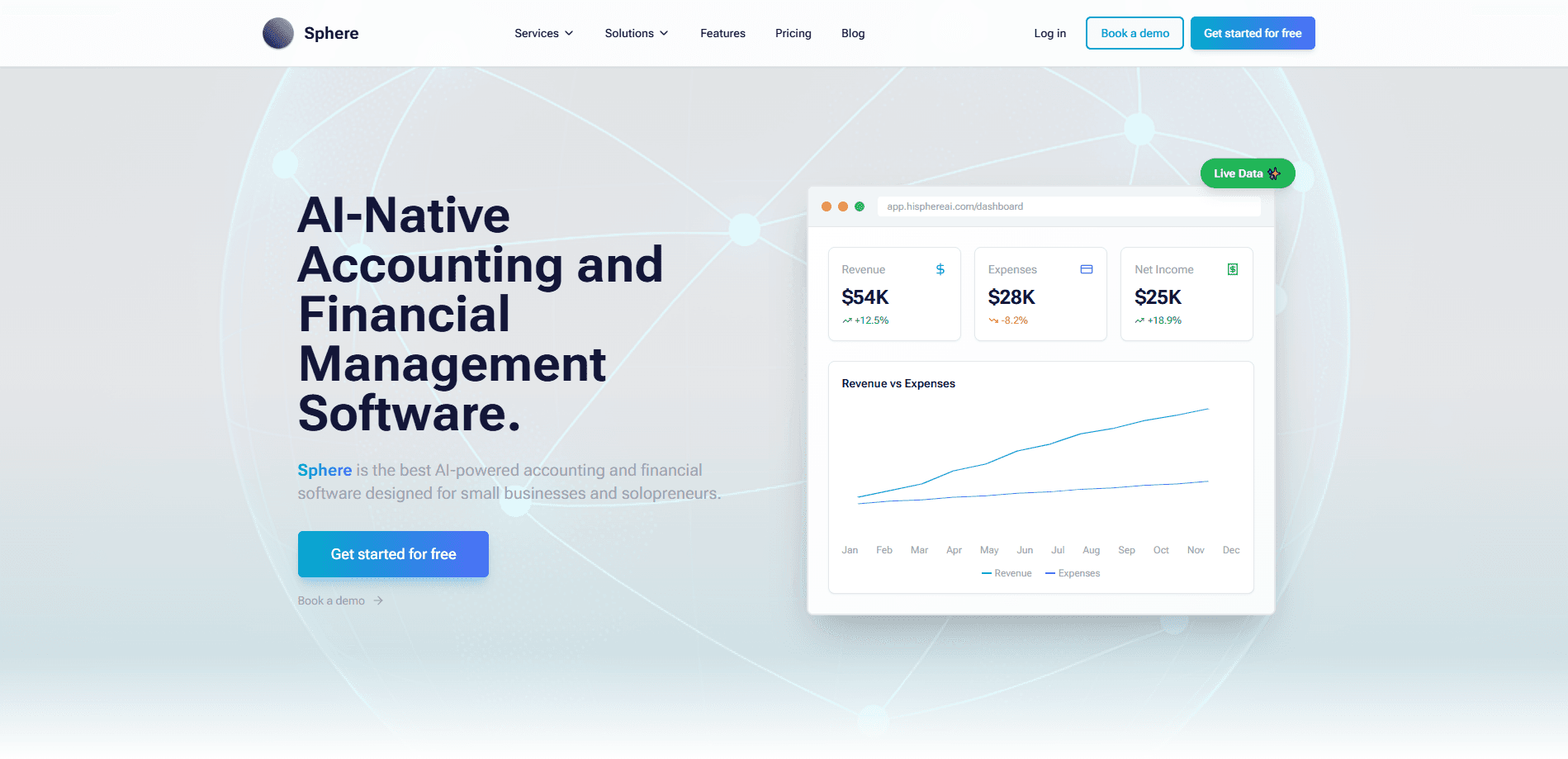
Sphere is AI-powered bookkeeping software built for small businesses that want their books, invoices, and reports in one place without hiring a full-time accountant. It tracks assets, liabilities, revenue, and expenses in a live chart of accounts, handles bank feeds through Plaid, and adds an AI financial assistant that answers money questions in plain English. If you run a small company and tax season feels like guesswork, that's the gap it's trying to close.
About Sphere
What Is Sphere
Sphere is small business accounting software that covers day-to-day bookkeeping, invoicing, and reporting. It's made by Sphere AI, and it lives in the browser, so you sign in from a laptop rather than installing a desktop program. Behind most of the routine entries sits an AI layer: you can ask questions about your finances in normal language and get explanations instead of raw ledger rows. That's the whole idea. Less spreadsheet, more plain conversation.
The pitch is a smaller, cheaper alternative to legacy tools like QuickBooks. Sphere bundles features that other products charge extra for, such as class tracking and unlimited users, into every plan. That saves money. Payment processing is the other selling point. Its ACH fee is 0.8% capped at $20, so a $10,000 invoice costs you $20 instead of the $100 an uncapped 1% rate would charge.
The main limitation is age and its add-on library. Sphere is young, and you won't find the hundreds of third-party add-ons that surround QuickBooks, so niche workflows may need a workaround or stay unsupported. Payroll isn't part of the product either, and you get it through a partner or another service.
Getting Started
- Create your account at the Sphere sign-up page, no credit card needed for the Free plan.
- Connect your bank accounts so transactions flow in through Plaid.
- Set up your chart of accounts and organize it with custom, parent, and class accounts.
- Send your first invoice or log a journal entry.
- Ask the AI assistant to explain a number or draft a report, then generate a P&L.
Product Information
A quick look at Sphere's pricing, supported platforms, and performance.
Best for
The users, tasks, and scenarios where this tool fits best.
Users
- Small business owners
- Solo founders and freelancers
- Bookkeepers serving multiple clients
Tasks
- Daily bookkeeping
- Invoicing and getting paid
- Financial reporting
- Understanding your numbers
Scenarios
- Tax season prep
- A growing business adding transactions
- Deciding whether to leave QuickBooks
Key features
AI Financial Assistant
The AI assistant lets you ask questions about your finances in everyday language and get a straight answer. It draws on the same data as your ledger, so instead of digging through reports, you can type a question and read the explanation. Ask it why a category jumped. It answers. Every plan includes a monthly token allowance, and the Business plan removes the cap.
Organized Chart of Accounts
Your assets, liabilities, equity, revenue, and expenses sit in one structured view. You get unlimited custom accounts, parent accounts for cleaner P&Ls, and balances that update in real time. No month-end guesswork. The result is a set of books that stays organized without manual cleanup every month.
Automated Bookkeeping and Bank Feeds
Sphere handles automated bookkeeping by connecting to your bank accounts through Plaid, so transactions arrive on their own. The Free plan supports unlimited bank accounts with a 50-transaction monthly cap, while paid plans remove that ceiling. Fewer manual entries means fewer chances for a typo to throw off your totals.
Invoicing and Payment Processing
You can create invoices and collect payment by card or ACH inside the app. Sphere's ACH rate is 0.8% capped at $20, which is cheaper than an uncapped 1% fee on large invoices. Card payments run 2.9% + $0.30 for every card type, including Amex.
Class Tracking
Class tracking lets you tag transactions to a department, project, or location so you can see which parts of the business earn and spend what. Sphere includes it on every plan, and the company points out that QuickBooks charges over $100 per month for a comparable feature.
Financial Reports
Generate P&Ls, balance sheets, and other statements whenever you need them. Because balances update as transactions come in, your reports reflect current numbers rather than last month's snapshot. Want a statement for a lender? It's there in a few clicks. That helps at tax time and any moment a partner asks for the numbers.
Unlimited Users
Every plan includes unlimited users, so adding a partner, bookkeeper, or office manager doesn't add a per-seat charge. Per-seat pricing is a trap. That's a real difference from tools that bill per person and quietly raise your monthly cost as your team grows.
Pros and cons
Pros
- Free plan is genuinely usable, with a permanent $0 tier and no credit card required.
- Low ACH payment fees: 0.8% capped at $20, noticeably cheaper than QuickBooks on large invoices. That adds up.
- Class tracking and unlimited users are included instead of sold as add-ons.
- AI financial assistant explains your numbers in plain English, which is rare at this price.
Cons
- Young product with a small third-party add-on library, so some niche workflows need a workaround.
- No built-in payroll, which means running it through a partner or separate service.
- Bank feeds rely on Plaid, so you need a supported bank and a steady connection.
- Free plan caps transactions at 50 per month, which a busy business will outgrow quickly.
Frequently asked questions
Sphere is used for small business bookkeeping and financial management. It tracks transactions and accounts, creates and processes invoices, generates reports like P&Ls, and adds an AI assistant that explains your finances in plain language.
Related content
Explore related tools, skills, and articles for Sphere.
Sphere Alternatives

Knocket
Knocket (Tencent RTC team) · Productivity · Business · ChatbotKnocket is a free live chat and contact page tool that lets visitors message you from your website, app, or a shareable link, with every reply handled from Telegram or one inbox.

shippedit.me
Krawlup · Marketing · Businessshippedit.me now redirects to Krawlup, a web platform that audits SEO, AEO and page speed every week, then hands the fixes to AI coding agents over MCP.

Ayven
Alknoma · Productivity · BusinessAyven is an AI control centre by Alknoma that turns a plain-language goal into a dated plan, hands the work to your people and AI agents, and asks for your approval only when the call is yours.