

Spit Notes
Spit Notes · Writing · Voice & Language
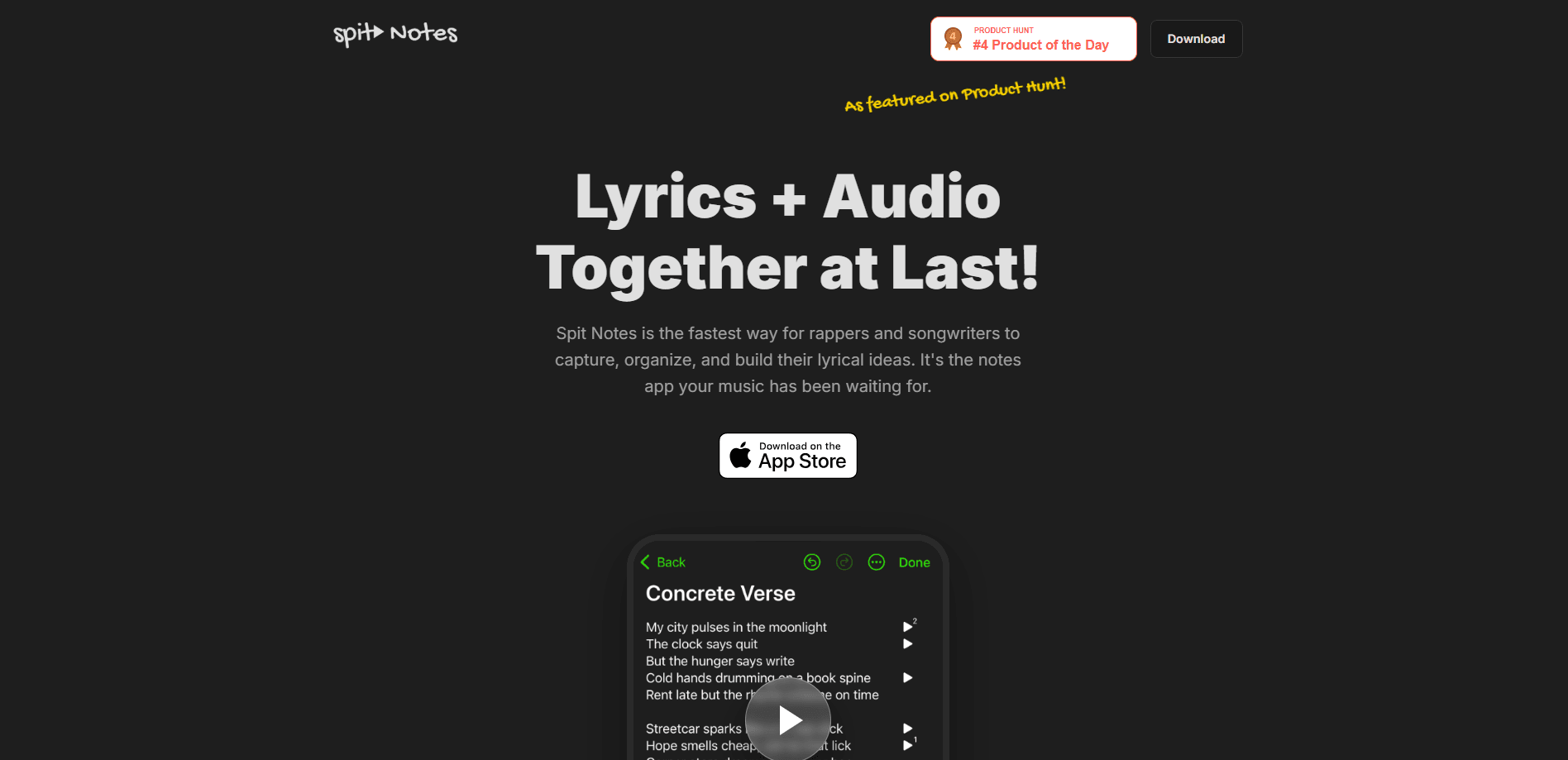
Spit Notes is a songwriting app for rappers and songwriters that keeps your lyrics and audio recordings locked together in a single note. Think of it as a rap notes app that doubles as a voice memo app for songwriters, with every take sitting right beside the bars it belongs to. Instead of juggling the Notes app and Voice Memos, you tap once to record a vocal take and type bars right beside it, so a hook you hummed at 2am still makes sense six months later. It's iOS only, free to start, with a Pro tier that adds AI-assisted rhyme suggestions and a hands-free teleprompter.
About Spit Notes
What Is Spit Notes
Spit Notes is a dedicated lyric writing app built around one problem every songwriter knows. Your best ideas arrive as a half-mumbled melody and a couple of lines, and the second you split those across two apps, the context dies. Record a riff in Voice Memos, write the words in Notes, and by the next session you're scrolling through 500 untitled recordings trying to remember which one had the fire. That gap is the whole reason this iOS songwriting app exists.
The app solves that by treating lyrics and audio as one object. Each song lives as its own note where the text and the recording sit side by side, both searchable, both synced through iCloud. You can capture a spark in a few seconds, then build on it over weeks without losing the cadence or melody that made the line worth keeping. It's simple. It works.
It's not an AI songwriting app in the "let the machine write the hook" sense, and the team is upfront about that. The AI here is a helper: a context-aware Ideas tool that suggests creative fills when you stall, and a rhyme dictionary that finds matches you'd miss. Your voice stays yours. The main limit is platform, since Spit Notes runs on iPhone only, so Android users and anyone who writes on desktop will need something else. That's the trade.
Getting Started
- Download Spit Notes from the App Store on your iPhone and open it.
- Tap the record button to capture a first idea, or start a new note and type lines directly.
- Add a title or tag so the song is easy to find later, since search works across both lyrics and audio.
- Open the Ideas lightbulb next to the cursor when you get stuck, or use the AI rhyme book to hunt for a matching word.
- Turn on iCloud sync in your device settings so every line and take backs up automatically.
Product Information
A quick look at Spit Notes's pricing, supported platforms, and performance.
Best for
The users, tasks, and scenarios where this tool fits best.
Users
- Rappers
- Singer-songwriters
- Beginner songwriters
Tasks
- Catching a hook before it disappears
- Building a verse over time
- Finding a rhyme under pressure
Scenarios
- Late-night writing sessions
- Practicing a verse hands-free
- Sorting old ideas
Key features
Lyrics and Audio in One Note
A song idea is words and sound at once. Spit Notes treats it that way. Each note holds both, so a typed verse and the recorded melody that goes with it stay attached. When you reopen a song weeks later, you hear exactly how you meant it. That single design choice removes the biggest frustration of the Notes-plus-Voice-Memos workaround.
One-Tap Recording
No menus, no setup. Open the app, tap the red button, and you're recording, which matters when inspiration strikes somewhere inconvenient. The team built the capture flow specifically for speed, so the gap between hearing a line in your head and getting it down is measured in seconds. Miss it and it's gone.
AI Rhyme Book and Ideas Helper
When you're stuck on a word, the AI-powered rhyme dictionary suggests matches tuned to the context of your line. The same system powers an Ideas lightbulb that generates creative fills for open spots. It nudges rather than writes, so it won't overwrite your voice or hand you lyrics that sound like anyone but you. Stuck on a bar? Tap the lightbulb. That's the whole flow.
Rhyme Highlighter
The rhyme highlighter marks your rhymes as you write, letting you see the pattern of a verse at a glance. Does your scheme hold up? Now you can tell in one look. This is handy when you're checking whether a scheme is consistent or pushing a multi-syllable run, and it beats reading the same four lines over and over trying to spot the mismatch.
Teleprompter Mode
The built-in teleprompter scrolls your lyrics hands-free, so you can run through a verse or deliver a performance without breaking eye contact with the mic. No more swiping mid-flow. For performers who memorize slowly or write long verses, it removes the need to prop up a phone and swipe mid-flow.
Screen-Stays-Awake Recording
Spit Notes keeps the screen on as long as you need while you're working, so a locked phone never cuts a session short. If you've ever been mid-verse when the display dimmed, you know how much that interruption costs. Small feature. Big relief.
iCloud Sync and Search
Everything you capture syncs through iCloud and stays searchable. Because search covers both lyrics and audio, you can track down that one hook by typing a remembered phrase instead of scrubbing through dated recordings. It's the safety net that stops good ideas from quietly going missing. As music notes app features go, that's the one that saves you the most time.
Pros and cons
Pros
- Keeps lyrics and audio together in one note, which kills the app-switching that loses context.
- Fast capture flow makes it easy to record the moment an idea hits.
- AI rhyme book and Ideas helper assist without writing the song for you.
- iCloud sync and full-text search keep large idea libraries manageable.
- Free tier is genuinely usable, so you can test it before paying.
Cons
- iPhone only, so Android and desktop writers can't use it at all.
- AI features are suggestions, not composition, so anyone wanting full lyric generation will be underwhelmed.
- No public API means you can't wire it into your own workflow or third-party tools.
- Pro pricing sits behind an in-app subscription, which some users prefer to avoid.
Frequently asked questions
It's a songwriting notebook for iPhone that combines lyric writing and audio recording in a single note. You capture lines and vocal takes together, then organize and search them by song, so ideas stay tied to the melody that inspired them.
Related content
Explore related tools, skills, and articles for Spit Notes.
Spit Notes Alternatives

Google EmbeddingGemma 2
Google DeepMind · Writing · Image · CodingGoogle EmbeddingGemma 2 is a 740M-parameter open model that turns text, code, images, audio, and video frames into vectors in one 768-dimension space, running on phones and laptops.

MePersona
MePersona, Inc. · Writing · Productivity · MarketingMePersona is an AI unified inbox for creators. It learns your voice, drafts replies to fan messages from 12 platforms, and sends only what you approve.

Fluence
Yay Software (Yannick Huchard) · Writing · Voice & Language · ProductivityFluence is an Android app that reads PDFs, EPUBs, Word files and web articles aloud, follows each sentence as it speaks, and answers questions about the text on the phone itself.