

Spoke
Marek Serafin · Writing · Voice & Language
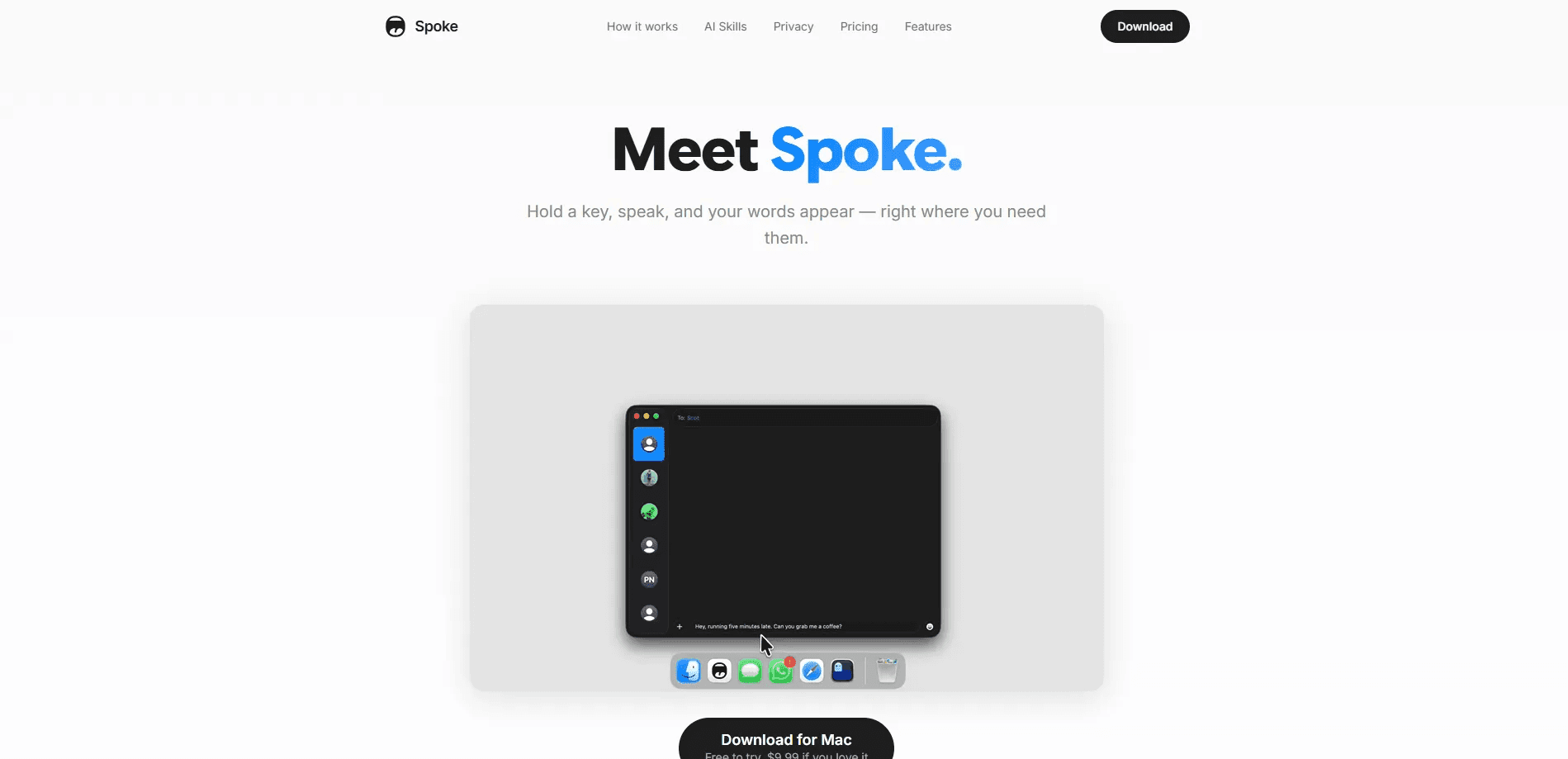
Spoke is a macOS voice dictation app that turns your speech into text inside whatever you're already using. That could be Notion, Slack, Terminal, Mail, or almost any other Mac app with a text field. It's push-to-talk dictation at its simplest. You hold a key, talk, and release. A local speech model handles recognition on your own machine, which makes it private voice transcription by design, since audio never leaves your Mac and nothing gets uploaded along the way. A flow builder then routes each transcript through AI skills, formatting steps, or automations. There's a free trial with 50 transcriptions, then a $9.99 one-time license with no subscription.
About Spoke
What Is Spoke
Spoke is a native Mac app built for people who type a lot and would rather talk. It's voice-to-text for Mac users who want speed without giving up privacy. It runs in the menu bar, waits for your shortcut, and drops finished text straight into the active field. The core speech recognition happens entirely on your device through a local neural network, which means it keeps working when you're offline and your voice recordings stay right on your own hardware. That's dictation without cloud, and it's the whole point.
The bigger idea behind Spoke is automation. Other dictation tools stop when the text appears. Spoke lets you build a Flow, which is a chain of steps that decides what happens next. You can send a transcript through a grammar cleanup, translate it into another language, paste it into a specific app, or fire off a webhook. Each step is a node you drag into place, and a flow can hold several of them.
That flexibility comes with tradeoffs. The macOS app is the mature product; the iOS version is newer and relies on a cloud proxy for AI skills. Some advanced automations, like scripts and multi-app routing, take a little setup. If you want a one-key dictation tool that just works, the defaults are simple. If you want to bend it to a specific workflow, the depth is there.
Getting Started
- Download Spoke from the official site and drag it into your Applications folder. It runs on macOS 13 or later.
- Launch the app and grant microphone access plus Accessibility permission, which Spoke needs to paste text into other apps.
- Pick your shortcut key. The right Option key is a common choice because it's easy to reach and rarely conflicts with other shortcuts.
- Hold the key, speak naturally, and release. Spoke transcribes on-device and inserts the text where your cursor sits.
- Open the Flow builder to add AI skills, text transforms, or output steps when you want more than plain dictation.
Product Information
A quick look at Spoke's pricing, supported platforms, and performance.
Best for
The users, tasks, and scenarios where this tool fits best.
Users
- Writers and note-takers
- Developers
- Privacy-conscious professionals
Tasks
- Drafting emails, docs, and messages
- Translating speech
- Capturing code and error logs
Scenarios
- Working in a noisy office or on a plane
- Hands-free sessions
- Automating repetitive Mac chores
Key features
On-Device Speech Recognition
Spoke runs a 600-million-parameter speech model locally, so on-device speech to text happens on your Mac rather than on a server. Audio never leaves your computer. Dictation keeps working without an internet connection. The tradeoff is that very heavy AI post-processing still needs a provider, whether that's Apple Intelligence, a local model, or a cloud API you connect yourself.
Push-to-Talk and Toggle Modes
There are two ways to dictate. Hold mode records only while you press the shortcut, which suits quick commands. Toggle mode starts on one press and stops on the next, which frees your hands for longer stretches. You can assign a different shortcut to each flow, or trigger one from a mouse button if you prefer.
The Flow Builder
A Flow is a chain of steps that processes your speech and decides what to do with it. Spoke ships with 14 node types covering conditions, AI skills, text transforms, scripts, and outputs. You drag nodes into place, connect them, and Spoke runs the sequence every time you finish speaking. This is what separates Spoke from dictation apps that stop at plain transcription.
AI Skills With Your Choice of Model
AI steps inside a flow can use the provider you pick, including OpenAI, Anthropic, Google Gemini, and local models through Ollama. On Apple Silicon you can also lean on Apple Intelligence. You bring your own API key, which is stored in the macOS Keychain, or you can use the built-in proxy for zero setup. Spoke doesn't log the content of those requests.
Copy, Paste, and Insert Anywhere
Finished text lands wherever you can type. Spoke inserts into the active field in almost any Mac app, and smart insertion handles the mechanics of pasting so you don't have to click first. Clipboard capture takes this further: if you copy code, an error, or a stack trace mid-dictation, Spoke folds that content into the transcript at the moment you copied it.
Full Transcription History
Every session is saved locally, and you can search back through it or filter by app, flow, or date. Spoke shows the raw speech next to the final processed text, so you can see exactly what the model heard and what the AI steps changed. That visibility is useful when a flow produces something unexpected.
24 Languages and Automation Extras
Spoke transcribes 24 languages on-device. Beyond that, the app reaches into the rest of macOS. Voice automation here means more than text insertion. You get AppleScript and Shortcuts support, webhooks that post to any URL, key press simulation, and app switching for multi-app workflows. Voice ID adds speaker verification if you want flows to respond only to your voice.
Pros and cons
Pros
- On-device transcription means audio stays on your Mac, which matters for private or sensitive dictation.
- One-time $9.99 price with no subscription and no word limits, which stands out against monthly dictation services.
- The Flow builder turns dictation into automation, letting you chain AI skills, formatting, and outputs.
- Flexible AI providers, including your own API keys and local Ollama models.
- Native Mac app that lives in the menu bar without a bundled browser engine.
Cons
- Mac-first: the iOS app is newer and its AI features depend on a cloud proxy, so it isn't a full equivalent.
- Advanced flows with scripts, conditions, and multi-app routing take time to set up.
- AI skills need an API key or the proxy service, and the proxy can be unavailable during provider outages.
- Free tier is capped at 50 transcriptions, so heavy users will need the paid license quickly.
Frequently asked questions
Spoke has a free tier that includes 50 transcriptions. That's enough to test the on-device speech recognition and the flow builder. After that, the macOS app costs a one-time $9.99 for unlimited use, with no recurring subscription.
Related content
Explore related tools, skills, and articles for Spoke.
Spoke Alternatives

Google EmbeddingGemma 2
Google DeepMind · Writing · Image · CodingGoogle EmbeddingGemma 2 is a 740M-parameter open model that turns text, code, images, audio, and video frames into vectors in one 768-dimension space, running on phones and laptops.

MePersona
MePersona, Inc. · Writing · Productivity · MarketingMePersona is an AI unified inbox for creators. It learns your voice, drafts replies to fan messages from 12 platforms, and sends only what you approve.

Fluence
Yay Software (Yannick Huchard) · Writing · Voice & Language · ProductivityFluence is an Android app that reads PDFs, EPUBs, Word files and web articles aloud, follows each sentence as it speaks, and answers questions about the text on the phone itself.