
SpotScribe
SpotScribe · Writing
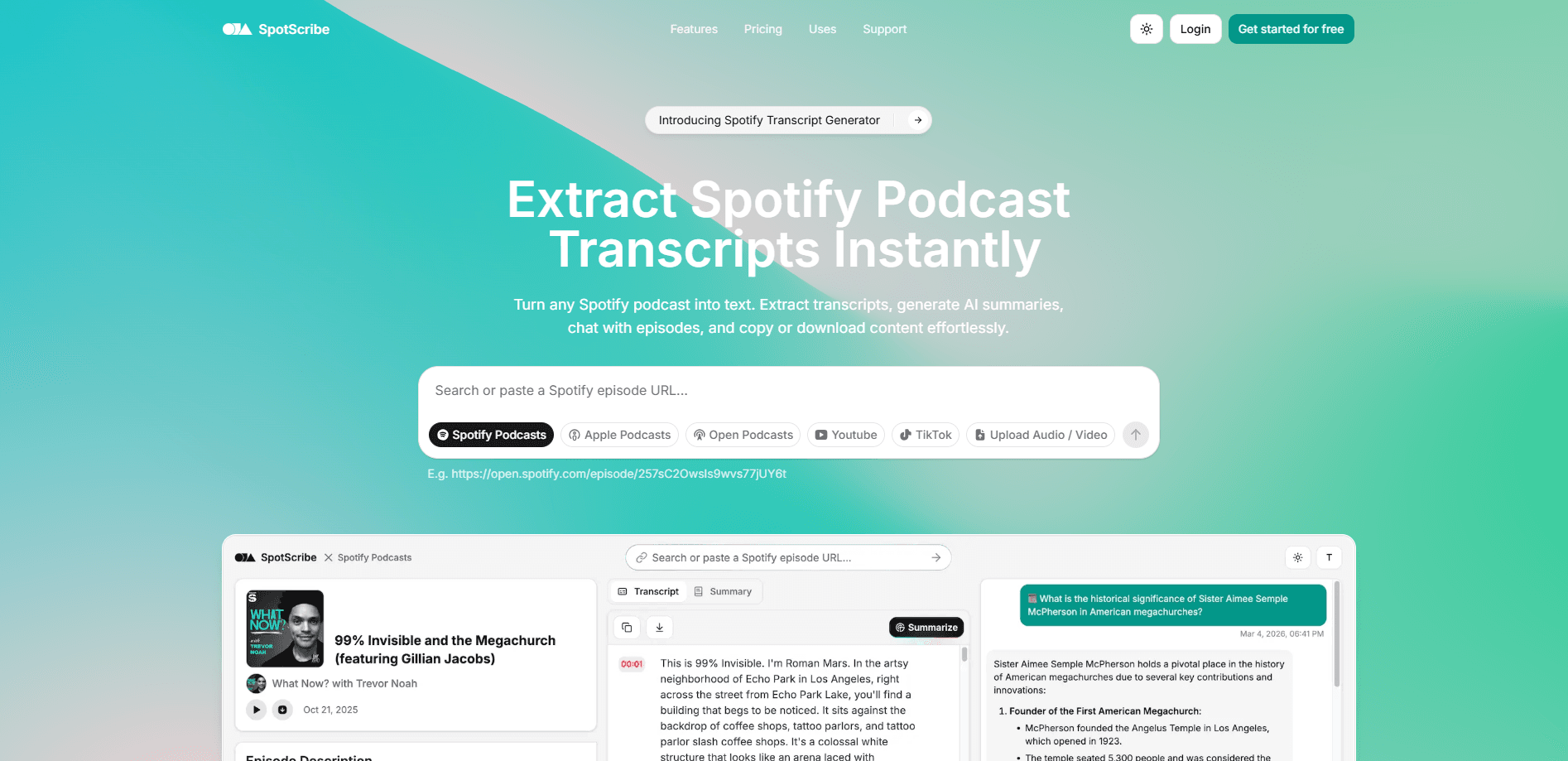
SpotScribe is a web-based tool that turns any Spotify podcast episode into a Spotify podcast transcript you can read. It works as an audio to text converter, a writer, and an AI summary generator rolled into one. Paste an episode link and you get a full transcript, a short summary, and a chat window for asking questions about the episode. Read a three-hour interview instead of sitting through it, then quote it, search it, or republish it.
About SpotScribe
What Is SpotScribe
SpotScribe is a browser tool for pulling transcripts out of Spotify podcasts. In a crowded field of podcast transcription tools that ask you to upload files first, the pitch here is simple: Spotify doesn't give you a native transcript you can copy, so SpotScribe grabs the audio behind an episode link and runs it through speech recognition. What comes back is clean text plus a few extras that make the text easier to work with.
The main problem it solves is access. Tons of good information sits inside podcasts you can't skim. Students scroll for a single quote. Marketers want a blog post out of an episode. Deaf and hard-of-hearing listeners need a text version at all. SpotScribe targets that gap directly, and the site claims 95% transcription accuracy, which is a claim worth testing on your own audio before you trust it for anything important.
The catch is scope. This is a Spotify-only tool, so imported MP3s, Apple Podcasts, YouTube videos, and local recordings won't work here. Spotify has to be the source. You need the episode URL rather than a show-level link, and results depend on the audio quality of the episode itself.
Getting Started
- Find the episode you want on Spotify and copy its share link.
- Open SpotScribe in your browser and paste the link into the input field.
- Click Transcribe and wait for the tool to process the audio.
- Read the transcript, then use the summary panel or the chat assistant to find what you need.
- Copy quotes or download the text into your notes, doc, or publishing tool.
Product Information
A quick look at SpotScribe's pricing, supported platforms, and performance.
Best for
The users, tasks, and scenarios where this tool fits best.
Users
- Students and researchers
- Content creators
- Language learners
- Accessibility advocates
Tasks
- Quoting a specific claim from a long interview
- Drafting a blog post or show notes from an episode
- Skimming a three-hour episode before deciding to listen
- Asking follow-up questions about what a guest said
- Building searchable show notes for SEO
Scenarios
- Late-night study sessions where you can't play audio out loud
- A quick research sprint before a meeting
- Repurposing a weekly podcast for a newsletter
- Following an episode on a train with no headphones
- Fact-checking a guest's numbers
Key features
Instant Transcript Extraction
Paste a Spotify episode link and SpotScribe returns the full text in one pass. No file upload. No app install. The workflow stays short, and you get the whole episode as readable text rather than a fragment. The site puts its accuracy at around 95% for clear audio.
Smart Summarization
Every episode can be boiled down to a short digest of its main points. This feature saves the most time when you're deciding whether an episode is worth a full listen. Dense, data-heavy interviews are a different story, since a few sentences can flatten the nuance you actually came for. Still worth reading first.
Interactive Chat Assistant
The chat window lets you chat with a podcast episode directly. Ask questions about what was said, and it answers from the episode text. Ever wished you could search a conversation you half-remembered? That's the idea here. It's a fast way to pull out a specific stat or a guest's position on something without rereading the whole transcript.
Copy and Paste Workflow
You can lift individual quotes, longer segments, or the entire transcript into your notes and documents. For writers and students, this turns a transcript into usable material. Formatting stays plain, so expect to clean up line breaks when you paste. Minor annoyance, easily fixed.
Works with Any Spotify Podcast
The tool pulls from the Spotify catalog broadly, so the show matters less than the episode link. That removes the guesswork of checking whether a specific podcast is supported. Non-Spotify sources are out of scope. There's no import path for local files.
High Accuracy Transcription
Speech recognition does the heavy lifting, and the results read cleanly on well-recorded episodes. Multi-speaker shows, crosstalk, and strong accents are where any transcriber struggles, and SpotScribe is no exception, since even the best models still stumble when two people talk over each other for minutes at a time. Treat the output as a strong first draft rather than a court-ready record.
Pros and cons
Pros
- No install and no upload: paste a Spotify link and the transcript appears in the browser.
- Summaries and chat come bundled with the transcript, so you don't need a second tool for those.
- Handles any Spotify episode rather than a fixed show list, which covers most popular podcasts.
- Copy and download make the output easy to move into notes, docs, or a CMS.
Cons
- Spotify only. You can't transcribe an MP3, an Apple Podcasts episode, or a YouTube video, which rules the tool out if your source lives anywhere else.
- Language coverage isn't spelled out on the site, so non-English episodes are a gamble without testing first.
- No documented API means you can't wire transcripts into your own pipeline or automate bulk work.
- Accuracy slips on crosstalk and noisy recordings, so heavy editing may be needed for clean output.
Frequently asked questions
It converts Spotify podcast episodes into text. You paste an episode link, and it returns a full transcript plus a summary and a chat assistant you can question about the episode content.
Related content
Explore related tools, skills, and articles for SpotScribe.
SpotScribe Alternatives

Google EmbeddingGemma 2
Google DeepMind · Writing · Image · CodingGoogle EmbeddingGemma 2 is a 740M-parameter open model that turns text, code, images, audio, and video frames into vectors in one 768-dimension space, running on phones and laptops.

MePersona
MePersona, Inc. · Writing · Productivity · MarketingMePersona is an AI unified inbox for creators. It learns your voice, drafts replies to fan messages from 12 platforms, and sends only what you approve.

Fluence
Yay Software (Yannick Huchard) · Writing · Voice & Language · ProductivityFluence is an Android app that reads PDFs, EPUBs, Word files and web articles aloud, follows each sentence as it speaks, and answers questions about the text on the phone itself.