

Squibler
Squibler, Inc. · Writing
Squibler is an AI book and novel writer that doubles as novel writing software, turning a short idea into a full-length manuscript with outline generation, a smart co-writer, and scene visuals.
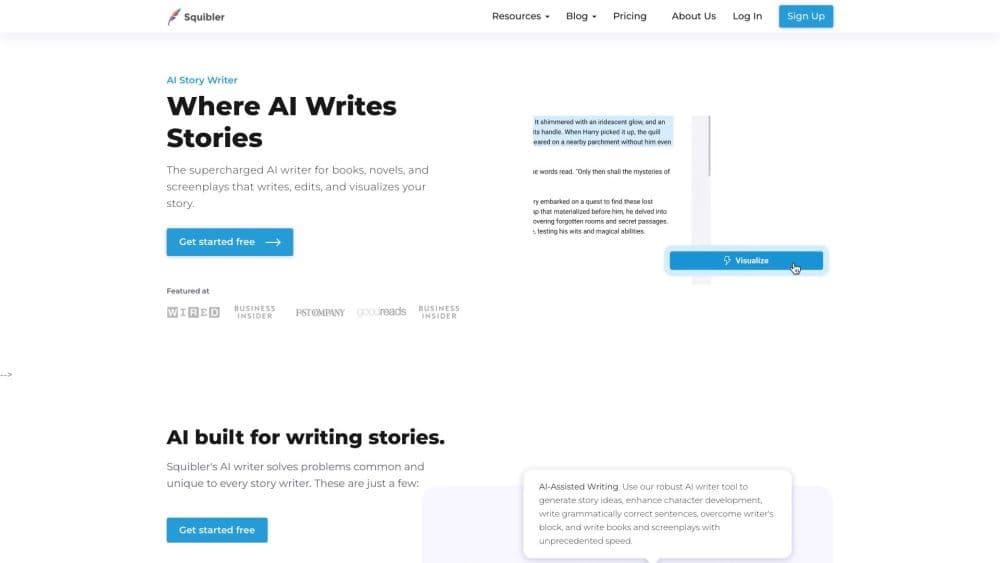
About Squibler
What Is Squibler
Squibler is a browser-based writing tool built for people who want to finish a book, a novel, or a screenplay. You describe your concept, genre, and core elements, and the AI story generator returns a structured first draft organized into chapters and scenes. The draft stays editable, so you refine and restructure it like any other document rather than treating the output as final.
The problem it targets is the blank page. Most writing tools stop at grammar checks or short text snippets, which leaves you to build the plot, characters, and chapter flow yourself. Squibler handles that long-form structure for you, so the first draft exists in minutes instead of months.
The main limit is that this is a drafting tool, not an author. The AI proposes text and revisions, and you still accept, reject, or rewrite every suggestion to make the book sound like yours. Output quality also depends on how much detail you feed it up front, so a vague prompt produces a generic draft.
Getting Started
- Create a free account at squibler.io and confirm your email.
- Start a new project and enter your book idea, genre, and the elements you already know.
- Pick a starting point: generate a full book, a screenplay, or an outline first.
- Use the AI Smart Writer to expand scenes, revise passages, or fix plot gaps as you go.
- Export the finished project to PDF or DOCX when you're ready to share or publish it.
Product Information
A quick look at Squibler's pricing, supported platforms, and performance.
Best for
The users, tasks, and scenarios where this tool fits best.
Users
- First-time novelists
- Screenwriters
- Memoir and non-fiction authors
Tasks
- Writing a full first draft
- Building a story outline
- Keeping details consistent
Scenarios
- Finishing a draft during a busy week
- Getting unstuck on a plot point
- Pitching a story visually
Key features
Full-Length Book Generation
Squibler generates a complete book from a short brief, organized into chapters and scenes rather than one long block of text. You supply the concept, genre, and core elements, and it returns a structured draft you can expand or cut. This is the feature that separates it from chat tools that only produce fragments, and it's the reason a full draft can exist in a single session.
Full-Length Screenplay Generation
The screenplay mode produces formatted scenes, dialogue, and cinematic structure that follow accepted screenplay conventions. Squibler handles the layout rules, so you spend your time on pacing and character development instead of margins and headers. The output stays a living document you can revise scene by scene.
Story Outline Generation
Before you draft, or after, Squibler builds a detailed outline that maps your story's structure, pacing, and character progression. You can expand, reorganize, or restructure it at any stage while keeping creative control. For authors who plan first, this is the fastest route to a working blueprint of their novel.
AI Smart Writer
The AI Smart Writer reads your existing text, understands the objective you set, and proposes revisions rather than rewriting blindly. You accept, reject, or refine each suggestion, so the tool iterates with you instead of taking over. It's the difference between a co-author and an autocomplete.
Elements Creation
You build characters, settings, and key details as structured elements that become part of the project's context. Squibler references them while writing and editing, which helps keep motivations steady and prevents details from drifting across chapters. The value shows up most in long books with large casts.
Visuals Generation
Highlight a passage and Squibler can generate original images or short video sequences inspired by the scene. This is useful for storyboarding cinematic moments or building pitch and promotion assets, and it happens inside the writing space rather than in a separate design tool.
Pros and cons
Pros
- Turns a short idea into a structured, full-length draft without manual plotting.
- The free plan offers 1,000 AI credits a month with no time limit, so you can test it properly before paying.
- Elements keep characters and details consistent across long projects.
- Exports to PDF and DOCX, so the draft moves easily into your normal editing workflow.
- You keep full rights to everything you create, and the Pro plan removes the credit ceiling.
Cons
- It's a drafting assistant, not an author, so the AI output still needs your editing to sound right.
- Vague prompts produce generic chapters, which means the quality depends on how much detail you give it.
- There's no public API, so it won't slot into an automated writing pipeline.
- The credit cap on the lower tiers can interrupt a big project mid-book unless you move to Pro.
Frequently asked questions
Squibler is an AI writing tool for long-form fiction and non-fiction. You use it to generate full-length books, novels, and screenplays from a short brief, build outlines, and revise scenes with an AI co-writer. It targets authors who want a structured first draft fast.
Related content
Explore related tools, skills, and articles for Squibler.
Squibler Alternatives

Google EmbeddingGemma 2
Google DeepMind · Writing · Image · CodingGoogle EmbeddingGemma 2 is a 740M-parameter open model that turns text, code, images, audio, and video frames into vectors in one 768-dimension space, running on phones and laptops.

MePersona
MePersona, Inc. · Writing · Productivity · MarketingMePersona is an AI unified inbox for creators. It learns your voice, drafts replies to fan messages from 12 platforms, and sends only what you approve.

Fluence
Yay Software (Yannick Huchard) · Writing · Voice & Language · ProductivityFluence is an Android app that reads PDFs, EPUBs, Word files and web articles aloud, follows each sentence as it speaks, and answers questions about the text on the phone itself.