

Squire AI
Codex Build Inc. · Coding · Productivity
Squire AI is an agentic code review platform that reviews pull requests in under a minute, writes PR descriptions, and enforces your team's rules across every repository.
About Squire AI
What Is Squire AI
Squire AI is an agentic code review platform that plugs into GitHub and reviews every pull request. It reads your codebase for context, runs syntax, security, and quality checks, and posts a review in under a minute. The company behind it, Codex Build Inc., launched it out of Y Combinator.
The pitch is that reviews stop being a bottleneck. Instead of waiting on a teammate to read a large diff, you get an AI code review tool that posts summaries and line-level comments immediately, and everyone on the team follows the same rules. Squire also writes the pull request description for you, which keeps the change documented before anyone asks what it does.
The main limits are worth knowing. Squire works as a GitHub application, so teams on GitLab or Bitbucket are out of scope for now. Its review quality depends on how well you configure rules upfront, and the pricing is per GitHub user, which adds up for large organizations. It reviews code, but a human still owns the final merge decision.
Getting Started
- Sign in and install the Squire AI GitHub app on the repositories you want it to watch.
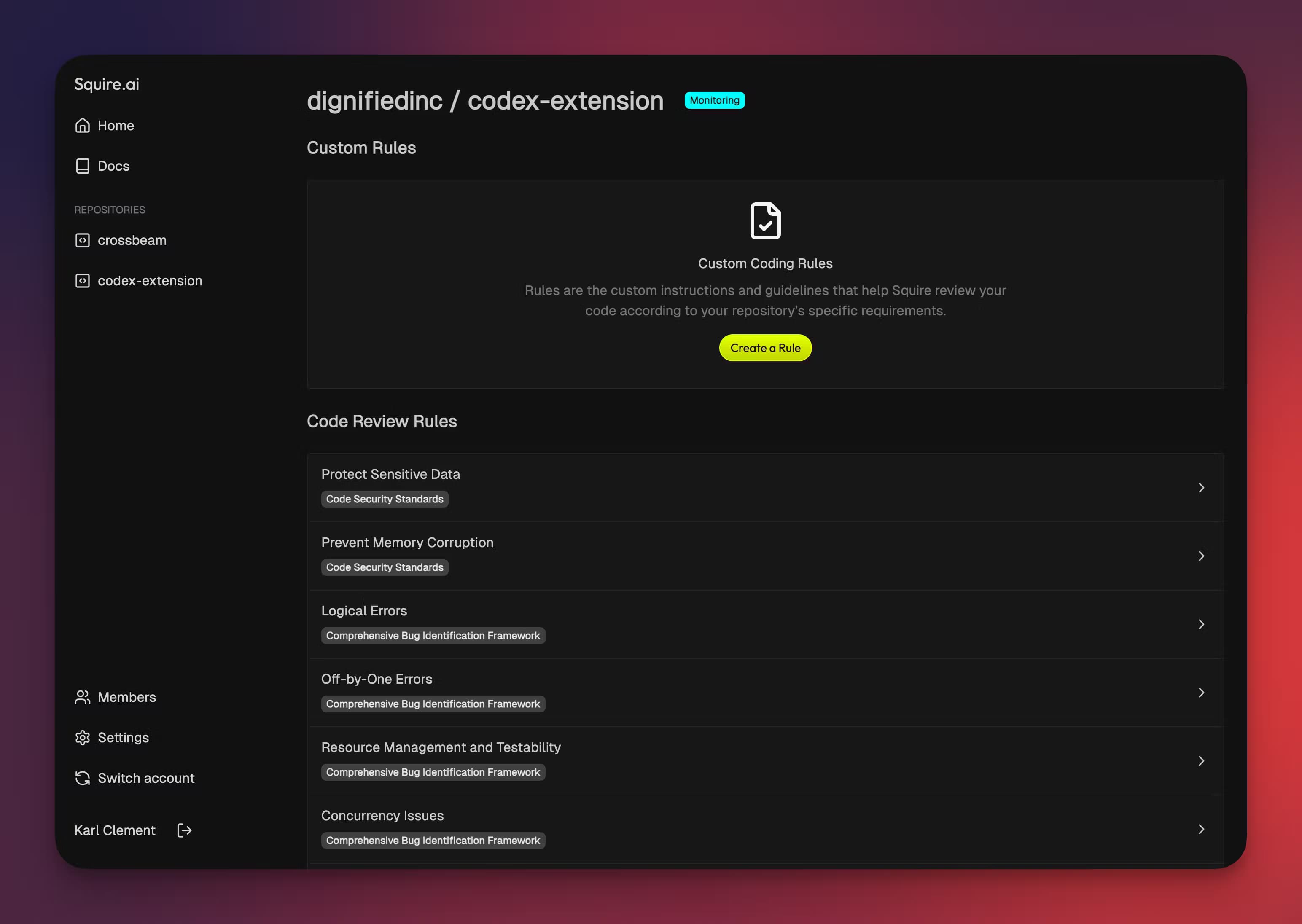
- Configure your team coding rules and best practices once, so Squire applies the same standard to every pull request.
- Open or update a pull request, then let Squire review it line by line and post its findings, usually in under a minute.
- Read the generated PR summary and detailed changes, then comment or ask follow-up questions through the chat.
- Merge once issues are resolved, and Squire keeps applying your rules on the next pull request.
Product Information
A quick look at Squire AI's pricing, supported platforms, and performance.
Best for
The users, tasks, and scenarios where this tool fits best.
Users
- Development teams
- Solo developers and small startups
- Engineering leads and platform teams
Tasks
- Reviewing a large pull request
- Writing pull request descriptions
- Enforcing coding standards
Scenarios
- Shipping a fast release cycle
- Onboarding new contributors
- Working late or alone
Key features
Line-by-line AI code reviews
Squire reviews each pull request line by line with full context of your codebase, so it can catch more than a surface scan. It runs syntax, security, and quality checks and reports what it finds directly on the diff. According to Squire, reviews land in under a minute, which keeps the feedback loop tight enough to act on before you move to the next task.
Automatic pull request summaries
Every PR gets a generated abstract and a detailed list of changes, so the reasoning behind a diff is written down without the author writing it. This keeps a changelog trail and helps reviewers who open the PR later understand what changed. It also means a teammate reviewing the review has context instead of guessing from a raw diff.
Enforced team rules
You configure coding rules and best practices once, and Squire applies them to every pull request that follows. The goal is consistency across repositories and squads, not a rule that lives in a wiki nobody reads. Over time the agent learns your team's style, so its suggestions line up more closely with how you already work.
Chat with your review
You can comment on a review and ask follow-up questions, and Squire answers without you leaving GitHub. It acts as an AI colleague in the pull request thread, so a question about a flagged issue does not require a separate meeting. The back-and-forth stays attached to the code it concerns.
Codebase-aware context
Squire reads your entire codebase, not just the changed lines, which is how it judges whether a change is an anti-pattern or calls the wrong function elsewhere. That wider context is what separates a real review from a linter. It also runs a dedicated security pass, so risks tied to how a change fits the rest of the code get flagged.
GitHub-based workflow
Squire installs as a GitHub application and works where your code already lives, so there is no new dashboard to check or CI step to wire up. Reviews appear on the pull request itself, alongside your existing comments and checks. The setup is a one-time install plus your rules, rather than a pipeline rebuild.
Pros and cons
Pros
- Fast reviews: pull requests get a review in under a minute, so feedback arrives while the change is still fresh.
- Codebase-wide context: it reads the whole repository, which catches issues a diff-only review would miss.
- Rules stay enforced: configure standards once and they apply to every pull request, not just when someone remembers.
- Less writing overhead: automatic PR summaries and change lists document each pull request without author effort.
- Lower data risk: Squire says it does not store your code and is SOC 2 Type II compliant, which matters for teams with compliance needs.
Cons
- GitHub only: teams using GitLab or Bitbucket cannot use Squire, since it is built as a GitHub application.
- Per-user pricing: the per-GitHub-user model means larger teams pay more, and the enterprise rate doubles the standard rate.
- Setup shapes results: the quality of reviews depends on how well you configure rules and best practices upfront.
- No free plan: there is no free tier, so you need a paid plan to try it beyond a demo.
Frequently asked questions
Squire AI automates code review on GitHub. It reviews pull requests line by line, writes PR descriptions, and enforces your team's coding rules, so developers spend less time on repetitive review work.
Related content
Explore related tools, skills, and articles for Squire AI.
Squire AI Alternatives

Base Code
Base44 (Wix) · Coding · ProductivityBase Code is a shared cloud development environment from Base44. Teammates describe changes to an existing GitHub codebase in chat, preview them live and send them back as pull requests.

Google EmbeddingGemma 2
Google DeepMind · Writing · Image · CodingGoogle EmbeddingGemma 2 is a 740M-parameter open model that turns text, code, images, audio, and video frames into vectors in one 768-dimension space, running on phones and laptops.

GitGlow
GitGlow · Coding · ProductivityGitGlow is a local-first desktop Git client that lets independent developers review their own code and their AI agents' changes in one place before shipping.