

stackd.cc
stackd.cc · Coding · Other
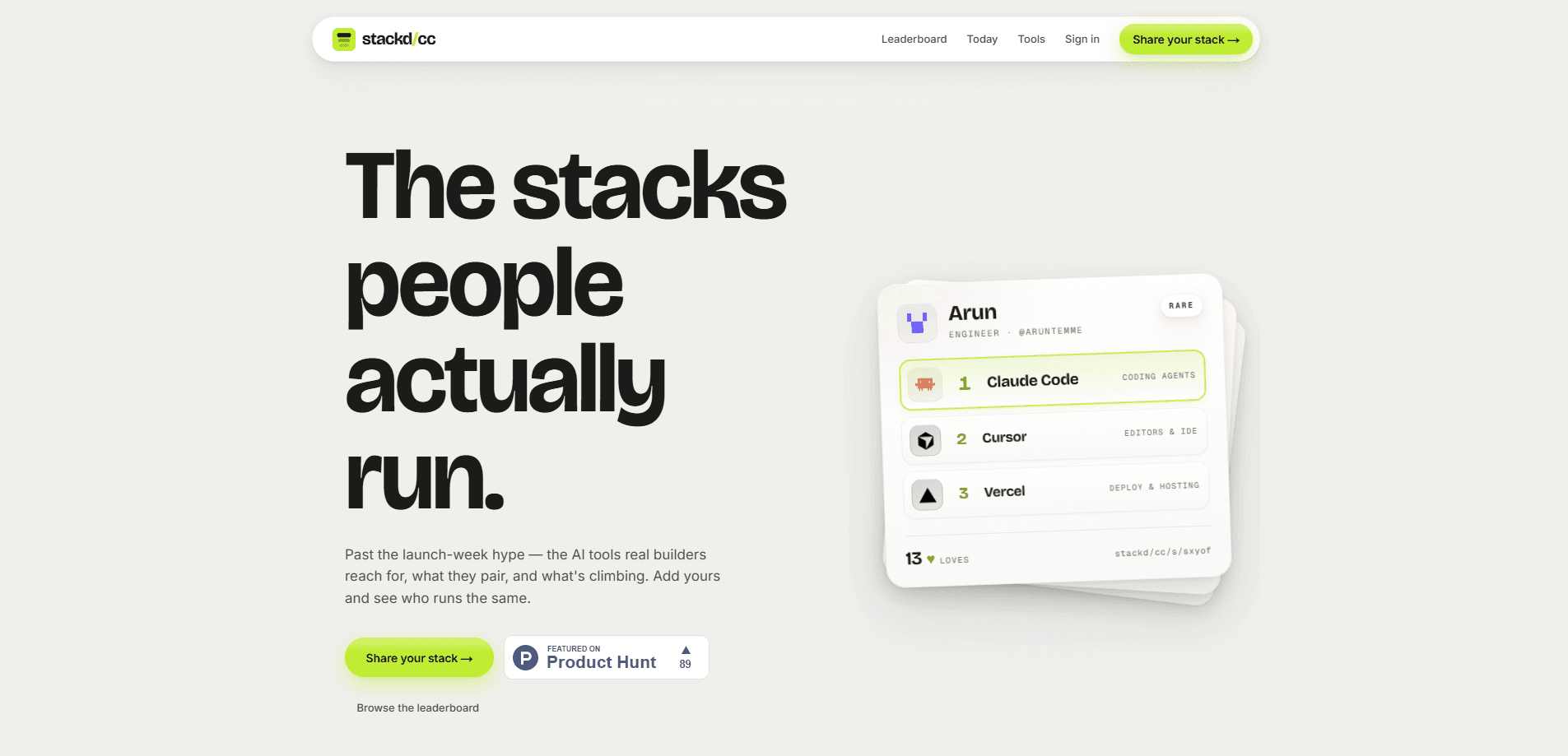
stackd.cc is a community-driven AI stack leaderboard that shows which AI tools and developer tools real builders actually run. Instead of guessing which coding assistant or database to pair with what, you browse real stacks from working developers, see what's climbing, and add your own to find out who shares it. It's a research shortcut if you're assembling an AI stack. It's also a quick way to check your setup against people doing similar work.
About stackd.cc
What Is stackd.cc
stackd.cc is a public leaderboard of AI stacks, where each entry is a short list of the tools one person runs together. A stack might read "Claude Code, Cursor, Vercel," tagged with the person's role, so you can see at a glance what an engineer or designer actually uses day to day. The site sorts these stacks by how many people love them. That turns scattered tool chatter into a visible ranking.
The problem it addresses is choice overload. There are hundreds of AI tools for developers now, and most reviews test them in isolation. stackd.cc focuses on combinations instead: what pairs well with what, and which setups keep showing up. That's a different question than "is this tool good." Often it's the more useful one.
The main limitation is that everything here is self-reported and community-driven. There's no verification layer, no benchmark testing, and no guarantee a popular stack suits your budget or your team size. That matters. Treat it as a starting point for research, not a final verdict.
Getting Started
- Open stackd.cc and browse the leaderboard to see which AI stacks are climbing right now.
- Click any stack to inspect the exact tools it lists and the role of the person who posted it.
- Compare a few stacks that look close to your own workflow. Note which tools recur.
- Share your own stack through the build page and tag it with your role.
- Check back to see who runs the same combination and how your stack ranks against others.
Product Information
A quick look at stackd.cc's pricing, supported platforms, and performance.
Best for
The users, tasks, and scenarios where this tool fits best.
Users
- Working developers
- Indie builders and solo founders
- Career switchers learning AI tooling
Tasks
- Researching a new AI stack
- Validating a tool choice
- Sharing your setup
Scenarios
- Starting a new project and deciding which AI coding assistant to pair with which hosting or database.
- Auditing your current setup against what similar developers run.
- Looking for a tool that pairs well with one you're already committed to.
Key features
Community-Driven Stacks
Community tool rankings are the whole point here. Every entry on the AI stack leaderboard comes from a real person rather than an editorial team. You see a list of tools, a role tag, and a running love count, which makes the ranking a reflection of what developers actually reach for. The upside is honesty about everyday tooling; the catch is that it's all self-reported, so treat the counts as a signal, not a proof.
Paired-Tool Focus
Most developer tool leaderboards rank products one at a time. stackd.cc is built around combinations instead. It answers the practical question of what goes with what. If you already know you want one specific tool, seeing the tools it tends to appear alongside is often more helpful than another feature comparison. Why does that matter? Pairings reveal compatibility that a spec sheet won't.
Live Standings
The leaderboard tracks what's climbing, so newer or rising tools can surface next to long-established ones. That helps you spot momentum before it becomes obvious everywhere else. It also means the page changes over time, so a stack that looks standard today might look dated in a few months.
Role Tags
Stacks carry a role such as engineer, which lets you filter your reading by the kind of work involved. A stack from a working engineer looks different from one built for design or product work. The tag makes that context visible. No long bio required.
One-Click Stack Sharing
The build page lets you publish your own AI developer stack in a few steps. Posting yours is fast and free, and it puts your setup in front of anyone browsing for ideas. Tech stack sharing works both ways here. You get comparisons against people with similar roles, and the leaderboard gets another real data point.
Pros and cons
Pros
- Rankings come from working developers, so the stacks reflect real daily tooling rather than sponsored picks.
- The paired-tool format answers what goes with what, a question single-product reviews usually skip.
- Free to browse and free to post, with no account wall in front of the leaderboard.
- Role tags make it quick to find stacks relevant to your kind of work.
- Seeing what's climbing helps surface newer tools before they dominate every list.
Cons
- All stacks are self-reported with no verification, so popularity doesn't mean a stack is right for your budget or team.
- There's no testing, benchmarks, or pricing detail on the page, so you'll still research individual tools elsewhere.
- Small or new tools can be under-represented because the rankings lean on how many people post.
- No public API is documented, so you can't pull the leaderboard data into your own tooling.
Frequently asked questions
It's a community-driven AI stack leaderboard. Each entry is a set of AI and developer tools one person runs together, tagged with their role and ranked by how many people love it. You browse real stacks to see what developers use and what pairs well.
Related content
Explore related tools, skills, and articles for stackd.cc.
stackd.cc Alternatives
Forefront
Forefront · CodingForefront is a web platform for building with open-source AI. It lets you fine-tune leading open-source language models on your own data, evaluate how they perform, and run them through an API or export them to host yourself. Developers who want the convenience of a closed-source platform but insist on owning their models and data are the target audience here.

Startkit
StartKit.AI · CodingStartkit is a boilerplate for building AI SaaS and AI wrapper products. Think of it as an AI startup boilerplate with the boring parts already wired up: authentication, Stripe and Lemon Squeezy payments, usage limits, transactional email, and an AI API starter that talks to OpenAI, Anthropic, Groq, or Llama. You clone the repo, set your price, and start on the part of your product that people actually pay for. It's Next.js under React and Tailwind, so most of the boilerplate code already feels familiar.
Testim
Tricentis · CodingTestim is an AI-powered test automation platform for building and running end-to-end tests across web, mobile, and Salesforce applications. It leans on machine learning to keep tests stable when an interface changes, so teams spend less time fixing broken selectors. Not bad for an automated testing tool you can start using today. You create tests by recording actions in a browser, then optionally add JavaScript when you need more control. It's a solid pick for busy QA teams.