

stagecaptions.io
Stage Captions · Writing · Voice & Language
stagecaptions.io is a browser-based live captioning platform that converts spoken words into real-time captions for venues, hybrid events, and broadcasts. Event teams create a caption room, pick an audio input, and share a QR code or viewer link so attendees can read along on any device without installing an app. The same browser output feeds stage screens, livestream overlays, and production tools.
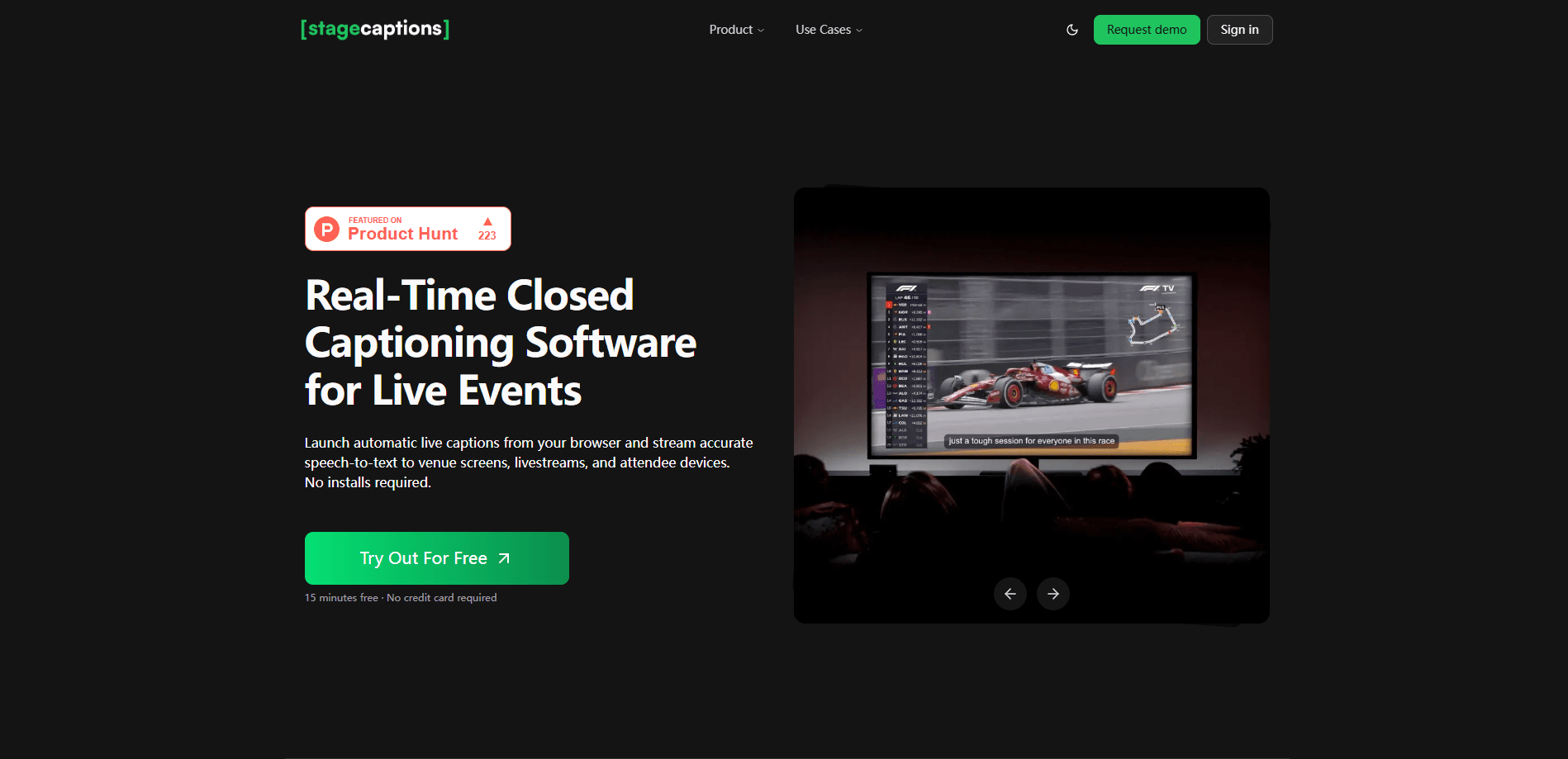
About stagecaptions.io
What Is stagecaptions.io
stagecaptions.io is real-time closed captioning software that runs entirely in a web browser. It listens to the audio a room already hears, whether that's a presenter microphone or a production mix, and turns it into readable captions people can follow live. No dedicated hardware or desktop install sits between you and the caption stream.
The platform is built for the messy reality of live events rather than a scripted studio. Presenters change. Audience members ask questions. Room acoustics vary. stagecaptions.io is designed around those conditions, so captions stay usable while a session unfolds instead of falling apart the moment something goes off-plan.
Its main limit is pricing transparency. The official site doesn't publish a public rate card and points teams to a contact form for a quote, so you can't compare tiers before talking to sales. If you need a firm budget number up front, that's a real friction point.
Getting Started
- Log in to the presenter dashboard in your browser and create a caption room for the session.
- Choose the audio input, set the source language, and pick a design preset.
- Add names, brand terms, and abbreviations to a custom dictionary so they're recognized during live transcription.
- Share the viewer link or QR code so attendees can open captions on a phone, tablet, or laptop.
- Point the browser output at a display, stage screen, or production tool like OBS Studio, then monitor the delay as the session runs.
Product Information
A quick look at stagecaptions.io's pricing, supported platforms, and performance.
Best for
The users, tasks, and scenarios where this tool fits best.
Users
- Event organizers
- AV and production teams
- Accessibility coordinators
- Educators and meeting hosts
Tasks
- Captioning live talks and panels
- Routing captions to production
- Handling specialized vocabulary
- Supporting remote viewers
Scenarios
- Multi-room conferences
- Hybrid events
- Recurring sessions
- Broadcast production
Key features
Live captioning software engine
The engine is the core of stagecaptions.io. It processes event audio continuously. Captions come out fast enough to support live audiences, stage screens, and remote viewers during presentations and panels. The output is shaped for readable text flow rather than raw transcription, so it holds up when speakers talk fast or deviate from a script.
Custom dictionaries
Specialized vocabulary is where generic transcription tends to stumble. You can add names, abbreviations, brand language, and technical terms so the live transcription recognizes them correctly. For a product launch or a technical conference, that difference shows up every time someone mentions a product name that isn't in a standard dictionary.
Presenter dashboard
The presenter dashboard is where sessions are run. You create and manage caption rooms, select audio inputs, adjust caption display settings, share viewer access, and monitor the session as it happens. For a multi-room event, that means one control point instead of a captioning station in every space.
QR-powered viewer
Attendees get captions through a QR code or a direct link that opens in a browser on a phone, tablet, or laptop. Nothing to install. That matters when you're captioning an audience that didn't plan ahead and won't download an app mid-session. Scan, open, read.
Browser output
The caption URL can be opened in production tools that support web content, including OBS Studio and Resolume. You can also display it on a stage screen, a display computer, or a confidence monitor. One stream, two jobs. That flexibility lets one caption stream serve both the audience and the production crew at the same time.
Pros and cons
Pros
- Runs in a browser, so there's no dedicated hardware appliance or complex install to set up before an event.
- Low-latency signal to live captioning means captions keep pace with a speaker rather than trailing behind.
- QR code and viewer link cover attendees on their own devices without forcing an app download.
- Custom dictionaries improve accuracy for names, brands, and technical terms that generic tools miss.
- Browser output connects to production tools like OBS Studio, so captions reach livestream overlays and confidence monitors.
Cons
- No published pricing means you can't estimate cost or compare tiers until you contact the team for a quote.
- Browser-based delivery depends on a reliable internet connection, so a spotty venue network can interrupt captions.
- API availability isn't documented publicly, which makes it harder to judge how well it fits a fully automated production pipeline.
Frequently asked questions
It's real-time closed captioning software for live events. It turns speech into captions for venues, hybrid events, and broadcasts so attendees and remote viewers can read what's being said as it happens.
Related content
Explore related tools, skills, and articles for stagecaptions.io.
stagecaptions.io Alternatives

Google EmbeddingGemma 2
Google DeepMind · Writing · Image · CodingGoogle EmbeddingGemma 2 is a 740M-parameter open model that turns text, code, images, audio, and video frames into vectors in one 768-dimension space, running on phones and laptops.

MePersona
MePersona, Inc. · Writing · Productivity · MarketingMePersona is an AI unified inbox for creators. It learns your voice, drafts replies to fan messages from 12 platforms, and sends only what you approve.

Fluence
Yay Software (Yannick Huchard) · Writing · Voice & Language · ProductivityFluence is an Android app that reads PDFs, EPUBs, Word files and web articles aloud, follows each sentence as it speaks, and answers questions about the text on the phone itself.