

Statable Analytics
Key Arg B.V. (Netherlands) · Marketing · Business
Statable Analytics is a cookieless, EU-hosted web analytics platform and a simpler Google Analytics alternative, with GA4 history import and an official MCP server for AI agents.
About Statable Analytics
What Is Statable Analytics
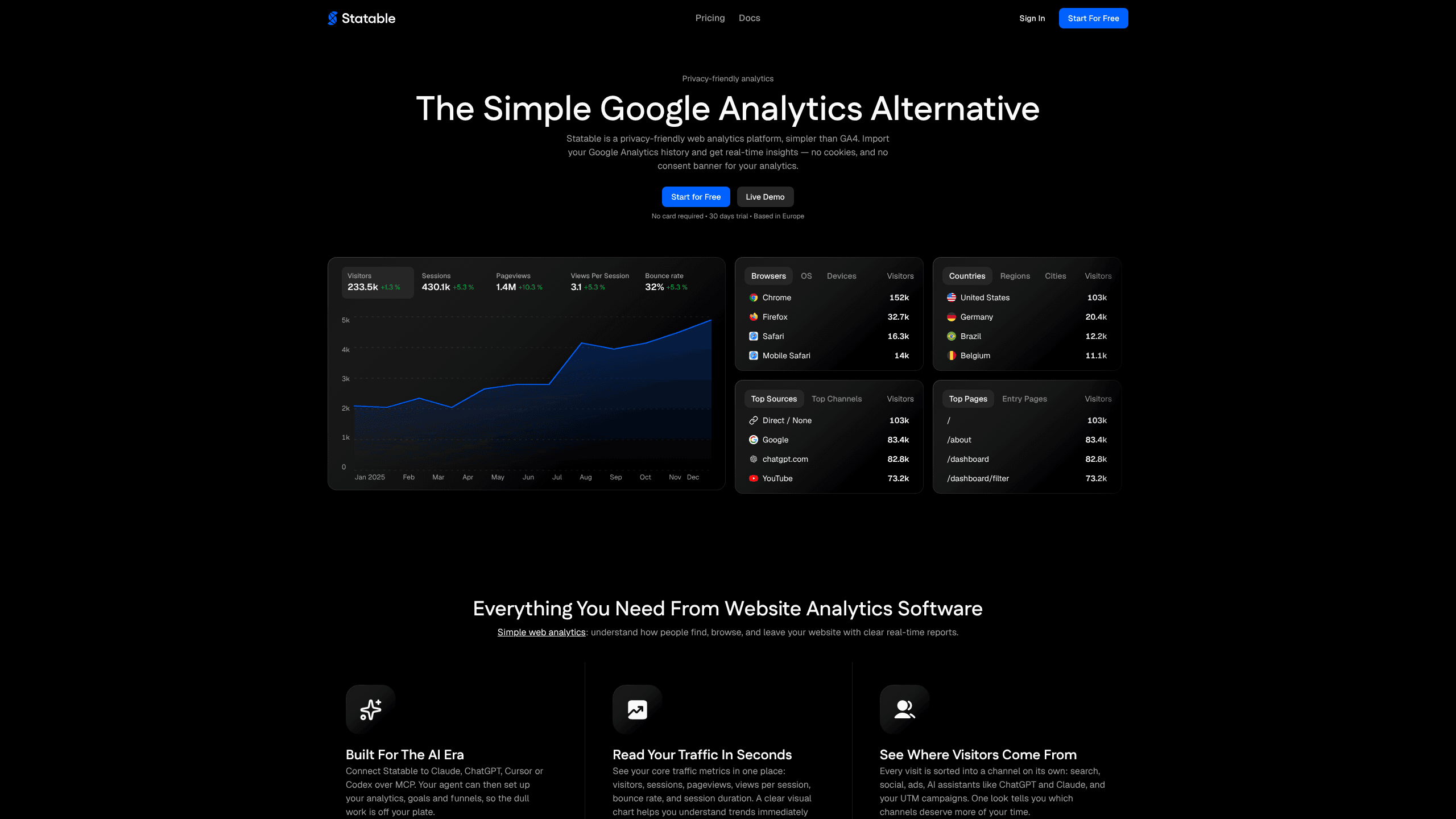
Statable Analytics is a privacy-friendly analytics platform for site owners who want clear numbers without Google's setup work. Key Arg B.V., a Dutch company, builds and runs it, and the servers sit in the Netherlands. The dashboard puts visitors, sessions, pageviews, bounce rate, session duration and traffic sources on one screen, with live visitors counted as they arrive.
The product exists because GA4 got heavy. Reports need building, events need a schema, and a consent banner stands in front of the first visit. Statable takes the other route: one script of about 2 KB, no cookies, no tag manager, and a channel list that separates search, social, paid ads, AI assistants like ChatGPT and Claude, and your UTM campaigns. Its identity model hashes a site ID, the visitor's user agent, their IP address and the day's date, then drops the IP. The identifier changes every day. For a small team, website analytics should answer three questions without a specialist: who came, where they came from, and what they did.
Migration is the part most people care about. Sign in with Google, grant the read-only analytics scope, and Statable pulls the full history of a GA4 property into the new timeline. Nothing on your site changes, and imported rows don't overwrite what Statable already collected. Event data stays at full resolution for as long as the account is open, which is longer than GA4's default retention.
Two limits matter. The server is closed source and there is no self-hosting option, so your data lives in their cloud. Every plan also carries the same features, so the monthly allowance is the only thing that changes with price.
Getting Started
- Create an account with email, Google or GitHub. The 30-day trial starts on signup, with every feature unlocked and no card.
- Add your site. Paste the full URL with its scheme so Statable assigns a site ID and a timezone.
- Install the tracking snippet before the closing head tag, or use the WordPress plugin or the Google Tag Manager template. No build step.
- Open the dashboard. Live visitors appear at once, and sources, pages and countries fill in within the first minute of traffic.
- Optional: connect GA4 for history, Search Console for queries, or an MCP client so an agent can pull reports for you.
Product Information
A quick look at Statable Analytics's pricing, supported platforms, and performance.
Best for
The users, tasks, and scenarios where this tool fits best.
Users
- Indie founders and small site owners
- Growth and marketing teams
- Agencies and freelancers
Tasks
- Leaving Google Analytics with history intact
- Watching a launch
- Asking traffic questions in a chat window
- Dropping an analytics consent banner
Scenarios
- An EU store that wants traffic analytics to stay under EU law, with a data processing agreement already attached to the terms.
- A Next.js or WordPress site that needs tracking installed in minutes without a tag manager.
- A university lab or an open-source project on a .edu, .github.io or .gitlab.io domain, where Statable is free for good.
Key features
Cookieless analytics in a 2 KB script
The standard script weighs about 2 KB over the wire and the Nano bundle stays under 1 KB. It loads deferred, so it never blocks the page. Because it sets no cookies and stores nothing on the device, most sites can remove the analytics line from their consent banner.
GA4 history import
Sign in with Google, grant the read-only analytics scope, and pick a GA4 property. Statable imports all available history, including pageviews, sources, countries, devices and top pages, then merges it into the new timeline. Your site keeps running untouched, and the import never overwrites data collected after you switched.
An MCP server that agents can drive
Statable runs a remote MCP server at mcp.statable.com with 25 tools. Claude, ChatGPT, Cursor and Codex can list sites, run a query, read a funnel report, or create a goal and a funnel for you. Sign-in uses OAuth 2.1 in the browser, and an API key works as a bearer token for scripts. The CLI and the read-only Stats API cover the same ground from a terminal or a CI job.
Goals, funnels and custom events
Mark any pageview or event as a goal, then see conversion rate by source, country and device on one page. Funnels follow an ordered path of 2 to 8 steps, each a page, a custom event or a goal, and show where visitors drop off. Custom events need one JavaScript call, with no schema to register first.
Channels that name AI assistants
Every visit lands in its own channel: search, social, paid ads, AI assistants such as ChatGPT and Claude, or a UTM campaign. Source, medium, campaign and content appear as columns rather than in a separate exploration view, so a rise in assistant referrals shows up without building a report.
Filters, widgets and shared views
Global filters and saved segments narrow any report to a session type, a page or a custom property without touching the tracking code. Live Users, Top Countries, a visitor map and a 3D globe embed on any public page with one line, and public dashboards share numbers without sharing the account.
Pros and cons
Pros
- Every feature ships on every plan, from the $9 tier to the 10M tier, and websites are unlimited.
- The 30-day trial needs no card, and .edu, .github.io and .gitlab.io sites get free access for good.
- GA4 import keeps your history, so the first login doesn't show an empty chart.
- Analytics data stays in the Netherlands under EU law, with a DPA included in the terms.
- The MCP server is official and documented, which beats wiring an agent to a scraper.
Cons
- No self-hosting and no public server code. Teams that must keep analytics on their own hardware need Matomo or Plausible instead.
- The monthly limit counts pageviews plus custom events, so an event-heavy site reaches the next tier sooner than the pageview number suggests.
- Commercial sites get a trial, not a permanent free plan. After 30 days you pay or lose access to reports.
- MCP tools can change your setup. An agent can create sites, goals and funnels, so connect an account you're comfortable letting it edit.
Frequently asked questions
It's a web analytics platform that counts visitors without cookies and shows the result in one dashboard. It's positioned as a simpler GA4 alternative, with EU hosting, GA4 history import and an MCP server for AI assistants.
Related content
Explore related tools, skills, and articles for Statable Analytics.
Statable Analytics Alternatives

ngram 2.0
ngram · Video · Marketingngram 2.0 is an AI video generator for teams. It turns a prompt, a screen recording, or a product URL into a narrated explainer, product demo, or AI avatar video, and every scene stays editable.

shippedit.me
Krawlup · Marketing · Businessshippedit.me now redirects to Krawlup, a web platform that audits SEO, AEO and page speed every week, then hands the fixes to AI coding agents over MCP.

MePersona
MePersona, Inc. · Writing · Productivity · MarketingMePersona is an AI unified inbox for creators. It learns your voice, drafts replies to fan messages from 12 platforms, and sends only what you approve.