

SteosVoice
Mind Simulation · Voice & Language
SteosVoice is a neural voice generator from Mind Simulation. It turns text into speech across 800+ characters, supports voice cloning and dubbing, and works on the web and through a Telegram bot.
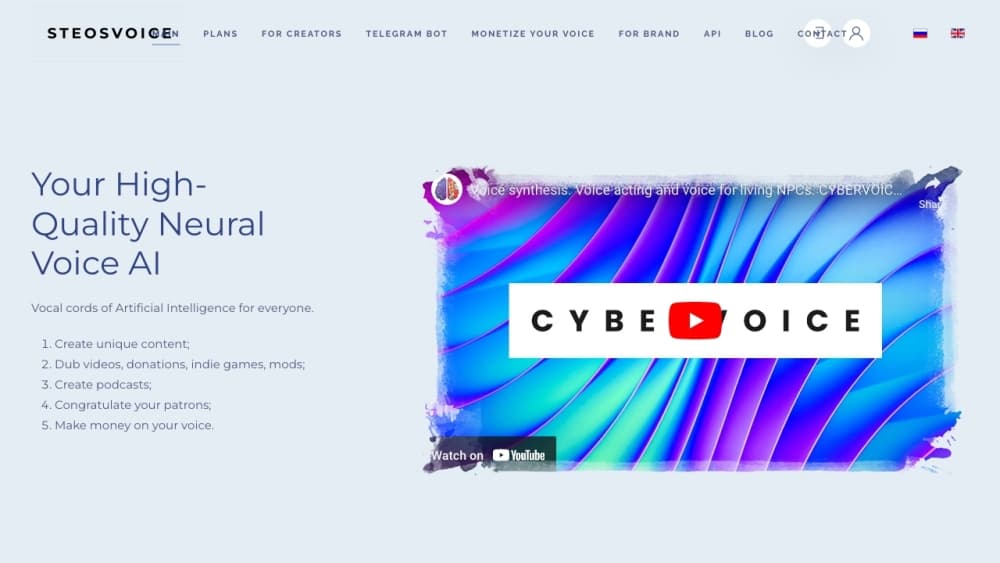
About SteosVoice
What Is SteosVoice
SteosVoice is a browser-based voice studio built by the Mind Simulation AGI lab. You type or paste text, pick one of 800+ neural voices, and get back a 44.1kHz WAV file you can drop into a video, a podcast or a game. The catalog runs from games and anime character voices to narrator and dubbing voices, and it grows over time. The service used to be called CyberVoice, and the same team now runs the web platform at voice.steos.io alongside a Telegram bot.
The pitch is aimed at creators who need voice without a recording booth. YouTubers dub their videos into another language, streamers send voiced donations, indie studios give mods and small games their own dialogue, and businesses voice articles, news and support clips. Everything happens in a browser, and a free daily allowance lets you test the tools before spending anything.
Two things are worth knowing before you commit. The free tier is capped at 1,000 symbols per day through the Telegram bot, which is fine for trying things but tight for a full video. The output is a finished voice track, not a full video editor, so you still bring your own editing and captions.
Getting Started
- Register on the SteosVoice web platform or open the Telegram bot for the quick route.
- Pick a voice from the catalog, or upload a sample if you plan to clone one.
- Paste your script, choose a language and adjust the delivery if you need to.
- Generate the track and download the WAV file.
- Drop the audio into your video, podcast, stream or game build.
Product Information
A quick look at SteosVoice's pricing, supported platforms, and performance.
Best for
The users, tasks, and scenarios where this tool fits best.
Users
- YouTubers and video creators
- Streamers
- Indie game and mod developers
- Businesses and media teams
Tasks
- Text to speech
- Voice cloning
- Voice changer
- Multi-language dubbing
- Audio book and article narration
Scenarios
- A channel that wants a second language
- A mod with a new story
- A live stream that needs variety
- A small game shipping abroad
Key features
Neural Voice Catalog
SteosVoice is an AI voice generator that carries 800+ voices and keeps adding more, spanning game characters, anime and dubbing voices as well as general narrator styles. You browse the catalog, preview a voice and pick the one that fits the script. For a creator, that range is the point: the same tool covers a serious narration and a cartoon character without a second subscription.
Text to Speech
Type or paste text and the engine reads it back as natural speech, exported as a 44.1kHz WAV file. You choose the voice and the language, then download the track for your project. It's the everyday tool here, and it's what the free daily characters cover first.
Voice Cloning
The platform builds a voice from a sample so a project keeps one consistent tone across every line. You use it when a character has to sound the same in fifty clips, or when you want your own voice to carry through content you can't record live. It sits next to the stock catalog rather than replacing it.
Voice Changer
A voice changer re-voices a recording you already have, so the timing and delivery survive while the voice itself changes. This matters for dubbing, where lip timing is fixed and you can't simply re-record every line. It's the tool that makes a re-voice feel natural rather than stitched together.
Multi-Language Dubbing
The service is built for reaching a second audience, so you can take one script and produce it across several languages. A creator can open a channel to a new country or re-dub a modified plot without a cast. For indie teams, it's often the cheapest way to ship a game in more than one language at launch.
Telegram Bot Access
Every user gets free limited access to the neural voice engine through a Telegram bot, which turns text messages into audio without opening the full platform. It's the fastest way to test a voice or generate a quick line on the go, and it's the channel that carries the free daily characters.
Pros and cons
Pros
- 800+ voices cover characters, narration and dubbing in one account, so you rarely need a second voice tool.
- The free daily allowance through the Telegram bot lets you test the engine before paying anything.
- Voice cloning and the voice changer keep one project on a consistent voice instead of a patchwork of clips.
- Output is a clean 44.1kHz WAV file that drops straight into video, podcast and game workflows.
- Multi-language dubbing opens a script to a second market without hiring new voice talent.
Cons
- The free tier is capped at 1,000 symbols per day, which runs out fast on a full video script.
- The service produces voice tracks only, so you still need your own editor for video and captions.
- Voice cloning raises consent and rights questions, and you are responsible for having permission to clone a voice.
Frequently asked questions
SteosVoice is a neural voice generator from Mind Simulation that turns text into speech across 800+ voices. It also handles voice cloning, voice changing and multi-language dubbing, and it runs on the web and through a Telegram bot.
Related content
Explore related tools, skills, and articles for SteosVoice.
SteosVoice Alternatives

Foley
Hanamori Labs, LLC · Voice & Language · Productivity · AI AssistantFoley is a voice to-do list that turns a spoken sentence into a filed task, complete with project, date and time, then helps you plan the day around what is already there.

HireKey
HireKey · Voice & Language · Productivity · LeaningHireKey is an AI job search copilot built by a former tech recruiter. It checks role fit, tailors resumes, runs interview practice and tracks every application.

Fluence
Yay Software (Yannick Huchard) · Writing · Voice & Language · ProductivityFluence is an Android app that reads PDFs, EPUBs, Word files and web articles aloud, follows each sentence as it speaks, and answers questions about the text on the phone itself.