

Storyboard Hero
fewStones · Writing · Video
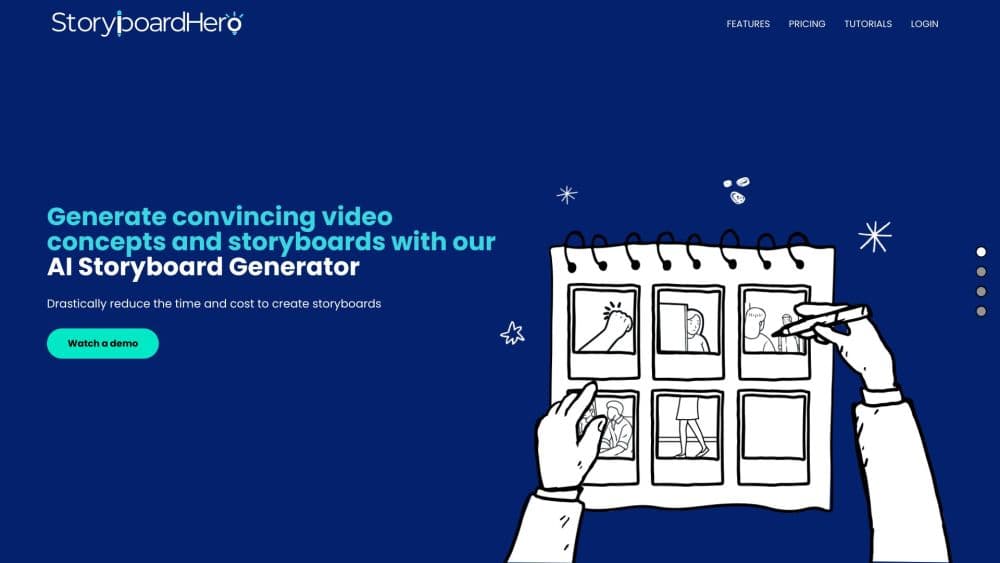
Storyboard Hero is an AI storyboard generator for video teams. It turns a brief or script into scenes, shots, AI images and a branded PDF storyboard, with saved characters that stay consistent across frames.
About Storyboard Hero
What Is Storyboard Hero
Storyboard Hero is storyboard software from fewStones, a video agency in Singapore that has produced corporate videos since 2011. The team built the tool for its own pre-production work and now sells it to agencies, filmmakers and in-house marketing teams.
The product covers the path from a written brief to a presentable set of frames. You describe the video, the tool drafts concepts and a script split into scenes and shots, then generates an image for each beat. Saved characters hold the same face and outfit across frames, which is the part general image tools handle worst.
Two limits matter before you pay. There is no free plan, so trying the workflow means buying at least one month. The images also struggle with complex action, which is why the company sells hand-drawn frames from its own sketch artists as credits.
Getting Started
- Create an account and choose a plan. Solo costs $19 per month for one seat, and the 7-day money back guarantee applies to that plan only.
- Start a project and type your brief, or import an existing script as a formatted PDF or CSV. The tool splits the text into scenes and shots.
- Set up characters with age, ethnicity, wardrobe and facial features, then attach them to every frame where they appear.
- Pick an image style and generate frames. Add camera angle, focus, lighting and movement notes on shots that need them.
- Export a PDF storyboard with your branding, download a shot list, or share a link so clients can comment on scenes.
Product Information
A quick look at Storyboard Hero's pricing, supported platforms, and performance.
Best for
The users, tasks, and scenarios where this tool fits best.
Users
- Video agencies
- Freelance filmmakers and editors
- In-house marketing teams
Tasks
- Turning a brief into a first concept
- Converting an approved script into frames
- Running a client review round
- Building a shot list for the shoot day
Scenarios
- Pitching several concepts in one week
- Pre-production on a corporate video
- Remote client approvals
Key features
Concept and Script Generation
You give the tool a brief and it writes concepts plus a script, already divided into scenes and shots. Each scene carries description, voice over and camera notes as separate fields, so you can edit one without rewriting the rest. The output reads like a working script, not a paragraph you have to cut up by hand.
Script Import From PDF or CSV
Existing scripts come in as a formatted PDF or CSV, and the tool maps the text to scenes and shots on the way in. That matters for teams that already write in Word or a screenwriting app. You can also build a script scene by scene if the brief is thin.
Saved Characters for Character Consistency
You define a character once with age, ethnicity, wardrobe and facial features, then reuse it across a project. Character consistency is the reason many teams pick this tool over a general image generator, because a face that changes between frames breaks the pitch. It works best on clean, mid-shot framing rather than crowded action scenes.
Image Generation in Two Tiers
Standard images are unlimited on every paid plan, and premium images come as a monthly allowance: 100 on Solo, 350 on Starter and 1200 on Advanced. Premium output looks sharper and holds detail better. You pick a style before generating, and you can regenerate any frame that misses.
Shot Details for Filmmakers
Beyond the picture, each frame tracks shot type, perspective, focus, lighting, movement and camera. Camera notes are what turn a set of images into a plan a crew can follow on set. The details also flow into the exported shot list.
Branded PDF Storyboard and Shot List Export
The PDF storyboard carries your logo and colors, and it does not mention AI or Storyboard Hero anywhere. Clients see a document with your name on it. Shot lists export as CSV or PDF, and images download in bulk or one at a time.
Online Sharing and Video Export
You can share a storyboard through a link with optional password protection, and guests comment scene by scene. The platform also builds MP4 videos from the frames, with AI voice over per scene or across the whole piece, plus your own music or recorded narration.
Pros and cons
Pros
- One workflow covers brief, script, frames, shot list and client review, which removes the usual copy and paste between apps.
- Character consistency holds up across a full storyboard, and that alone justifies the subscription for pitch work.
- Exports look professional and carry only your branding, so nothing signals that the frames came from AI.
- Unlimited standard images on every paid plan make wide experimentation cheap.
- The optional hand-drawn frames give you a fallback when AI output misses a difficult shot.
Cons
- No free plan and no free trial. You pay $19 before you can judge whether the output suits your projects.
- Complex action, crowds and precise hand interaction still come out wrong, so plan on regenerating or buying artist credits.
- Solo allows one seat, which rules out shared review inside the app for a two-person team.
- There is no public API, so the tool stays a manual step in a pipeline rather than something you can automate.
Frequently asked questions
It generates video concepts, scripts and storyboard frames from a short brief or an imported script, then packages them as a PDF storyboard, shot list or MP4 video.
Related content
Explore related tools, skills, and articles for Storyboard Hero.
Storyboard Hero Alternatives

Google EmbeddingGemma 2
Google DeepMind · Writing · Image · CodingGoogle EmbeddingGemma 2 is a 740M-parameter open model that turns text, code, images, audio, and video frames into vectors in one 768-dimension space, running on phones and laptops.

MePersona
MePersona, Inc. · Writing · Productivity · MarketingMePersona is an AI unified inbox for creators. It learns your voice, drafts replies to fan messages from 12 platforms, and sends only what you approve.

Fluence
Yay Software (Yannick Huchard) · Writing · Voice & Language · ProductivityFluence is an Android app that reads PDFs, EPUBs, Word files and web articles aloud, follows each sentence as it speaks, and answers questions about the text on the phone itself.