

String.com
Pipedream · Coding
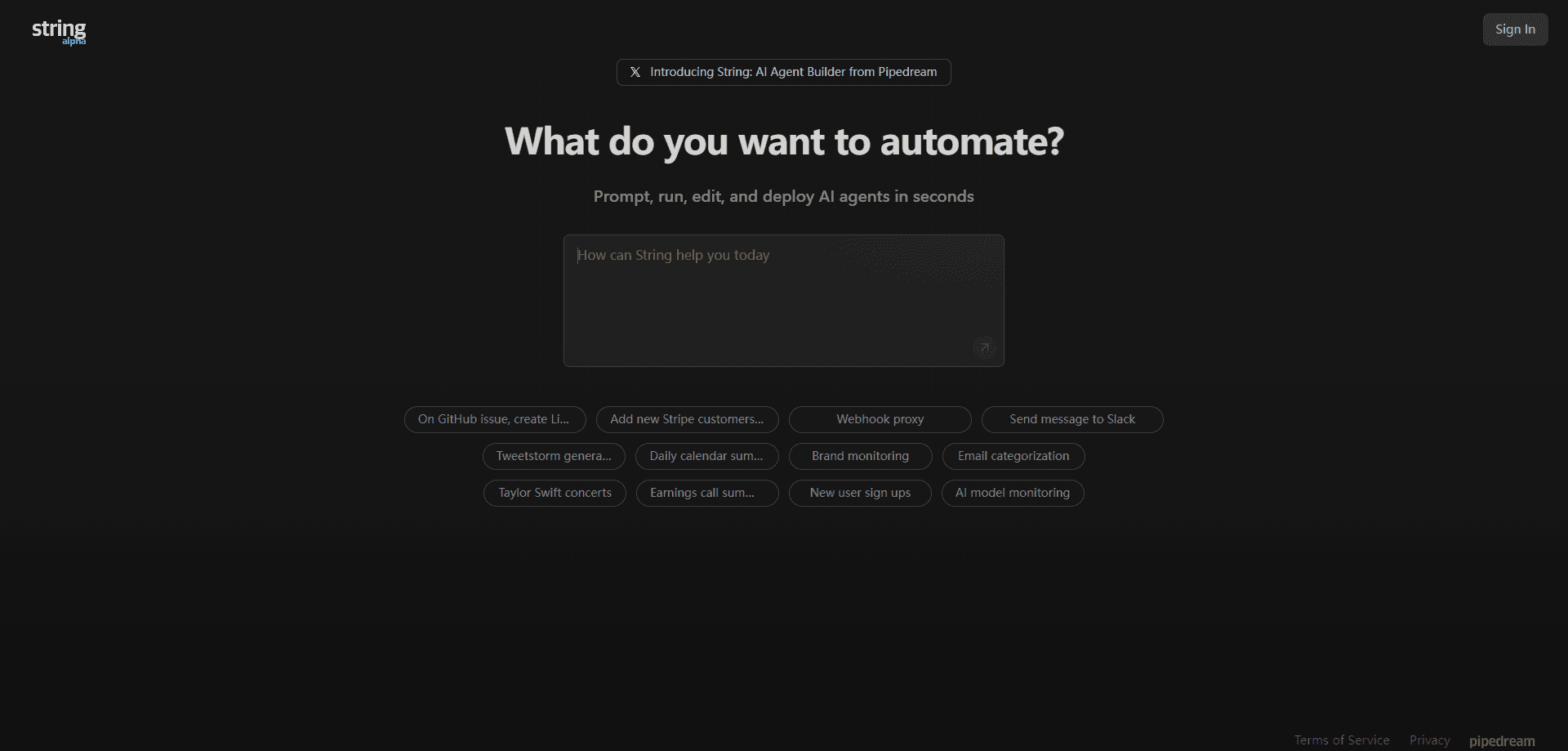
String.com is a Pipedream AI agent builder that turns a written prompt into a working agent. It generates, tests, and deploys the code, linking 2,700+ apps and 10,000+ tools through managed authentication.
About String.com
What Is String.com
String.com is a text-to-agent platform from Pipedream, a company that has spent five years building app integrations. Instead of dragging blocks around a canvas, you describe the agent you want in plain language and the platform writes the underlying code for you.
The core problem it solves is setup overhead. Most no-code AI agents make you wire up authentication, pick a hosting plan, and handle API keys before anything runs. String.com ships with those pieces built in, so the day you describe an agent that watches a GitHub repo or reads a Snowflake table, it can go live. You deploy AI agents without writing the glue yourself.
The biggest catch is the product's lifespan. Pipedream has said Workflows and String will shut down on March 31, 2027, while its Connect infrastructure continues. Anyone planning long-term automation should factor that end date into the decision.
Getting Started
- Go to string.com and sign in with an email or a connected account.
- Type a prompt describing the agent, such as syncing new GitHub issues into Linear.
- Review the generated code and adjust any step with a follow-up prompt.
- Run a test execution with sample data and fix what breaks.
- Deploy the agent to a Pipedream workspace so it runs on a schedule or trigger.
Product Information
A quick look at String.com's pricing, supported platforms, and performance.
Best for
The users, tasks, and scenarios where this tool fits best.
Users
- Developers who want to skip boilerplate
- Automation and DevOps engineers
- Product and ops teams without a backend engineer
Tasks
- Syncing issues and tickets
- Sending alerts and digests
- Processing data
Scenarios
- Prototyping an internal tool
- Wiring up a stack you already pay for
- Standing up a monitoring agent
Key features
Prompt-to-Agent Code Generation
You start with a sentence, not a blank editor. String.com reads the description and writes the agent's code, including the steps, connections, and error handling it thinks you need. The output is real, runnable code, so you can open it, change one line, and re-test rather than starting over. This is AI automation you can inspect, not a black box.
Managed Authentication Across Thousands of Apps
The platform plugs into more than 2,700 applications and exposes 10,000+ tools through Pipedream's Connect layer. OAuth and credentials are handled for you, so an agent can post to Slack, write to Sheets, or read from GitHub without you storing a single key. That removes the most tedious part of connecting services.
Built-In Model Access
Agents can call language models from providers like OpenAI and Anthropic without your own API keys. Pipedream supplies the keys and the billing, which keeps a prototype cheap while you decide whether the idea is worth pursuing.
Edit and Debug in Natural Language
Once an agent exists, you refine it by describing the change. Adding retries to an HTTP step or swapping a data source happens through a follow-up prompt, and a separate debugging assistant reads errors and proposes fixes. It treats the code as something to iterate on, not something frozen.
One-Click Deployment
When a test run looks right, the agent deploys straight into your Pipedream workspace and runs on a schedule or trigger. There's no separate hosting step, and it doesn't run on your own machine, so a laptop going to sleep won't kill the job.
Data Pipeline Integrations
Connections cover the common warehouse and database tools, including Snowflake, Postgres, and BigQuery, alongside everyday apps like Notion, Airtable, and Google Sheets. Agents that move and clean data sit next to agents that send messages, which means one place for both jobs.
Pros and cons
Pros
- Builds working agent code from a plain-language prompt instead of a drag-and-drop canvas.
- Handles authentication for thousands of apps, so you skip OAuth setup and key management.
- Ships with model access from major providers, lowering the cost of a first prototype.
- Deploys directly to Pipedream's infrastructure and runs without your machine staying on.
Cons
- Pipedream has set a shutdown date of March 31, 2027 for String and Workflows, which limits how far ahead you can plan.
- The docs list gaps in what AI editing can touch, including control-flow steps, Python code, and multi-trigger workflows, so some agents still need manual work.
- Complex agents call for real coding skill, so the promise of pure no-code holds only for simpler tasks.
- Pricing sits with the wider Pipedream platform, which makes the cost of a single agent harder to read up front.
Frequently asked questions
String.com turns a written prompt into a working AI agent. It generates the code, connects the apps the agent needs, tests it, and deploys it to Pipedream's infrastructure so it can run on its own.
Related content
Explore related tools, skills, and articles for String.com.
String.com Alternatives

Base Code
Base44 (Wix) · Coding · ProductivityBase Code is a shared cloud development environment from Base44. Teammates describe changes to an existing GitHub codebase in chat, preview them live and send them back as pull requests.

Google EmbeddingGemma 2
Google DeepMind · Writing · Image · CodingGoogle EmbeddingGemma 2 is a 740M-parameter open model that turns text, code, images, audio, and video frames into vectors in one 768-dimension space, running on phones and laptops.

GitGlow
GitGlow · Coding · ProductivityGitGlow is a local-first desktop Git client that lets independent developers review their own code and their AI agents' changes in one place before shipping.