

SubEasy.ai
SubEasy · Writing
SubEasy.ai turns audio and video into subtitles, transcripts, and translated captions in over 100 languages, with a browser editor and AI dubbing built into the same workspace.
About SubEasy.ai
What Is SubEasy.ai
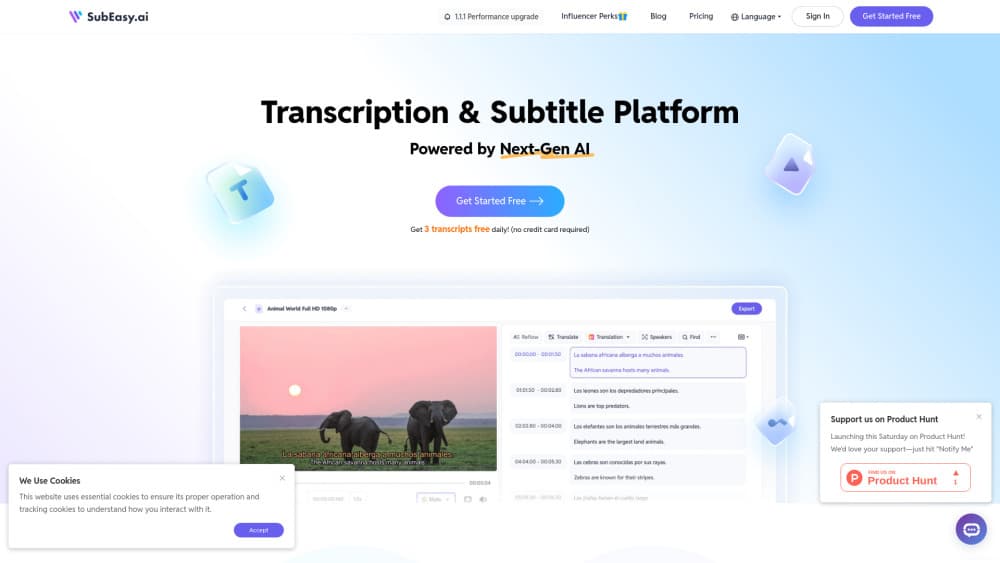
SubEasy.ai is a browser based AI subtitle generator and transcription platform. You upload a file or paste a YouTube or TikTok link, and the service produces a timed transcript plus a subtitle track you can edit, translate, and export.
The pitch is speed on the boring parts. Whisper style speech recognition handles the first pass, then the editor puts subtitle view and transcript view side by side so you fix wording in one place and keep timing in the other. Translation runs on top of that, and SubEasy markets it as context aware, which matters when a sentence only makes sense with the lines around it.
The limits are practical rather than technical. Everything runs in a browser, so there's no desktop app. Free accounts get three 30 minute transcriptions a day, and heavy users move to a credit based plan. API access sits on the Business plan, not on the entry tiers.
Getting Started
- Create a free account on subeasy.ai with email or a Google login.
- Upload an audio or video file, or paste a YouTube or TikTok URL to pull the media directly.
- Pick the spoken language, then let the transcription run. Turn on speaker identification if more than one person talks.
- Open the editor to fix names and numbers, run Subtitle Reflow to even out timing, translate if you need another language, then export SRT, VTT, or a burned in video.
Product Information
A quick look at SubEasy.ai's pricing, supported platforms, and performance.
Best for
The users, tasks, and scenarios where this tool fits best.
Users
- YouTube and TikTok creators
- Teachers and course makers
- Small localization teams
Tasks
- Transcribing interviews
- Subtitling short form video
- Translating an existing subtitle file
- Turning a webinar into written notes
Scenarios
- A weekly upload schedule
- Launching a course in several markets
- Post meeting cleanup
Key features
Speech to Text Transcription
SubEasy.ai can transcribe audio to text with Whisper based recognition and reports accuracy of up to 99% on clean audio, a figure that comes from the company rather than independent testing. The Clear+ option rechecks the output and fixes misheard words and grammar. On noisy recordings, expect to correct more than the marketing numbers suggest.
Context Aware Subtitle Translation
Most translation tools work line by line, which is why pronouns and idioms come out wrong. SubEasy translates with the surrounding lines in view, so a word with two meanings lands on the right one. The company publishes side by side examples against Google Translate and ChatGPT to make that case.
Subtitle Reflow and Dual View Editor
Subtitle Reflow redistributes lines across the timeline when the original timing is uneven or when a translation runs longer than the source. The editor lets you work in subtitle view for timing and transcript view for wording, and changes carry between them.
AI Dubbing and Voice Cloning
Paid plans add dubbing and voice over, including a small number of voice clones depending on the plan. This is the feature to test on a short clip before committing a whole series, since synthetic voices vary in how natural they sound across languages.
Link Import and Hardcoded Subtitle Extraction
Paste a YouTube or TikTok address and SubEasy pulls the video, up to 4K on higher plans, without a separate downloader. If the subtitles are burned into the picture, OCR extraction rebuilds them as an editable track.
AI Companion for Transcripts
The AI Companion summarizes a transcript, drafts meeting minutes or notes, and answers questions about the content through a ChatGPT handoff. It also flags likely transcription errors, which saves a pass through the file before you publish.
Pros and cons
Pros
- Free tier is usable for real work: three 30 minute transcriptions every day, plus 60 minutes of AI translation daily.
- Translation quality holds up on conversational speech, where line by line tools tend to slip.
- Everything happens in the browser, so there's nothing to install and no platform lock in.
- Exports cover SRT, VTT, and burned in video, and paid plans remove the watermark and unlock 4K output.
- The AI Companion turns a finished transcript into notes or a draft without leaving the page.
Cons
- The credit system takes a while to understand, because daily free minutes and monthly plan minutes are counted separately.
- There's no mobile app and no offline mode, so a weak connection stops work.
- API access requires the Business plan, which rules out cheap automation for solo developers.
- Dubbing and voice cloning quality varies by language, so a voice that sounds right in English can sound flat in Japanese.
Frequently asked questions
It converts audio and video into text and subtitles, then translates those subtitles into other languages. Creators use it for captions, teams use it for meeting transcripts, and educators use it for multilingual course material.
Related content
Explore related tools, skills, and articles for SubEasy.ai.
SubEasy.ai Alternatives

Google EmbeddingGemma 2
Google DeepMind · Writing · Image · CodingGoogle EmbeddingGemma 2 is a 740M-parameter open model that turns text, code, images, audio, and video frames into vectors in one 768-dimension space, running on phones and laptops.

MePersona
MePersona, Inc. · Writing · Productivity · MarketingMePersona is an AI unified inbox for creators. It learns your voice, drafts replies to fan messages from 12 platforms, and sends only what you approve.

Fluence
Yay Software (Yannick Huchard) · Writing · Voice & Language · ProductivityFluence is an Android app that reads PDFs, EPUBs, Word files and web articles aloud, follows each sentence as it speaks, and answers questions about the text on the phone itself.