

Submit.DIY
Submit.DIY · Business
Submit.DIY is a launch workspace for indie makers: 450+ hand-picked platforms with traffic and authority metrics, plus an AI Sidekick that drafts copy for each submission.
About Submit.DIY
What Is Submit.DIY
Submit.DIY is a web workspace for one job: getting a new product in front of people without losing track of where you've already submitted it. The product launch platform pairs a database of launch sites, directories, and founder communities with notes, bookmarks, and a writer that produces copy in the shape each channel expects.
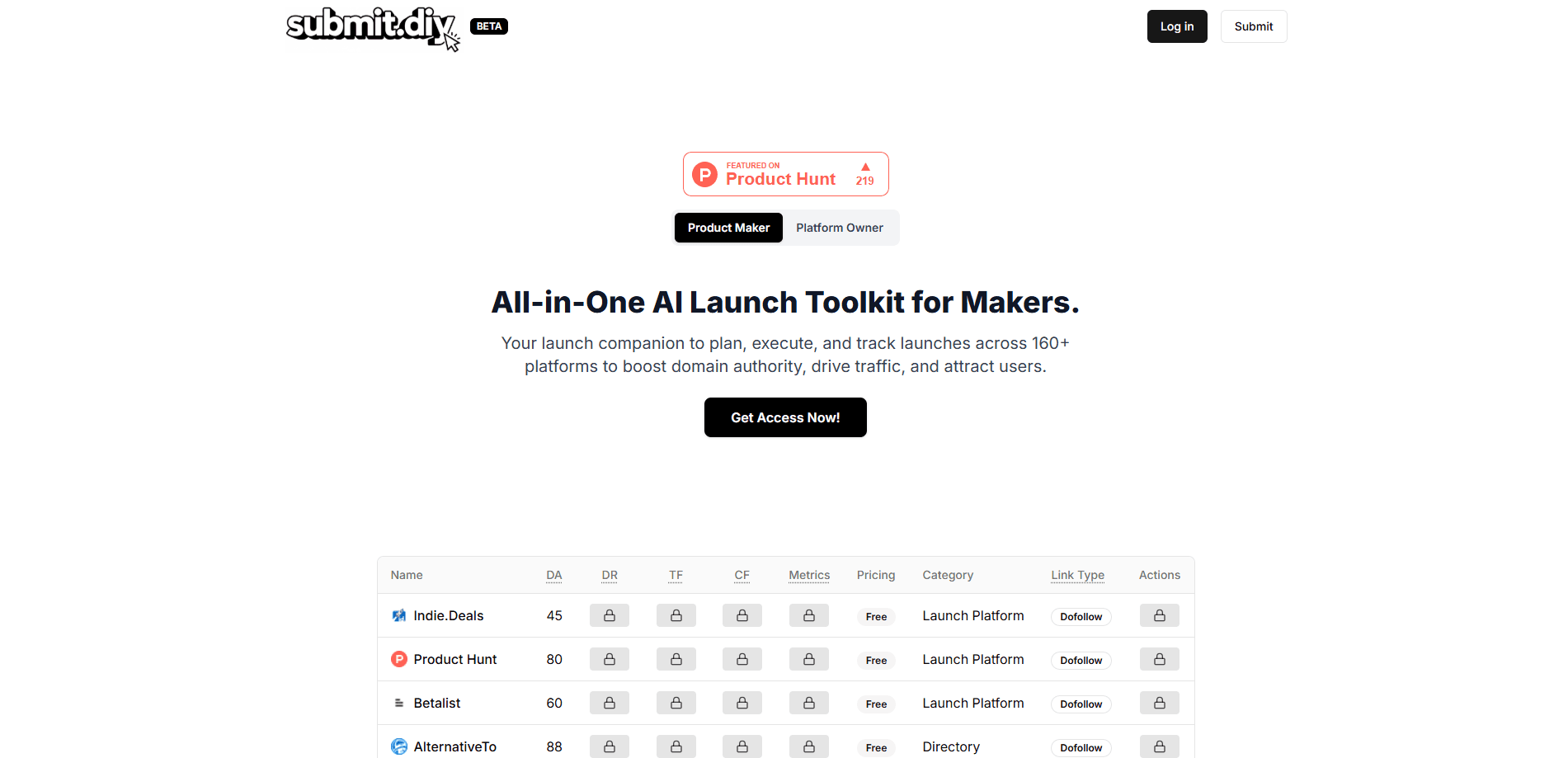
The product grew out of Product Launch AI, an earlier tool from the same team that handled AI-written marketing copy. Submit.DIY adds the other half of the job, a list of places worth submitting to, with domain authority, domain rating, estimated traffic, pricing, and dofollow or nofollow link types shown next to each entry.
This is an indie maker launch toolkit for people who plan to do the work themselves. It doesn't submit anything on your behalf unless you pay for the Done For You service, and the AI drafts still need your product facts and a pass for tone.
Getting Started
- Buy the DIY plan and open the workspace in a browser.
- Add a product with its name, URL, and a one-line pitch.
- Filter the launch platforms directory by category, price, link type, or authority score, then save the ones that fit.
- Generate copy for a platform, edit it, submit the product to directories and communities, and log the date in your notes.
Product Information
A quick look at Submit.DIY's pricing, supported platforms, and performance.
Best for
The users, tasks, and scenarios where this tool fits best.
Users
- First-time indie founders
- Solo developers shipping a side project
- Small SaaS teams without a marketing hire
Tasks
- Building a launch shortlist
- Writing platform-specific copy
- Tracking startup directory submission work
- Refreshing an older product
Scenarios
- Launch week with dozens of directories
- A pre-launch beta push
- A relaunch after a big update
Key features
Platform database with authority metrics
Every entry shows domain authority, domain rating, Trust Flow, Citation Flow, estimated traffic, price, category, and link type. That lets you compare a DR 80 launch community against a DR 35 directory before you write a word. The full list runs past 450 platforms across 13 categories.
Filters and saved shortlists
You can narrow the list by category, cost, link type, or metric, then save the result per product. A shortlist turns a generic directory list into a plan you can work through in an afternoon. It also keeps you from resubmitting to the same site twice.
Per-product launch workspace
Each product gets its own space for saved platforms, notes, and progress. If you run several side projects, the workspace keeps their launches from bleeding into each other. Notes can be general or tied to a single platform.
Launch AI Sidekick
The Sidekick writes taglines, product descriptions, launch pitches, social posts, and community messages. Five content types cover most of what a submission form asks for. You paste in the product details, pick a format, and edit the draft before it goes out.
Notes and launch journal
A running journal records what you sent, when, and what came back. That history matters when a directory asks for an update or when you want to know which channel actually sent traffic. General product notes sit alongside the per-platform ones.
Bookmarks for reusable copy
Any AI output you like can be bookmarked and pulled up again. Reusing a strong tagline across ten directories saves more time than regenerating it each visit. The bookmark list stays attached to the product it belongs to.
Pros and cons
Pros
- Authority and traffic numbers sit next to every platform, so shortlisting takes minutes rather than a research session.
- The AI Sidekick produces usable first drafts for five formats, including short taglines and longer founder pitches.
- One payment covers lifetime updates, which suits makers who launch more than one product.
- The per-product structure keeps a multi-product launch schedule readable.
Cons
- There's no free tier. You pay $29 before you can see the full platform list or try the Sidekick beyond the three-product offer.
- The DIY plan leaves every submission to you, and 450 platforms is far more work than one person can finish in a week.
- AI drafts often need real editing, especially claims about your product and anything a community moderator will read closely.
Frequently asked questions
It's a launch workspace that combines a database of 450+ launch platforms with planning notes and an AI writer for submission copy. You use it to decide where to launch, then keep track of what you sent.
Related content
Explore related tools, skills, and articles for Submit.DIY.
Submit.DIY Alternatives

Knocket
Knocket (Tencent RTC team) · Productivity · Business · ChatbotKnocket is a free live chat and contact page tool that lets visitors message you from your website, app, or a shareable link, with every reply handled from Telegram or one inbox.

shippedit.me
Krawlup · Marketing · Businessshippedit.me now redirects to Krawlup, a web platform that audits SEO, AEO and page speed every week, then hands the fixes to AI coding agents over MCP.

Ayven
Alknoma · Productivity · BusinessAyven is an AI control centre by Alknoma that turns a plain-language goal into a dated plan, hands the work to your people and AI agents, and asks for your approval only when the call is yours.