

SubtitlesFast
SubtitlesFast · Writing · Video
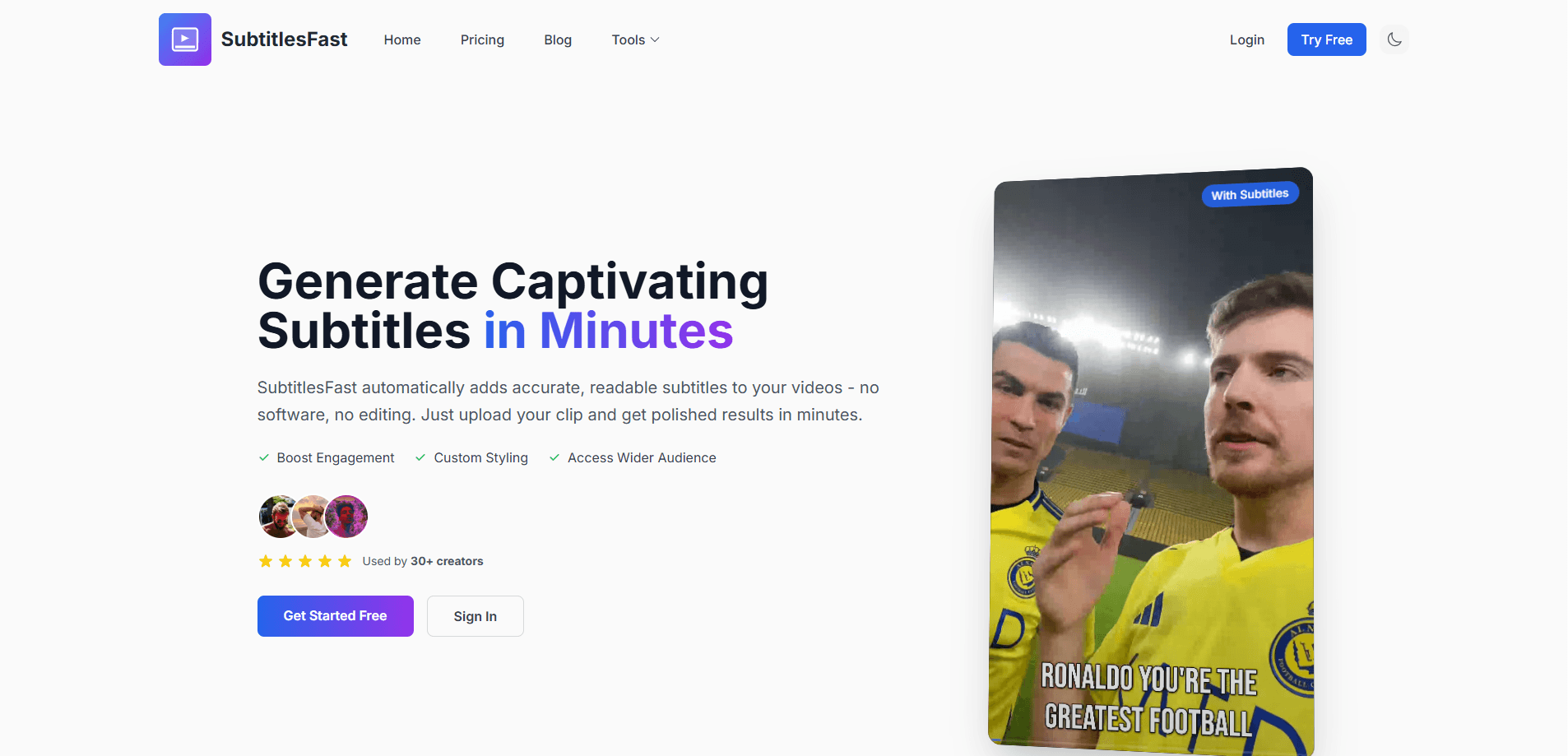
SubtitlesFast is a browser-based AI subtitle generator and video caption tool that auto-transcribes clips in over 50 languages and burns styled, animated subtitles into videos ready for social media.
About SubtitlesFast
What Is SubtitlesFast
SubtitlesFast is a web app for captioning and editing short videos. You upload a clip, let the AI generate automatic subtitles, pick one of dozens of animated subtitle styles, and export a finished video with the captions baked in. There's nothing to install, and it runs in a phone or desktop browser.
The tool targets people who post daily and want captions without learning a full editor. Besides subtitles, it gives you a simple timeline where you can add text, images, and music, then push the result straight to X, TikTok, YouTube, or Instagram. The project is run by a solo developer who ships updates often and builds around customer feedback.
Its focus is short-form social video, not long productions. Captions come in credits, so heavy use gets billed per video rather than as flat unlimited access. If you edit hour-long projects or want advanced motion graphics, this tool will feel light.
Getting Started
- Open SubtitlesFast in your browser and start the $1 trial, which has no watermark.
- Upload a clip and let the AI auto-transcribe the speech with word-level timing.
- Pick a subtitle style from the animated presets, or tweak fonts, colors, and position.
- Open the timeline to add text, images, or music and line everything up.
- Export the video with subtitles burned in and post it to your platform.
Product Information
A quick look at SubtitlesFast's pricing, supported platforms, and performance.
Best for
The users, tasks, and scenarios where this tool fits best.
Users
- Daily social creators
- Solo founders and small teams
- Phone-first editors
Tasks
- Auto-captioning short clips
- Styling captions to match a channel
- Translating and dubbing a video
Scenarios
- Turning a raw recording into a postable clip
- Keeping a daily posting streak
- Growing a following with captions on
Key features
AI Auto-Transcription in 50+ Languages
SubtitlesFast listens to your video and writes timed subtitles on its own. It handles more than 50 languages and adds word-level highlighting so each spoken word lights up as it plays. That matters if your clips mix languages or you want captions that track the voice exactly, rather than plain static text.
30+ Animated Subtitle Styles
The app ships with over 30 subtitle styles, most of them animated, so you can match the look of your feed instead of accepting one default font. You pick a preset, adjust it, and the same style carries across your videos. It's the part that makes captions feel designed rather than bolted on.
Browser-Based Editing, No Install
As a browser video editor, SubtitlesFast runs entirely in a web browser on desktop or mobile, so there's no app to download and nothing to keep updated. You record on a phone, open the site, and finish the clip in the same session. For creators who move between devices, that removes a step most editors add.
Built-In Timeline Editor
A simple timeline lets you drop in text, images, and music and line them up with the video. It covers the edits most social clips need without the learning curve of a professional editor. The trade-off is depth: complex multi-track work still belongs in dedicated software.
Burned-In Subtitles and Social Export
The way to burn subtitles into video here is simple: they export baked right into the footage, so they show up on any platform with no separate caption file. The output is sized for X, TikTok, YouTube, and Instagram, and the trial exports come without a watermark. That's the practical difference between a file you can post and one you still have to process.
Subtitle Translation and Dubbing
Paid tiers add translation and dubbing, letting you turn one clip into versions for other languages. Instead of re-recording narration, you translate the caption track and dub the audio in the app. It's the cheapest path to a second market when you don't have a localization budget.
Thumbnail Generation and Scheduling
Alongside subtitles, the tool generates thumbnails and can schedule posts to social networks on supported plans. Generating a thumbnail inside the caption workflow saves opening a separate design tool, and scheduling keeps a posting cadence going without manual uploads.
Pros and cons
Pros
- Auto-generates subtitles in 50+ languages with word-level highlighting and no editing background needed.
- Packs 30+ animated subtitle styles, a timeline editor, and text, image, and music tools into one browser tab.
- Needs no app download, so it works the same on a phone and a desktop.
- Exports subtitles burned into the video, ready for TikTok, YouTube, Reels, and X.
- The $1 trial has no watermark, so you can test the output before paying.
Cons
- A free plan doesn't exist, so the entry point is a $1 trial that requires a card.
- Captions run on credits, which means very high volume gets billed per video rather than as flat unlimited use.
- Translation and dubbing sit behind paid plans, so the cheapest tier can't localize a clip.
- It's built for short social video, so long-form projects and advanced motion graphics go beyond what the editor handles.
Frequently asked questions
SubtitlesFast is a browser-based tool that automatically transcribes your video, adds styled and animated subtitles, and exports the clip with captions burned in. It also includes a basic editor for text, images, and music, aimed at creators who post to TikTok, YouTube, Reels, and X.
Related content
Explore related tools, skills, and articles for SubtitlesFast.
SubtitlesFast Alternatives

Google EmbeddingGemma 2
Google DeepMind · Writing · Image · CodingGoogle EmbeddingGemma 2 is a 740M-parameter open model that turns text, code, images, audio, and video frames into vectors in one 768-dimension space, running on phones and laptops.

MePersona
MePersona, Inc. · Writing · Productivity · MarketingMePersona is an AI unified inbox for creators. It learns your voice, drafts replies to fan messages from 12 platforms, and sends only what you approve.

Fluence
Yay Software (Yannick Huchard) · Writing · Voice & Language · ProductivityFluence is an Android app that reads PDFs, EPUBs, Word files and web articles aloud, follows each sentence as it speaks, and answers questions about the text on the phone itself.