

SuggestReply
SuggestReply · Marketing
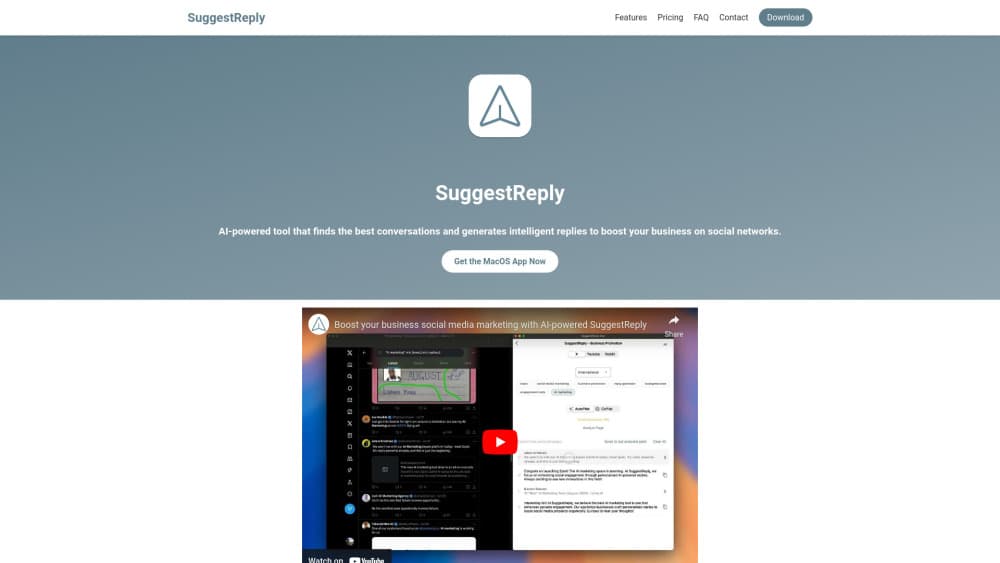
SuggestReply is an AI social media reply tool that finds relevant conversations and drafts on-brand replies for small business owners.
About SuggestReply
What Is SuggestReply
SuggestReply is a marketing app for social media that helps business owners find conversations worth joining and draft replies that fit their brand voice. It was built by owners who found launching a product easy but promoting it hard. This social media marketing tool scans your feeds, surfaces threads where your product could add something useful, and writes reply suggestions you can edit before posting, all without you having to hunt through feeds by hand.
The core idea is control, not volume. Unlike automated spam tools, SuggestReply uses your real social profiles, so replies come from a human account rather than a network of fake ones. Fake accounts get flagged fast. That kills reach. It also runs locally on your machine, so scanning and the app itself stay on your device while only your AI requests get sent to the language model provider. That's a privacy choice worth knowing about if you handle sensitive client work, since it means your browsing history never leaves your computer.
The limits sit where you'd expect. It's a Mac and iOS app reviewed by Apple, so there's no Android build and no browser version yet, which means anyone working primarily from an Android phone can't use it at all. The AI writes a first draft, not a finished post. You still decide what goes out. It saves you time on the writing. It won't run your account for you.
Getting Started
- Download SuggestReply from the App Store and sign in with your account.
- Connect the social profiles you want to use for replies.
- Set your brand voice and the topics or keywords you care about.
- Start a scan, then review the conversations and draft replies it finds.
- Edit any reply to match your tone and post it from your own profile.
Product Information
A quick look at SuggestReply's pricing, supported platforms, and performance.
Best for
The users, tasks, and scenarios where this tool fits best.
Users
- Solo founders and indie makers
- Small business and e-commerce owners
- SaaS marketers running lean
Tasks
- Finding relevant conversations
- Drafting on-brand replies
- Drafting and scheduling social posts
- Keeping a consistent posting rhythm
- Everyday social media promotion
Scenarios
- Launch weeks when you're short on time
- Daily upkeep of a small account
- Early product research
- Running lean before you hire
Key features
Conversation Finder
The app scans your social feeds and pulls up threads where your product fits naturally. Instead of hunting for posts to comment on, you get a shortlist of conversations worth joining. That's the part most owners say saves the most time, since finding threads is the slow half of social promotion.
AI Reply Generation
For each conversation, this AI reply generator drafts replies that subtly promote your business without reading like an ad. Suggestions come in seconds. They're written to match your brand voice. You edit before posting, so the final wording stays yours.
Brand Voice Customization
You set the tone, and the AI writes to it. A technical product reads differently from a lifestyle brand, and the app adjusts the suggestions accordingly. Getting this right early means less editing later.
Local, Privacy-First Scanning
The app and all scanning run on your machine, so your browsing data isn't processed in the cloud. Only the AI requests go to the language model provider. For owners handling client or confidential work, that's the difference between usable and not.
User-Controlled Scanning
You start and stop scanning whenever you want. There's no always-on background process deciding when to engage. It fits a schedule where you promote in short bursts instead of all day.
Post Drafting and Scheduling
Beyond replies, SuggestReply doubles as a general AI writing assistant for your feed, helping you draft and schedule posts. Owners report turning posts that used to take an afternoon into something they finish in minutes. Why the speed gain? Templates and voice training carry over between posts.
Pros and cons
Pros
- Finds relevant conversations automatically, cutting the slowest part of social promotion.
- Drafts replies in your brand voice, so there's less editing than writing from scratch.
- Runs locally, so your browsing data isn't sent to the cloud.
- Uses your real profiles, avoiding fake-account tactics that get flagged.
- Works on both macOS and iOS, so you can review threads on desktop or phone.
Cons
- No Android app or web version yet, which rules it out for Android-only users.
- The AI writes a first draft, not a finished reply, so you still spend time reviewing and editing.
- Paid pricing isn't easy to pin down from the site, so budgeting takes a little digging.
- It's built around your own profile, so it won't manage multiple brands from one account.
Frequently asked questions
It finds relevant social media conversations and drafts replies that promote your business in your own voice. You review and post them from your real profiles.
Related content
Explore related tools, skills, and articles for SuggestReply.
SuggestReply Alternatives

ngram 2.0
ngram · Video · Marketingngram 2.0 is an AI video generator for teams. It turns a prompt, a screen recording, or a product URL into a narrated explainer, product demo, or AI avatar video, and every scene stays editable.

shippedit.me
Krawlup · Marketing · Businessshippedit.me now redirects to Krawlup, a web platform that audits SEO, AEO and page speed every week, then hands the fixes to AI coding agents over MCP.

MePersona
MePersona, Inc. · Writing · Productivity · MarketingMePersona is an AI unified inbox for creators. It learns your voice, drafts replies to fan messages from 12 platforms, and sends only what you approve.