

Summarization AI
Never Inc. · Writing
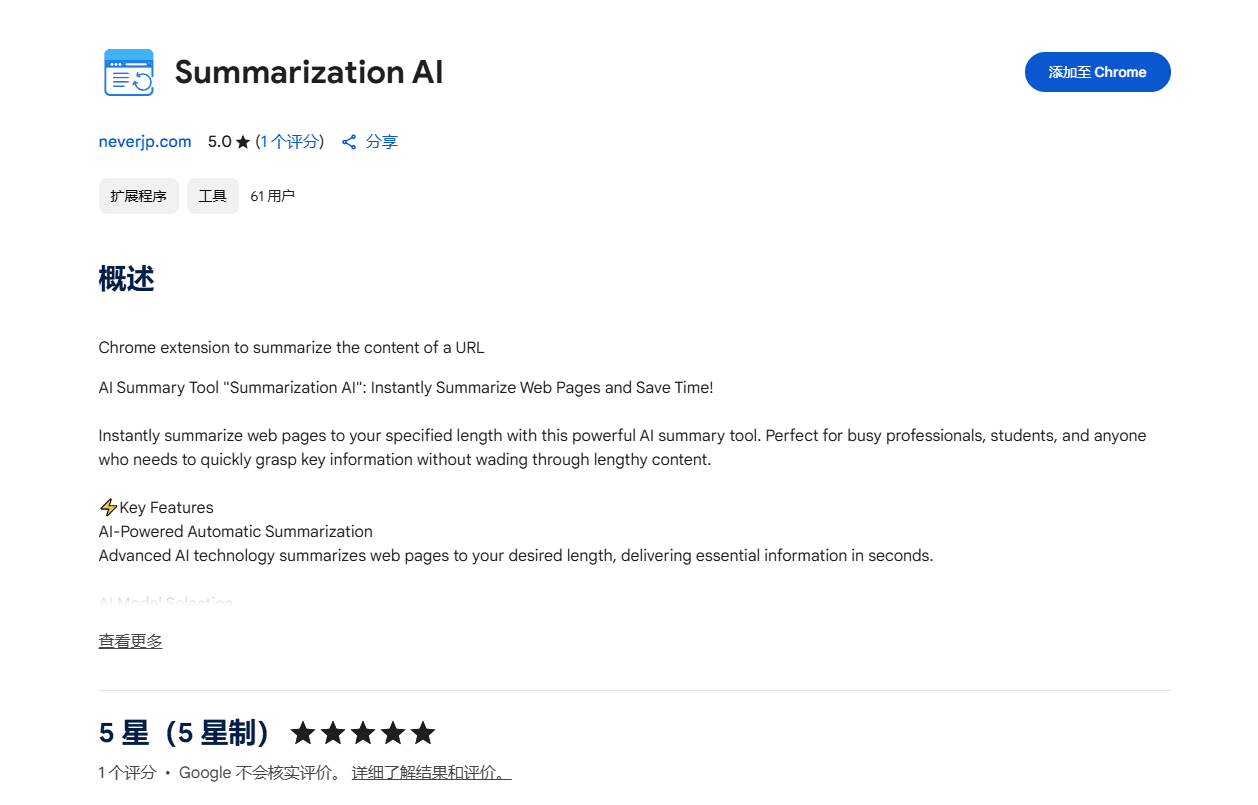
Summarization AI is a Chrome summarizer extension that turns any web page into a short summary. Pick the model from Gemini, Claude or OpenAI, set the length and read the result in English or Japanese.
About Summarization AI
What Is Summarization AI
Summarization AI is a browser extension for Chrome that reads a page and hands back a condensed version of it. The pitch is simple. You open a long article, click summarize and this AI summary tool returns the key points at the length you asked for. It works as a Gemini summarizer, a Claude summarizer and an OpenAI summarizer in one place, so you can send the same page to each and compare how they read it.
The extension comes from Never Inc., a small developer based in Osaka, Japan. That origin shows up in the product itself. English and Japanese are both first-class languages here, and you can flip a summary from one to the other with a single click. For anyone who reads between those two languages, that switching is the real draw, not the summarizer on its own.
There are two things to know before you install it. First, you supply your own LLM API key, so the extension is free but the model calls are not. Second, the store listing carries a 3 out of 5 rating from a small pool of reviews, and the project sits at version 0.1.0, so treat it as an early build rather than a finished suite.
Getting Started
- Install Summarization AI from the Chrome Web Store and pin it to your toolbar
- Open the side panel and paste in an LLM API key from OpenAI, Anthropic or Google
- Pull up any article page, click summarize and choose your model and output length
- Switch the language between English and Japanese if you want the other version
- Copy the result, share it, or leave it in the history list to export as CSV later
Product Information
A quick look at Summarization AI's pricing, supported platforms, and performance.
Best for
The users, tasks, and scenarios where this tool fits best.
Users
- Busy professionals
- Students and researchers
- Japanese and English bilingual readers
- Non-native speakers
Tasks
- Summarizing a long article
- Translating a page
- Comparing model output
- Saving key points
- Archiving research
Scenarios
- Morning news skim
- Course reading load
- Working in a second language
- Team knowledge sharing
- Building a research pile
Key features
Instant Page Summaries at Your Chosen Length
The core of the extension is a one-click summarize button. Open any page, hit it, and the tool condenses the content to whatever length you set, from a couple of lines to a fuller breakdown. There's no need to copy text into a separate app. If you summarize web pages all day, the summary shows up in the side panel while the page stays open behind it.
Model Choice Across Gemini, Claude and OpenAI
You aren't locked to one provider. Summarization AI lets you route a page through a Gemini summarizer, a Claude summarizer or an OpenAI summarizer, and switch between them whenever you like. Each model writes differently, so this is useful when one summary feels too terse or misses a point you care about. You supply the API key, which keeps you in control of the account and the spending.
Bilingual Output and One-Click Translation
English and Japanese are treated as equals in this tool, not as a default plus an afterthought. You can read a summary in either language and flip between the two with a single click. It also converts an English page into Japanese, or the reverse, so a foreign-language article becomes readable without a trip to a separate translator.
Auto URL Detection and Side Panel Workflow
The extension watches the page you're on and pulls its URL automatically, so it works as an always-ready AI page summarizer. There's no pasting links by hand. Everything runs in a Chrome side panel, so it sits next to the page instead of covering it, and you can keep scrolling through the source while the summary takes shape.
One-Click Copy and Share
Once a summary is ready, a single click copies it to your clipboard. From there it drops into Slack, an email draft or any chat window without reformatting. For people who pass summaries around a team, that small step saves the fiddly cleanup that comes with copying from a full article.
History Log and CSV Export
Every summary you generate lands in a history list, so you can go back to something you read last week instead of re-summarizing the page. The whole log exports to CSV, which turns a pile of scattered reads into a file you can sort, search or fold into a research document.
Pros and cons
Pros
- Works with three major model providers, so you can match the model to the task
- Genuine bilingual output between English and Japanese with a one-click switch
- Keeps every summary in a history log and exports the full list as CSV
- Runs in a side panel, so the source page stays visible while you read the summary
- Free to install, since you bring your own API key
Cons
- You need your own paid LLM API key, so it isn't free to run despite being free to install
- The store listing shows a 3 out of 5 rating from a small set of reviews, which makes quality hard to judge
- It's still on version 0.1.0, so rough edges and missing polish are likely
- The list of supported models can lag behind whatever each provider ships next
Frequently asked questions
Summarization AI is a Chrome summarizer extension that summarizes the content of a web page. You open a page, click the summarize button and this AI summary tool returns a shorter version at the length you choose, using a model you select from Gemini, Claude or OpenAI.
Related content
Explore related tools, skills, and articles for Summarization AI.
Summarization AI Alternatives

Emailwritr
Emailwritr · Writing · MarketingEmailwritr is an AI email copywriting tool built for affiliates, course creators, and online businesses that want more revenue from the list they already own. Instead of blank pages or generic chatbot prompts, this AI email writer generates welcome sequences, launch campaigns, cart recovery emails, and promo series from frameworks modeled on well-known direct-response copywriters. You connect your autoresponder, answer a few questions about your offer, and it writes the copy for you.

Swms
Swms AI · Writing · Productivity · BusinessSwms is an AI safety compliance tool that turns a plain description of a job into ready-to-use safety documents. Describe your project, trade, and known hazards, and it writes a safe work method statement, job hazard analysis, safe work procedure, RAMS, or safety data sheet in seconds. It also ships with Oscar, a chat assistant that answers workplace safety questions in any language. Teams in construction, mining, transport, and warehousing use it to cut the paperwork that usually eats into a workday.

Prosp
Prosp · Writing · Voice & Language · MarketingProsp is an AI LinkedIn outreach tool built for agencies and sales teams, and it writes the message and the voice note in your own voice for each prospect so they actually reply. You connect your accounts, find leads, and let the AI draft and send personalized messages at scale, all from one inbox. It's built for people running outbound at volume. That's the whole pitch. Every touchpoint still has to feel human.