

SummonAI Kit
SummonAI · Coding
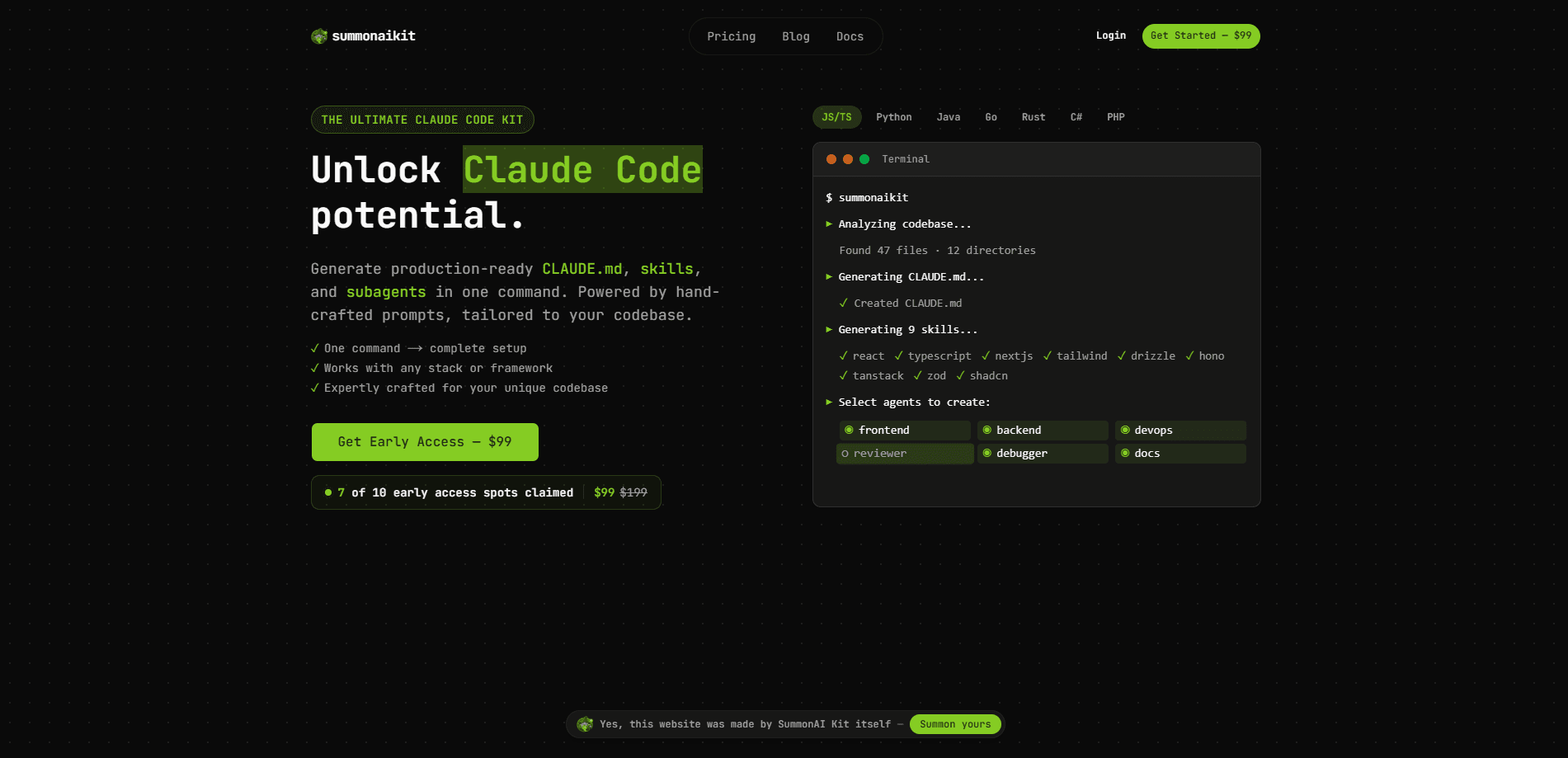
SummonAI Kit is a downloadable toolkit of skills and subagents that gives Claude, Cursor and ChatGPT a senior working style, a set of specialists and self-checks, installed with one command. It doesn't replace your AI coding assistant. It sits on top of the one you already pay for, so every session starts with your project's conventions and a definition of done instead of a blank slate. One payment covers unlimited projects and lifetime updates.
About SummonAI Kit
What Is SummonAI Kit
SummonAI Kit is a kit of working instructions and review agents for the AI assistants people already use: Claude, Cursor and ChatGPT, reached through Claude Code and Codex. It installs locally, on your own machine, under your own account. The company behind it doesn't receive, store or see your files or your code, and it isn't a hosted service.
The problem it targets is a familiar one. An AI coding assistant starts every session blank, with no idea how your project is built, what you consider finished, or which patterns you follow. Sound familiar? So what does the kit actually change? It writes that context down and reads it back, so the same matching task doesn't start from scratch each time. Beyond the build loop, it adds specialists for the work around the code: marketing copy, SEO, competitor and metrics analysis, and video scripts. For a small team, that's a lot of ground covered.
The main limit is that it's a layer, not a standalone product. You need a paid Claude, Cursor or ChatGPT plan that includes one of those agents. No plan, no point. It also isn't a folder of templates or a hosted agent you can call. Think of it as an AI developer toolkit that sharpens the assistant you already run.
Getting Started
- Run the install command for the command line tool:
curl -fsSL https://cli.summonaikit.com/install.sh | bash - Sign in once with the licence you bought.
- Run the install, which places the skills, subagents and hooks where your assistant looks for them.
- Open your assistant as usual and start a task; the working style and specialists load automatically.
- Read the 11 step-by-step guides in your dashboard, one per area, to know what to ask for.
Product Information
A quick look at SummonAI Kit's pricing, supported platforms, and performance.
Best for
The users, tasks, and scenarios where this tool fits best.
Users
- Founders and solo builders
- Marketers and product people
- Non-engineers driving an AI coding assistant
Tasks
- Building a web app feature
- Fixing a recurring bug
- Writing landing and ad copy
- Drafting policy pages
Scenarios
- Starting a new session on an existing project
- Running the weekly business side of a project
- Shipping a product with no full-time engineer
Key features
Senior Build and Fix Loops
The build loop works like a senior engineer's: it runs self-checks before it hands work back, so it catches obvious failures before you see them. The repair loop goes after the real cause of a bug instead of patching the symptom. That second habit matters. A patched symptom tends to come back a week later in a different place.
Works With Your Existing Assistant
SummonAI Kit is designed for Claude, Cursor and ChatGPT, through Claude Code and Codex. It doesn't ask you to switch tools or learn a new interface. It installs into the assistant you already open every day, so the change is in how that assistant behaves, not in what you use.
Local Install, No Code Upload
The kit runs locally, under your own account. Your project is never uploaded to SummonAI. The company says it never receives, stores or has access to your files or code. Payment goes through Polar as the merchant of record, so card details never touch the vendor's systems either. That's a clean setup.
Specialists Beyond the Code
The kit adds skills for the work around the build: marketing copy in your voice, technical SEO and posts written to rank, competitor and metrics analysis, and on-brand video scripts with shot lists. For a small team, that spreads one assistant across several roles it would otherwise need to hire for.
The Business Remembered
Tell the kit about your business once and every skill reads it back, so you never explain the same context twice. Areas like the database, sign-in and security, backend, payments and hosting get written down the first time a matching task runs and picked up again next time.
Guardrails and Self-Checks
Before the assistant calls a task done, it has to prove its work. That includes catching the things that compile but aren't finished: a missing error state, a made-up number on screen, or a guard missing in front of a payment. For a non-engineer driving the assistant, this is the feature that keeps you in control. No guard, no done.
Onboarding Guides in the Dashboard
Eleven step-by-step guides, one per area, live in your dashboard. They tell you what to ask the assistant for, which is useful when you know the outcome you want but not the prompt that gets you there.
Pros and cons
Pros
- Installs with a single command and layers onto the Claude, Cursor or ChatGPT plan you already have.
- Runs entirely on your own machine, with no upload of your project or code.
- Self-checks catch half-finished work like missing error states before you review it.
- Covers work beyond the build, including marketing, SEO, analysis and video scripts.
- One payment of $249 covers unlimited projects and future updates, with no subscription.
Cons
- It does nothing on its own; you need a paid Claude, Cursor or ChatGPT plan that includes one of the agents.
- It's a set of instructions and review agents, not a folder of ready-made templates to copy.
- The business-side features for spreadsheets, decks and reports are sold as a separate add-on.
Frequently asked questions
It's a kit of skills and subagents that changes how Claude, Cursor or ChatGPT works on your projects. It installs locally with one command. It adds a senior working style, specialists, self-checks and guardrails to the assistant you already use.
Related content
Explore related tools, skills, and articles for SummonAI Kit.
SummonAI Kit Alternatives
Forefront
Forefront · CodingForefront is a web platform for building with open-source AI. It lets you fine-tune leading open-source language models on your own data, evaluate how they perform, and run them through an API or export them to host yourself. Developers who want the convenience of a closed-source platform but insist on owning their models and data are the target audience here.

Startkit
StartKit.AI · CodingStartkit is a boilerplate for building AI SaaS and AI wrapper products. Think of it as an AI startup boilerplate with the boring parts already wired up: authentication, Stripe and Lemon Squeezy payments, usage limits, transactional email, and an AI API starter that talks to OpenAI, Anthropic, Groq, or Llama. You clone the repo, set your price, and start on the part of your product that people actually pay for. It's Next.js under React and Tailwind, so most of the boilerplate code already feels familiar.
Testim
Tricentis · CodingTestim is an AI-powered test automation platform for building and running end-to-end tests across web, mobile, and Salesforce applications. It leans on machine learning to keep tests stable when an interface changes, so teams spend less time fixing broken selectors. Not bad for an automated testing tool you can start using today. You create tests by recording actions in a browser, then optionally add JavaScript when you need more control. It's a solid pick for busy QA teams.