

Supavoice
Supavoice · Writing · Voice & Language
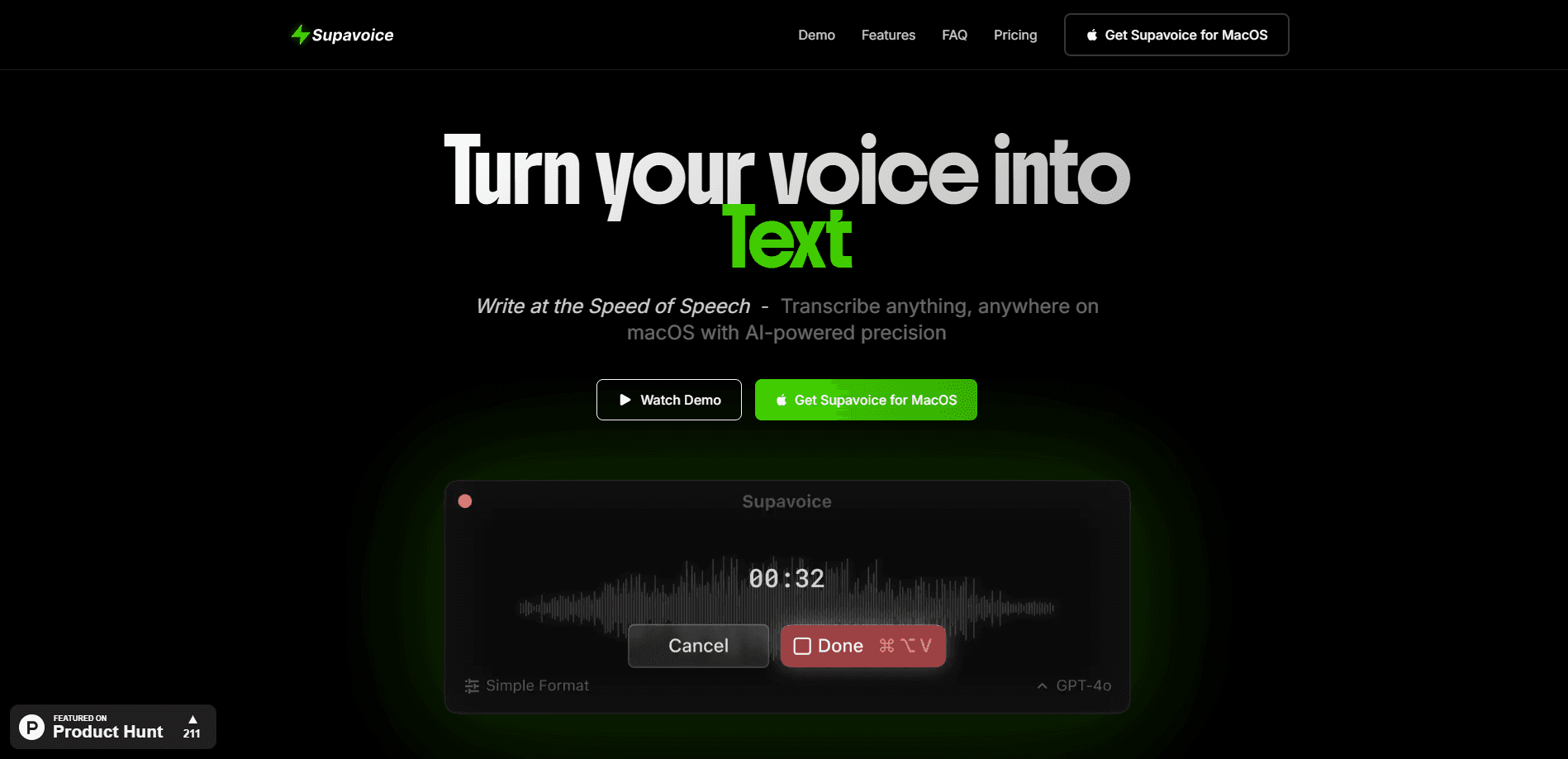
Supavoice is a macOS app that turns your speech into formatted text inside any application, using GPT-4o voice models, custom modes, and your own API key.
About Supavoice
What Is Supavoice
Supavoice is a macOS voice to text app that converts spoken words into clean, formatted text and drops it straight into whatever app you're using. You hold a shortcut, talk, and the words appear where the cursor sits. There's no separate window to move text out of, and no need to switch apps.
The app leans on OpenAI's GPT-4o and GPT-4o mini models to handle speech to text on macOS and read the surrounding context. Instead of returning a flat wall of words, it adjusts the output to fit the moment: a formal email reads like an email, a chat message stays casual, and a note keeps its raw shape. That formatting is the main reason people pick it over the built-in macOS dictation.
The trade-off is that Supavoice runs on your own OpenAI API key for processing. You pay a one-time fee for the app and then cover your own usage. It's built for people who already have an API key or don't mind setting one up.
Getting Started
- Download the Supavoice DMG for macOS and install the app.
- Add your OpenAI API key in the settings.
- Pick or build a transcription mode that matches how you write.
- Hold the shortcut, speak, and release to paste the formatted text into the active app.
Product Information
A quick look at Supavoice's pricing, supported platforms, and performance.
Best for
The users, tasks, and scenarios where this tool fits best.
Users
- Mac users who type long emails and messages every day
- Developers and writers who think out loud
- People who already pay for OpenAI
Tasks
- Drafting professional emails
- Prompting AI assistants
- Capturing meeting notes
- Drafting social posts
Scenarios
- Working across many apps in one session
- Writing when your hands are busy
- Machines with limited resources
Key features
Transcription Modes
Supavoice ships with four ready modes: Simple for clean transcription, Email for polished professional writing, Note for fast capture, and Message for casual conversation. You can also build custom transcription modes that match your own workflow, so the same voice input comes out in the tone each context needs.
Custom Vocabulary
You can teach this AI transcription software your own terms, including specialized vocabulary, names, and technical jargon. Adding them up front cuts down on misheard words and keeps accuracy steady in fields where off-the-shelf dictation tends to slip.
GPT-4o Voice Models
Transcription and formatting run on OpenAI's GPT-4o and GPT-4o mini models, which the developer says deliver industry-leading accuracy and context understanding. The models read the surrounding context, so the output reflects what you meant rather than a literal word dump.
Lightweight and Universal
The app works with any macOS application and keeps its system footprint small. Early users point to a roughly five megabyte download, which means it stays out of the way while you work in other tools. There's no app switching required to do voice typing on a Mac.
Flexible API and Privacy
Supavoice uses your own OpenAI API key and charges a fixed lifetime fee, so you pay only for the usage you generate after buying. The developer states there's no subscription and zero data collection, giving you control over where your audio is processed.
Pros and cons
Pros
- Works system-wide in any macOS app, so you can dictate without leaving your current tool.
- Mode-based formatting adapts the same speech to emails, notes, messages, or custom styles.
- Custom vocabulary improves accuracy for technical terms and proper names.
- One-time payment with your own API key means no recurring subscription for the app itself.
- Small download and low resource use suit older or lighter Macs.
Cons
- Requires your own OpenAI API key, which adds a setup step and a separate usage cost.
- It's macOS only, so Windows, Linux, and mobile users can't use it.
- Formatting quality depends on the underlying OpenAI models, and results can vary by context.
- Because processing happens in the cloud through your key, it isn't a fully offline tool.
Frequently asked questions
Supavoice turns your speech into formatted text in any macOS application. You hold a shortcut, speak, and the app pastes clean text into the active window, adapting the format to the task at hand.
Related content
Explore related tools, skills, and articles for Supavoice.
Supavoice Alternatives

Emailwritr
Emailwritr · Writing · MarketingEmailwritr is an AI email copywriting tool built for affiliates, course creators, and online businesses that want more revenue from the list they already own. Instead of blank pages or generic chatbot prompts, this AI email writer generates welcome sequences, launch campaigns, cart recovery emails, and promo series from frameworks modeled on well-known direct-response copywriters. You connect your autoresponder, answer a few questions about your offer, and it writes the copy for you.

Swms
Swms AI · Writing · Productivity · BusinessSwms is an AI safety compliance tool that turns a plain description of a job into ready-to-use safety documents. Describe your project, trade, and known hazards, and it writes a safe work method statement, job hazard analysis, safe work procedure, RAMS, or safety data sheet in seconds. It also ships with Oscar, a chat assistant that answers workplace safety questions in any language. Teams in construction, mining, transport, and warehousing use it to cut the paperwork that usually eats into a workday.

Prosp
Prosp · Writing · Voice & Language · MarketingProsp is an AI LinkedIn outreach tool built for agencies and sales teams, and it writes the message and the voice note in your own voice for each prospect so they actually reply. You connect your accounts, find leads, and let the AI draft and send personalized messages at scale, all from one inbox. It's built for people running outbound at volume. That's the whole pitch. Every touchpoint still has to feel human.