

Super Comments AI
YouScaleIt · Marketing
Super Comments AI is a Chrome extension that writes comments for LinkedIn, X and YouTube with GPT-4, so you can reply to a post in seconds instead of staring at an empty box.
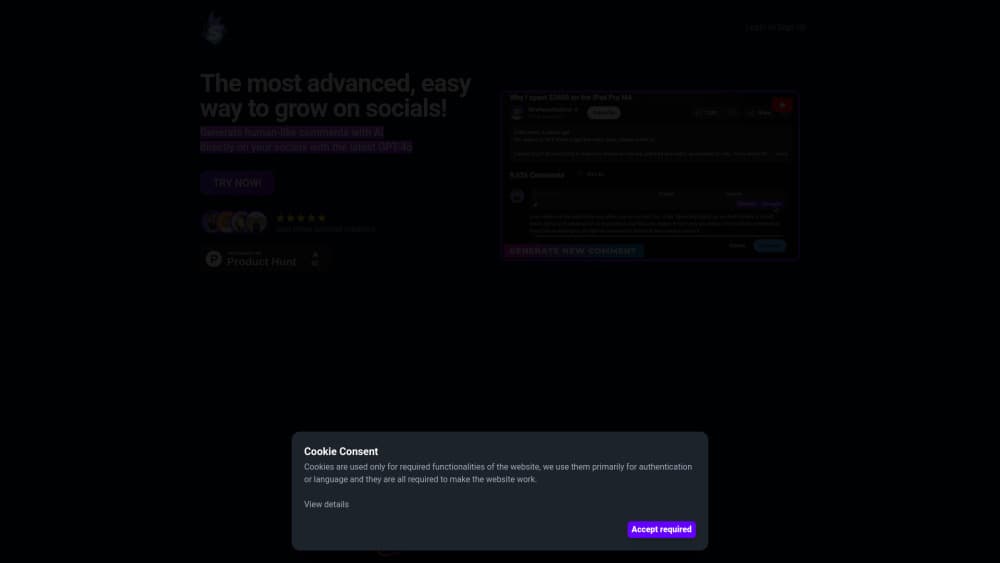
About Super Comments AI
What Is Super Comments AI
Super Comments AI is a browser extension for people who need to show up in comment sections and don't want to type every reply by hand. It reads the post in front of you, sends the text to a language model and returns a comment you can edit or post. The whole loop happens on the page you're already reading, which is the point. No second tab, no copy and paste.
The product started as a narrow tool for LinkedIn and grew into a general AI comment generator. It now covers AI comments for LinkedIn, works as a YouTube comment generator and handles replies on X. The pitch is engagement without the time cost. Sales teams, recruiters and creators use it to keep up with threads that would otherwise sit unanswered.
One thing to know before you install anything. The official domain now redirects to YouScaleIt, a social media manager from the same team. The comment feature survives inside that product as AI drafts plus auto comments on scheduled posts. Older reviews describe the standalone extension, so check which version you're buying.
Getting Started
- Install the extension from the Chrome Web Store and pin it to the toolbar.
- Create an account and pick a plan. The trial gives you 100 tokens with full access for 3 days.
- Open a LinkedIn, X or YouTube post and click the extension icon next to the comment box.
- Choose a tone and length, then generate. You get a draft, not a published comment.
- Edit the wording to add something only you would know, then post it from your own account.
Product Information
A quick look at Super Comments AI's pricing, supported platforms, and performance.
Best for
The users, tasks, and scenarios where this tool fits best.
Users
- B2B sales reps and founders
- Recruiters and agency account managers
- Creators and newsletter writers
Tasks
- Replying to a post you agree with
- Warming up a cold outreach list
- Keeping a posting streak on X
- Drafting YouTube replies at scale
Scenarios
- Morning engagement block
- Launch week on LinkedIn
- Small team with one social owner
Key features
In-Feed Comment Generation
The extension adds a button to the comment box on LinkedIn, X and YouTube. Click it and a draft appears in a panel beside the post. You never leave the page, which is why the flow feels faster than opening a chat window and pasting text back and forth.
Post-Aware Drafts
The model reads the post you're replying to, not just your prompt. Comments land on the actual topic, so a post about hiring gets a reply about hiring. Short posts and image-only posts give it less to work with, and the output shows it.
Tone and Length Controls
You can ask for a professional reply, a casual one or something with a bit of humor, and set roughly how long it should run. Tone presets matter more than they sound. A comment that's too polished reads like marketing on LinkedIn and gets scrolled past.
Multiple Variants per Post
Each generation returns a few options rather than one block of text. You pick the closest and edit from there. Three mediocre drafts you can fix beat one draft you have to rewrite from scratch.
Editable Before Posting
Nothing goes live automatically from the comment box. Every draft is text in a field you control, so you can add a name, a number or a personal note. Skipping that step is how AI comments get spotted.
Auto Comments on Scheduled Posts
Inside YouScaleIt, you can attach an auto comment to a post you've scheduled. The comment publishes under your own post to push a link, a question or a call to action. It's the same comment logic, moved from other people's posts to your own calendar.
Publishing Across Seven Platforms
The current product schedules and publishes to LinkedIn, X, Bluesky, Instagram, Facebook, YouTube and TikTok from one calendar. Comment work sits alongside post work, which is the practical argument for the rebrand: one tool instead of two subscriptions.
Pros and cons
Pros
- Lives in the browser, so generating a comment takes two clicks and no context switch.
- Reads the post before writing, which keeps replies on topic most of the time.
- Several variants per request, so you can pick a phrasing that doesn't sound generated.
- Free 3-day trial with 100 tokens, enough to judge output quality on your own feed before paying.
- Entry price of $11.93 per user per month is low for a tool aimed at solo operators.
Cons
- Chrome only. There's no Firefox, Safari or mobile version, so phone users are out.
- Token metering shapes usage. Basic includes 400 premium tokens a month and Pro includes 1,000, and heavy commenting burns through them fast.
- Generic output on thin posts. A one-line post or a photo with no caption gives the model little to work with, and you'll rewrite the draft.
- Platform risk sits with you. Automated commenting can trip spam signals on LinkedIn and X, and the extension doesn't manage limits for you.
- The standalone product is gone. The domain now points to YouScaleIt, so anyone who wants comments only ends up paying for a full social manager.
Frequently asked questions
It's a Chrome extension that generates comments for social posts. You open a post on LinkedIn, X or YouTube, click the extension, and it drafts a reply that you can edit and publish from your own account.
Related content
Explore related tools, skills, and articles for Super Comments AI.
Super Comments AI Alternatives

ngram 2.0
ngram · Video · Marketingngram 2.0 is an AI video generator for teams. It turns a prompt, a screen recording, or a product URL into a narrated explainer, product demo, or AI avatar video, and every scene stays editable.

shippedit.me
Krawlup · Marketing · Businessshippedit.me now redirects to Krawlup, a web platform that audits SEO, AEO and page speed every week, then hands the fixes to AI coding agents over MCP.

MePersona
MePersona, Inc. · Writing · Productivity · MarketingMePersona is an AI unified inbox for creators. It learns your voice, drafts replies to fan messages from 12 platforms, and sends only what you approve.