

Superapp
Superapp · Coding · Other
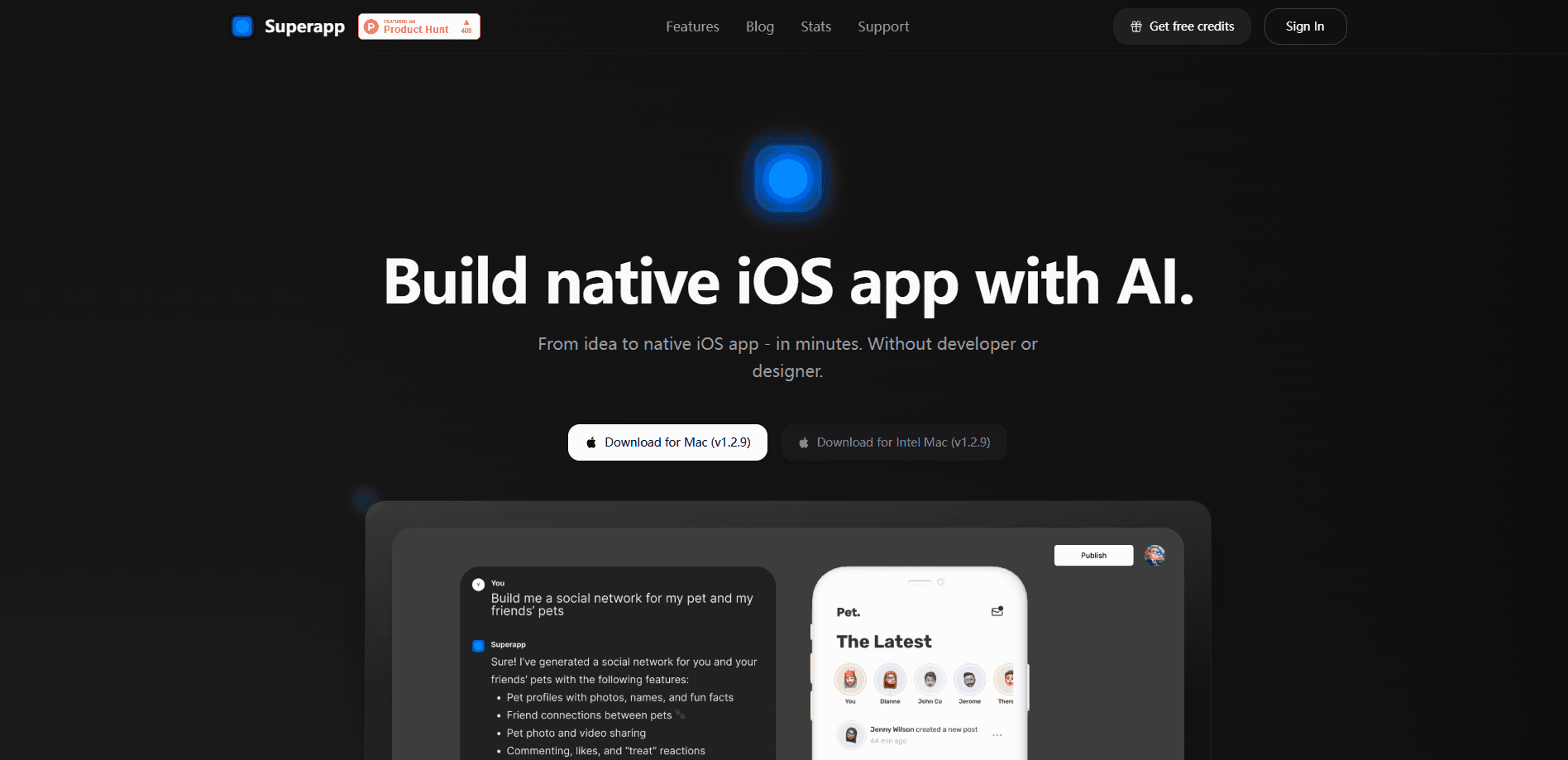
Superapp is an AI iOS app builder that turns a written description into a working native app. You type what you want, and it generates a real Swift project you can preview on your iPhone, iPad, Apple Watch, or Mac. There's no code to write and no Mac needed if you start in the browser. When the app is ready, Superapp handles the App Store submission chores, including screenshots and metadata. It suits founders, side-project builders, and anyone who has an app idea but no Swift skills.
About Superapp
What Is Superapp
Superapp is a no-code app builder for Apple platforms. You describe an app in plain English, and the tool writes native Swift and SwiftUI code instead of wrapping a website in an app shell. That distinction matters: the output is meant to run like a real iPhone or iPad app, not a web page in disguise.
It comes in two shapes. Superapp Web runs in any browser with nothing to install, and Superapp Mac runs as a native desktop app with faster local previews and support for building Mac apps too. Both share the same prompt-driven workflow. So which one should you pick? Start with the browser if you just want to try it. You also choose where your backend lives, either Superapp Cloud or your own Supabase project, and you can export the code at any time.
The limits are worth knowing before you start. Building runs on credits, so heavy use costs more than light use. The tool works with Apple's platforms only, which means no Android output. And while it automates most App Store paperwork, you still need your own Apple Developer account to ship anything.
Getting Started
- Open superapp.dev in your browser or install the Mac app, then sign in with your account.
- Describe the app you want in the prompt box and let Superapp generate the first version.
- Preview the result on your device, then ask for changes in plain language until it looks right.
- Connect your Apple Developer account so Superapp can prepare the build and metadata.
- Submit to the App Store review from inside the tool, or export the Swift project to keep working on it elsewhere.
Product Information
A quick look at Superapp's pricing, supported platforms, and performance.
Best for
The users, tasks, and scenarios where this tool fits best.
Users
- First-time app builders
- Startup founders
- Apple-only developers
Tasks
- Turning an app idea into a working prototype in an afternoon rather than a sprint.
- Shipping a small utility to the App Store without hiring an iOS developer.
- Rebuilding or refining an existing concept by describing the changes you want.
Scenarios
- A solo founder wants a live demo on their own phone before pitching investors.
- A designer has a clear interface in mind but no Swift background to build it.
- A small team needs a quick internal tool for iPhone without pulling engineers off other work.
Key features
Prompt-to-Native-App Generation
You describe the app, and Superapp writes real Swift and SwiftUI code rather than piling web views into a shell. The result is meant to behave like a genuine Apple app, which is why it installs on your device with a click and feels native in the hand. Think of it as a native Swift app builder that starts from a sentence instead of a blank Xcode project. For someone with an idea but no coding background, this is the core of the product.
Every Apple Platform
The builder targets iPhone, iPad, Apple Watch, and Mac from the same project. Superapp says it tailors the layout to the screen the app runs on, so an iPad build gets its own layout rather than a stretched phone view. If your idea needs a watch face, a widget, a Live Activity, or a Siri intent, those are on the table too. That range is unusual for a no-code tool, most stop at phones.
Web and Mac Build Modes
You can start in a browser with nothing to download, or move to the native Mac app for two things the web version can't match: faster Retina-quality local previews and the ability to build Mac apps. The Mac version keeps your code on disk, ready to hand to Claude Code or Codex if you want to keep going manually. Pick based on whether you value convenience or control. Either way, the workflow is the same prompt box.
Automated App Store Publishing
This is where Superapp tries to stand apart. Connect your Apple Developer account and it prepares the build, metadata, screenshots, privacy declarations, and submission flow for you. The company claims a rejection rate close to zero, which is a vendor figure rather than an independent one. Either way, automating the tedious parts of App Store review is a real time saver, since that process trips up a lot of first-timers.
Bring Your Own Backend
You can run on Superapp Cloud by default or point the build at your own Supabase project. Your code lives in the cloud, and you can export it whenever you like. No lock-in. For builders who care about owning their stack, that exit hatch is worth more than any single feature.
Genius Mode and Figma Import
Paid plans add a Genius Mode for smarter, more involved build requests, along with Figma import so you can pull in existing designs. If you already have a UI mockup, importing it skips a lot of back-and-forth describing what you want. These sit behind the paid tiers rather than the free plan.
Pros and cons
Pros
- Generates native Swift apps instead of web wrappers, so the output feels like a real Apple app.
- Covers iPhone, iPad, Watch, and Mac from one project.
- Browser start means you don't need a Mac just to begin.
- Automates App Store build prep, metadata, and submission.
- Code export lets you leave with your project intact.
Cons
- Credit-based pricing means heavier building costs more, and the tiers top out at 230 credits a month.
- Apple platforms only, so there's no Android version of anything you build.
- You still need a paid Apple Developer account to publish.
- The near-zero rejection claim comes from Superapp itself and isn't independently verified.
Frequently asked questions
It builds native apps for Apple devices, meaning iPhone, iPad, Apple Watch, and Mac. You describe the app in plain English and it generates Swift and SwiftUI code. It's not a website builder, and it doesn't produce Android apps.
Related content
Explore related tools, skills, and articles for Superapp.
Superapp Alternatives
Forefront
Forefront · CodingForefront is a web platform for building with open-source AI. It lets you fine-tune leading open-source language models on your own data, evaluate how they perform, and run them through an API or export them to host yourself. Developers who want the convenience of a closed-source platform but insist on owning their models and data are the target audience here.

Startkit
StartKit.AI · CodingStartkit is a boilerplate for building AI SaaS and AI wrapper products. Think of it as an AI startup boilerplate with the boring parts already wired up: authentication, Stripe and Lemon Squeezy payments, usage limits, transactional email, and an AI API starter that talks to OpenAI, Anthropic, Groq, or Llama. You clone the repo, set your price, and start on the part of your product that people actually pay for. It's Next.js under React and Tailwind, so most of the boilerplate code already feels familiar.
Testim
Tricentis · CodingTestim is an AI-powered test automation platform for building and running end-to-end tests across web, mobile, and Salesforce applications. It leans on machine learning to keep tests stable when an interface changes, so teams spend less time fixing broken selectors. Not bad for an automated testing tool you can start using today. You create tests by recording actions in a browser, then optionally add JavaScript when you need more control. It's a solid pick for busy QA teams.