

Superbrain For macOS
Superbrain · Coding
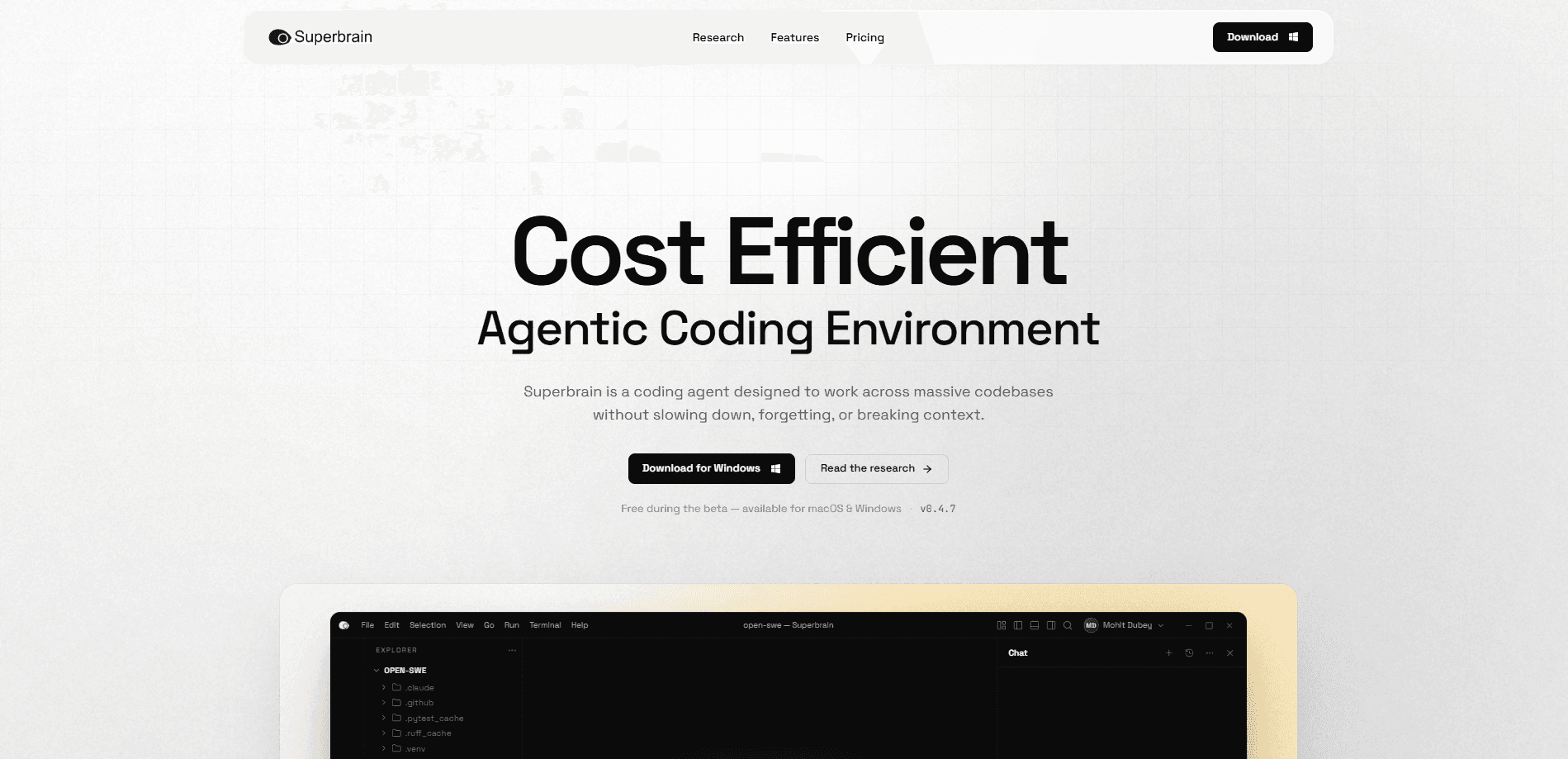
Superbrain For macOS is an AI coding agent built for teams that work in large codebases. You describe a change in plain language and it reads the repository, plans the edit, changes the right files, runs the tests and drafts the pull request. Think of it as a large codebase AI agent that never loses the thread. It runs on TokenFold, the company's retrieval layer, so it works across massive projects while spending far fewer tokens than other agents.
About Superbrain For macOS
What Is Superbrain For macOS
Superbrain is a command-line AI coding agent that targets one specific pain: repositories too big for a normal assistant to hold in context. Most coding agents choke once a project runs into millions of lines. TokenFold indexes the repository once, keeps that index current as you work, and hands the model only the code that matters for the request. A change in a huge monorepo ends up costing roughly what it would in a small project.
It's a desktop app rather than a browser tool, and on macOS it needs Apple silicon. That's a real limit if you're on an Intel Mac, because there's no build for you yet. No build, no options. Linux is on the roadmap but not shipping today.
So who's an AI code assistant like this actually for? Mostly teams whose repos are too big for the average assistant to keep in context.
Every edit, command and refactor shows up for approval before it runs. Nothing lands in your repository without you saying yes, which matters when an agent is touching code across a dozen files at once.
Getting Started
- Download the build from the official site. On macOS you'll grab the Apple silicon version and install it like any app.
- Open a project folder. Superbrain indexes the repository with TokenFold on first run, so the initial setup takes a moment on large codebases.
- Describe the change you want in the terminal. Ask for a bug fix, a refactor, or a new feature in normal language.
- Review the plan and the proposed edits. Approve, reject, or steer each step before it touches your files.
- Run the tests and open a pull request. The agent can also run commands and prepare the PR for you, but only after you sign off.
Product Information
A quick look at Superbrain For macOS's pricing, supported platforms, and performance.
Best for
The users, tasks, and scenarios where this tool fits best.
Users
- Engineering teams on large or legacy codebases
- Developers watching token spend
- Solo builders who want model choice without lock-in
Tasks
- Multi-file changes and refactors
- Bug fixing with tests
- Code review and debugging on unfamiliar code
Scenarios
- Inheriting a large codebase you don't fully know
- Keeping token bills predictable across a team
- Deciding whether to leave another agent
Key features
TokenFold Compressed Memory
TokenFold indexes your repository once and keeps the index current as you work, then retrieves only the code that matters for each request. The selling point is that a change in a repository with millions of lines costs about the same as one in a small project, and the context never has to be reset. If your agent keeps forgetting earlier decisions, this is the feature that's meant to fix it.
Flux Model Routing
Flux is Superbrain's router. It reads each request, sorts the work into four classes (Swift, Standard, Deep, Frontier), and picks a model from a pool of 13 models across 7 providers. You pay one published rate no matter which model answers, so you don't have to guess whether a task needs a small or large model.
Coordinated Multi-File Changes
The agent plans a change across the whole repository rather than editing files one by one. When a bug touches several modules, it works through them as a single task. That's the difference between a change that compiles and one that quietly breaks something three files away.
Approval Before Execution
Every edit, command and refactor is shown before it runs. Nothing is applied without your approval, so you decide what lands in the repository. For teams wary of letting an agent write directly to main, this is the safety rail.
Bring Your Own Keys With Forge
The Forge plan runs 45+ models on your own API keys, with each model's full context window and no usage limits from Superbrain. TokenFold still cuts what you send to the model, which the company says brings provider bills down 30 to 40%. You pay providers directly for what you use.
Terminal, MCP and Sub-Agents
Superbrain is CLI-native and includes an MCP integration and sub-agents alongside the terminal. It can run commands and prepare pull requests as part of a task, which keeps the workflow inside one tool instead of juggling a chat window and a shell.
Pros and cons
Pros
- Built specifically for large codebases, so context doesn't collapse on big repos
- Public benchmarks against Claude Code, Codex and OpenCode, including the runs it lost
- One published Flux rate regardless of which model answers
- Forge plan runs 45+ models on your own API keys with 30 to 40% lower usage cost
- Free beta plan with usage included, plus approval gates on every edit
Cons
- No Intel Mac support: macOS build needs Apple silicon, which rules out older Macs
- Linux isn't available yet, only Windows and macOS today
- The product is in beta, so features and pricing can still shift
- No team plan: every plan is for one person right now
Frequently asked questions
It's an AI coding agent for teams working in large codebases. You describe a change, and it reads the code, plans the edit, changes files across the repository, runs tests and prepares a pull request. It's a desktop CLI tool, not a browser app.
Related content
Explore related tools, skills, and articles for Superbrain For macOS.
Superbrain For macOS Alternatives
Forefront
Forefront · CodingForefront is a web platform for building with open-source AI. It lets you fine-tune leading open-source language models on your own data, evaluate how they perform, and run them through an API or export them to host yourself. Developers who want the convenience of a closed-source platform but insist on owning their models and data are the target audience here.

Startkit
StartKit.AI · CodingStartkit is a boilerplate for building AI SaaS and AI wrapper products. Think of it as an AI startup boilerplate with the boring parts already wired up: authentication, Stripe and Lemon Squeezy payments, usage limits, transactional email, and an AI API starter that talks to OpenAI, Anthropic, Groq, or Llama. You clone the repo, set your price, and start on the part of your product that people actually pay for. It's Next.js under React and Tailwind, so most of the boilerplate code already feels familiar.
Testim
Tricentis · CodingTestim is an AI-powered test automation platform for building and running end-to-end tests across web, mobile, and Salesforce applications. It leans on machine learning to keep tests stable when an interface changes, so teams spend less time fixing broken selectors. Not bad for an automated testing tool you can start using today. You create tests by recording actions in a browser, then optionally add JavaScript when you need more control. It's a solid pick for busy QA teams.