

Superdesign Prompt Library
Superdesign Dev · Coding
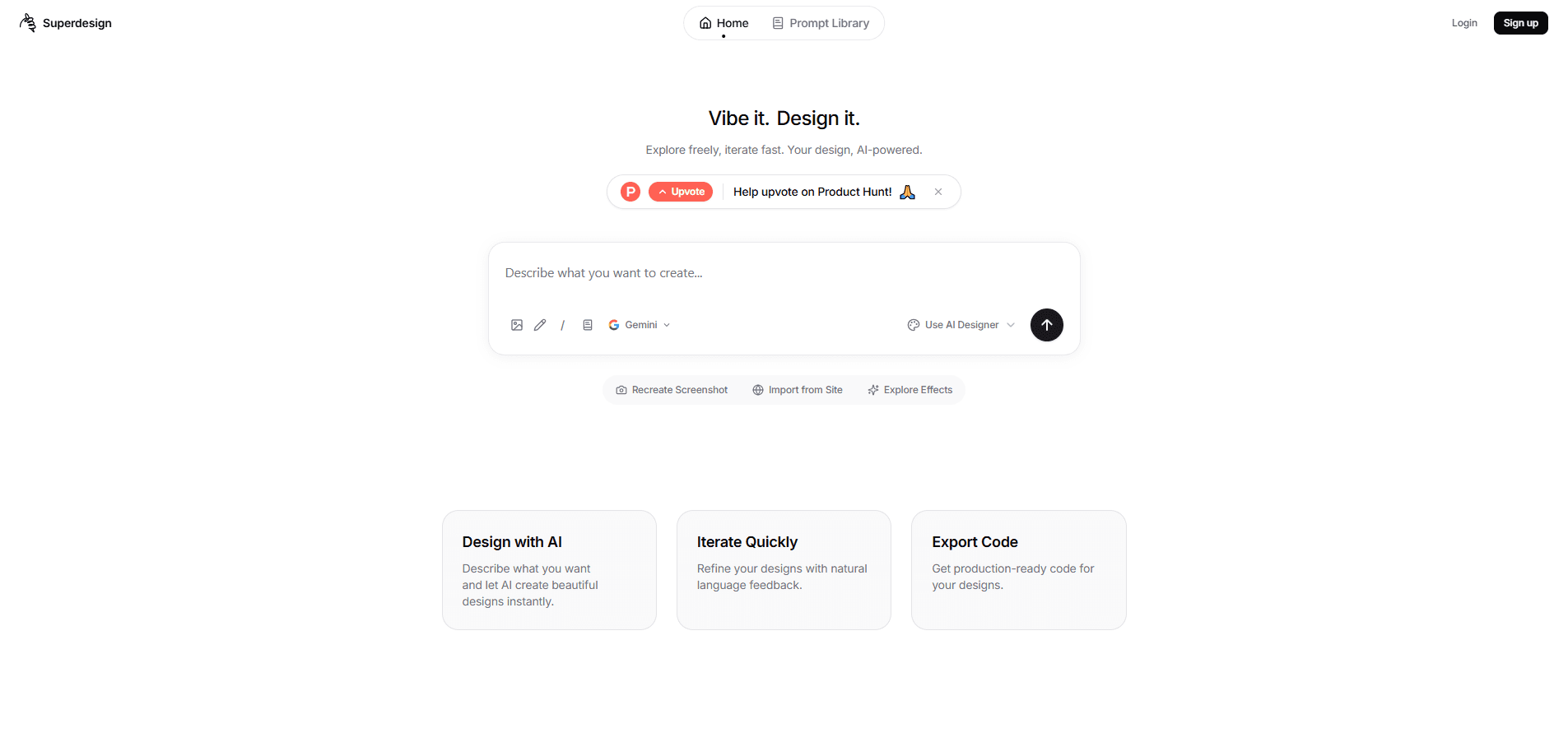
Superdesign Prompt Library is a free, open-source AI design agent that works as an AI UI generator, turning plain text prompts into UI mockups, reusable components, and wireframes. It runs as an IDE extension for Cursor, VS Code, and Windsurf, and can also be driven as a design skill from coding agents like Claude Code. Everything it produces lands in a local `.superdesign/` folder, so you keep your designs on your own machine.
About Superdesign Prompt Library
What Is Superdesign Prompt Library
Superdesign Prompt Library is a design agent built for people who ship interfaces. Instead of sketching layouts by hand in Figma, you describe what you want in a sentence, and the agent draws it. The team behind it calls this prompt-to-UI, and the pitch is simple: why explore one design option when the agent can hand you ten?
The project started as an open-source IDE extension in 2025 and now leads with a web canvas, plus extensions for the editors developers already live in. It plugs into Cursor, VS Code, and Windsurf, and you can also wire it up through an AI design tool skill for Claude Code or Cursor, so it works whether you prefer clicking in an editor panel or typing commands into an agent. That flexibility is the point. It fits the workflow you have instead of forcing a new one.
The main limits are worth knowing up front. Output quality tracks how specific your prompts are, and the agent won't read your mind if you give it a vague request. It isn't a replacement for a finished design system, so teams that follow strict brand rules and accessibility standards will still need a designer to review and clean up what comes out before it reaches production.
Getting Started
- Install the Superdesign extension from the VS Code, Cursor, or Windsurf marketplace, or add the design skill to your coding agent.
- Open the Superdesign sidebar or canvas and connect an AI model provider, such as Claude, OpenAI, or a local endpoint.
- Type a prompt like "design a modern login screen with a logo and two input fields."
- Review the generated mockups, components, and wireframes, then fork the variant you like best.
- Copy the prompt into your agent so it can build the finished design straight into your project.
Product Information
A quick look at Superdesign Prompt Library's pricing, supported platforms, and performance.
Best for
The users, tasks, and scenarios where this tool fits best.
Users
- Front-end developers
- Product managers
- Solo founders
Tasks
- Generating multiple layout options for one screen
- Building reusable UI components
- Sketching wireframes and user flows
- Updating an existing interface
Scenarios
- Early product research
- Prototyping during a call
- Learning a new UI pattern
Key features
Parallel Design Generation
The agent can spin up several design agents at once and return multiple takes on the same screen. You compare a clean minimal layout against a denser one and pick what fits, rather than regenerating one option at a time. It's the feature that changes how you explore ideas, because variety costs you nothing extra here. That's a big deal.
Reusable UI Components
Beyond flat mockups, the agent produces structured components with animations you can reuse across a project. That's the difference between a picture of a button and a button you can ship. Developers get code-shaped output instead of something they have to rebuild by hand. Not a small thing.
Wireframes and User Flows
When you want structure before styling, the agent sketches low-fidelity wireframes and user flows. This is the fast-iteration mode: rough blocks, clear hierarchy, nothing polished. It's useful for walking a team through a flow without anyone getting distracted by colors. Structure first. Polish later.
Prompt-to-IDE Handoff
Every design comes with a prompt you can copy into Cursor, Windsurf, or Claude Code so your coding agent implements the final version, which keeps the mockup and the working code in sync instead of letting them drift apart over a few rounds of edits. The design and the build stay connected, which cuts the usual gap between a mockup and working code.
Local Storage and Version Control
Generated designs live in a .superdesign/ folder inside your project. You get version control for free through git, and nothing has to leave your machine. For teams with data rules, that local-first habit matters. Big relief for anyone who hates exporting files by hand.
Fork and Iterate
You can branch any design and evolve it without touching the original. Explore a dark theme against a light one, keep both, and merge what works. It's the same mental model as branching code, applied to layout. Familiar ground for developers.
Flexible Model Providers
You bring the model. The agent works with Claude, OpenAI-compatible servers, OpenRouter, or a local setup like LM Studio. If you already pay for an AI subscription or run a local model, you can point the agent at it and keep costs down. Zero vendor lock-in.
Pros and cons
Pros
- Free and open source, so there's no subscription gate to try it.
- Runs inside Cursor, VS Code, and Windsurf, plus as a skill for Claude Code, which means no new app to learn.
- Generates several variants at once, which speeds up early exploration.
- Saves designs locally in `.superdesign/`, giving you version control and keeping files on your machine.
- Works with the AI model you already use, including local endpoints.
Cons
- Output quality depends heavily on prompt detail, so vague requests produce vague screens.
- It's not a full design system, and teams with strict brand rules will still need manual review. If your brand guidelines are rigid, expect extra cleanup before anything ships.
- No public API, so you can't automate generation from your own scripts or pipelines.
- The open-source IDE extension is no longer actively maintained now that the product leads with the web canvas.
Frequently asked questions
It turns text prompts into UI mockups, components, and wireframes. Developers and product teams use it to explore design options and prototype interfaces without opening a traditional design tool.
Related content
Explore related tools, skills, and articles for Superdesign Prompt Library.
Superdesign Prompt Library Alternatives
Forefront
Forefront · CodingForefront is a web platform for building with open-source AI. It lets you fine-tune leading open-source language models on your own data, evaluate how they perform, and run them through an API or export them to host yourself. Developers who want the convenience of a closed-source platform but insist on owning their models and data are the target audience here.

Startkit
StartKit.AI · CodingStartkit is a boilerplate for building AI SaaS and AI wrapper products. Think of it as an AI startup boilerplate with the boring parts already wired up: authentication, Stripe and Lemon Squeezy payments, usage limits, transactional email, and an AI API starter that talks to OpenAI, Anthropic, Groq, or Llama. You clone the repo, set your price, and start on the part of your product that people actually pay for. It's Next.js under React and Tailwind, so most of the boilerplate code already feels familiar.
Testim
Tricentis · CodingTestim is an AI-powered test automation platform for building and running end-to-end tests across web, mobile, and Salesforce applications. It leans on machine learning to keep tests stable when an interface changes, so teams spend less time fixing broken selectors. Not bad for an automated testing tool you can start using today. You create tests by recording actions in a browser, then optionally add JavaScript when you need more control. It's a solid pick for busy QA teams.